GoHighLevel Features: Complete Guide to Every Major Feature in 2026
GoHighLevel features can look confusing at first. Open the dashboard and you see a CRM, funnels, workflows, calendars, inboxes, reviews, AI tools, and agency settings. It feels like six products in one login. Many first-time visitors ask the same thing: is this just a CRM, or something bigger?
That is the point. GoHighLevel combines several marketing and business tools into one platform. The company now calls itself HighLevel, but most people still say GoHighLevel.
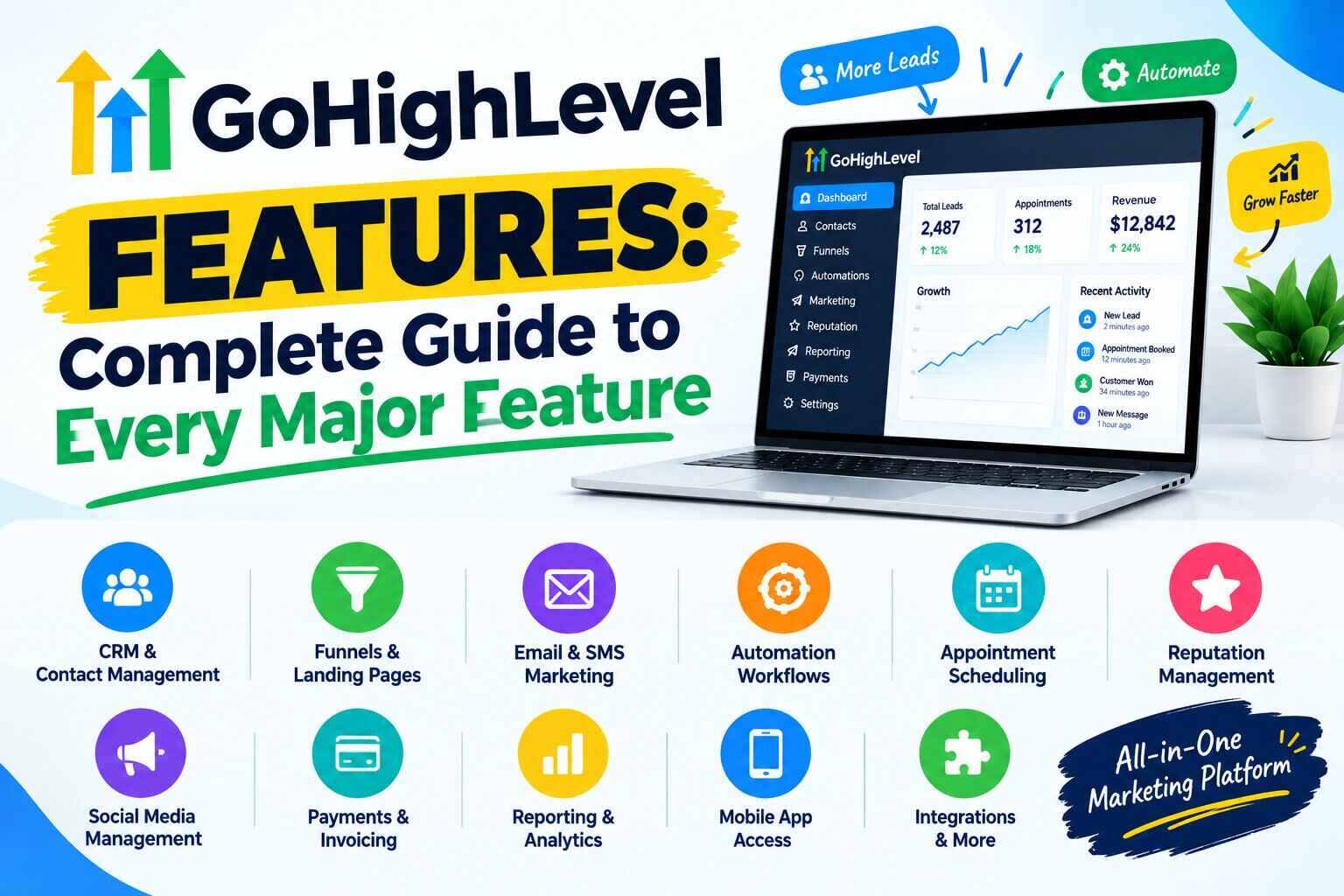
So what does GoHighLevel actually include? Here is the short answer. It includes a CRM with pipelines, a funnel and website builder, forms and surveys, email and SMS, booking calendars, workflow automation, reputation tools, AI tools, and a mobile app. Agency accounts add sub-accounts, snapshots, white-label options, and SaaS Mode.
This guide explains each feature in plain language. You will see how it works, who uses it, and where costs or limits appear. I checked HighLevel’s official pages and help center in September 2026. Features change often, so confirm details before you subscribe.
Affiliate disclosure: This article may contain affiliate links. If you sign up through one of these links, I may earn a commission at no extra cost to you.
What Is GoHighLevel?
GoHighLevel is an all-in-one sales and marketing platform. It is built mainly for agencies, but small businesses, coaches, and freelancers use it too. It replaces separate tools for contacts, pages, messaging, booking, reviews, and reporting.
This article stays focused on features. For pros, cons, and alternatives, read our GoHighLevel review.
GoHighLevel Features at a Glance
The table below lists the major GoHighLevel platform features. Each one gets its own section later.
| Feature | What It Does | Best For |
|---|---|---|
| CRM | Stores contacts, notes, tags, and history | Every user |
| Sales pipelines | Tracks opportunities by stage | Sales and service teams |
| Funnels | Builds multi-step landing and sales pages | Lead generation |
| Websites | Builds business websites | Small businesses |
| Forms and surveys | Captures and qualifies leads | Any business |
| Workflows | Automates follow-up and tasks | Every user |
| Sends campaigns and automated emails | Nurturing leads | |
| SMS and calling | Handles texts and calls | Fast follow-up |
| Calendars | Books appointments | Service businesses |
| Reputation | Requests and manages reviews | Local businesses |
| AI tools | Chat, voice, content, and workflow help | Teams with high message volume |
| Payments | Collects payments and invoices | Coaches and services |
| Courses and communities | Delivers content to members | Creators and coaches |
| Reporting | Shows dashboards and results | Agencies and owners |
| Integrations and API | Connects other tools | Custom setups |
| Agency management | Runs many client accounts | Agencies |
| White label | Rebrands the platform | Agencies |
| SaaS Mode | Sells software access under your brand | Agency Pro users |
Want to see these tools inside an account? Explore GoHighLevel and check the current plan details.
GoHighLevel CRM
The CRM is the center of the platform. It stores every contact and everything that happens with them.
You can add tags, notes, and custom fields. You can see messages, calls, and appointments in one history. HighLevel says every plan includes unlimited contacts and users.
Here is a typical flow. A lead enters. A contact record is created. An opportunity is added to a pipeline. Follow-up begins. An appointment is booked. A sale closes. The exact flow depends on how you set it up.
Beginners should know one thing. The CRM works best when your data is clean. Decide on a few tags and fields first.
GoHighLevel Sales Pipeline and Opportunity Management
A pipeline is a set of stages. An opportunity is a deal moving through those stages. Together they show where every lead stands.
Take a local plumbing company. Stages might be new lead, quote sent, booked, and completed. Each new inquiry becomes an opportunity. You drag it forward, or a workflow moves it automatically.
Pipelines matter because they show what needs attention. You see stuck leads, follow-up gaps, and open deals at a glance.
GoHighLevel Funnel Builder
The GoHighLevel funnel builder creates multi-step pages. A funnel might include a landing page, a form, a payment step, and a thank-you page.
HighLevel offers templates and a drag-and-drop editor. It also lists Funnel and Website AI, which builds pages from prompts. According to HighLevel’s AI pricing page, that tool is free with a limit of 1,000 prompts per day per location.
Funnels suit lead generation, webinars, and simple offers. Dedicated funnel platforms may offer different design options. Build one real page during your trial and judge it yourself.
GoHighLevel Website Builder
The GoHighLevel website builder lets you create multi-page sites. You can add forms, calendars, and funnels to those pages.
What is the difference? A website helps people learn about you. A funnel guides them to one action. A small business often needs both.
Custom domains are supported. HighLevel also sells WordPress hosting as an add-on, starting at $10 per month for one site. That is optional.
GoHighLevel Forms and Surveys
Forms capture contact details. Surveys ask multiple questions and can qualify leads. Either one can create a contact and start a workflow.
For example, a marketing agency could use a form to collect business information before a sales call. The answers save to the contact record. A workflow then sends a booking link.
Use surveys when you need to sort leads. Use short forms when speed matters.
GoHighLevel Workflow Automation
GoHighLevel automation runs through workflows. A workflow starts with a trigger. Then it runs actions, waits, and conditions.
- Triggers: a form submitted, a tag added, an appointment booked.
- Actions: send an email, send a text, move an opportunity, notify a team member.
- Wait steps: pause for minutes, hours, or days.
- Conditions: send contacts down different paths.
Here are three examples. Build only what the workflow builder supports.
- New lead: email, wait, text, then an appointment reminder.
- Booked appointment: confirmation, reminder, then a follow-up after the visit.
- Missed appointment: a rebooking message, a wait, then a second message.
HighLevel also offers a Workflow AI Builder that creates a workflow from a plain-language prompt. Per its AI pricing page, it is free with fair-use limits. Some premium AI actions, such as Decision Maker or Intent Detection, cost $0.01 per execution.
A common beginner mistake is building ten workflows on day one. Start with one.
GoHighLevel Email Marketing
You can send campaigns and automated emails from inside the platform. Templates help you start. Personalization fields pull in contact details.
Email fits into workflows. A form submission can trigger a welcome message. A booking can trigger a reminder.
Email usage costs $0.675 per 1,000 emails, according to HighLevel’s billing guide. Email validation costs $2.50 per 1,000. Dedicated IP addresses cost $59 per month on the $297 and $497 plans. Deliverability still depends on your list and setup.
GoHighLevel SMS and Communication Features
The built-in phone system handles SMS, MMS, and calls. You can buy numbers, text contacts, and hold two-way conversations in one inbox.
Automated texts work well for reminders and quick replies to new leads. Speed often matters in lead response.
Messaging is not unlimited. HighLevel says phone system pricing matches Twilio’s, and usage draws from your wallet. A support article also covers a 5% markup on some phone pass-through charges. Carriers may require registration and consent, especially in the US. Check the details before you launch.
GoHighLevel Calendar and Appointment Scheduling
Booking calendars let people choose a time. You set availability, buffers, and reminders. HighLevel also supports team and round-robin style calendars.
Picture a dental office. A patient books online. A confirmation goes out. A reminder follows. If they miss the visit, a workflow sends a rebooking message.
Calendars connect to forms, funnels, and workflows. That link makes booking part of a larger system.
GoHighLevel Reputation Management
The reputation tools help you ask customers for reviews and respond to them. You can send review requests after a job, then monitor incoming reviews.
Local businesses care because reviews influence trust. I will not claim they change rankings.
Reviews AI can suggest replies. On pay-per-use pricing, it costs $0.01 when you send an AI-assisted reply, per HighLevel’s AI pricing page. An online listings add-on costs $30 per month.
GoHighLevel AI Features
HighLevel groups many AI tools under the name AI Employee. The list changes fast, so check the in-app pricing page before you buy. As of the help center’s September 2026 update, these are the main tools.
Conversation AI
What it does: Replies to text conversations using your instructions and knowledge base. Who might use it: Businesses with steady inbound messages. What to test: Accuracy, tone, and handoff to a human. Costs: Billed by tokens on pay-per-use. The $50 Growth plan includes 1,000 responses per month. The $97 Unlimited plan is unlimited, subject to fair use.
Voice AI
What it does: Handles inbound and outbound calls with an AI agent. Who might use it: Businesses that miss calls. What to test: Call quality and how it handles unusual questions. Costs: Growth includes 100 minutes per month. Pay-per-use combines a voice engine fee, text-to-speech, and model costs. Phone charges apply separately.
Content AI, Reviews AI, and Email AI
What they do: Draft text and images, suggest review replies, and help with email content. Costs: Content AI and Reviews AI are unlimited on the Growth and Unlimited plans, subject to fair use. Email AI is listed as free.
Workflow AI, Ask AI, and Agent Studio
What they do: Workflow AI builds workflows from prompts. Ask AI answers questions inside the platform. Agent Studio builds custom AI agents. Costs: Agent Studio is pay-per-use on every plan. HighLevel also lists Managed Agents, with run limits by plan.
Two cautions. Usage settings decide whether AI stops or keeps running at your limit. And HighLevel’s own disclaimer notes that AI tools need oversight. I am describing availability here, not judging quality.
GoHighLevel Memberships, Courses and Communities
HighLevel lists courses and communities on its pricing page. You can deliver lessons, organize members, and control access.
Coaches, course creators, and consultants use these tools most. A coach could sell a program and give buyers access after payment.
Clients with communities can also order a branded mobile app through an agency. HighLevel lists that add-on at $49 per month per enabled sub-account.
GoHighLevel Payments and Selling Tools
You can collect payments, send invoices, and add checkout steps to funnels. HighLevel’s site lists integrations with payment providers such as Stripe, PayPal, and Square.
Keep one point clear. HighLevel provides the tools. The payment provider processes the money and charges its own fees.
The mobile app also shows payments and invoices. Check which payment provider works in your country before you plan around it.
GoHighLevel Reporting and Analytics
Dashboards show leads, opportunities, appointments, and activity. Agencies can review results by client account.
You can track campaign performance, and Ad Manager helps with paid ads. Ad Manager is free for agencies, and ad spend is separate.
Reporting depends on setup. If forms, tags, and sources are messy, the reports will be messy. No system gives perfect attribution.
GoHighLevel Integrations
Integrations connect GoHighLevel to tools you already use. HighLevel says it is built to integrate with your existing tools. It offers an API, with basic access on Unlimited and advanced access on Agency Pro.
| Integration Type | Example Use |
|---|---|
| Payments | Connect Stripe for checkout and invoices |
| Messaging | Add WhatsApp ($10 per month per sub-account, plus usage) |
| Advertising | Use Ad Manager to run and sync Facebook lead ads |
| API | Build custom connections for your own tools |
| Automation apps | Connect through Zapier-style tools where supported |
Integrations are usually not carried inside snapshots. Plan to reconnect them for each new account.
GoHighLevel Agency Features
Agency features are where the platform differs most from a simple CRM. The main pieces are:
- Sub-accounts: separate workspaces per client. Starter allows three. Unlimited and Agency Pro allow unlimited.
- Snapshots: reusable account setups.
- Rebilling: passing usage costs to clients. No markup on Unlimited. Markup on Agency Pro.
- Agency wallet and billing: one place to see charges by sub-account.
- User and agent reporting: listed on Agency Pro.
Why does this matter? Managing ten clients in ten separate tools is slow. Sub-accounts keep data apart while you work from one dashboard.
That said, not every agency needs all of it. A freelancer with two clients may never touch rebilling.
GoHighLevel White Label Features
White labeling means clients see your brand instead of HighLevel’s. That can include your logo, colors, and login domain. HighLevel’s pricing page says you can white-label the desktop app.
Plan rules matter here. Third-party guides say basic white label starts on the Unlimited plan and that Starter does not include it. I could not confirm plan requirements on HighLevel’s own pages, so verify before buying.
The white-label mobile app costs extra. HighLevel lists it at $497 per month or $1,491 per quarter.
White label does not mean invisible. Some support pages and login flows can still mention HighLevel.
GoHighLevel SaaS Features
SaaS Mode turns the platform into software you sell. HighLevel says it lets you sell subscriptions from your website, create client accounts automatically, and set your own prices. It also supports rebilling with markup.
This belongs to Agency Pro at $497 per month.
Be clear on the difference. Using GoHighLevel as a tool means running your own marketing or client campaigns. Using it as an agency SaaS platform means selling access as a product. The second path needs sales, support, and pricing decisions. I would not treat it as easy money.
GoHighLevel Mobile App
The HighLevel mobile app runs on iOS and Android. HighLevel’s help center lists conversations, contacts, opportunities, pipelines, payments, invoices, notifications, and search. The newer version also adds an AI assistant.
Some tasks still need the desktop first. HighLevel says calendar and user settings are created there.
No separate mobile fee applies to the standard app. Agencies can also buy a white-label version.
GoHighLevel Templates and Snapshots
Templates
Templates give you a starting point for pages, emails, and workflows. You edit them instead of starting blank.
Snapshots
A snapshot copies the setup of a sub-account. You build a source account first. Then you create a snapshot and load it into other accounts.
HighLevel says snapshots include workflows, funnels, calendars, forms, emails, custom fields, and membership content. They do not include contacts, appointments, conversations, reputation data, Stripe connections, or integrations.
Agencies use snapshots to repeat a proven setup. Each client still needs customizing and testing.
How GoHighLevel Features Work Together
The real value is the connection between features. Here is the flow in order:
- Lead generation brings a visitor to a landing page.
- A form submission creates a CRM contact.
- A pipeline opportunity is added.
- An automated email goes out.
- An SMS follow-up is triggered.
- The lead books through a calendar.
- A reminder is sent before the appointment.
- The sale closes and the pipeline updates.
- A review request goes out.
Fictional example: A local roofing company runs an ad. A homeowner opens the landing page and submits a quote request. The contact enters the CRM. An email confirms the request, and a text follows. The customer books an inspection. The team gets a notification, and a reminder goes out. The opportunity moves through stages. After the job, a review request arrives.
This is a sample setup. It is not a result. Each step must be built and tested.
Want to try a flow like this? Test the platform with your own workflow. Our GoHighLevel free trial guide covers what to check.
GoHighLevel Features for Different Types of Users
| User | Most Useful Features | Typical Use |
|---|---|---|
| Marketing agencies | Sub-accounts, snapshots, rebilling | Managing many clients |
| Local businesses | Calendars, SMS, reviews | Booking and follow-up |
| Freelancers | CRM, funnels, workflows | Serving a few clients |
| Coaches | Forms, calendars, payments, courses | Selling programs |
| Consultants | Pipelines, email, calendars | Managing prospects |
| Real estate | CRM, SMS, nurture workflows | Long follow-up cycles |
| Course creators | Courses, communities, email | Delivering content |
| Entrepreneurs | Funnels, payments, automation | Running one or two offers |
| Small businesses | CRM, forms, reminders | Handling leads and repeat customers |
Which GoHighLevel Features Should Beginners Learn First?
Do not learn everything at once. This order works well for most people:
- Contacts and CRM: everything else uses this data.
- Pipelines: they organize your leads.
- Calendars: booking is often the goal.
- Forms: they bring leads in.
- Basic workflows: start with one follow-up.
- Email: the simplest message channel.
- SMS: add it after you understand the rules.
- Funnels: build once the basics work.
- Reporting: read it after you have data.
Skip AI agents, SaaS Mode, and white label until later.
Which GoHighLevel Features May Have Extra Costs?
The subscription covers the platform. Some features add usage costs. Not every user will pay all of them.
- SMS and calls: phone system usage, billed through the wallet.
- Email: $0.675 per 1,000 emails.
- AI: pay-per-use, or $50 or $97 per month per enabled location.
- Premium workflow actions: $0.01 per execution.
- Phone numbers and domains: vary by provider and domain.
- Payment processing: charged by your payment provider.
- Optional add-ons: WhatsApp, online listings, SEO tools, and mobile apps.
Rebilling AI usage requires the $497 plan, per HighLevel’s billing guide. For plan prices and a full cost breakdown, read our GoHighLevel pricing guide.
GoHighLevel Features: Pros and Limitations
| Feature Area | Potential Benefit | Possible Limitation |
|---|---|---|
| CRM | Unlimited contacts on every plan | Not built for large enterprise sales |
| Automation | Connects all channels | Complex builds take time |
| Funnels | Included with CRM and calendars | Design options may differ from specialists |
| Built-in sending and workflows | Usage fees; deliverability needs care | |
| SMS | Two-way texting in one inbox | Usage costs and registration rules |
| Calendars | Tied to forms and workflows | Some settings need the desktop |
| AI | Many tools under one login | Costs vary; needs human oversight |
| Agency tools | Sub-accounts and snapshots | Starter caps at three sub-accounts |
| Reporting | Dashboards across clients | Depends on clean setup |
| Integrations | API and marketplace options | Not carried in snapshots |
Can GoHighLevel Replace Multiple Marketing Tools?
It can combine functions that many businesses buy separately. Those include a CRM, funnels, email, SMS, a calendar, automation, and reputation tools.
But the answer is not always yes. A specialized tool may go deeper in one area. Your current workflow also matters. If your team loves its email platform, switching may not be worth it.
A good test is simple. List the tools you pay for. Mark which ones you would happily drop. Then compare the total with your GoHighLevel plan plus usage.
GoHighLevel Features vs Dedicated Tools
This is a conceptual comparison. It explains trade-offs, not winners.
| Business Need | GoHighLevel | Dedicated Tool |
|---|---|---|
| CRM | Built in, tied to marketing | May offer deeper sales features |
| Funnel building | Included | May offer more design focus |
| Built in, usage-based | May offer richer email tools | |
| SMS | Built in, usage-based | May offer more messaging options |
| Scheduling | Connected to workflows | May be simpler to set up |
| Automation | Works across all channels | May be easier for one channel |
| Reputation | Review requests and replies | May cover more review sites |
| Memberships | Courses and communities | May offer more course features |
| Reporting | Shared dashboards | May offer deeper analytics |
Read the “may” carefully. It marks a possibility, not a claim. Compare specific tools before you decide.
GoHighLevel Features FAQ
What are the main features of GoHighLevel?
The main features are a CRM, pipelines, funnels, websites, email, SMS, calendars, workflows, reputation tools, AI tools, and a mobile app. Agency accounts add sub-accounts and snapshots.
What is GoHighLevel mainly used for?
People use it to capture leads, follow up automatically, book appointments, and manage clients. Agencies use it for many client accounts.
Does GoHighLevel have a CRM?
Yes. It includes contacts, notes, tags, custom fields, and pipelines. HighLevel says every plan includes unlimited contacts.
Does GoHighLevel have a funnel builder?
Yes. You can build multi-step funnels with forms, pages, and payment steps.
Does GoHighLevel have email marketing?
Yes. You can send campaigns and automated emails. Email usage is billed separately from the subscription.
Does GoHighLevel support SMS marketing?
Yes. It includes a phone system for texts and calls. Usage fees and registration rules can apply.
Does GoHighLevel have automation?
Yes. Workflows use triggers, actions, waits, and conditions. Some premium actions cost $0.01 per execution.
Does GoHighLevel have AI features?
Yes. HighLevel lists Conversation AI, Voice AI, Content AI, Reviews AI, Workflow AI, Agent Studio, and more. Some are included by plan, and others are billed by usage.
Does GoHighLevel have a website builder?
Yes. You can build websites and connect forms, calendars, and funnels.
Can agencies use GoHighLevel for multiple clients?
Yes. Sub-accounts separate each client. Starter allows three. Unlimited and Agency Pro allow unlimited.
Does GoHighLevel have a mobile app?
Yes, for iOS and Android. It covers conversations, contacts, opportunities, and payments, but some setup needs the desktop.
Can GoHighLevel replace a CRM and marketing automation tool?
It can for many users, since both functions are built in. Very specialized needs may still call for a dedicated tool.
Final Thoughts on GoHighLevel Features
GoHighLevel is not one tool. Its main idea is combining many business and marketing functions in one platform. That idea helps some people a lot and others very little.
Someone who needs only a simple email tool may never use most of these features. Paying for the whole platform would be a poor fit.
An agency managing several clients may care more about the CRM, automation, sub-accounts, snapshots, and agency tools. A local business may care more about leads, appointments, follow-ups, and reviews.
Think about how you work today. Do you lose leads between tools? Do follow-ups depend on someone remembering? Those gaps are where an integrated platform tends to matter most.
Also remember the difference between availability and quality. This guide shows what exists. Only your own tests show whether a feature works well for you.
Features also change. HighLevel adds and adjusts tools often, especially in AI. Recheck the pricing page and help center before you plan around any single feature.
So pick two or three features that match your daily work. Build one real workflow around them. Watch the costs.
If that sounds useful, you can explore GoHighLevel and see how the features fit your setup.