GoHighLevel for Agencies 2026: Features, Pricing, SaaS Mode & Setup
GoHighLevel for agencies keeps coming up a lot, and there’s a good reason for that. Once you start managing a few clients, you can quickly end up juggling a CRM, funnel builder, email platform, SMS tool, booking system, review software, and reporting dashboard. Before long, you’re dealing with a pile of different logins and monthly subscriptions. Then, every time you onboard a new client, you have to go through much of the same setup all over again.
GoHighLevel is looking to integrate as much of that into one platform as possible. On top you have an agency account, below each agency you will have one individual workspace. However, it is not going to take the place of everything. There are lots of agencies who have specialized software for design, SEO or analytics and that’s a good thing to do.
This article is written from the agency owner’s perspective at the desk. It includes client accounts, sub-accounts, automation, snapshots, white labeling, SaaS mode, pricing, setup, client onboarding and the drawbacks. In September 2026, I visited the official pricing page of HighLevel along with its help center to check the prices. Plans and features are subject to change without notice; be sure to verify prior to payment of anything.
Disclosure: This article includes affiliate links. By signing up with one of these links, I might receive a commission, but not a penny more than you do.
What Is GoHighLevel for Agencies?
It operates on two levels and as a result, most of the initial confusion arises when the two levels are mixed up.
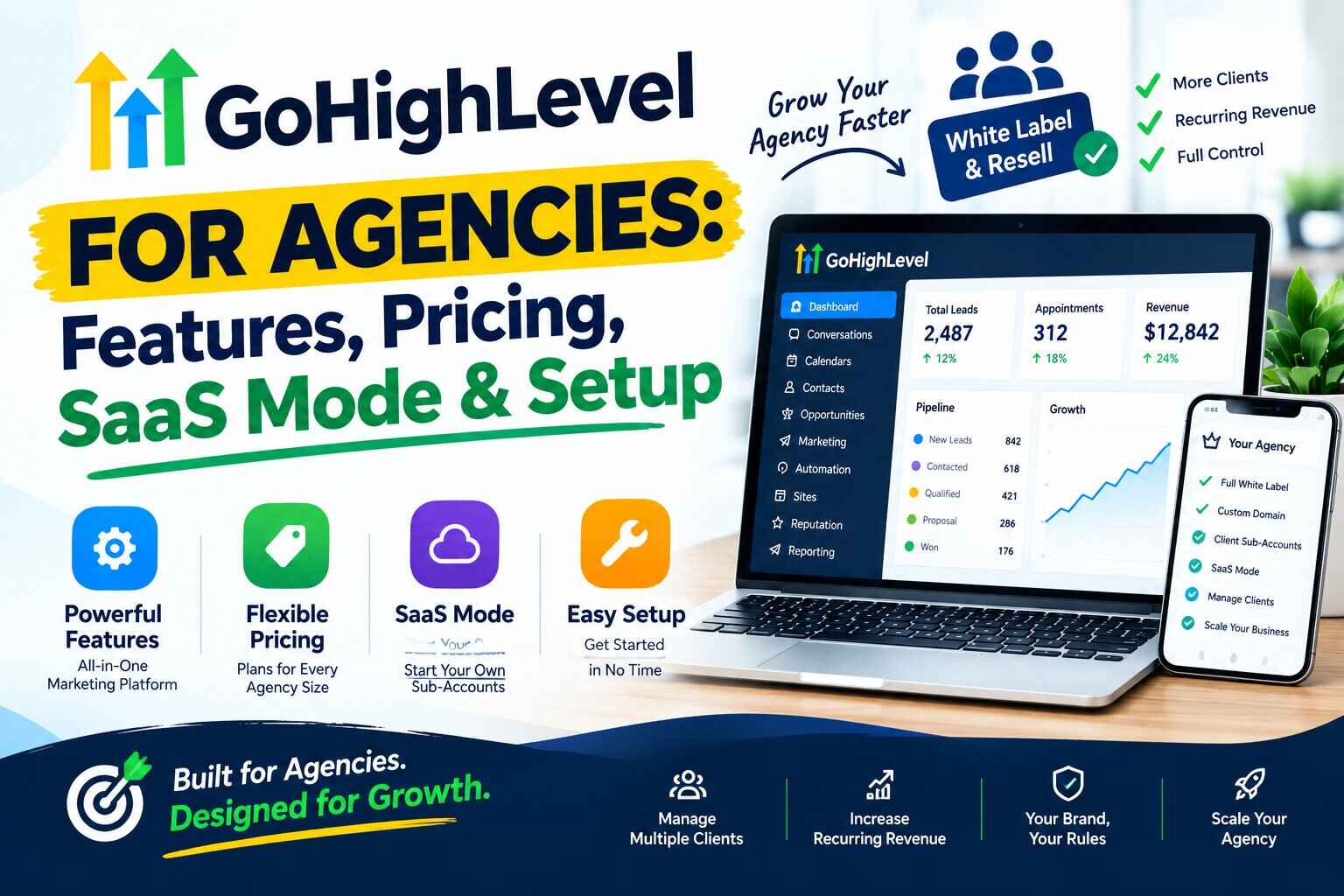
Your home base is agency level management. It’s where you can find billing, usage wallet, snapshots, branding, team members and settings. All your clients come to you from a single place.
Sub-accounts are individual client accounts. They each have their own client’s contacts, funnels, calendars, workflows and reports. Your plumber’s leads are not in contact with your dentist’s.
Of the two, you can share templates (HighLevel’s term for snaps, snapshots), reuse automations and run reporting from a single logon. To get a broader perspective of the platform, check out our GoHighLevel review.
Why Do Agencies Use GoHighLevel?
Agencies pick it for practical reasons. None is guaranteed, and each only matters if you use it.
- Client CRM and lead management: every client gets their own contacts and pipelines.
- Funnels and websites: you build pages inside the same login.
- Automation: follow-up runs without someone remembering to send it.
- Email and SMS: messages sit next to the contact record.
- Booking and reviews: both connect to workflows.
- Client onboarding: snapshots and templates cut down repeat work.
- White labeling and SaaS: some agencies present the platform under their own brand, and a few sell access to it.
An agency that only builds websites will use very little of this. A lead generation agency will use most of it.
GoHighLevel Agency Features at a Glance
| Agency Feature | What It Does | Why Agencies May Use It |
|---|---|---|
| Sub-accounts | Separate workspace per client | Keeps client data apart |
| CRM | Contacts, tags, notes, history | Tracks each client’s leads |
| Pipelines | Tracks deals by stage | Shows client sales progress |
| Funnels | Multi-step landing pages | Lead generation for clients |
| Websites | Business websites | Web design services |
| Workflows | Triggered automation | Repeatable follow-up |
| Campaigns and automated messages | Lead nurturing | |
| SMS | Texting and a two-way inbox | Fast lead response |
| Calendars | Online booking | Appointment-based clients |
| Reputation management | Review requests and replies | Local clients |
| Reporting | Dashboards; user and agent reporting on Agency Pro | Client updates |
| Snapshots | Copies an account setup | Standardized delivery |
| Templates | Starting points for pages and messages | Faster builds |
| White label | Rebrands the platform | Agency-branded client experience |
| SaaS mode | Sells plans and creates accounts | Selling software access |
| Client management | Agency billing and account controls | Running many clients |
Our GoHighLevel features guide covers each tool in detail. This article stays on agency use.
Want to look at the agency view yourself? Explore GoHighLevel for Your Agency and check the current plan details.
GoHighLevel Sub-Accounts: Managing Multiple Clients
Think of a sub-account as a separate workspace for each client. Their contacts, funnels, workflows, calendars, settings, and reports all live there, rather than being mixed in with everyone else’s data.
That separation is pretty important when you’re running an agency. You don’t want a dental clinic’s leads showing up while you’re working on a roofing company’s account. It also makes things much easier for your team because they can quickly tell which client they’re working on. Depending on your plan, you can also give each client their own phone numbers and branding.
There are some plan limits to keep in mind, though. HighLevel currently lists three sub-accounts on the Starter plan, while Unlimited and Agency Pro include unlimited sub-accounts. Some agency-level features also vary by plan, so it’s worth checking the details before promising a specific feature to a client.
For managing everything in one place, HighLevel’s Agency View lets you see and switch between your client sub-accounts from the agency dashboard. There can also be usage-based charges at the sub-account level, which is useful to keep in mind if one client is sending a lot more texts or using more services than the others.
You can also add team members and give clients their own user access. Just take a few minutes to review the available roles and permissions so everyone has access to what they actually need and nothing more.
How GoHighLevel Helps Agencies Manage Clients
Client management mostly comes down to repetition. Once you have a process, each new client follows the same path. Here’s an illustrative one. Yours will differ.
- Sign the client.
- Create their sub-account.
- Set up branding.
- Import or create contacts.
- Build the pipeline.
- Create the funnel.
- Connect a calendar.
- Build the workflows.
- Set up email and SMS.
- Configure reporting.
Your team can also work from the HighLevel mobile app on iOS and Android. It covers conversations, contacts, opportunities, and payments. Some setup tasks still need the desktop version.
GoHighLevel CRM for Agencies
GoHighLevel’s CRM is organized around each client rather than putting everyone into one big database. Every sub-account has its own contacts, tags, custom fields, notes, and sales pipelines. You’ll also find the conversation history attached to each contact, so emails, texts, and other interactions are easier to keep track of.
For an agency, this setup can make managing multiple businesses much less messy. You can keep one client’s leads, conversations, and pipeline completely separate from another client’s, while still managing everything from the same agency login. That means less jumping between different tools and accounts throughout the day.
That said, GoHighLevel’s CRM may not cover every advanced sales workflow you’d get from a dedicated CRM. If a client has a particularly complex sales process, it’s worth comparing the available features before moving everything over.
GoHighLevel Funnels and Websites for Agency Clients
Agencies build landing pages, funnels, websites, forms, appointment pages, and thank-you pages in the same builder. Here are a few made-up examples.
- Local business: A one-page site with a quote form and a booking link.
- Coach: a funnel with an application form and a discovery call calendar.
- Real estate business: a home valuation page that feeds a nurture sequence.
- Home service company: a service-area page with an estimate request.
GoHighLevel Automation for Agencies
This is probably one of the areas where agencies can save the most time. GoHighLevel handles automation through workflows. You basically set a trigger, decide what should happen next, and then add things like delays, conditions, or additional actions along the way.
There are plenty of ways to use them. You could set up automatic lead follow-ups, appointment reminders, nurturing sequences, review requests, client notifications, internal alerts, or even updates to a sales pipeline.
The real advantage shows up when you’re working with several clients. Once you’ve built a workflow that works well, you don’t have to start from scratch every time. You can save it in a snapshot and use that setup as a starting point for other client accounts with similar needs. That can cut out a lot of repetitive setup work.
Here are three sample setups. They aren’t results.
- New lead: the form is submitted, a contact is created, an email goes out, an SMS follows, a booking invite arrives, a reminder is sent, and the pipeline updates.
- Booked appointment: a confirmation, then a reminder, then a follow-up after the visit, then a review request.
- No-show: a rebooking message, a wait step, a second message, and an internal task for the client’s team.
What about missed-call follow-up? I couldn’t confirm the exact trigger from the sources I reviewed. Test it in your own account before you promise it to a client.
HighLevel also lists a Workflow AI Builder that drafts workflows from a prompt. It’s free with fair-use limits. Some premium actions cost $0.01 per execution, according to the billing guide.
Start with one workflow per client. Get it working, then add more.
GoHighLevel Email and SMS for Agencies
Agencies can run email campaigns, automated follow-ups, SMS, and two-way conversations for each client. Appointment reminders and nurture messages fit naturally here.
None of it is free to send. HighLevel’s billing guide lists email at $0.675 per 1,000 emails, and says phone system pricing matches Twilio’s. The agency wallet pays first. You can then rebill clients if your plan allows it.
Don’t tell a client their messaging is unlimited. It isn’t. Texting also comes with registration and consent rules that vary by country, so sort those out before you launch a campaign.
GoHighLevel Calendars for Agency Clients
GoHighLevel’s calendar tools take care of things like appointment booking, availability, and reminders. If a business has several people handling appointments, team calendars can also be used to coordinate everyone’s schedules.
For example, imagine you are setting up the system for a hair salon. A customer books an appointment through the online calendar and automatically receives a confirmation and reminder. If she needs to cancel, you can have a workflow follow up with her and suggest booking another available time.
Once you’ve got that setup working properly, you can save it and reuse the same basic system for other appointment-based clients instead of rebuilding everything from scratch.
GoHighLevel Reputation Management for Agencies
Agencies can set up review requests after a job or visit, then monitor reviews and follow up. A workflow can send the request automatically.
Be careful what you promise. Review tools don’t guarantee higher Google rankings. Reviews are one piece of local marketing, next to listings, content, and the quality of the service itself. HighLevel sells an online listings add-on at $30 per month per enabled sub-account.
What Are GoHighLevel Snapshots?
Think of a snapshot as a reusable copy of a sub-account’s setup.
You first build one account the way you want it, then create a snapshot from Agency View. After that, you can use that same setup as a starting point for other sub-accounts.
According to HighLevel’s help center, a snapshot can carry over things like workflows, funnels, calendars, forms, emails, triggers, custom fields, and membership content. What it doesn’t bring over are things like contacts, appointments, conversations, reputation data, Stripe connections, integrations, or Lead Gen forms.
For an agency, the biggest benefit is simply saving time and keeping things consistent. Instead of starting from scratch every time you onboard a client, you already have a setup that you’ve built and tested.
But it’s not completely hands-off. You’ll still need to add the client’s branding, connect their tools, test everything, and make any changes specific to their business.
So, snapshots make the setup process much faster. They don’t make it fully automatic.
GoHighLevel White Label for Agencies
White labeling means presenting the platform under your own brand. Clients see your logo, your colors, and your domain instead of HighLevel’s.
HighLevel’s pricing page says you can white-label the desktop app. It doesn’t spell out which plan you need. Third-party guides say basic white labeling starts on Unlimited and that Starter doesn’t include it. Ask HighLevel before you promise a client a branded portal. Some support pages and login flows may also still mention HighLevel.
The white-label mobile app is separate and costs extra. HighLevel lists it at $497 per month or $1,491 per quarter.
It helps to keep three ideas apart. White labeling is branding. Reselling is passing along services and usage to clients. SaaS is selling software access through plans. They overlap, but they aren’t the same thing.
Reselling can be simple. HighLevel’s billing guide lists add-ons agencies can offer clients: a Branded Client Portal App at $49 per month per enabled sub-account, online listings at $30, WhatsApp at $10 plus usage, and an SEO tool at $79. Ad Manager is free to agencies, though ad spend is separate.
What Is GoHighLevel SaaS Mode?
SaaS mode lets an agency sell access to the platform as a subscription. HighLevel’s pricing page says you can sell subscriptions from your own website and have client accounts created automatically. You set the price.
The tool behind it is the SaaS Configurator. In it, you create plans, choose features, attach snapshots, set trials, and configure usage billing.
HighLevel’s help center describes two billing setups. SaaS V1 runs on Stripe. SaaS V2 uses a designated agency sub-account as the billing record and supports providers such as Stripe, NMI, Authorize.net, and Square. After a successful checkout, a sub-account is created from the plan’s configuration.
A few practical notes come from HighLevel’s SaaS FAQ. Test-mode purchases don’t create sub-accounts. Buying through Stripe, funnels, or sale links creates a new sub-account, so existing clients should go through the manage-client page to avoid duplicates.
Think of it as a business, not a toggle. You become a software seller, so support and billing problems land on you. I won’t promise revenue here. Results depend on your market and how well you execute.
GoHighLevel SaaS Pricing for Agencies
SaaS mode belongs to the Agency Pro plan at $497 per month, or $4,970 per year. At the time of writing, that plan also includes automated sub-account creation, rebilling with markup, and advanced API access.
What the agency pays is the plan plus usage. Phone, email, and AI usage come out of the wallet. What clients pay is whatever you charge, and you can add a markup through rebilling. Rebilling AI usage requires the $497 plan, per the billing guide.
Other costs show up too. Payment providers charge processing fees. A white-label mobile app, WordPress hosting, and SEO tools all cost extra. Connected third-party tools bring their own bills.
Prices change, so check the official pricing page before you commit. Our GoHighLevel pricing article has the full breakdown.
GoHighLevel White Label vs SaaS Mode
| Feature | White Label | SaaS Mode |
|---|---|---|
| Main purpose | Present the platform under your brand | Sell software access as a product |
| Branding | Logo, colors, domain | Same, plus branded plans and checkout |
| Client access | You create accounts | Accounts can be created after checkout |
| Subscription model | You bill clients your own way | Plans and billing run through the Configurator |
| Agency use | Service agencies wanting a branded portal | Agencies building a software offer |
| Reselling | Rebilling at cost on Unlimited | Rebilling with markup on Agency Pro |
| Pricing control | Your service fees | Your plan prices and markup |
It comes down to your model. If you sell services, white labeling may be enough. If you want clients to subscribe to the software themselves, that’s SaaS mode.
Curious how the plans compare in the dashboard? Check the current GoHighLevel agency plans before you decide.
How to Set Up GoHighLevel for a New Agency Client
Bend this framework to fit each client.
Step 1: Create the Client Account
Create a sub-account from Agency View. Load your tested snapshot if you have one.
Step 2: Collect Business Information
Get the business name, hours, services, phone number, and logo. If you’ll touch their domain or ad accounts, ask for access now, not later.
Step 3: Configure Branding
Set the business name, logo, and email details. Add white-label branding if your plan supports it.
Step 4: Set Up the CRM
Create custom fields and tags. Keep the list short. Import existing contacts if the client has them.
Step 5: Build the Pipeline
Match the client’s real sales stages. Four or five is plenty.
Step 6: Connect the Calendar
Set availability and link the client’s own calendar. Book a test appointment.
Step 7: Build the Funnel
Create the landing page, form, and thank-you page. Confirm that a test lead lands in the CRM.
Step 8: Create Automation
Build the lead follow-up, appointment reminder, and review request workflows.
Step 9: Configure Communication
Set up email sending and phone numbers, and handle any texting registration.
Step 10: Test Everything
Submit the form yourself. Book the appointment. Read every message that goes out. Fix what breaks before the client sees it.
Step 11: Connect Reporting
Set up dashboards and tracking. Before you hand the account over, check user permissions, billing, and exactly what the client can see.
GoHighLevel Agency Setup Checklist
- Agency account configured
- Branding configured
- Client account structure planned
- CRM pipeline created
- Custom fields configured
- Forms created
- Calendar connected
- Funnel created
- Email configured
- SMS configured
- Workflows tested
- Tracking configured
- Reporting checked
- Client permissions reviewed
- Billing reviewed
- Usage costs understood
How Much Does GoHighLevel Cost for an Agency?
The plan price is only the start. At the time of writing, plans cost $97, $297, and $497 per month, and several other things shape your real total.
| Cost Area | What to Consider |
|---|---|
| Plan | $97, $297, or $497 per month; annual billing costs less |
| Client accounts | Starter allows three sub-accounts |
| SMS and phone | Usage billed from the wallet |
| $0.675 per 1,000 emails | |
| AI | Pay-per-use, or $50 or $97 per month per enabled sub-account |
| Domains | Varies by domain and provider |
| Third-party services | Payment processors and connected tools |
| SaaS functionality | Agency Pro plan, plus payment processing fees |
Our GoHighLevel pricing article goes deeper. Confirm the numbers on the official page too.
Is GoHighLevel Suitable for a Small Agency?
There’s no blanket answer. It depends on how many clients you have, what you sell, how much you need automation, a CRM, or funnels, how much client communication you handle, and what you can spend. Your technical comfort matters too.
It may fit if you serve local clients who need lead capture, booking, and follow-up, and you want one login for all of it. Picture a fictional agency with three local clients. Each needs leads, booking, and review requests. Starter’s three sub-accounts could cover that. Sign a fourth client and the agency would need to move up a plan.
A simpler stack may be enough if you only do design or only manage ads. Paying for a full platform to cover one service can cost more than it saves.
GoHighLevel for Different Types of Agencies
GoHighLevel for Digital Marketing Agencies
Full-service agencies use most of the platform. A typical use is a lead funnel with automatic follow-up. The main limit is learning time.
GoHighLevel for SEO Agencies
The CRM, forms, reporting, and review tools help turn traffic into leads. HighLevel also sells an SEO tool powered by Search Atlas at $79 per month per sub-account. A dedicated SEO suite may go deeper.
GoHighLevel for Social Media Agencies
The platform includes social media tools, and the CRM can track leads from social campaigns. Compare the planner with your current scheduler first.
GoHighLevel for Web Design Agencies
You can build client sites in the builder with forms and calendars attached. WordPress hosting is an add-on. Design freedom may be narrower than in dedicated builders.
GoHighLevel for Lead Generation Agencies
Funnels, forms, workflows, and pipelines suit this model well. A sample flow runs from ad to landing page to instant text to booking. Ad Manager is free to agencies, but ad spend isn’t.
GoHighLevel for Local Marketing Agencies
Calendars, SMS, reviews, and listings tools fit local clients. Watch messaging costs and texting rules.
Example: How an Agency Could Use GoHighLevel for a Local Business
This is a fictional example. It shows how the pieces connect and makes no claim about results.
A fictional marketing agency signs a local plumbing company. The agency creates:
- A client sub-account
- A landing page
- A lead form
- A CRM pipeline
- An appointment calendar
- An email follow-up
- An SMS follow-up
- A workflow for leads that don’t book
- A review request workflow
- A reporting dashboard
Here’s how it fits together. A homeowner fills out the form. That creates a contact and an opportunity. An email and a text go out right away. The homeowner books a time, and a reminder follows. After the job, a review request arrives. At the monthly client call, the dashboard shows leads and bookings.
GoHighLevel for Agencies: Advantages and Limitations
| Area | Potential Advantage | Possible Limitation |
|---|---|---|
| Centralized platform | Fewer tools to manage | One vendor to depend on |
| CRM | Per-client contacts and pipelines | May be lighter than specialist CRMs |
| Automation | Reusable across clients | Complex builds take time |
| Client accounts | Clear data separation | Starter caps at three |
| Funnels | Built into the same login | Design flexibility may differ |
| Communication | Email and SMS in one inbox | Usage fees and compliance work |
| Snapshots | Faster, consistent setups | Contacts and integrations are excluded |
| White labeling | Agency-branded experience | Plan rules to confirm; not fully invisible |
| SaaS | Sell plans with automated onboarding | Adds support and billing duties |
| Reporting | Dashboards per client | Depends on clean setup |
| Integrations | API and marketplace options | Reconnect after loading snapshots |
| Learning curve | Documentation and community | Steep for new users |
| Usage costs | Rebilling can recover costs | The wallet needs watching |
GoHighLevel vs Using Separate Agency Tools
You’re really choosing between one integrated platform and several specialized tools. Neither is better in every case.
| Agency Need | Integrated Platform Approach | Separate Tools Approach |
|---|---|---|
| Software management | One login and vendor | Many logins and bills |
| Data | Shared in one place | Spread across tools |
| Automation | Works across channels | Needs connectors |
| Client onboarding | Snapshots speed setup | Rebuild each tool |
| Billing | Wallet and rebilling | Separate invoices |
| Integrations | Fewer needed | More needed, often flexible |
| Learning curve | One large system | Several smaller ones |
| Specialization | Broad coverage | Deeper in each area |
What Should an Agency Test Before Paying for GoHighLevel?
HighLevel’s pricing page lists a 14-day trial on any plan. Our GoHighLevel free trial guide explains the terms. Use those two weeks on your real agency workflow, not on random clicking.
- Create a client account
- Build a pipeline
- Create a funnel
- Create a form
- Connect a calendar
- Build a workflow
- Test email
- Test SMS
- Explore reporting
- Test snapshots
- Explore agency settings
- Test client permissions
- Review white-label options
- Review SaaS functionality
- Check usage costs
Also ask support which plan includes the white-label and SaaS features you need. Get the answer in writing before you build anything around it.
Ready to run your own workflow through it? Start the current GoHighLevel trial and work down the list.
GoHighLevel for Agencies FAQ
Is GoHighLevel good for agencies?
It can be. Fit depends on your client count, services, existing tools, budget, and team skill. Test your real workflow before you decide.
Can agencies use GoHighLevel for multiple clients?
Yes. Each client gets a sub-account. Starter allows three, while Unlimited and Agency Pro allow unlimited.
What is a GoHighLevel sub-account?
It’s a separate workspace for one client. It holds that client’s contacts, funnels, calendars, workflows, and reports.
Can agencies white-label GoHighLevel?
Yes, HighLevel says the desktop app can be white-labeled. Confirm the plan requirements before you promise clients a branded portal. The mobile app is a separate paid add-on.
What is GoHighLevel SaaS mode?
It lets an agency sell platform access as subscriptions, with client accounts created automatically. It’s part of the Agency Pro plan.
How much does GoHighLevel cost for agencies?
Plans run $97, $297, and $497 per month. Usage and add-ons cost extra. Confirm the current numbers on the official page.
Can agencies resell GoHighLevel?
Yes, through SaaS mode and rebilling. HighLevel also lets agencies resell certain add-on services. Check its current terms before you launch an offer.
What are GoHighLevel snapshots?
They’re reusable copies of a sub-account’s setup. They include workflows, funnels, calendars, and forms, but not contacts or integrations.
Can an agency automate client follow-ups with GoHighLevel?
Yes. Workflows can send emails and texts, wait, and update pipelines after a trigger. Test each step first.
Does GoHighLevel include CRM features for agencies?
Yes. Every sub-account has contacts, tags, custom fields, notes, and pipelines.
Can agencies try GoHighLevel before paying?
Yes. HighLevel’s pricing page lists a 14-day free trial. Billing starts automatically afterward unless you cancel.
Final Thoughts: Is GoHighLevel a Fit for Your Agency?
GoHighLevel can be a good fit if you want to keep your CRM, funnels, communication, automation, calendars, and client accounts in one place. That’s really where the platform makes sense. But having all those tools in one dashboard won’t magically fix a weak offer or a sales process that isn’t working.
Before choosing a plan, take a look at what your agency actually needs. How many clients are you managing right now? What services do you offer? Which tools are you already paying for, and would GoHighLevel actually let you replace any of them?
Your budget matters, but so does how much you’ll use the platform. Think about your team, how comfortable they are with the software, and what your clients actually expect from you. If you’re planning to white-label the platform or build a SaaS-style offer around it, that’s another thing to consider. Those setups usually require more features, more work, and potentially a higher plan.
If you’re a small agency offering just one service, a simpler collection of tools might be all you need. But if you’re managing several local businesses and using similar systems for each one, having everything under one platform can save a lot of time.
At the end of the day, the software itself isn’t what gets results. It gives you the tools. What you do with those tools, how you structure your service, and how well it fits your clients’ needs matter much more.
And don’t look only at the monthly plan price. Once you start bringing real clients into the system, usage, setup time, and ongoing management all become part of the cost.
The best step is a real test. Build one client workflow during the trial and watch the costs. Read our GoHighLevel free trial guide first so you know what to check.
If that fits your plans, you can explore GoHighLevel for your agency and see how it handles your workflow.