GoHighLevel Free Trial 2026: How It Works, What You Get & What to Test
The GoHighLevel free trial exists, and HighLevel’s own pricing page currently lists it at 14 days. But the details around it matter more than the headline. A trial can still lead to a charge if you miss the deadline.
Thinking about trying GoHighLevel? You are not alone.
The platform can look overwhelming at first. There are CRM tools, funnels, workflows, calendars, messaging, and more. A trial lets you explore those tools before you commit to a paid plan.
But a trial only helps if you use it well. Many people click around for a few days, then run out of time. They never test the one workflow they actually need.
This article covers how the trial works, what you can test, and what happens when it ends. You will also see how to cancel and which costs can show up during the trial. I checked HighLevel’s official pages in September 2026. Terms can change, so confirm them on your signup page.
Affiliate disclosure: This article may contain affiliate links. If you sign up through one of these links, I may earn a commission at no extra cost to you.
Does GoHighLevel Have a Free Trial?
Anyone can start the trial from the signup page. It is aimed at agencies, small businesses, coaches, and freelancers alike. You pick a plan first. HighLevel’s pricing page says billing begins automatically at the end of any free trial unless canceled. It also says usage fees for phone or third-party services may apply during the trial.
| Item | Current Information |
|---|---|
| Trial availability | Yes, on any plan |
| Trial length | 14 days on the official pricing page |
| Payment method | HighLevel’s signup form mentions a card on file |
| Billing | Starts automatically after the trial unless you cancel |
| Cancellation | Month to month; cancel from your dashboard |
| Feature access | Depends on the plan you choose |
| Extra costs | Usage fees may apply during the trial |
How to Start the GoHighLevel Free Trial
The signup process is short. HighLevel can change the form at any time, so follow what you see on screen. The steps below describe the general flow, not a guaranteed screen-by-screen match.
Step 1: Visit the GoHighLevel Trial Page
Open the trial page from the official site or from a partner link. Check the trial length shown at the top. Then choose your plan.
Step 2: Create Your Account
Enter your contact details as the form asks. Use an email you check often. HighLevel sends account and billing messages there.
Step 3: Enter Your Business Information
HighLevel’s current form has a step called “Tell Us About Your Business.” Answer honestly. It helps shape your setup.
Step 4: Complete the Setup
The next step is called “Trial Details.” The form says no charges are processed today. It also says a charge follows after 14 days on the card on file unless you cancel. Read this screen carefully.
Step 5: Explore Your Account
Once inside, do not build everything at once. Pick one goal. For example, capture a lead and book a call. The rest can wait.
How Long Is the GoHighLevel Free Trial?
The official pricing page says 14 days. That is the number to plan around.
Some third-party sites advertise 30-day offers through partner links. Others mention even longer trials. I could not confirm those on HighLevel’s official pricing page. If you searched for a GoHighLevel trial after 30 days, treat that claim with caution.
Your signup page should show your exact end date. If it says 14 days, plan for 14. If it shows a longer offer, screenshot it for your records.
I found no official statement on extending a trial. If you need more time, ask HighLevel support before the deadline. Do not assume an extension.
Want to see your own trial terms? Start the GoHighLevel Free Trial and check the length on the signup page.
What Do You Get With the GoHighLevel Free Trial?
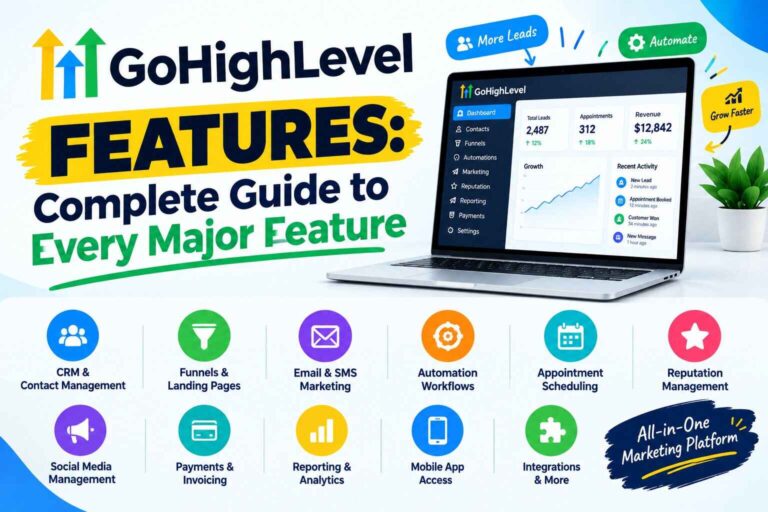
HighLevel says you can start the trial on any plan. So your access should match the plan you pick. Its pricing page lists these tools:
- CRM and pipelines: contacts, deals, and stages.
- Funnels, websites, and forms: pages, surveys, and quizzes.
- Calendars: booking pages and reminders.
- Email and SMS: messaging from one inbox.
- Workflows: automation with triggers and actions.
- Reputation management: review requests and monitoring.
- AI tools: Conversation AI, Voice AI, Content AI, and others.
- Extras: courses, communities, payments, and a mobile app.
Agency features follow the plan. Starter includes three sub-accounts. Unlimited and Agency Pro remove that cap. SaaS Mode belongs to Agency Pro. HighLevel does not spell out trial-specific limits for SaaS tools, so confirm that before you rely on them. See our GoHighLevel pricing guide for plan details.
GoHighLevel Free Trial Features You Should Test First
Do not try everything. Test the pieces your business would use every week.
1. Test the CRM
Add a few fake contacts. Tag them. Move them through a pipeline. Check how easy it is to find a lead’s history.
2. Build a Simple Funnel
Create one page with a form. Submit it yourself. Confirm the lead lands in your CRM.
3. Create an Automation
Start small. For example: new lead, then an email, then a wait, then a text, then a reminder. This is an example only. Build whatever steps the builder offers.
4. Test Calendar Booking
Set your hours. Book a slot as if you were a lead. Check the confirmation and reminder messages.
5. Test Email Marketing
Send a message to your own inbox. Look at formatting, sender name, and whether it lands in spam.
6. Test SMS Features
Send a text to your own phone. Expect setup steps for numbers and registration. Texts and calls draw from a usage wallet, so watch costs.
7. Explore AI Features
Try one AI tool with a real use case. Read the pricing first. HighLevel bills AI by usage or by monthly AI plans, and it says AI tools need human oversight.
8. Test Reporting
Open the dashboards. Ask a simple question. Can you see where leads came from and what happened next?
What Should You Do During Your GoHighLevel Free Trial?
With 14 days, a stage-based plan works better than a strict daily schedule. Adjust it to your pace.
| Day/Stage | What to Test | What to Look For |
|---|---|---|
| First session | Account settings, billing screen, one test contact | Trial end date, plan, wallet balance |
| Early trial | Pipeline, form, simple funnel | Does a lead flow into the CRM? |
| Middle of trial | Workflow, calendar, email, SMS | Do messages send and book correctly? |
| Final few days | Reporting, integrations, cost review | Real usage costs and fit for your process |
Leave the last two days for a decision. Do not build during them.
Here is a realistic example. Say you run a small coaching business. In your first session, you check the billing screen and note the end date. Early on, you build an application form and a pipeline. Mid-trial, you add a booking calendar and a three-step follow-up. In the last days, you send yourself test messages, review the wallet, and decide. That is enough for a fair verdict.
GoHighLevel Free Trial Checklist
Print this or copy it into your notes.
- Create a test contact
- Create a pipeline
- Build a simple funnel
- Create a form
- Set up a calendar
- Create a basic workflow
- Test email automation
- Explore SMS options
- Test reporting
- Review integrations
- Check account settings
- Review possible usage costs
- Decide whether the platform fits your workflow
Ready to run through it? Start the current GoHighLevel trial and test the checklist with your own workflow.
Does the GoHighLevel Free Trial Include All Features?
Not necessarily. “Free” does not mean unlimited.
- Plan-dependent features: Your plan sets what you can use. Starter has three sub-accounts. SaaS Mode belongs to Agency Pro.
- Usage costs: Phone, SMS, email, and AI use a wallet with separate fees.
- Third-party services: Outside tools and payment processors charge their own fees.
- Add-ons: Extras like WordPress hosting or a white-label mobile app cost more.
I could not find official trial-specific limits. If a feature matters to you, ask support before you build around it.
A simple habit helps. Before you build anything big, write down the feature and the plan it belongs to. Then check the pricing page. This takes two minutes and can save you a week of work on a tool your plan does not include.
Is a Credit Card Required for the GoHighLevel Free Trial?
HighLevel’s current signup form points to yes. It says no charge today, then a charge to the “card on file” after 14 days unless you cancel.
Third-party guides disagree. Some say no card is needed. Others say a card is required. Offers and paths can differ, so trust the screen you see at signup.
To avoid unwanted charges, note your end date. Set a calendar reminder two days before. Cancel in your billing settings if the platform is not a fit.
What Happens When the GoHighLevel Free Trial Ends?
HighLevel’s pricing page says billing begins automatically at the end of any trial unless you cancel. Your chosen plan then starts.
Your contacts, funnels, and workflows stay in the account if you keep it active. Access after cancellation is a different matter. See the next section.
Some third-party sites say accounts pause after the trial. HighLevel’s billing FAQ says agency accounts cannot be paused. To stop, you cancel. Because sources conflict, confirm your account status in the billing screen.
Plan for the decision before the deadline, not on it. Write down what you built, what worked, and what cost more than expected. That short list makes the choice easier. If two or three key tasks worked well, continuing may make sense. If you struggled with the basics, cancel and try a simpler tool.
If you need a different plan, upgrade or downgrade from your dashboard. Our pricing guide covers plan differences.
Can You Cancel the GoHighLevel Free Trial?
Yes. HighLevel says billing is month to month and you can cancel from your dashboard at any time.
Cancel before the trial ends. Log in at the agency level, not inside a sub-account. Then open Agency Settings and choose the Billing tab.
HighLevel’s billing FAQ says you can reactivate later and your data will be restored. It also says data is deleted after 90 days. Export contacts you care about before canceling.
I could not confirm from official pages whether access continues until the trial end date after you cancel. I also could not confirm refund rules. If you get charged by mistake, contact support quickly.
Also note: if you joined through another agency’s white-label platform, only that agency can cancel your account.
GoHighLevel Free Trial for Agencies
An agency should test client management, not just features.
- Create a sub-account for a mock client.
- Load a snapshot or build a simple funnel.
- Run a lead through pipeline, workflow, and booking.
- Check reputation tools and reporting.
- Review rebilling and wallet settings.
If you plan to resell, ask about SaaS Mode before you pay. Trial access to it is not spelled out. GoHighLevel may not suit every agency, so define your model first.
GoHighLevel Free Trial for Small Businesses
Small businesses should test one workflow from start to finish. These examples are illustrative.
- Dentist: Lead comes in, gets a reply, books a visit, and receives a reminder.
- Home service company: Estimate request arrives, quote goes out, follow-up starts.
- Real estate agent: New inquiry gets a message, then a nurture sequence.
- Coach or consultant: Application form leads to a booked call.
The key question is simple. Does the system respond fast and book without your help?
GoHighLevel Free Trial for Freelancers and Beginners
The platform has a learning curve. That is normal.
Ignore most of it at first. Skip AI, courses, communities, and SaaS tools. Focus on a form, a pipeline, a calendar, and one workflow.
A simple first setup could be: landing page, form, instant reply, booking link. That covers the core of what most freelancers sell.
Freelancers should also test whether clients could use it. Would a client understand the dashboard and messages?
GoHighLevel Free Trial vs Demo
A trial gives you hands-on access. A demo shows you the platform. I could not verify HighLevel’s current demo format on its official pages. Third-party sources describe a pre-recorded walkthrough, so check the current site.
| Feature | Free Trial | Demo |
|---|---|---|
| Hands-on access | Yes | No |
| Test your own workflows | Yes | No |
| Explore the dashboard | Yes, yourself | Guided or recorded |
| Card on file | Signup form mentions one | Varies |
| Billing risk | Yes, if you forget to cancel | No |
| Evaluating fit | Strong | Limited |
GoHighLevel Free Trial vs Free Plan
They are not the same. A trial ends. A free plan does not.
HighLevel’s pricing page lists Starter, Unlimited, Agency Pro, and Enterprise. It lists a trial, not a permanent free plan. I found no free tier there.
So, is GoHighLevel free? Only during the trial. After that, you pay.
Are There Extra Costs During the GoHighLevel Trial?
Possibly. HighLevel’s pricing page says usage fees for phone or third-party services may apply during the trial. Not every user will pay them.
Per HighLevel’s billing guide, these are usage-based:
- Email: $0.675 per 1,000 emails.
- Phone and SMS: Rates follow HighLevel’s phone pricing guide.
- AI: Pay per use, or monthly AI plans per enabled sub-account.
- Premium workflow actions: $0.01 per execution.
Other costs sit outside HighLevel. Domains vary by registrar. Payment processors charge their own fees. Connected tools have their own bills.
Keep test volume low. Text yourself, not a big list.
Also check the wallet on day one. See what balance the account starts with and what each action deducts. Then repeat the check after your first tests. This shows your real usage pattern, not a guess. For a full cost breakdown after the trial, read our GoHighLevel pricing article.
What Should You Check Before Paying for GoHighLevel?
- Does it solve your main problem?
- Are the workflows easy enough to build?
- Can you build what you need?
- Are the communication costs acceptable?
- Do you need agency features or client accounts?
- Do you need SaaS functionality?
- Do you need AI?
- Do your existing tools connect?
- Is the monthly cost reasonable for your use case?
- Can your team actually use it?
You decide. If most answers are yes, continue. If not, cancel and move on.
Before choosing a plan, spend time testing the features you actually need. See the current GoHighLevel trial options.
GoHighLevel Free Trial Mistakes to Avoid
- Trying every feature at once. You will finish nothing.
- Not defining a test goal. Write one sentence first.
- Ignoring usage costs. Check the wallet often.
- Building complex workflows too early. Start with three steps.
- Not testing integrations. Connect one tool you already use.
- Forgetting billing settings. Note your end date on day one.
- Not testing your real workflow. Demo tasks prove little.
- Assuming everything is included. Plan and usage rules apply.
- Waiting until the last day. Decide with time to cancel.
- Choosing a plan too early. Learn your needs first.
GoHighLevel Free Trial: Pros and Limitations
| Aspect | What the Trial Lets You Do | Limitation to Consider |
|---|---|---|
| Access | Use the real platform | Depends on the plan you pick |
| Length | Test for 14 days | A short window for complex setups |
| Cost | Pay no subscription up front | Card on file; auto-billing after |
| Workflows | Build real automations | Premium actions may cost extra |
| Messaging | Send test emails and texts | Usage fees and registration steps |
| AI | Try AI tools | Separate usage or plan pricing |
| Agency tools | Create client accounts | Starter allows only three |
| Learning | See if the interface suits you | Steep for beginners |
| Cancellation | Leave without a contract | Data deleted after 90 days |
GoHighLevel Free Trial FAQ
How long is the GoHighLevel free trial?
HighLevel’s pricing page lists 14 days. Some partner pages advertise longer offers. Check the length on your signup page.
Does GoHighLevel have a free trial?
Yes. The pricing page offers a 14-day free trial on any plan. There is no permanent free plan.
Is GoHighLevel really free during the trial?
The subscription is free during the trial. Usage fees for phone, email, AI, or third-party services may still apply.
Do you need a credit card for the GoHighLevel free trial?
HighLevel’s signup form mentions a card on file. Third-party sources disagree, so check the form you see.
What happens after the GoHighLevel free trial ends?
Billing starts automatically unless you cancel. Your chosen plan begins.
Can I cancel the GoHighLevel free trial?
Yes. HighLevel says you can cancel from your dashboard at any time. Do it at the agency level, before the trial ends.
Can I use GoHighLevel for an agency during the trial?
Yes, you can test agency tools such as sub-accounts, based on your plan. Confirm SaaS Mode access before relying on it.
Is the GoHighLevel free trial worth trying?
It can be, if you test a real workflow. It is less useful if you only browse.
Final Thoughts on the GoHighLevel Free Trial
The best use of a trial is simple. Test the exact workflows you need.
An agency should test client management. Build a mock client account and run a lead through it. A local business should test lead capture and follow-up. Does the reply go out fast? Does the booking work?
A freelancer should test whether the platform is practical for their clients. A beginner should test whether the interface and workflow make sense.
Do not judge it by how many features you see. Judge it by how many you can use.
Pricing alone should not decide this either. A trial can show you the effort behind the tool. Some people enjoy building systems. Others want something ready on day one. Both are fine. The trial helps you learn which group you are in.
Also watch the deadline. Note your end date, set a reminder, and check the wallet. If the platform fits, keep going. If not, cancel before billing starts.
For a broader view, read our GoHighLevel review. For cost details, see the pricing guide.
If you want to see whether GoHighLevel fits your workflow, you can start the current trial and test it yourself.