Kit Email Marketing Review: Is It the Easiest Way for Creators to Get Paid From Email?
A friend of mine spent two years building a page with a lot of followers. Daily posts, good comments, real people saying thank you. Then one week his reach fell off a cliff and stayed there. He had nothing to fall back on. No list, no way to reach anyone, no plan B. That story is the reason I’m writing this Kit email marketing review, because the fix for that situation is simple and most creators put it off for far too long.
Kit is an email platform made for people who create things. Writers, bloggers, YouTubers, podcasters, coaches, course sellers, anyone who has an audience and wants to turn it into something steady. You may remember it as ConvertKit. It was renamed in 2024, but it’s the same company.
I’m going to go through what Kit does well, what it costs, where it isn’t perfect, and who should skip it. If you’re on the fence about email, you should have a clear answer by the end.
You Don’t Own Your Followers (And It Gets Worse Than You Think)
Let’s be blunt about something. Every follower you have lives inside someone else’s app. If that app changes how it works, your reach changes with it. You get no warning and no appeal.
I’ve watched creators panic over this more than once. The post that normally gets 5,000 views gets 400. They check their settings. They post again. They try a different hashtag. Nothing fixes it, because the problem was never their content.
Email works differently. When someone joins your list, they handed you their address themselves. When you send something, it goes to their inbox. There’s no algorithm deciding whether it’s “worth showing.” That alone makes a small email list more reliable than a huge following you can’t control.
So why doesn’t everyone do it? Because most email tools are a pain.
You sign up, and the dashboard looks like an airplane cockpit. There’s a pile of settings you don’t understand, and none of the words match what you actually want to do. You wanted to send a welcome email. Instead you’re reading about “lead scoring” and “pipeline stages.” You send one email, feel tired, and walk away. The list stays at 23 people, 11 of whom are your relatives.
Then there’s the money side. Some tools are cheap at first and then jump in price the moment your list grows. Others hide basic features behind pricier plans. And if you ever try to switch, you find out moving your subscribers, tags and automations is a full weekend of stress, so you stay stuck with the tool you already hate.
All of this adds up to the same thing. People know email matters, and they still don’t build the list, because the tools make it feel like homework.
What Kit Actually Is
Kit is built around one idea: a solo creator shouldn’t need a marketing team to run email. Everything inside it is aimed at people who make content and want to earn from it.
By Kit’s own numbers, more than 550,000 creator business owners use it. Their site shows well-known names like Pat Flynn, Tim Ferriss, James Clear, Ali Abdaal and Mark Manson. I wouldn’t pick a tool just because famous people use it, but it does tell you something. People with big audiences trust this thing with their most valuable asset, which is their list.
In plain terms, Kit lets you:
- collect emails with forms and landing pages
- send newsletters and broadcasts
- set up automatic email sequences
- sell digital products, subscriptions and paid newsletters
- see who’s reading, clicking and buying
That last one is where Kit leans in the hardest. The company talks a lot about turning audience insights into revenue. Boiled down, it means you’re not guessing. You can see what your people respond to and send them more of it.
Now let’s look at the parts that matter most. Also read: Kit Review: Is This Email Platform Really Worth It for Creators in 2026?
The Parts of Kit I’d Actually Care About
There’s a long feature list on their site. I’m only covering what changes your day-to-day, because that’s what a useful Kit email marketing review should do.
Forms and landing pages that don’t take all weekend
You can’t grow a list without somewhere for people to sign up. Kit gives you forms you can drop into your blog or website, plus landing pages you can build without touching code. The templates are made with creators in mind, so you’ll find things like a free-download page or a book promo page.
You choose a template, change the words and colors, and publish. Done in an afternoon, not a week.
Visual Automations (honestly, the main reason to use Kit)
Let me tell you why this matters with a quick example.
Say someone joins your list tonight at 2 a.m. You’re asleep. Ideally they’d get a warm welcome email right away. Two days later they’d get your best free resource. Four days after that, a short story about why you started doing this. A week later, a gentle mention of something you sell.
If you had to do that by hand for every new person, you’d quit by week two. Anyone would.
With Visual Automations, you draw it out like a flowchart. Someone signs up, they get this email, wait two days, get that one. You can also split people into different paths depending on what they click, so the reader who loves your productivity tips doesn’t get the same emails as the one who joined for fitness content.
You build it once and it runs by itself. You write a good email one time, and it keeps working for people who join next month, and the month after. That’s the real power of email, and Kit makes it easy to set up without a headache.
Recommendations
This is a feature I find interesting, because most tools don’t have anything like it. Creators can recommend each other’s newsletters. When someone signs up to your list, they may see a few suggestions from other creators in your space, and your newsletter gets suggested to their readers too.
Kit says creators using it see their lists grow about twice as fast. I’d call that a best-case number, since it depends on your niche and how you set things up. But the idea is sound. You’re not shouting into the void on your own. You’re growing next to people who share your kind of audience.
Selling your own products
Email isn’t only about newsletters. It’s also about getting paid. Kit lets you sell digital products, subscriptions and paid newsletters straight from the platform. Ebooks, templates, presets, guides, a premium weekly email for your biggest fans.
The listed fee is 0.6% plus normal card processing, which is low. And because each sale connects to a subscriber, you can see who bought, follow up with something that fits them, and avoid sending the same pitch to everybody.
Deliverability
Not exciting, but very important. If your email goes to spam, nothing else matters. Kit sets up the technical side for you, and says creators on the platform see about a 99.8% delivery rate and around 40% average open rates. Those figures come from Kit, so treat them as a reference point, not a promise. Your results will depend on your list and how good your emails are.
Extras worth a quick mention
Subscriber Signals is a Pro feature. It shows audience details like demographics and social followings, and can build a sponsor-ready report in one click, which is useful if you want to work with brands someday.
Kit also connects with Canva, Zapier, Shopify, WordPress, Circle and Linktree. If you already use any of those, you’re not starting from zero.
And there’s a newer thing called Kit MCP. It lets you connect an AI assistant such as Claude, ChatGPT or Gemini to your account and ask questions like “which email got the most clicks last month?” You can then have it tag subscribers or draft a follow-up. Kit says nothing happens until you approve it, which is how it should work.
Reading about it only goes so far. If you want to see how the page builder, the automation flowchart and the email designer feel in real life, you can have a look inside Kit here. There’s a 14-day free trial of the paid features, and Kit says no credit card is needed to start.
How Different Creators Could Use Kit
I always find features easier to judge when I can picture them in a real week. These are examples of how people in these roles typically use a tool like Kit. They are not income claims.
The creator with followers and no list. Say you run a motivational page on Instagram. You post every day and people love it, but there’s nothing beyond the feed. With Kit, you could write a short free guide, maybe about building a morning routine, and put it on a landing page linked in your bio. Everyone who signs up gets the guide automatically, followed by a week of emails: your best posts, a bit of your story, and later an offer like a paid workbook. You’re not starting with new people. You’re taking the audience you already have and finally getting a direct line to them.
The blogger whose readers vanish. Someone finds your article, gets their answer, and never comes back. Annoying, right? Add a Kit form offering a related checklist, and now you have their email. Every time you publish something new, they get a nudge. Your traffic stops depending on one search ranking.
The podcaster or YouTuber. Views don’t pay bills. Offer a bonus episode, a transcript pack or show notes in exchange for an email, then send a short weekly note. Kit even mentions turning YouTube videos into a weekly newsletter, which is a smart way to reuse content you’ve already made.
The coach who’s out of hours. There are only so many calls you can take. A free mini-course delivered through automated emails warms people up before they ever speak to you. The ones who are ready come to you. The rest stay on the list and keep getting useful stuff.
The writer with a paid newsletter. Keep a free version to attract readers, and a paid tier for deeper pieces. Writing, payments and subscribers all sit in one place, so you’re not juggling three tools.
Kit Pricing: What You’ll Actually Pay
Money talk. This is where most people start squinting.
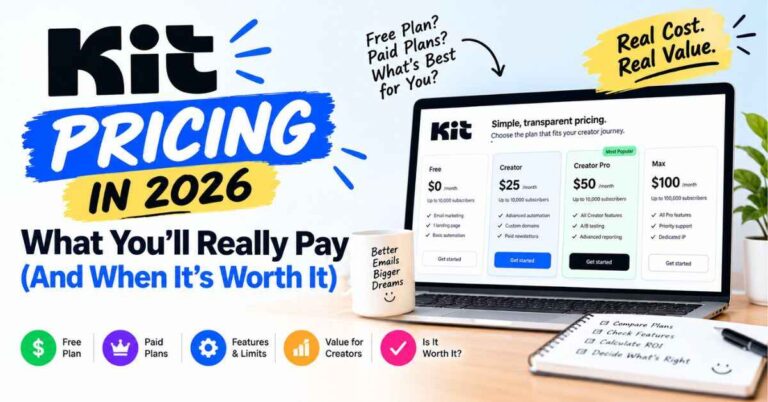
From the latest information I could find, Kit has three plans.
The Newsletter plan is free for up to 10,000 subscribers. That’s a big number for a free plan. It does come with feature limits, so check what’s included before you build your whole business on it.
The Creator plan starts at about $39 a month for 1,000 subscribers if you pay monthly. This is where the main email and growth tools open up. If you’re switching from another platform, Kit’s team will move your list for free.
The Pro plan starts at about $79 a month for 1,000 subscribers. You get more advanced tools like Subscriber Signals, plus extra support, including their Growth Concierge team and deliverability audits.
Pricing depends on your number of active subscribers, not on how many emails you send. You get unlimited emails, and you don’t pay for people who unsubscribe. Pay yearly and you get about two months free.
Kit is also running 25% off Pro annual plans until November 7, 2026. Deals like this come and go, and prices can change, so check their pricing page for the current numbers before deciding.
Is it expensive? It depends where you are. If you’re starting out, free is hard to beat. As your list grows, the bill grows too, which is how this kind of pricing works. If your emails bring in sales, the fee is a small piece of what it helps you earn. If you have a big list and never sell anything, any email tool will feel pricey.
Where Kit Isn’t Perfect
I wouldn’t trust a review that says everything is perfect, and you shouldn’t either. Here’s what to keep in mind.
The price climbs with your list. Some competitors are cheaper once you’re past a certain size. If you have a huge list and a small budget, run the numbers first.
The free plan has limits. It’s great for getting started, but the more advanced automation and growth tools sit on the paid plans. Treat it as a proper test drive.
And Kit is made for creators, not for complicated sales teams. If you need a full CRM with deal pipelines and sales tracking, this isn’t that, and it isn’t trying to be.
I’m pointing these out because Kit fits one kind of person really well. Someone who creates content, wants an audience they own, and wants to earn from it in a simple way. If that’s you, these downsides are easy to live with. If you run a big online store or a sales operation, you’ll probably be happier elsewhere.
Who Kit Is For (And Who Should Skip It)
Kit makes sense if you create on social media, YouTube, a blog or a podcast and want something that belongs to you. It’s a good fit if this is your first list and you don’t want to drown in settings. It works well if you plan to sell digital products, courses, memberships or a paid newsletter. And it’s great if you’re switching tools and want someone else to handle the move.
It’s probably not the best pick if you run an ecommerce store that needs heavy shop-specific marketing, if you need a real sales CRM, if you have a very large list on a tight budget, or if you only plan to send the odd plain email.
Switching From Another Tool Is Less Painful Than It Sounds
This is what keeps a lot of people stuck. You know your current tool isn’t great, but thinking about moving thousands of subscribers, tags, forms and automations makes you tired.
Kit includes migration on every paid plan. Their team moves your subscribers, tags, segments, automations and forms, and checks that every active subscriber made it. They say your part takes about an hour. You approve the plan, keep sending as normal, and switch over when you’re ready.
If you’ve been putting this off for a year, that alone might be worth a look.
Support When You Get Stuck
Kit doesn’t hand you software and disappear. There’s Kit University for learning the basics, a blog with how-to guides, creator stories and a library of email templates. You can hire a Kit Expert for hands-on help, and Pro users get access to an email strategist and a deliverability specialist.
For a beginner, this matters more than any single feature. A tool you understand is a tool you’ll keep using.
If you’ve been meaning to start a list, or move the one you have somewhere better, this could be the nudge. You can start with Kit’s free plan and see how it feels. No pressure to upgrade. Set up a signup form, send yourself a test email, and see whether it fits how you work.
A Simple First Week With Kit
If you try it, don’t do everything at once. Here’s a first week that’s actually doable.
Day one, make your account and pick a plan. Day two, decide on one free offer, something small that solves one real problem for your audience. A checklist, a mini guide, a template. Day three, build your landing page from one of Kit’s templates and keep the wording simple. Day four, write a welcome email like you’re talking to one person, because you are. Day five, set up a short automation with a welcome email and one or two follow-ups. Day six, share your page everywhere you can: your bio, your posts, your blog, your video descriptions. Day seven, look at who signed up and who clicked, then tweak.
That’s it. One offer, one page, one short sequence. You can get fancier later. A simple setup that runs beats a perfect one that never launches.
A few mistakes worth dodging. Don’t wait until your list is “big enough,” because ten people who care are worth more than a thousand who never open anything. Don’t only email when you’re selling. Don’t copy someone else’s voice, since yours is why people joined. Don’t ignore your numbers, because they’re free and they tell you a lot. And don’t be shy about asking people to join. Most lists stay small because the creator never invited anyone.
How Kit Compares to Other Email Tools
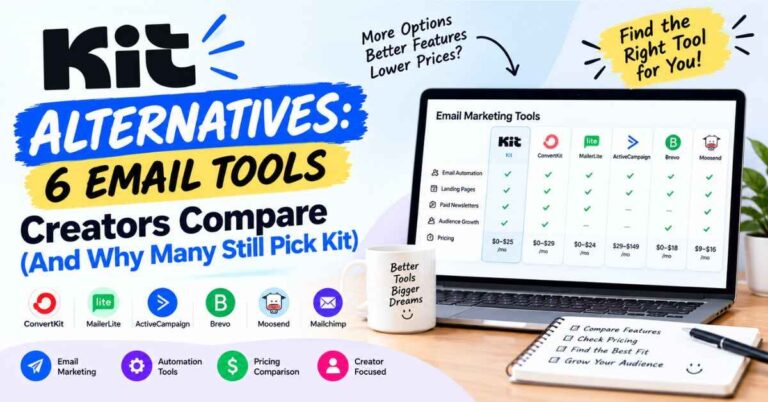
You’ll see Kit compared with Beehiiv, Mailchimp, MailerLite, Substack and ActiveCampaign. There’s no single winner for everyone.
Beehiiv is very newsletter-focused and can cost less for bigger lists. Mailchimp is well known but often feels aimed at businesses more than creators. Substack is simple for writers but gives you less control over automation and selling. ActiveCampaign is powerful, though it can be too much if you just want to grow an audience and sell a few things.
Kit lands in the middle. More capable than the simplest tools, easier than the complicated ones, and built around how creators earn. If you want solid automation, a creator community, and the ability to sell from the same place as your list, it’s a strong option.
My Final Kit Email Marketing Review Verdict
Kit isn’t the cheapest option, and it won’t grow your list on its own. Nothing will. What it does is take away a lot of the friction between you and what you actually need, which is a direct line to people who care about your work.
The free plan lets you try it without risk. The automations save time. The selling tools let you earn from your own products. Recommendations can help you grow next to other creators. And free migration removes the biggest excuse for staying where you are.
If you want your content to turn into something steadier, something that doesn’t disappear when an algorithm changes its mind, email is the foundation. After going through everything, my answer is yes. Kit is a very good place to build it.
You don’t have to commit to anything today. Try the free plan or the trial, set up a simple signup page, and see how it feels. Worst case, you learn something about your audience. Best case, a year from now you have a list of people who chose to hear from you, and you’re glad you started.
Your audience is out there right now, scrolling, watching, listening. The only question is whether you’ll have a way to reach them next month if the algorithm shifts again. Take a look at Kit and see what building your own list could look like. It takes a few minutes to get started, and you can decide for yourself after that.
Quick Questions About Kit
Is Kit the same as ConvertKit? Yes. ConvertKit became Kit in 2024. Same company, new name.
Is there a free plan? Yes. The Newsletter plan is free for up to 10,000 subscribers, with some feature limits. Paid plans come with a 14-day free trial.
Do I need a credit card to start? Kit says the free trial doesn’t need one.
Can I sell things through Kit? Yes. Digital products, paid newsletters and subscriptions, with a listed fee of 0.6% plus card processing.
Will they move my list for me? Yes, migration is included with paid plans.
Is it beginner friendly? It’s made to be simple for non-technical people, and there’s plenty of learning material and support.
Does the price go up as my list grows? Yes. Paid plans are based on your active subscriber count.
A Quick Note About Links
Some links in this post are affiliate links. If you click one and sign up for Kit, I may earn a small commission, at no extra cost to you. I only recommend things I think can genuinely help the people reading, and I’ve tried to be upfront about the downsides too. Either way, thanks for reading.