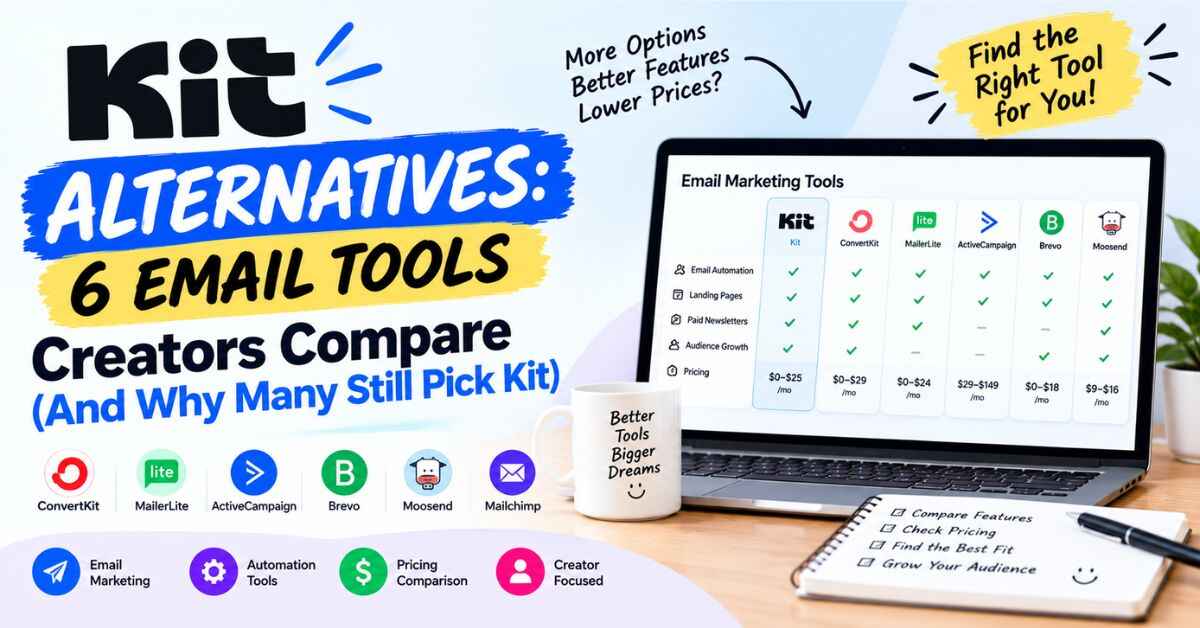
Kit Alternatives: 6 Email Tools Creators Compare (And Why Many Still Pick Kit)
Almost everyone who searches for Kit alternatives is in one of two moods. Either they’ve heard good things about Kit and want to make sure they aren’t missing something better, or they’re already a bit annoyed with a tool and wondering if Kit is the fix. Both are fair. Picking an email platform is a decision you’ll live with for years, and moving later is a hassle.
So I’ll make this easy. I’ll go through the main Kit alternatives creators look at, say what each one is good at, and tell you honestly when something else is the smarter pick. Then I’ll explain why, for a lot of creators, Kit ends up on top anyway.
Kit is the email platform that used to be called ConvertKit. It’s built for people who make things and want to earn from them: writers, bloggers, YouTubers, podcasters, coaches, course creators. If that’s you, this should save you a few hours of tab-hopping.
[ADD 2-3 SENTENCES HERE ABOUT YOUR OWN EXPERIENCE. For example, which email tools you’ve tried or looked at, and what made you start comparing. A small, true detail makes this intro sound like you.]
Why Choosing an Email Tool Feels Harder Than It Should
Let’s be honest about how this usually goes. You open one comparison article, then another, then a third. Each one lists different winners. Half of them are written by people who earn a commission from whichever tool they ranked first (and yes, this post has an affiliate link too, and I’ll be upfront about that at the end). Somewhere around the fourth tab you stop reading and just pick whatever looked friendliest.
Then reality kicks in. A month later you find out your new tool can’t do the one thing you needed. Maybe the automations are limited. Maybe the price jumped when your list grew. Maybe the “free plan” turned out to be a trial in disguise. And now you’re looking at a migration, which means moving all your subscribers, forms and emails by hand.
That’s the real cost of choosing badly. It’s not the monthly fee. It’s the lost weeks and the lost momentum.
The way out is to stop asking “which tool is best?” and start asking “which tool is best for what I’m doing?” A tool that’s perfect for a writer with a free newsletter might be wrong for someone selling a course. So let’s sort that out first.
Five Questions to Ask Before You Compare Anything
Take a minute with these. Your answers will narrow the field faster than any ranking list.
What do I want email to do? Send a newsletter? Run automatic welcome sequences? Sell digital products? Bring in sponsors? Each of those leans toward different tools.
How big is my list now, and where will it be in a year? Prices change a lot with list size. A tool that’s cheap at 500 subscribers can feel very different at 15,000.
Will I sell anything? If yes, check whether the tool can handle digital products and subscriptions, and what it charges per sale.
How technical am I? Some tools reward patience with complicated setups. Others get you running in an afternoon.
How painful would switching be later? Look at whether the company will help move your list. This is easy to forget and expensive to ignore.
Got your answers? Good. Now let’s look at what Kit does, so you have something to compare against.
What Kit Offers (Your Baseline)
Kit is an email marketing and newsletter platform made for creators. By Kit’s own count, more than 550,000 creator business owners use it. Their site shows names like Pat Flynn, Tim Ferriss, James Clear, Ali Abdaal and Mark Manson. That doesn’t make it right for you, but it does show people with real audiences trust it.
Here’s what it covers:
- Forms and landing pages to collect emails
- Newsletters and broadcasts
- Visual Automations for automatic email sequences
- Selling digital products, subscriptions and paid newsletters
- A Recommendations feature where creators recommend each other’s newsletters
- Subscriber insights, showing who’s reading, clicking and buying
- Free migration support from Kit’s team
On pricing, here’s what Kit’s pricing page shows at 1,000 subscribers. The free plan covers up to 10,000 subscribers and includes unlimited forms, landing pages and broadcasts, but not visual automations or integrations. Creator is about $33 a month when billed yearly. Pro is about $66 a month billed yearly, with a limited-time 25% first-year offer. There’s a 14-day trial of paid plans. Prices change, so check the live page.
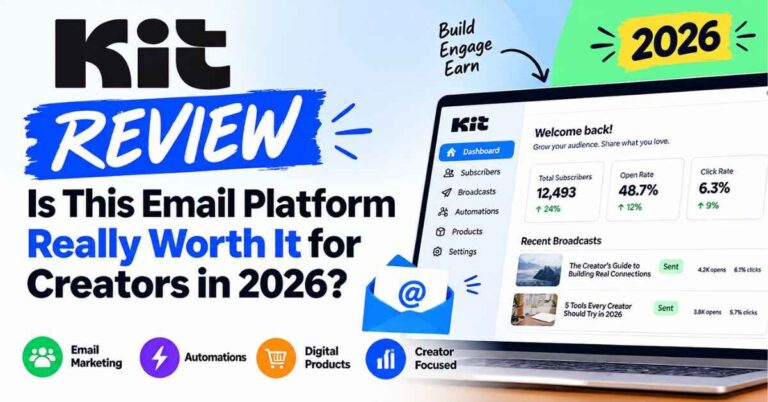
That’s the baseline. Now the alternatives. Also read: Kit Review: Is This Email Platform Really Worth It for Creators in 2026?
Kit Alternatives: How the Main Options Compare
I’m keeping this practical. For each tool, I’ll say who it suits and where it can fall short. A quick note on accuracy: pricing and features for other companies change often, and I can only speak to what’s widely reported, so check each tool’s own page before you commit.
Beehiiv
Beehiiv is the one you’ll hear about most when people compare newsletter platforms. It’s built around the newsletter itself, with growth tools baked in. Reviews often say it can be cheaper than Kit once your list gets larger, though its free tier is smaller: around 2,500 subscribers, compared with Kit’s 10,000.
Good for: Writers whose whole business is the newsletter and who want newsletter-native growth features.
Worth knowing: If you also plan to sell products, run automations across different offers, or build more than a newsletter, Kit’s all-in-one creator setup may suit you better. Kit itself pitches this as its main difference, saying it’s better for multiple revenue streams, not just a newsletter.
MailerLite
MailerLite is popular with beginners because it’s simple and affordable. Kit describes itself as the next step up from beginner tools, for creators who want a more professional setup.
Good for: People starting out on a tight budget who want something easy to learn.
Worth knowing: As your business grows, you may start wanting creator-specific tools like Recommendations, deeper selling features and strategy support. Some creators start here and move to Kit later.
Mailchimp
Mailchimp is the name everyone knows. It’s been around for years and handles a lot of general marketing needs.
Good for: Small businesses that want a broad, familiar marketing platform.
Worth knowing: It often feels aimed at businesses more than creators. Kit pitches itself as having better deliverability and features built specifically for creators, though that’s Kit’s own claim, so test both if you can.
Substack
Substack makes publishing a paid newsletter very simple. You write, you publish, you can charge readers. It’s great for getting started fast.
Good for: Writers who want the simplest possible path to a paid newsletter.
Worth knowing: You’re building inside Substack’s ecosystem, with less control over automation and branding. Kit’s pitch is that you build a business around your own brand, with more ways to earn beyond one paid newsletter.
ActiveCampaign
ActiveCampaign is powerful, with deep automation and sales tools. It’s often used by businesses with real marketing teams.
Good for: Companies that need advanced automation and CRM-style features.
Worth knowing: It can be more than a solo creator needs. Kit pitches itself as cheaper and less complex while still offering strong automations, and many creators agree that simpler is better.
Flodesk and AWeber
Flodesk is known for beautiful email design. AWeber is one of the older names in email marketing.
Good for: Flodesk suits people who care most about visual email design. AWeber suits people who want a long-established tool.
Worth knowing: Kit positions itself as the more modern, creator-focused option with apps and add-ons that grow with your business.
Comparison tables only get you so far. The easiest way to know if a tool fits is to click around in it. You can try Kit and see how it compares to what you’re using now. There’s a 14-day free trial of the paid features, and Kit says no credit card is needed to start.
So Why Do Many Creators Still Pick Kit?
I don’t want to just say “Kit is best” because that’s what every affiliate post says. So here are the specific reasons Kit tends to win for the right kind of person.
It’s built around how creators earn
Many email tools were made for general marketing and later added creator features. Kit started with creators. You can sell digital products, paid newsletters and subscriptions inside the same place as your email list, and every sale connects to a subscriber. The listed fee is 0.6% plus normal card processing, which is low.
The automations are easy to understand
If there’s one feature that keeps people on Kit for years, it’s Visual Automations. You draw your email journey like a flowchart. Someone signs up, gets this email, waits two days, gets that one. You can split people into paths based on what they click, so the reader who loves your productivity tips doesn’t get the same emails as the one who joined for fitness content.
You build it once and it runs by itself. That’s the real appeal of email. (Remember it’s on the Creator plan and up, not the free plan.)
Recommendations help you grow
Kit lets creators recommend each other’s newsletters. When someone joins your list, they may see suggestions from other creators in your space, and your newsletter gets shown to theirs in return. Kit says this can roughly double list growth. I’d treat that as a best case, since results depend on your niche. But it’s a feature most tools don’t have, and it means you aren’t growing alone.
Switching is handled for you
Kit advertises free migration. Their team moves subscribers, tags, segments, automations and forms, and checks that every active subscriber made it. They say your part takes about an hour. If a painful move is what’s keeping you stuck on a tool you dislike, that removes a big excuse.
It has a real free plan
Up to 10,000 subscribers, with unlimited forms, landing pages and broadcasts. It doesn’t include automations or integrations, but it’s enough to build a list and see whether you’ll stick with email. Not every competitor gives you that much room before you pay.
Support that understands creators
There’s Kit University, a blog with how-to guides, creator stories, a library of email templates, and Kit Experts you can hire. Pro plan users get an email strategist and a deliverability specialist. For a beginner, that matters more than any single feature.
Where Kit Isn’t the Best Choice
I’d rather you hear this from me now than discover it later. Kit isn’t perfect for everyone.
If your list is very large and your budget is tight, some alternatives cost less. Kit’s price rises with your subscriber count, so run the numbers at your list size.
If you only want a simple newsletter and nothing else, a newsletter-first tool might feel more focused. Beehiiv and Substack are popular for this reason.
If you need a full CRM with sales pipelines, Kit isn’t trying to be that. ActiveCampaign or similar tools are built for it.
If you run a big online store with heavy ecommerce needs, you’ll want something built for that.
If you rely on automations from day one, remember the free plan doesn’t include them. You’d need Creator, at about $33 a month billed yearly.
Kit fits one kind of person really well. Someone who creates content, wants an audience they own, and wants to earn from it in a simple, manageable way. If that’s you, these downsides are easy to live with.
How Different Creators Might Choose
These are examples of how people in different roles typically decide. They’re not income claims.
The Instagram creator with no list. You run a motivational page, post daily, and have nothing beyond the feed. You want to build a list and later sell a workbook. Kit’s free plan lets you start collecting emails today, and Creator gives you the automations when you’re ready for a welcome sequence.
The writer who only wants a newsletter. You write a weekly essay and want readers to pay. A newsletter-first tool like Beehiiv or Substack could feel simpler. But if you also want to sell a book or course, Kit’s all-in-one setup starts to make sense.
The blogger with steady traffic. You want readers to come back. A form on your posts, plus a short automated sequence, is the core. Kit handles that well and connects to WordPress.
The coach with a growing audience. A free mini-course delivered through automated emails warms people up before they speak to you. That needs good automations, which is Kit’s strength.
The beginner on a tiny budget. If you truly can’t spend anything, a simple free tier from any reputable tool is a fine place to begin. Kit’s free plan is generous for list building, so it’s worth starting there too.
A Simple Way to Choose (And Not Regret It)
Here’s the method I’d use.
First, write down the one or two things you need email to do in the next six months. Not everything. Just the main ones.
Second, pick the two tools that seem most likely to handle those things. Don’t compare six. Two is plenty.
Third, try both. Most offer a free plan or trial. Spend an hour in each. Build a signup form. Send yourself a test email. See which one makes you feel less annoyed.
Fourth, check the price at your list size, not at 100 subscribers. Use the pricing slider or calculator on each company’s site.
Fifth, decide and start. The worst choice is spending three months comparing and never building the list. A decent tool you use beats a perfect tool you don’t.
A Simple First Week If You Choose Kit
If you decide to try it, don’t do everything at once.
Day one, make your account and pick a plan. Day two, decide on one free offer, something small that solves a real problem for your audience, like a checklist or mini guide. Day three, build your landing page from one of Kit’s templates and keep the wording simple. Day four, write a welcome email like you’re talking to one person, because you are. Day five, if you’re on a plan with automations, set up a short sequence with a welcome email and one or two follow-ups. Day six, share your page everywhere you can: your bio, posts, blog and video descriptions. Day seven, look at who signed up and who clicked, then tweak.
One offer, one page, one short sequence. You can get fancier later.
If you’ve narrowed it down and Kit is one of your two, the easiest next step is to try it for free. You can start with Kit’s free plan and see how it feels. No pressure to upgrade. Set up a signup form, send yourself a test email, and see if it fits how you work.
My Final Verdict on Kit Alternatives
After looking at the options, here’s where I land.
There are good Kit alternatives. Beehiiv is strong for newsletter-first writers. MailerLite is friendly for beginners on a budget. Substack is the fastest way to start a paid newsletter. ActiveCampaign is powerful if you need more sales tools. None of them are bad choices.
But if you’re a creator who wants to build an audience you own, automate your emails, sell your own products and have real support along the way, Kit is the one that keeps coming out ahead for me. It isn’t the cheapest. It won’t grow your list by magic. What it does is take away friction between you and the direct line to people who care about your work.
If you want your content to turn into something steadier, something that doesn’t disappear when an algorithm changes its mind, email is the foundation. And for most creators, a sensible move is simple: start on the free plan, learn what you need, and upgrade when automations start paying for themselves.
You don’t have to commit today. Try it, set up a simple signup page, and see how it feels. Worst case, you learn something about your audience. Best case, a year from now you’ve got a list of people who chose to hear from you, and you’re glad you started.
Your audience is out there right now, scrolling, watching, listening. The real question is whether you’ll have a way to reach them next month if the algorithm shifts again. Take a look at Kit and see if it’s the right fit for you. It takes a few minutes to get started, and you can decide for yourself after that.
Quick Questions About Kit Alternatives
What’s the best Kit alternative? It depends on what you need. Beehiiv suits newsletter-first writers, MailerLite suits beginners on a budget, Substack suits quick paid newsletters, and ActiveCampaign suits businesses needing advanced automation and sales tools.
Is Kit free? Kit has a free plan for up to 10,000 subscribers with unlimited forms, landing pages and broadcasts. It doesn’t include visual automations or integrations. Paid plans come with a 14-day trial.
Is Kit the same as ConvertKit? Yes. ConvertKit was renamed Kit in 2024.
Is Kit cheaper than other tools? Not always. Some alternatives cost less, especially at larger list sizes. Check each tool’s price at your own subscriber count.
Can I move my list to Kit? Yes. Kit advertises free migration, with its team handling subscribers, tags, segments, automations and forms.
Do I need a credit card to try Kit? Kit says the free trial doesn’t need one.
Can I sell products through Kit? Yes. Digital products, paid newsletters and subscriptions, with a listed fee of 0.6% plus card processing.
A Quick Note About Links
Some links in this post are affiliate links. If you click one and sign up for Kit, I may earn a small commission, at no extra cost to you. I only recommend things I think can genuinely help the people reading, and I’ve tried to be upfront about where Kit isn’t the best fit. Either way, thanks for reading.