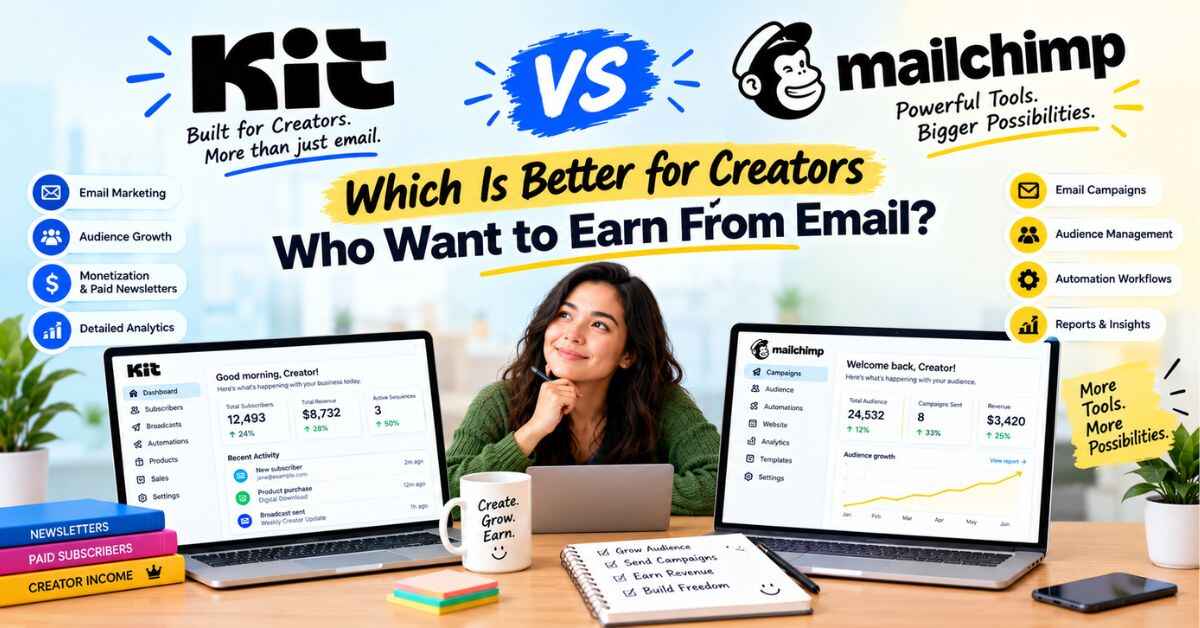
Kit vs Mailchimp: Which Is Better for Creators Who Want to Earn From Email?
Mailchimp is the email tool almost everyone has heard of. Kit is the one a lot of creators end up on after they’ve tried the famous one. That’s the heart of Kit vs Mailchimp, and I don’t think either is “bad.” They were just built for different people. One was designed for businesses of every kind. The other was designed for the person with a laptop, an audience and something to sell.
So I’ll go through what each does well, where each falls short, and who should pick which. I’ll also tell you where I land, and I’ll be upfront about where Mailchimp genuinely wins, because pretending it doesn’t would waste your time.
Kit is the email platform that used to be called ConvertKit. If you create content, write, teach, coach or run a podcast, this should save you a lot of tab-hopping.
Why So Many Creators Start With Mailchimp (And Then Wonder About Switching)
Let’s be fair first. Mailchimp is popular for good reasons. It’s been around for ages. Everyone knows the name. It has a free plan, it’s easy to find tutorials for, and it connects with a huge number of other tools. When you first decide to start an email list, picking Mailchimp feels like the safe choice. Nobody gets fired for picking the famous one.
But then a few months go by. You start wanting to do more than send a newsletter. You want a welcome series that runs on its own. You want to sell an ebook or a course. You want to know which of your readers actually buy things. And somewhere in there, the dashboard starts to feel like it was made for someone else, maybe a shop owner or a marketing team, not for you.
Pricing can add to that feeling. Plans scale with your contacts, and some tools bill the same person more than once if they sit on more than one list. Then there are limits on sends and features, and the extra charges that appear when you go past them. None of it is outrageous. It’s just that you wanted to focus on your content, and now you’re reading billing pages.
That’s the moment a lot of creators start searching “Kit vs Mailchimp.” So let’s look at both properly.
Kit vs Mailchimp: What Each One Is Built For
The easiest way to understand the difference is to look at who each tool was designed around.
Mailchimp is a general marketing platform. It’s built for a wide range of businesses, including online shops, small companies and agencies. It does a lot, and it integrates with a lot.
Kit is built for creators who want to build a business around their audience. Kit’s own pitch is that its automations were built for content businesses, while Mailchimp’s were built for e-commerce. That’s Kit describing the difference, so take it with a grain of salt, but it does match how people tend to use the two.
According to Kit, more than 550,000 creator business owners use it. Its site shows names like Pat Flynn, Tim Ferriss, James Clear, Ali Abdaal and Mark Manson. That doesn’t prove it’s right for you, but it shows people with real audiences trust it with their lists.
Now let’s look at the things that actually decide it.
Round 1: Pricing and Free Plans
Money first, since that’s what everyone checks.
Mailchimp’s plans (from its pricing page):
- Free: up to 250 contacts, with a cap of 500 emails a month and 250 a day. It doesn’t include automations.
- Essentials: from $13 a month for the first 12 months, with 3 seats and up to 4 flow steps in automations.
- Standard: from $20 a month for the first 12 months, with up to 200 flows, plus extras like predictive segmentation and custom reports.
- Premium: from $350 a month for the first 12 months.
- Plans scale with your number of contacts. The prices shown are promotional rates for the first 12 months, and the page doesn’t list the ongoing rate. Paid plans charge overages if you go over your limits. The 14-day trial for Essentials and Standard requires payment information.
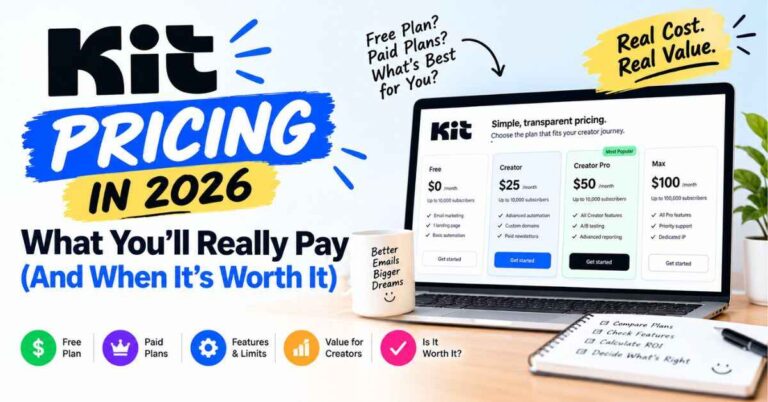
Kit’s plans (from its pricing page, at 1,000 subscribers):
- Free: up to 10,000 subscribers, with unlimited forms, landing pages and email broadcasts, plus the ability to sell digital products and subscriptions. It does not include visual automations or integrations.
- Creator: about $33 a month when billed yearly. This adds unlimited automations and sequences, integrations, Kit MCP, two users, SMS and more.
- Pro: about $66 a month billed yearly, with a limited-time 25% first-year offer. This adds Subscriber Signals, the Growth Concierge team, deeper analytics and more.
- 14-day free trial of paid plans, and Kit says no credit card is needed.
A few honest takeaways.
Mailchimp’s entry prices are lower, from $13 and $20 a month. But those are first-year promotional rates, and they depend on your contact count. So the number on the page won’t be the number you pay forever.
Kit’s free plan is far more generous on subscribers: 10,000 versus 250. And Kit says it charges per unique active subscriber, so someone who’s on several lists is billed once. Kit describes Mailchimp as list-based, charging for the same person on each list. That’s Kit’s claim about Mailchimp, so check Mailchimp’s current billing rules.
One warning: neither company’s starting price is the price at your list size. Use each pricing slider at your own number before deciding.
Starting prices only tell part of the story. If you’d like to see what you’d actually pay at your own list size, you can check Kit’s current plans here and try the paid features free for 14 days. Kit says no credit card is needed to start.
Round 2: Automations (Where Creators Feel the Difference Most)
If I had to pick one area where Kit pulls ahead for many creators, it’s automations.
Think about what you want to happen when someone joins your list. A warm welcome email goes out right away. A couple of days later they get your best free resource. A few days after that, a short story about why you do this work. Later, a gentle mention of something you sell.
Doing that by hand isn’t realistic. Automations handle it for you.
Mailchimp doesn’t include automations on its free plan. On Essentials you get up to 4 flow steps, and the bigger automation flows start on Standard. Kit’s free plan also leaves out visual automations, but once you’re on Creator you get unlimited automations and email sequences.
In Kit you build your journey like a flowchart. Someone signs up, gets this email, waits two days, gets that one. You can split people into paths based on what they click, so someone who loves your productivity tips doesn’t get the same emails as someone who joined for fitness content.
According to Kit’s comparison page, Kit has 25+ automation templates, entry and event triggers, click-based triggers, delay steps, conditions, split paths and re-entry, and it lists built-in connections with Thinkific, Calendly and Typeform. It describes Mailchimp’s visual automations as limited and as having been built for e-commerce. Those are Kit’s claims, so test them yourself in the trial. But they match what I hear from creators running launches and courses.
If you run an online shop and want abandoned-cart emails, Mailchimp supports Shopify and WooCommerce for that, while Kit lists Shopify and Fourthwall. So for a store-focused business, Mailchimp might fit better.
Round 3: Making Money From Your Audience
This is the part that matters most for conversion, so let’s slow down.
Kit is built around earning from your list. You can sell digital products, paid newsletters and subscriptions right from the platform, and it also offers newsletter sponsorships and paid recommendations. The listed fee for selling is 0.6% plus normal card processing. Because every sale connects to a subscriber, you can see who bought, follow up with something that fits them and avoid sending the same pitch to everyone. Kit also says it syncs customer and purchase data from Stripe, Shopify and WooCommerce.
Mailchimp is mostly known for marketing and e-commerce integrations, and I couldn’t confirm what it offers for selling digital products or subscriptions directly. Kit’s comparison page leaves that part of Mailchimp’s column blank, so I won’t make a claim either way. If you rely on selling inside your email tool, check Mailchimp’s current features, and compare.
The practical difference: Kit treats selling as a core part of the product, with commerce, sponsorships and subscriber data tied together. If you’re an ebook seller, a course creator, a coach or an artist selling digital goods, that setup is a natural fit.
Round 4: Growing Your List
Both tools give you forms and landing pages. The difference is what else they offer.
Kit has Recommendations, where creators recommend each other’s newsletters. When someone joins your list, they may see suggestions from other creators in your space, and your newsletter gets shown to their readers too. Kit says creators who use it grow their lists about twice as fast. I’d treat that as a best-case number, because results depend on your niche and setup. But it’s a nice way to grow beside other creators instead of alone.
Kit also lists unlimited landing pages, advanced form customization, a newsletter website, custom domains and lead magnet delivery. Mailchimp includes popup forms on every plan, according to its pricing page. Both can get you collecting emails quickly.
Round 5: Email Design, Deliverability and Integrations
A few smaller things that add up.
On A/B testing, Kit covers subject lines and email content, while Mailchimp also covers from name and send time. On templates, Mailchimp offers pre-built templates on all plans and custom-coded ones on higher plans. If you love tweaking designs, that matters.
On deliverability, Kit says creators on its platform see about a 99.8% delivery rate and roughly 40% average open rates. Kit lists Mailchimp’s rate as “not shared.” Those are Kit’s numbers, so use them as a rough guide. Your results depend on your list and how good your emails are, and Mailchimp is widely used and well established.
And on integrations, Mailchimp wins on sheer numbers. It lists 300+ native integrations, while Kit lists 100+. If you rely on a long chain of different tools, that’s a real advantage for Mailchimp. Kit leans on creator tools like Canva, Shopify, Thinkific, Kajabi and Circle. If you already use those, you’ll feel at home.
Round 6: Support and Switching
Here’s where a lot of creators quietly decide.
On support, Mailchimp offers 24/7 email and chat on Essentials and Standard, phone support on Premium, and only 30 days of email support on the free plan. Kit offers 24/7 email and chat support on Creator and Pro, plus Kit University, a blog with how-to guides, creator stories and a library of email templates. You can hire a Kit Expert for hands-on help, and Pro users get an email strategist and a deliverability specialist.
And on switching, Kit advertises free migration. Their team moves your subscribers, tags, segments, automations and forms, then checks that every active subscriber made it. They say your part takes about an hour. If a painful move is what keeps you stuck on a tool you’ve outgrown, that removes a big excuse. Also read: Kit Review: Is This Email Platform Really Worth It for Creators in 2026?
Where Mailchimp Has the Edge (I Said I’d Be Honest)
I wouldn’t trust a comparison that says one tool wins everything, so here’s what I’d give Mailchimp credit for.
Lower starting prices. From $13 and $20 a month, though those are first-year rates.
A huge integration library. 300+ native integrations versus Kit’s 100+.
E-commerce strength. If you run an online shop and want store-focused marketing, Mailchimp is built for it.
Familiarity. Everyone knows it, and tutorials are everywhere.
Extras on higher plans. Predictive segmentation, custom reports and generative AI tools come on Standard and Premium.
For some businesses, that’s the deciding factor. If you run a shop or need those integrations, Mailchimp is a sensible choice.
Where Kit Has the Edge
And here’s why a lot of creators eventually land on Kit.
A much roomier free plan. Up to 10,000 subscribers, versus 250 contacts and a 500-email monthly cap.
Automations built for creators. Unlimited automations and sequences on Creator, with creator-focused triggers and built-in connections.
More ways to earn. Digital products, paid newsletters, subscriptions, sponsorships and paid recommendations, all tied to the same subscriber data.
Recommendations. A creator-to-creator growth feature.
Unlimited sends. Kit lists unlimited email sends, while Mailchimp’s are capped by plan.
Free migration and creator-focused support. A team that understands creator businesses, plus lots of learning material.
And one more thing. Kit has also added Kit MCP, which lets you connect an AI assistant like Claude, ChatGPT or Gemini to your account and ask things like “which email got the most clicks last month?” You can then have it tag subscribers or draft a follow-up. Kit says nothing happens until you approve it, which is how it should work.
If you’ve been leaning toward Kit but want to feel it for yourself, the easiest move is to try it. You can start with Kit’s free plan and see how it feels. No pressure to upgrade. Set up a signup form, send yourself a test email, and see if it fits how you work.
Which One Should You Pick? A Simple Guide
Here’s how I’d decide, depending on who you are.
You run an online shop and want store-focused marketing. Mailchimp is worth a serious look, especially with its integrations.
You’re a creator who wants to sell products, courses, coaching or a paid newsletter. Kit is built around that.
You have followers but no list yet. Kit’s free plan gives you far more room to start collecting emails. Add automations when you’re ready.
You run launches or course funnels. Automations matter most here, and that’s where Kit tends to shine.
You rely on a long chain of different tools. Check whether Kit connects with the ones you use. Mailchimp’s integration library is bigger.
You’re moving from Mailchimp. Look at who will help you migrate. Kit advertises free migration.
How Different Creators Could Use Kit
These are examples of how people in these roles typically use a tool like Kit. They’re not income claims.
The creator with followers and no list. Say you run a motivational page on Instagram. You post daily, people love it, but there’s nothing beyond the feed. With Kit, you could write a short free guide on building a morning routine and put it on a landing page linked in your bio. Anyone who signs up gets the guide, then a week of follow-ups: your best posts, a bit of your story, and later an offer like a paid workbook. Same audience, but now you have a direct line to them.
The blogger whose readers disappear. Someone finds your article, gets their answer and never returns. Add a Kit form offering a related checklist, and now you have their email. Each new post gives them a reason to come back.
The coach who’s out of hours. A free mini-course delivered through automated emails warms people up before they ever speak to you. The ones who are ready come to you. The rest stay on the list and keep getting useful content.
The podcaster or YouTuber. Offer a bonus episode or show notes in exchange for an email, then send a short weekly note. Kit even mentions turning YouTube videos into a weekly newsletter, which is a smart way to reuse content you already made.
My Final Kit vs Mailchimp Verdict
So, who wins?
If you want one sentence: Mailchimp is a solid all-purpose marketing tool, especially for shops, and Kit is the better fit for creators who want to build a business around their audience.
Both are good, and either beats having no list at all. But if you want more room on the free plan, automations built for creators, more ways to earn from your own products, a growth feature like Recommendations and a team that handles your migration, Kit is the one I’d lean toward. It isn’t the cheapest at the start, and it won’t grow your list by magic. What it does is remove a lot of the friction between you and a direct line to people who care about your work.
You don’t have to commit today. Try the free plan or the trial, set up a simple signup page, and see how it feels. Worst case, you learn something about your audience. Best case, a year from now you’ve got a list of people who chose to hear from you, and you’re glad you started.
Your audience is out there right now, scrolling, watching, listening. The real question is whether you’ll have a way to reach them next month if the algorithm shifts again. Take a look at Kit and see if it’s the right fit for you. It takes a few minutes to get started, and you can decide for yourself after that.
Quick Questions About Kit vs Mailchimp
Is Kit better than Mailchimp? It depends on what you’re doing. Mailchimp suits shops and businesses that want a broad marketing platform. Kit suits creators who want automations and more ways to earn from their audience.
Which has the better free plan? Kit’s free plan covers up to 10,000 subscribers but doesn’t include automations. Mailchimp’s free plan covers up to 250 contacts, with a cap of 500 emails a month, and doesn’t include automations either.
Which is cheaper? Mailchimp’s starting prices are lower, but they’re first-year promotional rates and scale with contacts. At your own list size, check each company’s pricing slider.
Can I move my list from Mailchimp to Kit? Yes. Kit advertises free migration, with its team handling subscribers, tags, segments, automations and forms.
Is there a free trial? Kit offers a 14-day trial of paid plans, with no credit card required, according to Kit. Mailchimp’s 14-day trial on Essentials and Standard requires payment information.
Can I sell products through Kit? Yes. Digital products, paid newsletters and subscriptions, with a listed fee of 0.6% plus card processing.
Is Kit the same as ConvertKit? Yes. ConvertKit was renamed Kit in 2024.
A Quick Note About Links
Some links in this post are affiliate links. If you click one and sign up for Kit, I may earn a small commission, at no extra cost to you. I only recommend things I think can genuinely help the people reading, and I’ve tried to be upfront about where Mailchimp is the better choice. Either way, thanks for reading.