ElevenLabs Pricing Plans 2026: Which One Should You Actually Pick?
If you’re trying to make sense of the ElevenLabs pricing plans, you’ve probably noticed the same thing I did: the tool looks amazing, and the pricing page makes your head spin. Seven tiers, a pile of credits, and a few terms you’ve never needed to know before today. It’s the kind of page that makes you open ten tabs, compare three spreadsheets, and then close everything and tell yourself you’ll decide tomorrow.
Let’s fix that. By the end of this post, you’ll know exactly which plan fits the way you work, and which ones you can ignore.
The Trap of Choosing a Plan Too Early
Here’s a story you might recognize.
A friend of mine, let’s call her Priya, runs a small YouTube channel about budget travel. She’d been recording her own voiceovers for a year. Every video meant a quiet room, a cheap microphone, and about two hours of retakes. A passing scooter, a cough, a mispronounced town name, and she’d start the paragraph over.
One night she decided she’d had enough. She found an AI voice tool, loved the demo, and immediately paid for a mid-level plan because it “seemed like the serious option.” Two weeks later she’d used maybe a fifth of it. She felt silly, and she almost cancelled everything out of embarrassment.
Her cousin had the opposite experience. He signed up for the cheapest option, started working on a long course, and ran out of credits halfway through the third lesson. He had to stop, wait, and rework his schedule.
Same tool, same quality, two different headaches. Neither of them was wrong about the product. They were wrong about the plan. And honestly, that’s the most common mistake I see with AI voice software. People buy based on how they feel in the moment instead of how much audio they actually make.
What a Wrong Plan Really Costs You
Let me be blunt about the stakes, because they’re bigger than they look.
Overpay, and you’re burning money every month on credits you never touch. That adds up to a surprising amount over a year, and it’s money that could’ve gone into a better camera, an ad budget, or just your pocket.
Underpay, and you hit the ceiling at the worst possible moment. Right when you’re finishing a project, you’re stuck waiting for a reset or scrambling to upgrade mid-deadline. That stress kills momentum, and momentum is everything when you’re building a channel, a course, or a business.
And if you skip AI voice altogether because the pricing feels too confusing? That’s the most expensive choice of all. You stay stuck recording yourself, losing hours every week, publishing less than you’d like. Over a year, those hours are worth far more than any subscription.
So the goal isn’t to find the cheapest plan or the fanciest one. It’s to find the one that matches your real workload. That’s it. Also read: ElevenLabs Review 2026: The AI Voice Tool That Finally Made Voiceovers Feel Easy
So, What Is ElevenLabs?
ElevenLabs is an AI voice platform. You type or paste your script, pick a voice, and it reads your words back in a voice that sounds surprisingly human.
The thing that sets it apart is delivery. Older tools read words in a flat line. ElevenLabs seems to understand the sentence, so questions rise, pauses land where a person would breathe, and an excited line actually sounds excited. When you play it for a friend, they don’t say “that’s a decent robot.” They ask, “Who recorded that?”
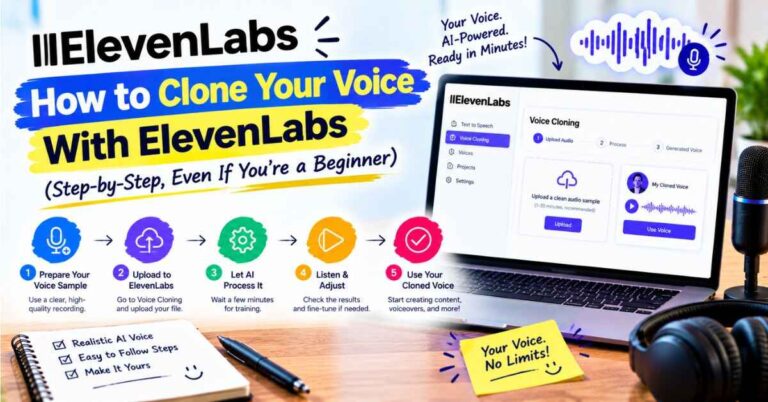
Beyond basic text to speech, there’s a big library of voices with different accents and styles, voice cloning so you can create a digital version of your own voice (with permission, always), dubbing into many languages, transcription, sound effects, voice agents, and an API for developers.
You don’t need everything on day one. But this variety is exactly why there are several pricing tiers. A solo blogger and a company running voice agents use the platform in very different ways, so the plans are built around how much you use it.
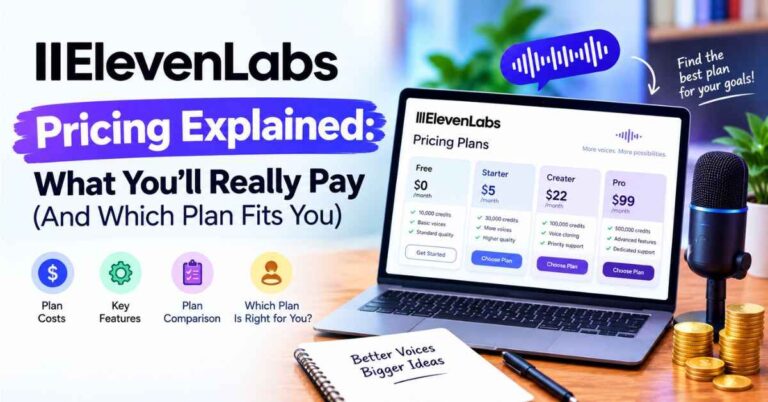
ElevenLabs Pricing Plans: Which One Is Right for You?
Here’s the section you came for. One quick note before we dive in: ElevenLabs adjusts its plans from time to time, and some third-party pages still show older prices, so always check the live pricing page before you pay. The figures below are approximate, based on what several trackers reported during 2026.
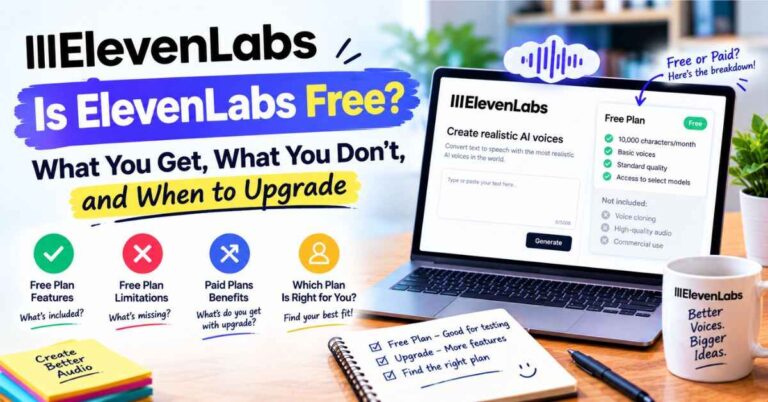
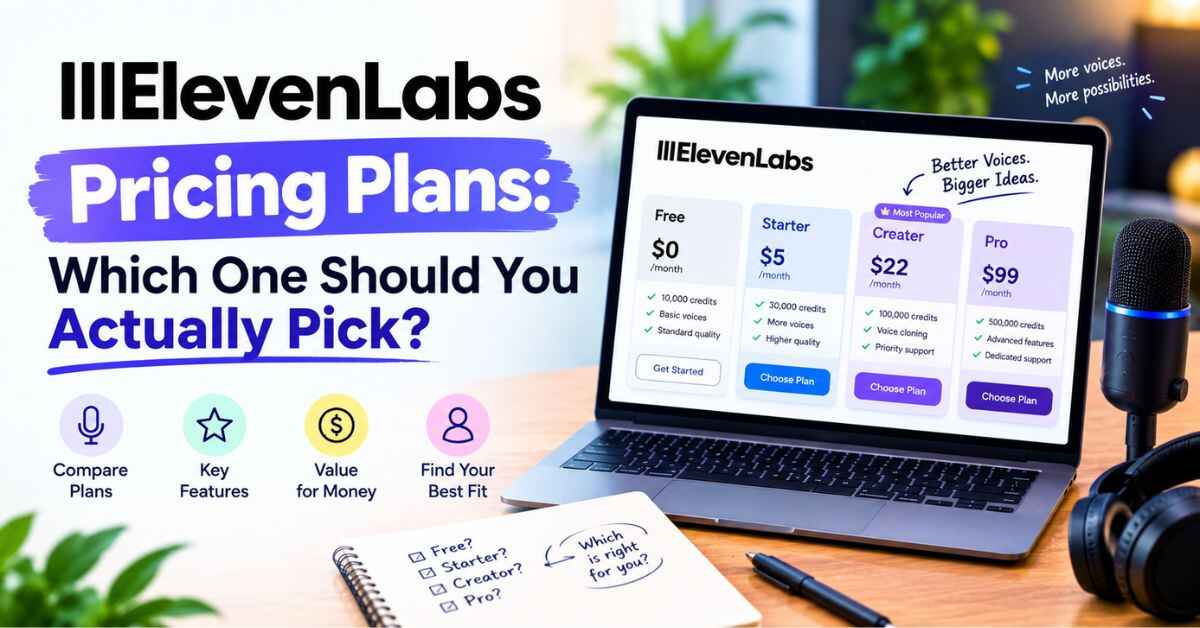
Free plan: the test drive.
The free tier includes 10,000 credits per month. That’s roughly 10 minutes of audio, and it’s limited to non-commercial use. Think of it as a proper trial. It’s enough to hear the voices, try a few scripts, and decide whether the quality is what you’re after. It’s not meant for monetized projects, so don’t build a business on it.
Best for: anyone curious, anyone still deciding, and anyone with a tiny one-off project.
Starter: the first step into real projects.
Starter is listed at about $5 a month, though some trackers show it at $6. This is where small commercial use begins. If you’re a new creator posting short videos, or a blogger testing audio versions of a few posts, it’s a gentle way in.
Best for: new creators with light, occasional audio needs.
Creator: the sweet spot for most people.
Creator sits around $22 a month. You get a much larger credit allowance than the lower tiers, and it’s the level where regular publishing starts to feel comfortable. If you post a few videos a week, narrate blog posts, or run a small podcast, this is the plan I’d look at first.
Best for: consistent creators, bloggers, small course makers, and anyone publishing weekly.
Pro: for heavy production.
Pro runs about $99 a month. Here you’re looking at serious volume and higher-quality output options. It makes sense for full-time creators, agencies, and anyone producing long-form audio like audiobooks or big course libraries on a regular basis.
Best for: high-volume creators and small agencies.
Scale: for growing teams.
Scale is listed near $299 a month, while another source puts it around $330. That difference is a good reminder of why you should confirm the number on the official page. This tier is for teams with lots of audio and multiple projects running at once.
Best for: teams and businesses with serious volume.
Business: for companies.
The Business plan was lowered to $990 a month in June 2026. It includes a very large credit pool, ten seats, and low-latency text to speech. This is for organizations running voice at scale, not individual creators.
Best for: companies with big, ongoing voice workloads.
Enterprise: custom everything.
Enterprise is custom priced and adds things like single sign-on, service agreements, and compliance controls. Unless you’re part of a large organization with strict requirements, you can skip this one.
Best for: large companies with security and compliance needs.
And a small money-saving tip: paying annually typically saves you around 17 percent. That’s worth considering once you’ve used the tool long enough to know it’s staying in your routine.
Here’s the big picture. Most bloggers, YouTubers, and course creators will live somewhere between Free and Creator. Many creators find the lower-priced tiers cover everything they need. The upper tiers exist for teams and companies, not because individuals are expected to pay for them.
👉 Want to hear the voices before you read about plans? Try ElevenLabs free here and paste in a paragraph of your own writing.
How Credits Work (In Normal Words)
Credits are the currency ElevenLabs uses to measure how much audio you generate. Think of them like data on a phone plan. Your plan gives you a monthly allowance, you spend it as you create, and it refills when your billing cycle resets.
More text means more credits. A short script uses very little. A long lesson uses more. And if you regenerate the same line three times to get the delivery right, you pay for three.
That’s why a bit of habit-building goes a long way. Write your script carefully. Read it aloud once. Fix awkward sentences in the text instead of fixing them in the audio. A tidy script means fewer retakes, and fewer retakes means your allowance lasts longer.
To estimate what you need, try this:
- Count the minutes of finished audio you make in a typical month.
- Add about a third for retakes and experiments.
- Match that number against what each plan includes.
If you publish two five-minute videos a week, that’s roughly forty minutes a month before retakes. That one calculation will tell you whether a low tier is fine or whether you should look higher.
Why the Value Is Hard to Ignore
Now let me zoom out, because plans and numbers only matter if the tool is actually worth it. Here’s what I think makes it worth it.
It gives you hours back.
A voiceover that used to take an entire afternoon takes minutes. If you save even two hours per video and you make four videos a month, that’s eight hours back. Most people value their time at far more than the price of a mid-level plan.
The voices sound like people.
This is the whole game. If your audio sounds flat, viewers drift away in the first thirty seconds. Natural delivery keeps them watching, and longer watch time means better reach.
Revisions stop being scary.
Change a sentence, regenerate, done. No microphone setup, no rebooking a voice actor, no waiting a week.
You can reach more people.
With dubbing in many languages, one video can become three. That’s the same work, with a much larger audience.
It grows with you.
Start free, move to a small plan, step up when you’re busy, and step back down when you’re not. You’re never locked into a one-size-fits-all deal.
It’s friendly to beginners.
You don’t need technical skills. If you can paste text and click a button, you can use it.
Real-Life Examples: Who Picks Which Plan?
Let me show you how this plays out in practice, using a few relatable situations.
The weekend blogger (Free, then Starter).
She writes a travel blog on weekends and has about fifty strong posts. She wants audio versions of her best ones. She tests everything on the free plan, loves the result, and moves to a low paid tier once she’s ready to put audio on her site. Her total monthly audio is small, so the cost stays small. Readers who never had time to sit down with a long article now listen on the go.
The consistent YouTuber (Creator).
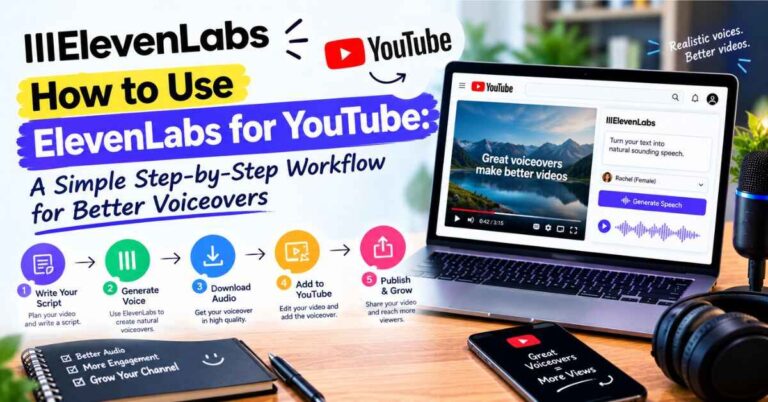
He runs a faceless channel and posts three times a week. Voice used to be the slowest part of his week. On a Creator-level plan, he writes the script on Sunday, generates the audio in minutes, and spends the saved time editing and planning the next video. The subscription pays for itself in one weekend.
The course creator (Creator or Pro).
She sells an online course with hours of lessons. Every few months the software she teaches changes, and she’d have to re-record entire modules. With AI narration, she edits the script and regenerates only the lines that changed. For a big course library, a higher plan gives her the room she needs.
The local shop owner (Starter for one month).
She needs a polished phone greeting and a few product videos, and nothing else. She signs up for a low tier, finishes everything in one evening, and then pauses or cancels. That flexibility is one of the best parts of monthly plans.
The tech creator going global (Creator or Pro).
He takes his five best videos and makes Spanish and Portuguese versions. Dubbing uses more credits, so he plans for it and picks a tier that fits. Same content, a new audience, and no extra filming.
The small agency (Pro or Scale).
A tiny marketing team produces voiceovers for a dozen clients. They need volume and reliable quality. A higher tier saves them from juggling credit limits, and the time they get back covers the cost easily.
Notice the pattern. Nobody picks the biggest plan “just in case.” Everyone matches the plan to the work.
Let’s Talk About the Downsides
A review that’s all praise isn’t worth trusting, so here’s the honest side.
Credits can vanish quickly. If you regenerate a lot, you’ll feel it. The fix is simple: polish your script first and generate only when you’re happy with the text.
Prices shift. I found different numbers on different sites, partly because plans have changed during the year. That’s why I keep telling you to confirm on the official page. It’s a small annoyance, but it’s real.
Long projects need bigger plans. Audiobooks and big course libraries use a lot of credits. Plan ahead so you’re not surprised mid-project.
Some words need a nudge. Unusual names, acronyms, and technical terms sometimes need a phonetic spelling or a punctuation tweak to sound right. It’s quick, but it can cost a retake.
It won’t replace a human in every case. If you’re making a big brand film or something that depends on deep emotional acting, a professional voice actor may still be the better call. For everyday content, AI voice is more than good enough.
None of these is a dealbreaker. They’re the things I’d want a friend to tell me before I signed up.
👉 Not sure which tier you’d actually use? Open a free ElevenLabs account and see how many credits your own scripts take.
A Simple Way to Choose Without Overthinking
If you’re still on the fence, here’s a method that works.
Step one: start free. Paste in a paragraph you’ve already written. Press play. If you think “I’d happily publish that,” you’ve answered the biggest question.
Step two: pick the lowest paid plan that covers your real needs. Don’t buy for the creator you hope to be next year. Buy for the creator you are this month. You can always step up later.
Step three: track your usage for a month. After a few weeks, you’ll know exactly how many credits you use. That beats any guess.
Step four: upgrade when you feel the ceiling. If you hit the limit and you’re glad, because it means you’re publishing a lot, that’s your signal to move up.
Step five: think about annual billing once it’s part of your routine. After a couple of months of steady use, yearly payment can save real money.
That’s all there is to it. Test, start small, measure, adjust.
Is It Worth It? My Honest Verdict
If you create content regularly and voice is part of it, I think it’s worth it. Not because it’s flashy, but because it quietly removes one of the most draining steps in the whole process.
The best part for me isn’t the technology. It’s the mental shift. When voiceovers stop being the thing you dread, you finish more projects. You publish more often. You stop making excuses. And finishing is where growth actually comes from.
If you only need one small voiceover once in a while, stick with the free plan or try one month of a low tier. If you publish weekly, a Creator-level plan is usually the comfortable middle. And if you run a team or an agency, the higher tiers are there when you need them.
You don’t have to figure it all out today. The free plan exists so you can answer the real question, “Does this sound good enough for my work?”, before spending a cent.
Quick FAQ
Is there a free plan?
Yes. It has a limited monthly allowance and is meant for non-commercial use, which makes it perfect for testing.
Which plan do most creators choose?
Most bloggers, YouTubers, and course creators end up on a lower or middle paid tier. The higher plans are aimed at teams and businesses.
Can I use the audio commercially?
Commercial use is tied to paid plans. Check the current terms on the official site before monetizing anything.
What happens if I run out of credits?
You can wait for your allowance to reset or move up to a bigger plan. Details depend on your tier, so check the pricing page.
Can I change or cancel my plan?
Monthly plans give you flexibility to move up, move down, or stop. Look at the current billing terms on the site to confirm.
Do the prices stay the same all year?
Not always. Plans get adjusted from time to time, so confirm the current numbers before paying.
Final Thoughts
Pricing pages look scarier than they are. Under all the tiers is a simple idea: the more audio you make, the more you pay. If you’re just starting, begin free. If you publish regularly, a modest plan usually pays for itself in time saved alone.
The real cost of AI voice isn’t the subscription. It’s another year of dreading the voiceover step, publishing less than you want to, or putting out audio that doesn’t do your work justice.
ElevenLabs won’t write your script or find your audience. What it does is take one of the heaviest parts of content creation off your plate, and do it in a voice people actually want to listen to.
If you’ve been curious, the lowest-risk step is the simplest one. Open a free account, paste in a paragraph, and listen. You’ll know within a minute whether it belongs in your workflow.
👉 Ready to hear it for yourself? Check out ElevenLabs and its current plans here and find the one that fits how you create.
Affiliate Disclaimer
Quick heads-up: some links in this post are affiliate links. If you click one and decide to sign up, I may earn a small commission at no extra cost to you. It helps keep this blog running. I only recommend tools I believe are genuinely useful, and my opinions are my own. Prices change, so please check the official site for current details and choose what fits you best.