ClickFunnels vs Leadpages 2026: Do You Need a Landing Page or a Full Sales Path?
If you’re weighing ClickFunnels vs Leadpages, I’m guessing the price gap caught your eye first. Leadpages looks cheaper, it’s easy to understand, and the name alone tells you it builds landing pages. ClickFunnels costs more and does more, which makes the choice feel like a gamble either way.
Here’s the thing most comparisons miss. These two tools aren’t really fighting over the same job. One is built to create a great page. The other is built to guide someone through an entire buying journey. Whether you need one or the other depends on what you’re trying to sell and how.
So let me walk you through it in plain language. I’ll cover what each tool does well, where each one runs out of road, and who should pick which. And yes, I’ll tell you where I think ClickFunnels earns its higher price. Let’s start with the mix-up that causes most of the confusion.
The Mix-Up That Trips People Up
Picture a friend who tells you, “I need a tool to get more customers online.” You’d probably nod and say, “Sure, get a landing page builder.”
But is that really what they need?
A landing page is one room in a house. It’s a single page designed to get a visitor to do one thing, like join a list or click a button. That’s useful. But what happens after they click? Where do they pay? What do they see next? How do they get a follow-up email? Who tells them about the extra product that goes perfectly with the first one?
If you only have the room, you still need the hallway, the checkout counter, and the front door to get back in. Those are separate pieces, and they live in separate tools.
That’s the heart of the ClickFunnels vs Leadpages question. One gives you a great room. The other gives you the whole house. Neither is wrong, but if you buy the room when you needed the house, you’ll spend the next month hunting for pieces to bolt on.
What Happens When You Buy Only Half the Solution
Let me tell you how this usually plays out.
Someone signs up for a landing page tool. The pages look sharp. They publish one, share the link, and feel good. A few people sign up for the freebie. Great.
Then the questions start. How do I take payments? What do I send these people next? How do I offer a bonus at checkout? Where does the course live? Why does the confirmation email look so plain?
So they add an email service. Then a checkout tool. Then a plugin for upsells. Then something to hold it all together. Each one has a login, a monthly fee, and its own way of breaking at the worst moment.
A couple of months later, the “cheap” landing page tool is the center of a stack that costs more than a one-stop platform would have, and a form stops syncing every other Thursday.
I’m not saying that’s inevitable. If you already have email and checkout sorted out, a simple page tool can be perfect. But if you’re starting from scratch, it’s worth thinking about the whole path before you pick the first piece. Also read: ClickFunnels Review: Is It the Easiest Way to Turn Visitors Into Paying Customers?
First, What Is ClickFunnels?
Let’s make sure we’re on the same page about each tool. Starting with ClickFunnels.
ClickFunnels is a platform that lets you build the whole path a customer takes, from the first click to the final purchase, in one place.
That path is called a funnel. Think of a good restaurant. You walk in, you get a clear menu, you order, someone suggests dessert, you pay, and a few days later you get a thank-you note. Every step flows into the next one.
A funnel does that for your online business. Instead of dropping visitors onto a busy website where they wander off, you guide them one step at a time toward one action: sign up, book a call, or buy.
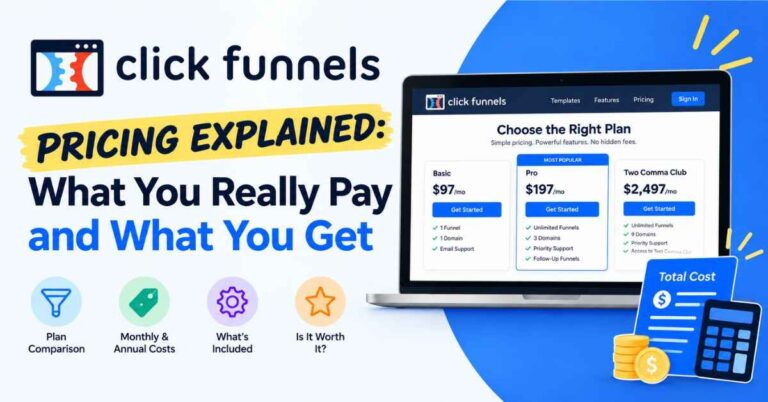
Inside ClickFunnels you get pages, checkout, order bumps and upsells, email tools, and automation. It’s been around since 2014, so it isn’t a new app that might vanish. Plans run from Launch at $97 a month to Scale at $197 and Optimize at $297, plus an annual-only plan for larger operations. Every plan includes unlimited funnels, pages, and visitors, and there’s a 14-day trial so you can look around first.
And What Is Leadpages?
Leadpages is a landing page builder, and it’s been popular for years with small businesses and solo marketers.
Its big strength is simplicity. You pick a template, drag things around, and publish a clean page. It includes things like pop-ups and alert bars, which are handy for collecting email addresses. There’s no cap on traffic, and the plans come with a 14-day free trial.
Pricing is lower at the start. The Standard plan is about $49 a month, or around $37 a month if you pay yearly. The Pro plan is about $99 a month, or around $74 on annual billing. There’s a higher-priced tier aimed at agencies, but prices for that one vary a lot depending on where you look.
I want to be fair here. Leadpages is a good tool for what it does. The question is whether “what it does” matches what you need.
ClickFunnels vs Leadpages: The Real Differences
Let’s skip the giant feature charts and talk about what you’d notice in real life.
Scope: a page versus a path
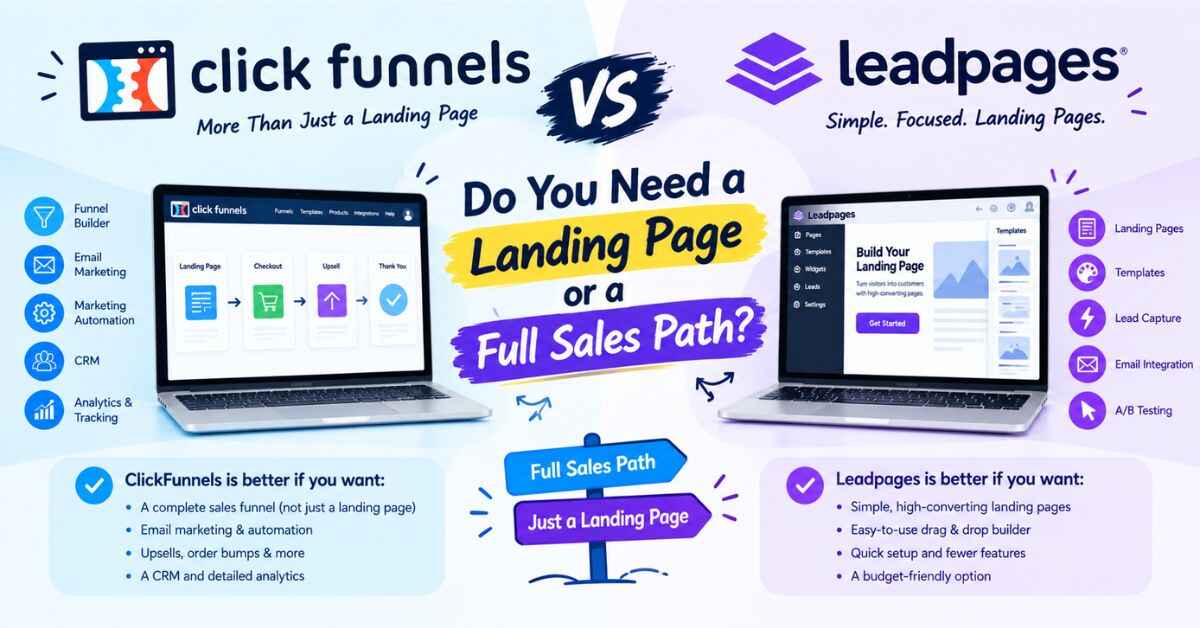
This is the big one. Leadpages builds pages. ClickFunnels builds the journey around the pages: the opt-in, the checkout, the upsell, the thank-you, and the follow-up emails.
If you want to collect emails and send people to something you’ve already built elsewhere, Leadpages does that well. If you want to sell something from start to finish in one place, ClickFunnels is built for that.
Selling and checkout
On Leadpages, the Standard plan doesn’t accept payments. Selling products is a Pro plan feature. That means even a simple “buy now” page requires moving up.
ClickFunnels is designed around selling. Checkout pages, order bumps, and one-click upsells are part of the design. Someone who came in for a $27 product might happily add a $17 extra at checkout. That small bump adds up without needing more traffic.
Page limits
The Leadpages Standard plan caps you at 5 landing pages, which feels tight if you run more than one or two campaigns. The Pro plan removes that limit.
On ClickFunnels, every plan includes unlimited funnels, pages, and visitors. You can test ideas freely, build a funnel for each offer, and not count pages as you go.
Email and follow-up
Most people don’t buy the first time. They need a reminder, a little more trust, or a second look. ClickFunnels includes email tools and automation, so you can write a short sequence once and let it run: a welcome note on Monday, a tip on Wednesday, a gentle nudge on Friday.
Leadpages focuses on capturing leads, so you’d typically connect it to a separate email service to handle the follow-up.
Testing and optimization
Leadpages offers split testing on its Pro plan and above, which lets you compare two versions of a page. That’s a real plus if you like tweaking and measuring.
ClickFunnels leans on templates built around layouts lots of marketers have already used, plus a focus on the whole funnel rather than a single page. If page-level testing is central to how you work, check the current feature list on both before deciding.
Price
Leadpages is cheaper at the entry level. That’s simply true. If all you need is a couple of landing pages, it can cost noticeably less.
ClickFunnels costs more, but you get checkout, email, automation, and unlimited funnels in the same place. Compared to a page builder plus an email service plus a checkout tool, the totals often land closer than you’d expect.
👉 Curious what it feels like to build a whole funnel instead of a single page? You can look around with the free trial and see:
Where Leadpages Wins
I promised an honest comparison, so here’s the other side. Leadpages has real strengths.
It’s simple. The editor is easy to learn, and it’s good at straightforward pages. If you want a clean landing page without a big learning curve, it delivers.
It’s cheaper to start. With the Standard plan you can get going for less, especially on annual billing.
It’s great for lead capture. Pop-ups, alert bars, and opt-in pages are a core strength.
It fits people with an existing setup. If you already have an email platform and a checkout tool you like, Leadpages slots in nicely as the page layer.
If that sounds like you, Leadpages could be the more sensible choice. I wouldn’t try to talk you out of it.
Where ClickFunnels Wins
Now let me tell you where I think ClickFunnels pulls ahead, especially for people who want to sell, not just collect emails.
It covers the whole journey. Pages, checkout, upsells, email, contacts, and automation sit in one account. Fewer logins, fewer connections, fewer things to break.
It’s built around conversion. The structure of a funnel is designed to move someone toward a purchase, step by step, instead of leaving them on a single page wondering what to do next.
Templates built around selling. Lead capture, product sales, webinars, call booking. You don’t start from a blank page. You pick a funnel type and the structure is already laid out. A few templates look a little dated, but they’re easy to restyle.
No limits on funnels, pages, or visitors. On every plan. If a post goes viral, you won’t get hit with a surprise bill.
Follow-up runs on its own. Write your emails once and let them work in the background.
Room to grow. Scale adds unlimited domains, webhooks, API access, the code editor, and more advanced automation. Optimize adds an Affiliate Center for running your own affiliate program.
You don’t need to be a tech person. The builder is drag and drop. If you’ve ever made a slideshow, you’ll feel okay. A basic funnel can be live in a day or two.
Who Should Pick Which?
Let me make this practical.
Pick Leadpages if:
- You only need landing pages and lead capture
- You already have email and checkout handled elsewhere
- You want the simplest, lowest-cost starting point
- You enjoy page-level testing and tweaking
Pick ClickFunnels if:
- Your goal is to sell something from first click to final purchase
- You want checkout, upsells, and follow-up in the same place
- You’d rather not stitch together three or four separate tools
- You’re a coach, consultant, course seller, local business, product seller, or marketer ready to build a real system
A simple rule of thumb: if the word “page” describes what you need, Leadpages is a fine fit. If the word “funnel” or “system” describes what you need, ClickFunnels makes more sense.
Real-Life Examples
Sometimes it’s easier to picture the thing than to read about it. Here are a few setups and which direction tends to make sense.
The blogger with a free checklist. She just wants a clean page to collect emails and already uses an email service she likes. Leadpages is a good match. Simple page, quick publish, done.
The coach with a $500 program. She wants an application funnel that filters out casual browsers, a booking page, and automatic reminder emails. ClickFunnels fits nicely, since the whole path lives in one place.
The consultant running ads to a free guide. He needs a sharp opt-in page and doesn’t plan to sell anything on it. Leadpages works well, especially if he’s testing page variations.
The product seller with one hero item. She’d rather spotlight a single product with a clear page and offer a bundle at checkout. ClickFunnels is a natural match, since checkout and upsells are built in.
The salon owner. She wants a free-first-visit offer that collects emails and books appointments. Either could work, but a focused funnel with automatic reminders keeps the follow-up off her plate.
The course creator launching to a small audience. He wants a sales page, checkout, and a few follow-up emails. ClickFunnels handles all of that without extra tools.
Notice that nobody here gets a “universal winner.” There’s only a best match for what you’re building.
👉 If one of those stories sounded like you, the quickest way to find out is to open a template and spend ten minutes with it:
What About the Price Gap?
Let’s talk about it head on.
Is ClickFunnels more expensive than Leadpages? At the entry level, yes. Leadpages Standard costs less per month than ClickFunnels Launch.
But think about what each price includes. With Leadpages Standard, you get up to 5 pages, no payments, and no built-in follow-up. To sell something, you need Pro, and you still need a way to email people afterward.
With ClickFunnels Launch at $97 a month, you get unlimited funnels and pages, checkout, upsells, and email tools in one account. Add up a page builder, an email service, and a checkout tool separately, and the totals often end up close.
Here’s how I’d think about it. Ask, “What is one new customer worth to me?” If you sell a $500 coaching package and a funnel helps you land one extra client a month, it covers itself many times over. If you sell a $20 ebook, you’ll need more volume, though a funnel can also build your email list and sell add-ons.
There’s also a 14-day trial on both tools. Try both with the same small project and see which feels more natural. Check the signup page for what’s required to start. Thirty minutes will tell you more than any comparison article, including this one.
The Honest Downsides of ClickFunnels
I’d rather be upfront than pretend this tool is perfect.
It costs more at the start. If you only need one landing page, a lighter tool will cost less. ClickFunnels pays off when you use more than one piece of it.
The dashboard can feel busy at first. There’s a lot inside, so give yourself a couple of days and follow the training. Most people catch on quickly.
Some templates feel a bit old. It’s an easy fix, since you can restyle them.
Email sending carries a small extra charge on top of your plan, so it’s worth keeping an eye on as your list grows.
And it won’t create your offer for you. This one applies to every tool on this list. If your offer is unclear or nobody wants it, no software will fix that.
That’s why some people say a tool “didn’t work” for them. They expected the software to do the thinking. It won’t, but it makes the doing much easier.
Tips Before You Choose
A few small habits will save you a headache, whichever way you go.
Write down what you actually need. Pages? Checkout? Email? Upsells? A short list keeps you from being dazzled by features you’ll never use.
Think about the whole path, not just the first page. Where will people pay? What will they receive afterward? Who follows up?
Try both with the same project. Build one real page or funnel, not a practice one.
Check the limits. With any plan, ask what’s capped, like page counts or payments, and whether you’ll hit it soon.
Pick one and commit for a month. Tool-hopping is one of the most expensive habits in online business.
My Take
After looking at both, here’s where I land.
Leadpages is a solid landing page builder, and if a landing page is genuinely all you need, it’s a sensible, budget-friendly pick. I won’t pretend otherwise.
But most people who want to grow an online business need more than a page. They need a path: a way to capture interest, take payment, offer something extra, and follow up. That’s the job ClickFunnels was built for, and it does it in one place without making you piece the system together yourself.
You don’t need the cheapest tool or the fanciest one. You need a good fit, used consistently, with a clear offer behind it.
Final Thoughts
Comparing tools can feel productive, but at some point it turns into procrastination. If you’ve read this far, you probably already have a gut feeling about which one suits you.
Trust that feeling, then test it. Pick a template, build one small funnel, publish it, and watch what people do. You’ll learn more in one weekend of building than in a month of reading comparisons, even a helpful one like this, I hope.
👉 Ready to see if ClickFunnels fits the way you work? Take a look around and check the current trial details here:
Quick note before you go: some links in this post are affiliate links. If you sign up through one, I may earn a small commission at no extra cost to you. I only recommend tools I think are genuinely useful, and the opinions here are my own. Thanks for reading, and for supporting the site.