ClickFunnels Pricing Explained: What You Really Pay and What You Get
If you’ve been googling ClickFunnels pricing, I’m guessing you’ve already hit the same wall most people hit. You land on the pricing page, see a few plans with a few numbers, and think, “Okay, but which one do I actually need? And is this going to be worth it?”
Good questions. They’re also the right ones to ask before you spend a dollar.
So I’m going to walk you through the whole thing. What each plan costs, what’s inside, the small extras nobody mentions, and who should pick which option. I’ll also tell you when ClickFunnels is a smart buy and when you might want to wait. Think of it as a chat with a friend who’s already done the homework.
Let’s start with why this decision feels so confusing in the first place.
Why Picking a Tool Feels Harder Than It Should
Let me paint a picture you might know well.
You’ve got an idea or an offer. Maybe it’s a coaching program, a digital course, a service, or a product you’re proud of. You’re ready to put it online and start selling.
So you start looking at tools. And suddenly there are dozens. One for landing pages, one for email, one for payments, one for courses, one for booking calls. Each has its own pricing page with its own plans, and each one says “starting at” a low number that never quite matches what you end up paying.
You open a spreadsheet to compare them. Two hours later you’ve got fourteen tabs open and a headache.
I’ve seen this happen to people over and over. They get stuck comparing tools for weeks. Meanwhile, their offer sits there, not making a cent.
The Hidden Cost of “Cheap” Tools
Here’s something that took me a while to learn.
The price you see on a tool’s homepage is rarely the price you pay for your whole setup.
Say you go the budget route. A page builder at $30 a month. An email service at $40. A checkout tool at $25. A course platform at $50. Maybe a scheduling app for another $15, and a tool to connect everything for $20.
That’s $180 a month, and you haven’t even counted the time you’ll spend making them work together.
And when something breaks, which it will, you’re the one fixing it. A form stops sending data. A payment doesn’t unlock the right page. An email doesn’t go out. You lose sales without even knowing it, and by the time you notice, the damage is done.
So when you look at ClickFunnels pricing, the real question isn’t “Is $97 a lot?” The real question is “How does this compare to what I’d spend putting all of this together myself, and what’s my time worth?”
Keep that in mind as we go through the plans.
What Is ClickFunnels, Quickly?
ClickFunnels is a platform that lets you build the full path a customer takes, from the first click to the final purchase, all in one place.
That path is called a funnel. Picture a good restaurant. You walk in, get a clear menu, place an order, maybe add dessert, pay, and get a thank-you note later. Every step leads to the next one, and nothing feels random.
A funnel works the same way online. Instead of sending people to a busy website where they wander off, you guide them step by step toward one action: sign up, book, or buy.
Inside ClickFunnels you get the pages, checkout, email, automation, and more, so you’re not juggling a pile of separate tools. It’s been around since 2014, which tells you it isn’t some app that’ll disappear next year.
Now, back to the question you came for.
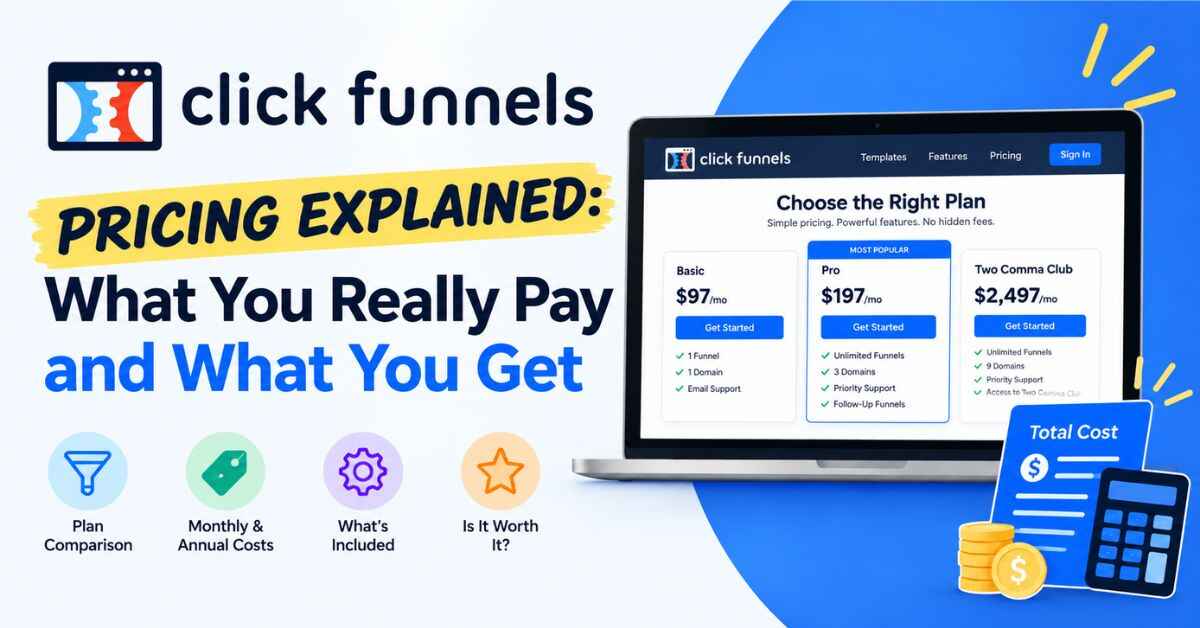
ClickFunnels Pricing: The Plans, One by One
Here’s the lineup, in plain English.
Launch: $97 per month
This is the entry plan. If you pay yearly instead of monthly, it works out to roughly $81 a month, which is a nice little saving.
Launch gives you the essentials for building and selling. You get unlimited funnels, unlimited pages, and unlimited visitors. You can connect up to five custom domains, which is plenty if you’re just getting started. Email tools are included, too.
Best for: Beginners, solo creators, and anyone launching their first offer. If you’re a coach, a course creator, a freelancer, or a small business owner with one or two main offers, this plan covers a lot.
Scale: $197 per month
This is the middle plan, and for many people it’s the sweet spot.
Everything in Launch comes along, and then you get more room and more control. You can connect unlimited custom domains. You also unlock deeper tools like webhooks, full API access, a custom code editor, and more advanced automation workflows.
Best for: People who’ve already made some sales and want to grow. If you’re running several offers, working with more complex automations, or connecting ClickFunnels with other software, Scale makes life easier.
Optimize: $297 per month
The top monthly plan, built for people who want to push further.
On top of everything in Scale, Optimize adds the Affiliate Center. That means you can run your own affiliate program right inside ClickFunnels, so other people can promote your products and you can pay them commissions without buying a separate tool for it. You also get more workspaces and room for a bigger contact list.
Best for: Established businesses, agencies managing multiple projects, and anyone who wants other people selling their products for them.
Dominate: $5,997 per year
This is the annual-only plan, which works out to about $499 a month. It’s meant for larger operations that want the most support and capacity. Most people reading this won’t need it, and that’s totally fine. You can start smaller and move up later.
👉 Want to see these plans for yourself without spending anything yet? The 14-day trial lets you look around and build something first:
The Part Most Pricing Pages Skip
I’d rather give you the full picture than have you find out later.
There are a few extras and details worth knowing about.
Email sending has a small charge. On top of your plan price, sending emails costs a little per thousand. It’s around a fraction of a dollar per thousand sends, so it’s tiny at first. But if you build a big list and email often, it’s worth keeping an eye on. Think of it as a usage cost, like electricity.
Annual billing saves money. Paying yearly knocks roughly 16 to 17 percent off the monthly plans. If you’re confident you’ll stick with it, that’s real savings. If you’re not sure yet, start monthly and switch once you’re comfortable.
Plan limits matter as you grow. Launch has a cap on custom domains. Some advanced features, like the API and the code editor, only start at Scale. None of this will bother a beginner, but it’s good to know so you pick with your eyes open.
Prices can change. Companies adjust their plans every so often. What I’m sharing here is accurate as of my latest check, but always glance at the live pricing page before you buy.
That’s it. No scary surprise fees, no confusing fine print. Just a few details so nothing catches you off guard.
Is ClickFunnels Worth the Price? Let’s Do the Math
Here’s the question that really matters.
Let’s keep it simple. Say you pick the Launch plan at $97 a month. What would you need to earn from it to make it worth keeping?
If you sell a $497 coaching package, you need one new client every month to cover it, with plenty left over.
If you sell a $47 digital product, you’d need about two sales a month.
If you run a local service business with a $150 first visit, you’d need one new customer to break even.
Notice something? You’re not trying to get rich overnight. You just need your funnel to bring in a customer or two beyond what you’d otherwise get.
Compare that with a regular website that quietly sits there and brings in nothing. A $0 website that never sells costs you more in missed income than a $97 funnel that does.
And remember the earlier math. If you’d otherwise be paying for a page builder, an email tool, a checkout system, and a course platform separately, the combined bill often lands near or above what ClickFunnels costs. Except now you’ve also got a single login and fewer headaches.
What You Actually Get for the Money
Let me go beyond the plan names and talk about what’s useful in real life.
You don’t need to be techy. The builder is drag and drop. You pick a template, click on the headline, type your own words, and swap the image. If you’ve ever made a slide deck, you can handle it. A basic funnel can be live in a day or two.
Templates save you from the blank page. There are ready-made layouts for lead capture, product sales, webinars, call bookings, and more. They’re built around setups people have already used, so you’re not guessing where things should go. A few feel a bit dated, but they’re easy to adjust.
Everything lives in one place. Pages, checkout, email, contacts, and automation all sit inside one account. Fewer logins, fewer connections, fewer things to break.
It’s built for selling. Order bumps, one-click upsells, and follow-up offers help raise how much each customer is worth. Someone who comes in for a $27 product might happily grab a $17 add-on at checkout. That small bump adds up.
Follow-up runs by itself. You write a short email sequence once, and it sends automatically. Someone joins on Monday, gets a welcome note, a tip on Wednesday, and a nudge on Friday. You can be doing something else entirely.
You’re not counting pages or visitors. Unlimited funnels, pages, and visitors on every plan means you can test ideas freely. If a post goes viral, you won’t get a surprise bill for traffic.
Real-Life Ways People Use It
Sometimes it helps to see this in action. Here are a few common setups.
The coach with an application funnel. Instead of taking every inquiry, a business coach sets up a short form. Interested people apply, and only the right fits get a link to book a call. Less time wasted, better conversations.
The course creator with a simple launch. A creator builds a sales page, a checkout, and an automatic access page. After someone pays, emails go out to welcome them and keep them engaged. All of it sits in one place.
The local business with a free offer. A salon offers a discount on a first visit in exchange for an email. The funnel sends a reminder and a booking link. Local searchers become real appointments.
The product seller with a focused page. Instead of making shoppers dig through a whole store, a small brand promotes one product with a clear page and offers a bundle at checkout.
The marketer building an email list. A blogger gives away a checklist, collects emails, and then sends a short series recommending a paid resource. It’s small, but it works around the clock.
The agency serving clients. A freelancer builds funnels for clients and uses the higher plans to keep each project in its own workspace.
None of this is complicated, and that’s the point. Simple and clear tends to win.
Which ClickFunnels Plan Should You Choose?
I’ll make this easy, because nobody wants to overthink it.
Pick Launch if you’re new, you have one or two offers, and you want to test the waters without a big commitment. Most beginners should start here. You can always upgrade.
Pick Scale if you’re already making sales, you run multiple offers, or you want advanced automation and the ability to connect other tools. It’s the plan many serious solo businesses end up on.
Pick Optimize if you want to run your own affiliate program, manage several projects, or you’ve outgrown Scale’s limits.
Think about Dominate if you’re running a larger operation and want maximum capacity. For everyone else, it’s probably more than you need.
One more tip. Don’t buy the biggest plan “just in case.” Start with what fits today. Moving up later is easy, and you’ll make a better choice once you’ve actually used the tool.
A Small Tip on Timing and Deals
Here’s something worth knowing. ClickFunnels has run introductory promotions around Black Friday in past years, often tied to the Scale plan with a discounted rate for the first few months. I can’t promise it’ll happen again this year, and any promotional price goes back to the normal rate afterward, so read the details carefully.
But if you’re not in a rush, it might be worth keeping an eye out in late November. If you are ready to start now, the 14-day trial is already a nice low-risk way to dive in.
👉 Not sure which plan fits? Start with a trial, build one simple funnel, and see how it feels. You can look around here:
The Honest Downsides
I’m not going to pretend it’s perfect, because you’d see through that anyway.
It’s not the cheapest option. If you need one landing page and nothing else, a simpler tool will cost less. ClickFunnels pays off when you use more than one piece of it.
The dashboard can feel busy at first. There’s a lot inside. Give yourself a couple of days and follow the training, and it clicks.
Some templates look a little dated. It’s an easy fix, since you can restyle them.
And it won’t create your offer for you. If your offer is unclear, or nobody wants it, no software can save it. ClickFunnels is the vehicle. You still have to know where you’re going.
That last one is why some people say it “didn’t work” for them. They expected the tool to do the thinking. It won’t, but it makes everything else a lot easier.
My Take on ClickFunnels Pricing
So, after all of that, where do I land?
I think ClickFunnels pricing is fair for what you get, as long as you’re ready to use it. If you have an offer and you’re serious about putting it in front of people, the Launch plan is a sensible, low-risk place to begin. As you grow, Scale and Optimize give you room to stretch.
It’s probably not a great fit if you’re still deciding what to sell, if you only need a basic informational website, or if your budget is stretched so thin that $97 a month would cause real stress.
For everyone else, think of it less as an expense and more as a tool that replaces a pile of other tools, and saves you time at the same time. Time you’d otherwise spend wrestling with settings and fixing broken connections is time you can spend talking to customers.
Final Thoughts
Pricing pages can make everything feel bigger than it is. Take a breath. You don’t need to figure out the “perfect” plan today. You need to start small, build one real funnel, and learn from what happens.
With a 14-day trial available, you can look around before you decide. Pick a template, change the words so they sound like you, and publish. Then see how people respond.
You’ll learn more in one weekend of doing than in a month of reading comparisons, even a helpful one like this, I hope.
👉 Ready to see if ClickFunnels fits the way you work? Check out the plans and start your free trial here:
Quick note before you go: some links in this post are affiliate links. If you sign up through one, I may earn a small commission at no extra cost to you. I only recommend tools I think are genuinely useful, and the opinions here are my own. Thanks for reading, and for supporting the site.