ClickFunnels Features: What You Actually Get (and Which Ones Are Worth Your Time)
If you’re digging into ClickFunnels features, I’m guessing you’ve already seen the sales page with its long list of buttons, icons, and promises. It all sounds great. But a list of features doesn’t tell you what any of it does for your business on a normal Tuesday afternoon.
That’s what I want to do here. I’ll walk through the features that matter, explain them in plain English, and tell you which ones I think are the real value. I’ll also point out a few things it doesn’t do, so you don’t find out the hard way.
Grab a coffee. Let’s go through it together.
The Feature List Trap
Here’s something I’ve noticed after years of looking at software.
Most tools win you over with a long feature list. Fifty things. A hundred things. Checkmarks everywhere. And you sign up feeling like you’ve bought a Swiss Army knife.
Then you actually use it, and you realize you only needed four of those features. The other ninety-six just made the dashboard harder to understand.
I’ve talked to people who bought a big all-in-one tool, spent three weeks learning menus they never touched, and still hadn’t published a single page. They were busy, but they weren’t selling anything.
So when you look at any feature list, ClickFunnels included, the smart question isn’t “how many features are there?” It’s “which of these will help me get a customer to say yes?”
When Your Setup Is Held Together With Tape
Let me describe the other side of this problem, because you might be living it.
You’ve got a website on one platform. Your email list lives in another tool. Payments run through a third. Your course sits on a fourth. Bookings go through a calendar app, and something like Zapier is quietly passing messages between everything.
Each tool has a monthly fee, a login, and a different way of doing things. They mostly work together, until they don’t.
Maybe a customer pays and doesn’t get their access email. Maybe a form stops sending names to your list, and you don’t notice for a week. Maybe an update on one platform breaks a connection on another, and you spend a Saturday morning in a help forum instead of with your family.
The worst part is the sales you don’t know you’re losing. A broken link between two tools doesn’t send you an alarm. It just quietly costs you customers.
That’s the real pain behind the feature question. You don’t need more features. You need a setup that works, without constant babysitting.
So, What Is ClickFunnels?
ClickFunnels is a platform that lets you build the whole path a customer takes, from the first click to the final purchase, inside one account.
That path is called a funnel. Think of a good restaurant. You walk in, you get a clear menu, you order, someone suggests dessert, you pay, and a few days later you get a thank-you note. Every step leads to the next one, and nothing feels random.
A funnel works the same way online. Instead of dropping people onto a busy website where they wander off, you guide them one step at a time toward one action. Sign up. Book a call. Buy.
ClickFunnels has been around since 2014, so it isn’t a new app that might vanish next spring. It’s grown a lot over the years, and today it covers far more than the old “just a page builder” days.
Now let’s get to what’s inside. Also read: ClickFunnels Review: Is It the Easiest Way to Turn Visitors Into Paying Customers?
ClickFunnels Features: The Ones That Actually Matter
I’m going to take these one at a time, and I’ll explain each in terms of what it does for you, not what it’s called on the sales page.
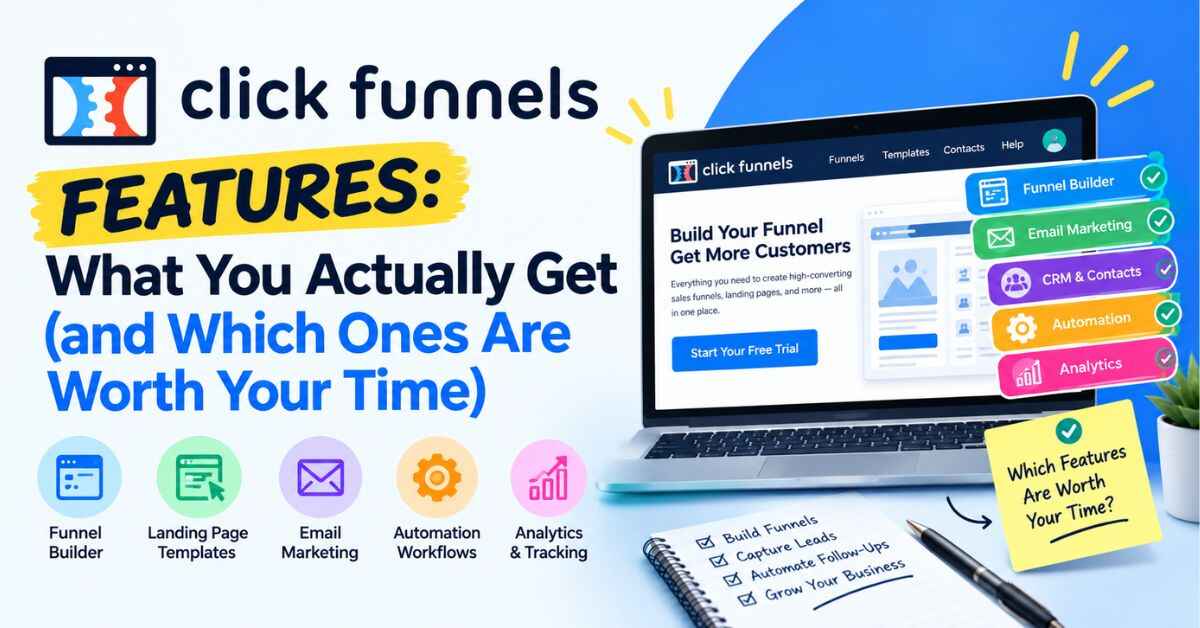
1. The funnel builder
This is the heart of it. You pick a funnel type, like lead capture, product sales, webinar, or call booking, and ClickFunnels lays out the steps for you.
You’re not staring at a blank screen wondering what to build. The structure is already there. You fill in your words, your images, and your offer.
For most people, this is the biggest time saver. Planning the path is the hard part, and the builder does a lot of that thinking for you.
2. The drag-and-drop page editor
Once you’ve got your funnel steps, you edit each page by clicking on what you want to change. Click a headline, type your own. Click an image, swap it. Click a button, change the text.
If you’ve ever made a slideshow, you’ll feel at home. There’s no code to write and no developer to hire. A basic page can go live in an afternoon.
If you do like to tinker, the higher plans include a custom code editor, so you’re not locked out of getting more technical later.
3. Ready-made templates
Templates are one of those features people underrate until they use them. They give you a starting point built around layouts that lots of marketers have already used.
You don’t have to guess where the headline goes, how long a sales page should be, or what a checkout page needs. Pick one that’s close, then change the words so it sounds like you.
I’ll be honest: a few templates look a little dated. But they’re easy to restyle, and a clear, simple page almost always beats a flashy one that confuses people.
4. Checkout pages, order bumps, and upsells
This is where ClickFunnels starts to feel different from a regular website builder.
You can build a checkout page right inside your funnel, and then add extras. An order bump is a small add-on at checkout, like a checklist or a bonus template, that someone can tick with one click. An upsell is a follow-up offer shown right after they buy.
Why does this matter? Because it raises how much each customer is worth, without needing more traffic. Someone who came in for a $27 product might happily add a $17 extra if it’s offered at the right moment. Doing that on a normal website takes extra plugins and a lot of patience.
5. Email marketing and follow-up
Most people don’t buy the first time they see something. They need a reminder, a little more trust, or just another look.
ClickFunnels includes email tools, so you can send messages without paying for a separate service. You can write a short sequence once and let it run. Someone joins on Monday and gets a welcome email. Wednesday brings a helpful tip. Friday brings a gentle nudge.
You write it once, and it keeps working while you’re doing something else. There’s a small extra charge for email sending on top of your plan, which is worth knowing, but at the start it’s tiny.
6. Contacts and automation
Every person who signs up or buys is stored in your contact list. From there, automations let you do things based on what they do.
For example, if someone buys, you can send them a welcome email and stop sending them the sales emails. If someone signs up but doesn’t buy, you can send a reminder a few days later.
It’s a way of treating people like individuals without doing it all by hand. That’s what makes a small business feel organized instead of chaotic.
7. Unlimited funnels, pages, and visitors
I mention this one because it’s easy to skip past, and it’s worth noticing. On the current plans, you’re not counting how many pages you’ve built or watching a traffic meter.
That means you can test ideas, build a funnel for each offer, and not panic if a post goes viral. A surprise traffic spike should feel like good news, not a billing problem.
8. Selling courses and digital products
If you teach something, you can deliver it through ClickFunnels. You can set up access after purchase, sell digital products, and follow up with students by email.
A quick honest note here. ClickFunnels isn’t a full learning management system like some dedicated course platforms. If you need heavy course features like detailed student tracking and complex quizzes, you may want something specialized. But if you want to sell a course and deliver it cleanly, it handles that well.
9. Custom domains and workspaces
Custom domains let you use your own web address, so your funnel looks like part of your brand. The entry plan gives you a handful, and higher plans give you unlimited.
Workspaces help if you run more than one business or manage client projects. You can keep each one separate, so nothing gets mixed up. Freelancers and agencies tend to appreciate this one a lot.
10. The Affiliate Center
This is on the top monthly plan, and it’s a neat one. It lets you run your own affiliate program inside ClickFunnels, so other people can promote your products and earn commissions.
Without it, you’d need to pay for a separate affiliate tool. For a business that’s ready to grow through partners, having it built in saves both money and setup time.
11. Integrations, webhooks, and API access
On the Scale plan and above, you get webhooks and full API access. Don’t let the jargon scare you. All it means is that ClickFunnels can send information to other tools and receive information back.
If you use other software that you love, and you want it to talk to ClickFunnels, this is the feature that makes it possible. You won’t need it on day one, but it’s reassuring to know the door is open as you grow.
👉 Want to see these features in action instead of just reading about them? You can look around inside with the free trial:
How the Features Work Together in a Real Funnel
Features are one thing. Seeing them work together is something else. So let me walk through a simple example.
Say you’re a fitness coach with a 6-week home workout program.
You start with a landing page offering a free 5-day quick-start guide. That’s the funnel builder and page editor at work, using a template as your starting point.
Visitors enter their email to get the guide. That email lands in your contact list automatically.
Right away they see a thank-you page with a short video and a special price on the full program. If they say yes, they go to a clean checkout, where you offer a printable meal planner as an order bump.
After payment, they get access to the program and a confirmation email. Over the next few days, your automation sends tips, a reminder about the bonus, and a friendly check-in.
That’s one funnel using about six features, all in one place. In the old way, you’d have touched at least four different tools, each with its own login and its own settings.
Who Gets the Most From These Features?
Different people use different features. Here’s how it tends to break down.
Coaches and consultants love the application-style funnels and booking pages. They filter out casual browsers and fill the calendar with serious people.
Course creators lean on checkout, upsells, and email follow-up. Selling and delivering in one place means fewer things to manage.
Local business owners use simple lead funnels. A free consultation or first-visit discount in exchange for an email can turn a nearby search into a real appointment.
Product sellers use focused sales pages and order bumps, so shoppers see one clear choice instead of fifty.
Freelancers and agencies value the templates and workspaces. They can build for clients quickly and keep each project separate.
Marketers and list builders use lead capture and email to build an audience they actually own, instead of sending traffic away and hoping.
Beginners get the most from templates and the funnel builder. The structure is already laid out, so there’s less guessing.
What Do You Get at Each Price Level?
Since features and price are linked, let me give you a quick map.
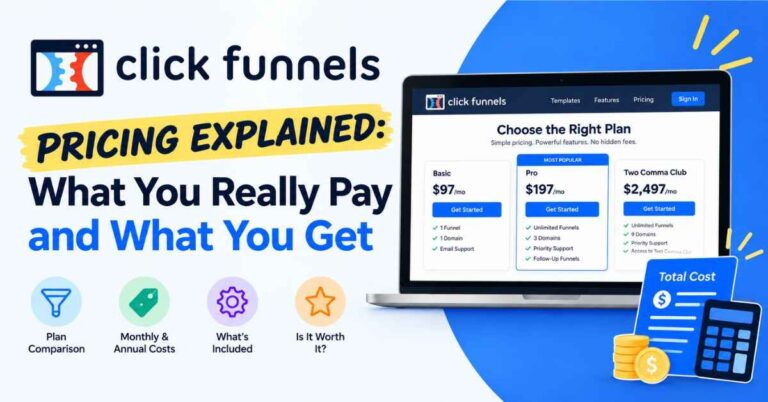
There are three main monthly plans. Launch is $97 a month, Scale is $197, and Optimize is $297. There’s also an annual-only plan called Dominate for larger operations. Paying yearly lowers the monthly cost.
Launch gives you the essentials: unlimited funnels, pages, and visitors, email tools, and a few custom domains. Most beginners start here.
Scale adds the technical and growth features, like unlimited domains, webhooks, full API access, the custom code editor, and more advanced automation.
Optimize adds the Affiliate Center and more room for workspaces and contacts.
Don’t buy the biggest plan “just in case.” Start with what fits today. Moving up later is easy, and you’ll make a better choice once you’ve actually used the tool.
And there’s a 14-day trial, so you can look around and build something before you commit.
A Few Honest Downsides
I’d rather tell you the truth than have you find out later.
The dashboard can feel busy at first. There’s a lot inside, so give yourself a couple of days and follow the training. Most people catch on quickly.
It’s not the cheapest option. If you only need a single landing page, a simpler tool will cost less. ClickFunnels pays off when you use several features together.
Some templates feel a bit old. It’s an easy fix, since you can restyle them.
It isn’t a full course platform. For heavy-duty course features, a specialized tool might serve you better.
And it won’t create your offer for you. This one matters most. ClickFunnels is a vehicle. If your offer is unclear or nobody wants it, the best features in the world won’t change that.
I think that’s why some people say it “didn’t work” for them. They expected the software to do the thinking. It won’t, but it makes the doing much easier.
👉 Not sure which features you’d actually use? Open a template and spend ten minutes clicking around. You’ll know quickly what feels useful:
Tips for Using the Features Without Getting Overwhelmed
If you decide to try it, here’s how I’d spend your first week.
Start with one funnel. Don’t build five. Pick your best offer and build a simple path around it.
Ignore the advanced stuff at first. You don’t need the API, workspaces, or the affiliate center on day one. Learn the builder, the checkout, and email, and add the rest later.
Keep pages short. One headline, one clear benefit, one button. Resist the urge to add extra links.
Use a template, then make it yours. Change the words until it sounds like you talking to a real person.
Write emails like you’d write to a friend. Short and honest beats polished and stiff.
Check your numbers after a week. If lots of people visit but few sign up, the headline or offer needs work. If they sign up but don’t buy, look at your follow-up emails.
Change one thing at a time. Small, steady tweaks turn an okay funnel into a good one.
My Take on ClickFunnels Features
So, after all of that, what do I think?
The features that matter most are the ones that remove friction. The funnel builder, templates, checkout with upsells, email, and automation all work together in one place. That’s the real value. It isn’t any single feature, it’s that you’re not stitching them together yourself.
The extras, like the Affiliate Center, API access, and workspaces, are nice to have as you grow, but they aren’t why most people sign up. If a long feature list is making you nervous, ignore half of it. You’ll probably only use a handful.
For the right person, that handful is enough to change how a business runs. You stop wondering how the pieces connect. You start focusing on what actually grows a business: a good offer, a clear message, and steady follow-up.
Final Thoughts
You don’t need to understand every button before you start. Nobody does.
If you’ve read this far, you probably already sense whether these features fit what you’re trying to build. The next step isn’t more research. It’s opening the builder, picking a template, and seeing what happens. With a free trial available, there’s very little standing in your way.
Build something small. Publish it. Watch what people do. You’ll learn more in one weekend of doing than in a month of reading feature lists, even a helpful one like this, I hope.
👉 Ready to see if ClickFunnels fits the way you work? Take a look around and start your free trial here:
Quick note before you go: some links in this post are affiliate links. If you sign up through one, I may earn a small commission at no extra cost to you. I only recommend tools I think are genuinely useful, and the opinions here are my own. Thanks for reading, and for supporting the site.