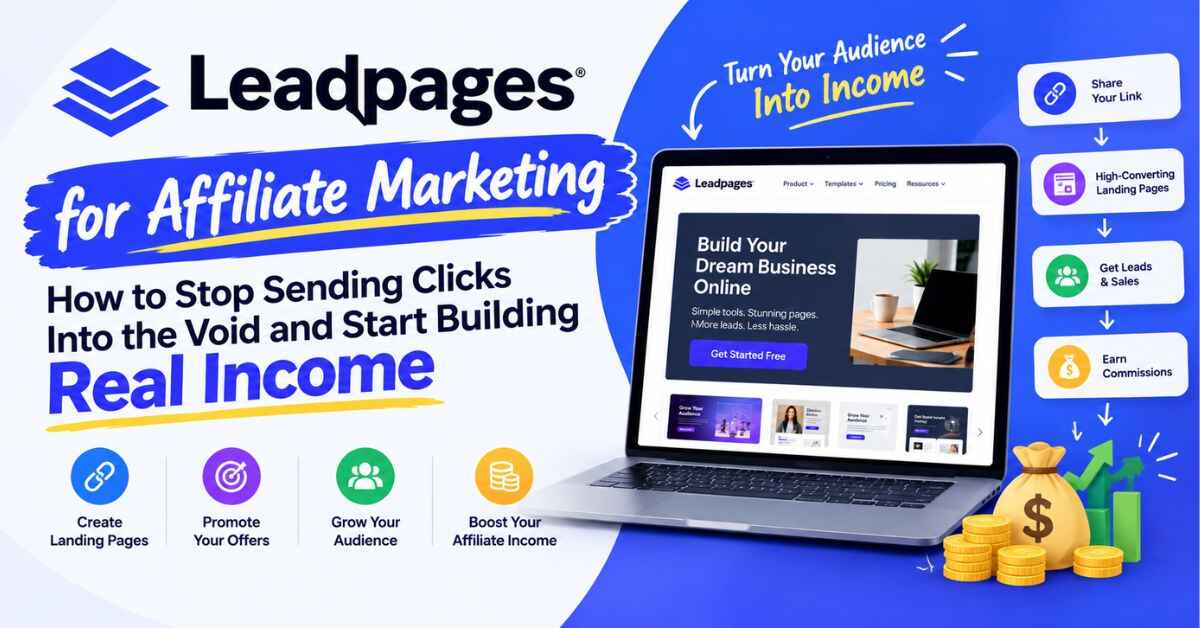
Leadpages for Affiliate Marketing: How to Stop Sending Clicks Into the Void and Start Building Real Income
Be honest. How many times have you grabbed an affiliate link, dropped it into a post or a video description, and then just… waited? A few people click. Your stats tick up. And then nothing happens. No sale, no email, no sign that anyone cared. If that’s been your experience, I want to talk about Leadpages for affiliate marketing, because I think the problem is usually much simpler than we like to admit. It’s not the link. It’s where the link sends people.
Stick around and I’ll show you what I mean, what Leadpages actually offers, what it costs, and who should skip it. I’ll also be upfront about the rules, because a clever plan that gets your account banned isn’t clever at all.
Where Most Affiliate Links Quietly Die
Here’s how it usually goes.
You write something useful. Somebody reads it, likes it, and clicks your link. They land on the merchant’s sales page, look around for a minute, and think, “I’ll come back to this later.”
They never come back.
And you can’t blame them. Life’s busy. Most people don’t buy the first time they see something, they want to sleep on it, or wait for payday, or compare it with two other tabs. That’s normal. The problem is that you’ve got no way to reach them again. They’re gone, and all you have to show for your work is a number in a click report.
Think about everything that went into getting that one person there. The hours writing the post. The money on ads, if you ran any. All of it ends at the exact moment someone says “maybe later.”
It’s even worse when you remember how people feel about bare links. They’ve seen a thousand of them. They know you might earn a commission, and a part of their brain goes on guard the second they spot one. A link that just says “buy this” feels cold. A page that says “here’s who this is really for, and who it isn’t” feels like a friend giving advice.
So what are your options? Not many good ones:
- Send people straight to the merchant. Easy, but you hand over all control the moment they click.
- Send them to your blog or social profile. Too many distractions. They’ll wander.
- Pay a developer to build pages. Fine, until you want to change a headline and have to wait three days.
- Use a free page tool. A decent start, but you often get someone else’s logo on your page and no way to tell what’s working.
The thing is, affiliate marketing rewards people who build something of their own. If all you ever do is send people away, you’re basically renting out your audience to someone else’s business. Also read: Leadpages Review (2026): Is This AI Landing Page Builder Really Worth Your Money?
A Small Fix That Changes a Lot: Your Own Landing Page
Here’s the idea, and it’s not complicated.
Instead of sending people straight to someone else’s page, you send them to one of yours. One page, one message, one next step. Maybe it’s a free guide in exchange for an email address. Maybe it’s an honest write-up of why you recommend something. Maybe it’s a signup for a webinar.
What matters is that you get to talk to them first, in your own words. And if they’re not ready to buy today, you don’t lose them. You’ve got their email, and you can follow up when the time’s right.
That’s the whole game. And it’s where a tool like Leadpages comes in.
So, What Is Leadpages?
Leadpages is a platform for building landing pages and small websites that turn visitors into leads and customers. It’s been around since 2012, which in software years makes it a veteran. The company says it has served more than 400,000 users, and it holds roughly 4.3 stars on G2 and 4.5 on Capterra. Not bad for a category where people love to complain.
These days it’s built around AI. You tell it what you’re promoting and who it’s for, and a few seconds later you’ve got a full page. Then you tweak it with a visual editor, kind of like editing a document. On top of that you get A/B testing, personalization, lead capture, and connections to the email tools you probably already use. No code needed.
If you’d rather see it than read about it, you can peek inside Leadpages with the 7-day free trial. You get full access to whichever plan you pick, so you can build a real page before you spend a cent.
Why Leadpages for Affiliate Marketing Makes Sense
One thing I want to say plainly: Leadpages wasn’t built only for affiliates. It’s a general landing page tool. But what it does well happens to match what affiliates struggle with most. Let me show you.
You can get a page live in an afternoon
Affiliates are usually juggling a lot. New launches, seasonal promos, a content calendar that never seems to shrink. If every page takes you a week, you’ll miss the moment.
With the AI builder, you describe your offer and it gives you a first draft with a headline, sections, and a button. Is it perfect? No, and I wouldn’t publish it untouched. But it gets you most of the way there, so you can spend your energy on the parts only you can write: your honest opinion, your story, your results.
There’s also a chat where you can say things like “make this shorter” or “rewrite the headline so it’s about saving time,” and it just does it. If design isn’t your strong suit, that takes a lot of the stress out.
You can collect emails instead of just clicks
This is the part that changes how a lot of affiliates think about their work.
Instead of sending cold visitors to a merchant and hoping, you offer something small and useful in exchange for an email. A checklist. A short guide. A few short videos. Then you follow up over the next few days with real value, and mention a product when it genuinely fits.
Someone on your list has heard from you more than once. They’ve seen how you think. That’s a very different person from someone who clicked once and vanished.
Leadpages works with Mailchimp, Klaviyo, HubSpot, and other popular tools, and Zapier or webhooks can cover the rest. So your new subscribers end up in the tool you already use.
You can stop guessing what works
This is where affiliates can pull ahead of the crowd.
With A/B testing, you make two versions of a page with one small difference, say a new headline or a shorter form. Leadpages splits your visitors between them and shows you which version gets more signups. You keep the winner and try something new.
It sounds minor, but it adds up. A headline that brings in a third more signups from the same traffic means a third more people on your list, without spending an extra dollar. If you’re sending paid traffic, that can be the difference between losing money and making it.
A/B testing is on the Grow plan and above.
You can match your page to your ad
If you run ads, you already know your page needs to match what people clicked on. Someone searches “best email tools for beginners,” clicks your ad, and lands on a page with that exact promise. Feels right. Now imagine they land on a vague page about “digital marketing solutions.” They’re out.
Leadpages has something called dynamic text replacement, which changes the headline on your page to match the ad or keyword that brought the visitor. Personalization goes further and shows different versions to different audiences. Both come with the Grow plan and up. Instead of building ten almost-identical pages, you build one smart one.
You can see where your results come from
Every plan includes UTM tracking, and higher plans keep more analytics history. So if you promote the same offer from your blog, your newsletter, and a few social channels, you can see which source is really bringing people in. That helps you stop pouring effort into things that aren’t working.
Your pages look like yours
Pages work on phones by default, which matters because so many clicks from social media happen on a phone. You can remove the Leadpages branding on every plan, and the Business plan and up includes a brand kit so your logo, colors, and fonts stay consistent. And you can publish on your own domain with SSL, which looks far more trustworthy than a free subdomain.
There are no traffic caps
Some competing tools limit how many visitors your pages can get each month. Leadpages says it has no traffic caps on any plan. For an affiliate, that’s a relief. If one post suddenly takes off, you won’t wake up to a surprise bill.
What Could You Actually Build?
Features are fine, but let’s get practical. Here’s what I’d build if I were starting out.
A lead magnet page. Say you promote productivity software. You make a short checklist called “5 Tools That Saved Me Hours Every Week.” Your page says who it’s for, shows a quick preview, and asks for an email. Everyone who joins gets the checklist, plus a short email series mentioning the tools you actually like, with your affiliate links where they fit naturally. One click has become a relationship.
A pre-sell page. This is a short page explaining why you recommend something before you send people to the merchant. Your honest take, who it’s best for, who should skip it, a few real examples. It does a lot of the work that a cold link can’t. A quick warning, though, which I’ll expand on below: some ad platforms and affiliate programs have strict rules about these pages. Check before you spend money on traffic.
A comparison page. “Product A vs Product B” is one of the most useful things an affiliate can make, because people searching for comparisons are usually close to deciding. A clean, honest page with a clear button at the end can be a quiet moneymaker.
A webinar or workshop page. If you host a live session about the thing you promote, the registration page is everything. Date, time, a short form, email reminders. You can have it live in an afternoon.
A quiz. “Which plan is right for you?” pages feel personal and keep people engaged. Even a simple version, with a few questions and a tailored recommendation, feels like advice instead of a sales pitch.
A small review site. You can turn one page into a small multi-page site with a shared menu and footer, add a blog, and publish it all on your own domain. If you’re newer and don’t want to wrestle with a full website setup, that might be all you need.
Leadpages Pricing: What Will It Cost You?
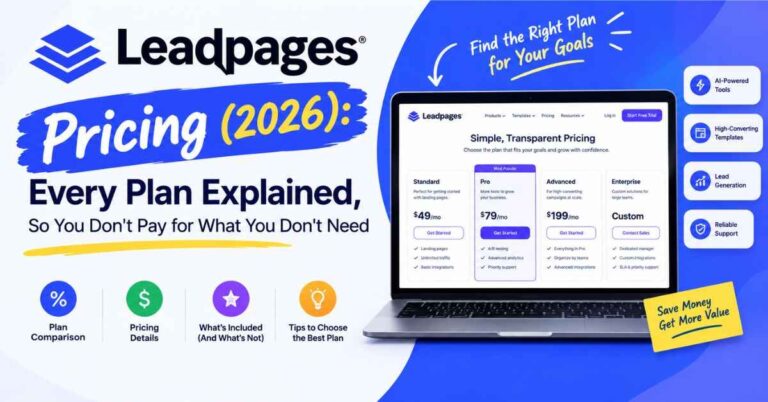
Affiliates watch every dollar, so let’s talk about it. These are the plans listed on the Leadpages site when I wrote this. Pay annually and you get 20% off.
| Plan | Monthly price | Best for |
|---|---|---|
| Pro | $29 | Solo creators who just want to publish pages |
| Business | $49 | Small teams or anyone running more pages and domains |
| Grow | $99 | Marketers who want A/B testing and personalization |
| Optimize | $199 | Heavy testers who want Smart Traffic and heatmaps |
There’s also a Scale tier and an Enterprise option for bigger operations.
Here’s how I’d think about it if I were an affiliate.
If you’re just getting going and want a clean place to collect emails, start with Pro or Business. Pro gives you 25 pages, a custom domain, and the AI builder. Business adds more pages, a second domain, and a brand kit.
Once you’re sending steady traffic and want to actually improve your results, that’s when Grow makes sense. It’s where A/B testing and dynamic text replacement show up, and it’s labeled the most popular plan for a reason.
Optimize is for later. It adds heatmaps, which show where people click and scroll, and Smart Traffic, which sends more visitors to the better-performing version of your page automatically. Great tools, but you need enough traffic to make them worthwhile.
And a quick reality check. If you’re brand new with no audience yet, even $29 a month is a real decision. I’d rather you test it during the free trial, or build a tiny audience first, than pay for features you’re not ready to use.
One more thing. The trial asks for a card at signup, and you won’t be charged until day 7. You can cancel before then from your account settings. Set a reminder on your phone so it doesn’t catch you by surprise. If you want to try it, you can start the 7-day trial and build your first page.
The Honest Part: Rules You Shouldn’t Skip
I wouldn’t be doing you any favors if I only told you the fun stuff. A landing page doesn’t make you immune to rules, and a few careless mistakes can cost you far more than any tool saves.
Read your affiliate program’s terms. Some programs limit how you can send traffic or what you can say about their product. Some don’t allow certain kinds of pre-sell pages. Check before you build.
Check the ad platform’s policies. If you plan to run paid traffic, places like Google and Meta have their own rules, including policies about thin or low-value affiliate pages. A page that adds real value, like honest information, a useful freebie, or a genuine comparison, is on safer ground than one that just passes people along to the merchant. When in doubt, read the current policy.
Tell people you earn a commission. In many places, including the US, you’re expected to make that clear. Put a short, plain note on your pages and in your emails. It’s the right thing to do, and it builds trust. People respect honesty more than you’d think.
Don’t overpromise. No tool guarantees income. Skip the fake earnings claims and the fake countdown timers. Your credibility is the most valuable thing you’ve got in this business.
I’m not a lawyer, and I can’t tell you what applies to you, so treat this as a nudge to check, not as legal advice.
Is Leadpages Right for You?
It’s probably a good fit if you’re building an email list around a topic and promote products you actually use. Or if you run ads or send steady traffic and want to test and improve. Or if you’d rather spend your time on content and strategy than fight with design and code. And if you like the idea of pages on your own domain without someone else’s branding.
You might skip it if all you need is one simple “link in bio” page, because a free tool can handle that. Or if you’ve got no traffic or audience yet and you’re not ready to build one. Or if you don’t plan to check your numbers or change anything, since Leadpages rewards people who test and tweak. And of course, if your affiliate program or ad platform doesn’t allow the kind of pages you’d want to build.
I’d rather you figure that out now than feel let down later.
How to Start Without Overthinking It
The biggest mistake I see is people trying to build a whole funnel on day one. Please don’t. Try this instead:
- Pick one offer you truly believe in. If you wouldn’t recommend it to a friend, don’t build a page for it.
- Pick one goal. For most affiliates, that’s growing an email list.
- Let the AI write a first draft. Tell it what you’re offering and who it’s for.
- Rewrite it in your own voice. Swap anything generic for something real, like a result you saw or a mistake you made.
- Connect your email tool. Make sure new subscribers land somewhere you can follow up.
- Add a short affiliate disclosure. Simple and honest.
- Send a little traffic. Even a few dozen visitors will teach you something.
- Change one thing and test it. Try a new headline, and if your plan has A/B testing, let the numbers decide.
That’s it. You don’t need a perfect funnel. You need a live page and a habit of making it a little better each week.
Quick Answers to Common Questions
Can I use Leadpages for affiliate marketing? Leadpages is a general landing page tool, and plenty of marketers use it to collect leads and build pages around offers. Whether a specific kind of affiliate page is allowed depends on your affiliate program and any ad platform you use, so check their rules first.
Is there a free plan? Not a permanent one. Every plan comes with a 7-day free trial and full access, though. You can build and preview before paying, but going live on a real address needs a paid plan.
Do I need to know how to code? Nope. The AI builder and visual editor handle it. You can add custom code later if you want.
Will it work with my email tool? Probably. It connects with Mailchimp, HubSpot, Klaviyo, and others, and Zapier or webhooks can cover the rest.
Which plan should an affiliate start with? Pro or Business if you’re just starting. Grow once you’re sending steady traffic and want A/B testing.
So, Is It Worth It?
Let’s go back to where we started.
You can keep dropping affiliate links into posts and hoping something sticks. Or you can build a small asset of your own, a page that welcomes people, earns a bit of trust, and keeps the door open after they leave. The second way takes a little longer to set up. But it’s how a few clicks slowly turn into an audience, and an audience turns into steady income.
Leadpages makes that second way a lot easier. The AI builder gets you moving. The editor keeps you in control. The testing tools stop you from guessing. And with no traffic caps, you know what you’ll pay.
It won’t turn a weak offer into a good one, and it won’t earn your readers’ trust for you. But if you’re serious about affiliate marketing and you’re tired of sending people into the void, it’s one of the more practical tools I’ve seen for the job.
So don’t just take my word for it. Try it with one offer and one real page. Start your 7-day Leadpages trial and see what your first page can do. If it’s not for you, cancel before the trial ends. If it is, you may wonder why you waited so long.
Quick note: some links in this post are affiliate links. If you click one and decide to sign up, I may earn a small commission at no extra cost to you. I only recommend tools I think are genuinely useful, and my opinions are my own. Prices and features can change, so please check the official Leadpages site for the latest details before you buy.