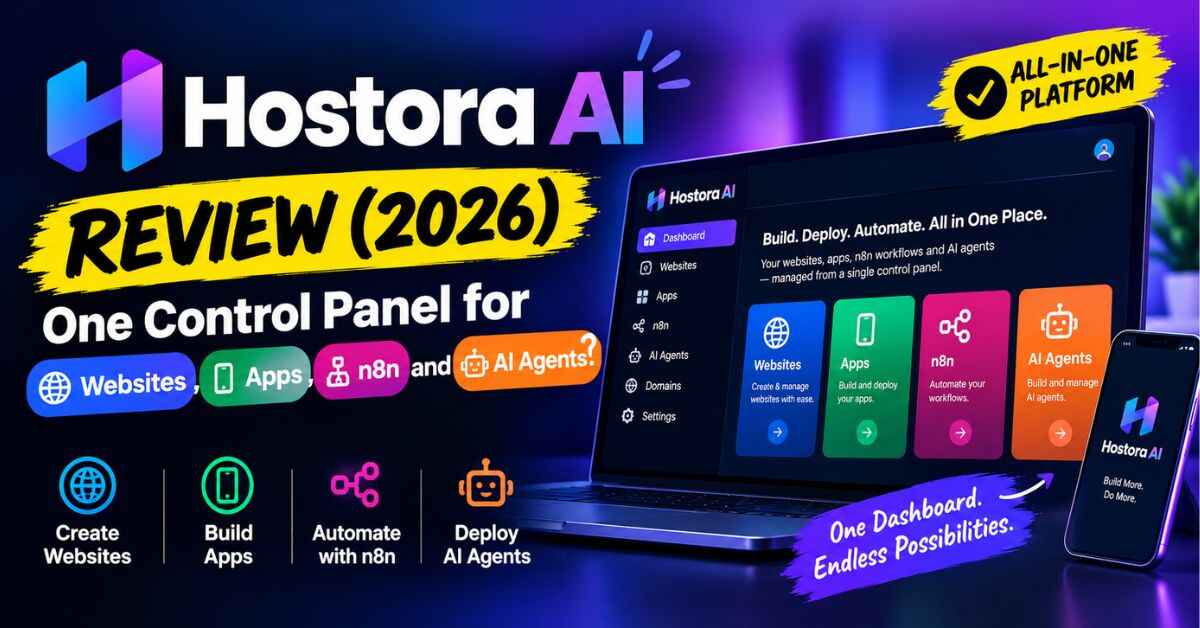
Hostora AI Review (2026): One Control Panel for Websites, Apps, n8n and AI Agents?
Open your bank or card statement and look at the small monthly charges tied to your online work. Hosting here, a backup tool there, an uptime checker, an automation platform, maybe a CDN. None of them hurts on its own, but together they add up to a nasty surprise. That’s the exact itch Hostora AI says it can scratch, and it’s why I spent time on this Hostora AI Review. The pitch is one control panel for your websites, apps, automations and AI agents, for a one-time price instead of a pile of subscriptions. I went through the sales page, the feature list, the bundle and the fine print, and here’s what I think, good and bad.
The Subscription Pile Nobody Warned You About
Most online businesses don’t start with a big tech stack. They start with one website. Then you need backups, so you add a plugin or a service. Then you worry about speed, so you add a CDN. Then someone tells you to monitor uptime, so that’s another tool. Then you discover automation and want to run workflows, and the automation platform has its own monthly fee, or it needs its own server, which has its own fee.
Picture a normal Tuesday for someone running a few sites. You log into one dashboard to check hosting, another to see if backups ran, a third to fix an automation that stopped working. Six logins, six bills, six places where something can break. When something does break, you’re not sure which tool is the culprit.
And if you ever wanted to try something newer, like running an AI agent that keeps working in the background, you’d need yet another place to keep it running. Most beginners hear words like “server,” “SSH,” and “deployment” and quietly close the tab. Experienced people can manage it, but they also know the time it eats.
So you end up with two bad options. Pay for lots of small tools and keep paying forever, or learn server management and spend your weekends on it. Neither is fun when all you wanted was to build something.
Enter Hostora AI
Hostora AI is a web-based hosting platform that bundles most of that stack into one login. The vendor describes it as a place where you can host websites, run apps, power n8n automations, and run AI agents (they name OpenClaw and Hermes) from the same dashboard.
Here are the headline numbers from the sales page:
- Host up to 50 websites
- 100 GB SSD storage
- Unlimited bandwidth
- 5 databases
- 100 AI credits
- A commercial license, so you can use it for client work
- A 30-day money-back guarantee
- A launch price of $17 one-time, with the page saying it moves to $97 a month after launch
If those numbers are real and the platform runs well, that’s a lot for the price. If you’re wondering what each piece does, I’ll go through it in plain language below.
Curious what the panel looks like before you read the rest? You can see the full breakdown and the demo on the official page: Take a look at Hostora AI here
Hostora AI Review: What’s Actually Inside the Panel
The feature list on the page is long, so I grouped it by what you’d actually use it for.
Everyday hosting
This is the part most people care about first. You get NVMe-based storage (a faster type of storage that helps pages load quicker), a global CDN so visitors far from your server still get quick loading, SSL for secure connections, and a one-click app installer. The page mentions WordPress, WooCommerce and Laravel as examples. There’s also a migration feature that claims to move an existing website over with no downtime. If you’ve ever moved a site by hand, you know why people care about that one.
Tools for people who build things
If you’re a developer or you work with one, the list gets interesting. It supports Node.js and Laravel, Git and CI/CD workflows, SSH access, a staging area for testing changes before they go live, and one-click deployment. That combination is usually spread across a few different paid services, so having it in one place is a real convenience.
Automation and AI agents
This is the part that makes Hostora AI different from a normal hosting plan. It lets you run n8n (a popular automation tool), plus OpenClaw and Hermes for AI agents, in the same environment as your websites. If you’ve ever wanted a workflow that, say, sends you a message when a form is filled or updates a spreadsheet when a sale comes in, this gives it a home. The agents are meant to keep running instead of being one-off chats.
Safety and peace of mind
The security side includes malware scanning, a basic firewall, server-level hardening, and activity logs. On top of that there are cloud backups and real-time resource monitoring, plus AI traffic auto-scaling that’s meant to adjust resources when traffic suddenly jumps. None of this replaces your own good habits, but having backups and monitoring built in means fewer things you have to remember to set up.
How It Works (Three Steps)
The setup is simple on paper.
- Log in and add your website. Connect a domain, start a new site, or bring over an existing one with the migration tool.
- Choose what you want to run. A website, an app, n8n automations, or AI agents.
- Let the platform handle the background work. Performance, backups, monitoring, security and scaling are meant to run on their own.
I like that the pitch doesn’t ask you to understand servers first. You pick what you want to run and the panel does the rest. Whether it feels that smooth in real life is something you’ll want to test, which I’ll come back to. Also Read: NewPlay AI Review (2026): Can You Really Launch Your Own Game Store Without Coding?
Why the Idea Makes Sense
Let me spell out the benefits that matter, without the hype.
One place instead of six. This is the big one. When your hosting, backups, monitoring and automations live in one panel, you spend less time hunting for where a problem lives. Fewer logins also means fewer passwords and fewer things to forget.
The price math is attractive. The sales page shows a comparison of tools you might pay for separately, such as web hosting, app deployment, an automation platform, backups and monitoring, adding up to about $1,115 a year. Take that number with a grain of salt, because it compares products that aren’t identical to Hostora AI and you may not need all of them. Still, the basic point holds. If you currently pay for several small tools, even replacing two or three of them with one payment makes a visible difference.
You can grow without switching platforms. A lot of people start with a simple website and then slowly need more: an app, an automation, a client project, an AI tool. When everything lives in one place, adding the next thing doesn’t mean opening another account.
It’s friendly to beginners. One-click installs, one-click deployment and a single dashboard are meant for people who don’t want to touch a command line. At the same time, SSH and Git are there if you ever want them. That mix is hard to find.
Backups and monitoring take some worry off your plate. Most people only think about backups after something breaks. Having them built in means one less thing to set up on a stressful day.
The commercial license opens a side income. If you do work for clients, you can offer hosting, automation setups, security and backups as services. I’ll show what that could look like in a second.
The risk is small. A low entry price and a 30-day money-back guarantee mean you can test it with a real project before you commit to anything bigger.
Who Could Actually Use Hostora AI?
These are examples of how someone could use it. They’re not results anyone has promised.
The affiliate marketer with too many landing pages. Say you run campaign pages across a bunch of small sites. Hosting all of them on one account, with backups and SSL included, saves you from paying per site. Fifty websites on one account is a big allowance if it holds up.
The freelancer or small agency. Imagine a client comes to you for a website. With a commercial license and these tools, you could also offer to set up their automations, handle backups and monitor the site. One client becomes a few small services instead of one, and you manage all of it from one panel instead of several.
The automation builder. If you already use n8n, you know it needs somewhere reliable to run. Putting it beside your websites in one environment is simpler than renting a separate server just for workflows.
The small business owner or blogger. If you run two or three sites and just want them fast, secure and backed up without a monthly fee for every little thing, this could simplify your life. You don’t need to use the AI or developer parts at all.
The developer or SaaS builder. With Node.js, Laravel, Git, staging and one-click deployment, it works as a test bench for side projects. You can try an idea, test it in staging, and push it live without setting up new infrastructure each time.
What I’d Double-Check Before Buying
I’d rather you trust this review than just click a link, so here are the things that made me pause.
“Unlimited bandwidth” has limits in practice. You’re getting 100 GB of storage shared across up to 50 websites, plus unlimited bandwidth. That sounds great, but hosts almost always have a fair-use policy behind “unlimited.” Look for how it handles a busy site, and read the terms.
The tech names aren’t explained well. The page talks about being powered by GPT-6 Astra and Claude Fable 5.1, and also mentions “Blue Cap Technology” and “Grey Hat Technology.” I couldn’t find a clear explanation of what these actually do inside the product. Judge Hostora AI by how the panel behaves when you use it, not by the names.
Small inconsistencies. The feature list says “5 databases,” but one description underneath says “one database.” It’s a small thing, but check what your account actually shows.
The testimonials come from the vendor’s own page. The user stories and savings numbers on the sales page can’t be independently verified. I’m not saying they’re fake, just that I couldn’t confirm them.
The urgency is marketing. There’s a countdown timer and a line about the price jumping to $97 a month after launch. That’s the vendor’s framing. Check the real price at checkout and make your decision based on whether the product is useful to you, not the clock.
Lifetime deals depend on the company sticking around. Hosting costs real money to run, so a very cheap one-time price makes me want to be careful. Start with a non-critical site, not your main business website, and keep your own backups somewhere else until you’ve seen how reliable it is.
There are optional upgrades. After checkout you may see extra offers, including a larger bundle priced at $297 on the page. They’re optional. I’d start with the front-end product and see if it fits before thinking about anything else.
None of this makes Hostora AI a bad idea. It means you should treat it like a promising tool you test, not a miracle you trust blindly.
Price, Coupon and Refund
At the time I checked, the sales page listed Hostora AI at $17 one-time for lifetime access, with the vendor saying it moves to $97 a month after launch. The page also mentions a coupon code, HOST30, for an extra 30% off. Coupons and prices change, so look at the checkout for what’s current. The first 100 buyers are also said to get a free reseller license, but check whether that’s still available when you buy.
Your purchase is covered by a 30-day money-back guarantee. The practical way to use that is to take it seriously. Within the first week, move one test site over, try the migration tool, install an app, set up one n8n workflow if you’re curious, and check that backups run. If it doesn’t do what you need, ask for your money back and move on. Save your receipt and the refund terms just in case.
So, Is Hostora AI Worth a Look?
Here’s my honest take. If you’re hoping for a perfect, do-everything platform with zero compromises for the price of a sandwich, be a little skeptical. Nothing is that simple, and you should test anything that sounds that good.
But if you’re tired of paying for a stack of small tools, and you like the idea of hosting, automation, backups and security in one place, Hostora AI makes a solid case. The combination of up to 50 sites, developer tools, n8n and AI agent support, plus a commercial license, is unusual at this price. The 30-day guarantee takes most of the risk off the table.
I’d treat it as a smart experiment. Move one small project over, see how it feels, and let the results decide. If it works, you may be able to cancel a few subscriptions you’ve been quietly paying for. If it doesn’t, you’ve lost a little time and nothing else.
If that sounds worth testing, you can check the current price and see everything included here: See Hostora AI and the current offer
Affiliate disclaimer: Quick heads-up, this post contains affiliate links. If you buy through them, I may earn a small commission at no extra cost to you. That helps me keep writing reviews like this one. I’ve tried to be honest about both the good and the not-so-good, but please do your own research before buying. Prices, features and offers can change, and nothing here is a promise of income or savings. Your results will depend on how you use it.