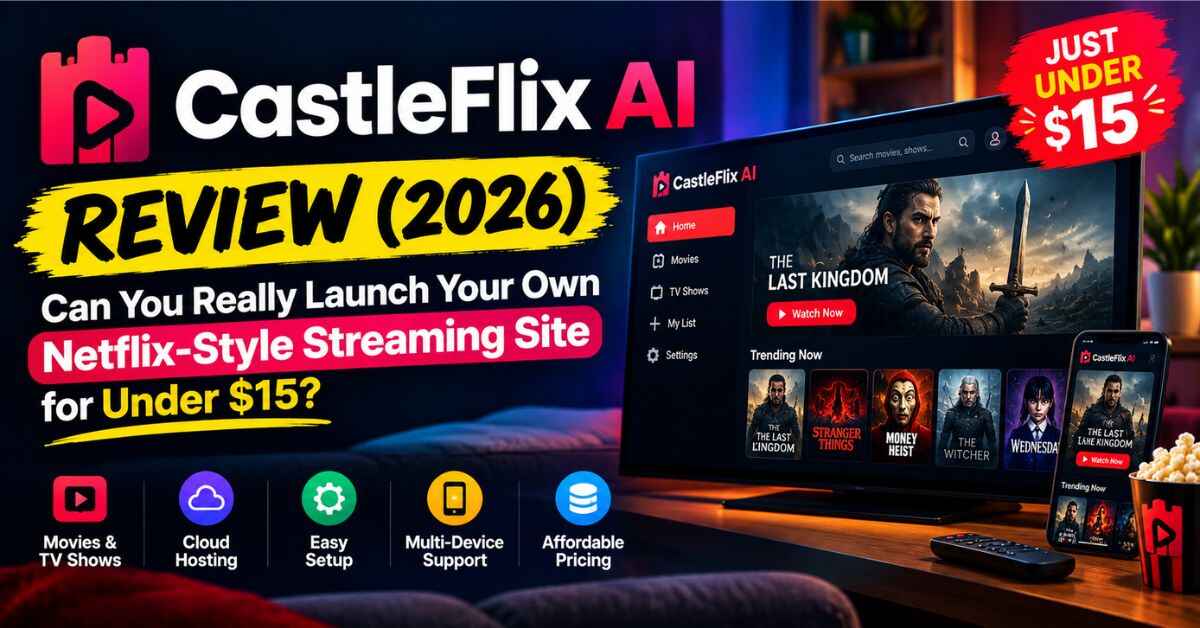
CastleFlix AI Review (2026): Can You Really Launch Your Own Netflix-Style Streaming Site for Under $15?
Think about how many streaming apps your family pays for right now. Two? Four? Probably more than you’d like to admit. Every one of them started as somebody’s idea, and every one of them collects a monthly payment from millions of people. That thought stuck in my head while I researched this CastleFlix AI Review.
CastleFlix AI claims to let a regular person launch their own branded streaming platform, with a movie and series library already inside, no developer, no coding, for a one-time price under $15. That’s a big claim. So I went through the sales page, the feature list, the bonuses and the fine print. Here’s what I found, including the parts that made me stop and think.
Why Almost Nobody Has Their Own Streaming Site
Let’s say you had an idea for a streaming service. Maybe classic horror. Maybe anime. Maybe workout videos, regional movies, or a members-only library for your audience. The idea itself isn’t crazy. People already pay for niche services like these.
So you start looking into it. First, you ask a developer for a quote. The number you hear back is big, and “eight weeks” is somewhere in the sentence. You try a white-label platform instead, and you find a monthly fee plus fine print about revenue sharing. You try WordPress with a video theme, and somewhere around plugin number nine, an update breaks the player. You close the laptop.
And even if you get past all that, there’s the second wall, and it’s the bigger one: content. A streaming site with an empty homepage isn’t a business. Producing your own movies takes a crew and months. Licensing from studios means big minimums and lawyers. Uploading stuff you don’t own can end with a takedown notice and a very bad week.
So the idea sits in your notes app, next to the other ideas. It was never about ambition. It was two problems at once, the platform and the content, and most people can’t solve both with a laptop and a free trial.
So What Is CastleFlix AI?
CastleFlix AI is a cloud-based tool that builds a streaming website for you. According to the sales page, it was created by a founder named Akshat Gupta, who says clients kept asking him to build “something like Netflix” and he got tired of quoting them five figures.
The page describes it as a full streaming setup in one place:
- A Netflix-style front end with a hero banner, category rows, poster sliders, watch pages, trailers and ratings
- A pre-loaded library of movies and web series (the page says “thousands”)
- Subscriber accounts, with watchlists, favorites and “continue watching”
- Your own branding: logo, colors, platform name and custom domain
- An admin dashboard to manage users, content, categories and homepage sections
- A content uploader so you can add your own movies and episodes
- Mobile-friendly streaming on desktop, tablet and phone
- A commercial license, so you can charge for access and even build platforms for clients
- Support, training, five bonuses and a 30-day money-back guarantee
The price on the page is $14.94 one-time, and the page says it moves to $97 a month once the launch ends. We’ll get to how much weight to give that line in a bit.
If you’re curious what the platform actually looks like, you can check out the demo and screenshots on the official page: Take a look at CastleFlix AI here
CastleFlix AI Review: What’s Actually Inside
Here’s how the features look in plain English.
The look and feel. This is the part most people notice first. The interface copies the streaming apps you already know: a big banner at the top, rows of posters you can scroll through, and a page for each title with a trailer, a synopsis, genres and a rating. For series, there’s a full structure with seasons and episodes, each with its own thumbnail and description. The point is that your visitors feel like they’re on a real service, not a blog with videos stuck on.
The library. The page says movies and series are already loaded when you log in. That’s the key difference from a bare website builder. You’re not staring at an empty homepage on day one. (I have a lot to say about this part below, so keep reading.)
The subscriber side. Viewers can register, build a watchlist, mark favorites and pick up where they left off. Those features sound small, but they’re a big part of why people stay subscribed to a service instead of cancelling after a month.
Search and discovery. Titles, genres and episodes can be searched, so viewers find what they want instead of leaving.
Access control. You can choose whether the site is open to everyone, requires registration, or is for paid members only. That’s useful because it lets you try a free, ad-supported version first or go straight to a paid one.
Multiple platforms. The page says you can build unlimited platforms, each in a different niche, and manage them from one dashboard.
How It Works in Three Steps
The vendor lays out the setup like this.
- Log in and pick a niche. Classic movies, anime, kids, documentaries, regional cinema, fitness, faith, education. You choose, and there’s nothing to install.
- Let the AI build the platform. One click assembles the homepage, category rows, watch pages, user account system and admin panel, then loads the library. You add your logo, colors and domain.
- Open the doors. Publish, share the link, and start taking signups, either free or paid.
The page says the platform assembles in under 60 seconds. I’d read that as the site structure getting built quickly. Deciding on a niche, choosing which titles to feature, setting up your payment method and getting people to visit all still take your time, and that’s true of any online business.
The Benefits That Really Matter
I want to separate the useful stuff from the sales-page noise, so here’s my take.
It tackles both problems at once. Most “platform builders” only solve half of the puzzle. If the library really is included and usable the way the page says, you skip the single hardest and most expensive part of starting a streaming service.
The price is tiny compared to the usual routes. Developer quotes, white-label monthly fees and content licensing add up fast. A one-time price under $15 means you can test an idea without risking much. Even if it only turns out to be a good starting point, that’s cheap tuition.
Beginners can actually use it. The page says that if you can upload a logo and pick a color, you can run it. There’s no coding, no server setup and no design work. For someone who’s never built a website, that’s a real relief.
Recurring revenue is a better model than starting from zero every month. This is the strongest argument on the page and I agree with it in principle. With one-off sales, you start every month at zero. With subscriptions, a person who joins in January may still be paying in June. That’s the whole idea behind why subscription businesses are attractive.
Niches beat generic. You can’t out-Netflix Netflix, and you don’t have to. The page leans on niche platforms, like a horror vault, an anime hub or a regional cinema site. A focused audience is easier to find and easier to keep than a general one.
Risk is small. The 30-day money-back guarantee means you can build a test platform and see how it feels before you decide it’s worth keeping.
Who Could Actually Use CastleFlix AI?
These are examples of how someone could use it. None of them are promised results.
The niche enthusiast. Say you love old martial arts films, and you know a handful of online communities where people feel the same. You build a small platform around that one genre, price it low, and share it in those communities. Even a modest number of paying fans could be worth the effort, and you’d learn fast whether there’s demand.
The coach, trainer or course creator. If you already teach something, a streaming-style site is a more polished way to deliver your lessons than a generic course page. Members log in, see your content in neat rows, and continue where they left off. The page suggests using the content uploader for your own videos, which is where this fits best.
The freelancer or small agency. Imagine a local gym, a dance studio or a training company wants a members-only video portal. You could offer to set one up with their branding. The page mentions client builds at $2,000 to $5,000, but I’d treat that as the vendor’s example, not a promise. What you charge depends on your local market and how well you sell.
The marketer with an audience. If you already have followers, an email list or a community, a branded streaming destination gives them a place to go that you own, instead of relying on someone else’s platform.
The tester. You could spin up two or three small niche platforms, see which gets any attention, and put your effort into the one that does. At this price, that kind of experiment is easy to afford. Also Read: ViralToon AI Review (2026): Honest Look at the One-Click Cartoon Maker for Faceless YouTube Channels
What I’d Double-Check Before Buying
Here’s where I slow down, because there are a few things on this page you should look at carefully.
The library is the whole point, so check it hard. The page uses several phrases for it: “handpicked,” “legal,” “licensed,” and the founder says it’s content he owns outright. What I couldn’t find is a list of the actual titles, who produced them, or the exact license terms. Before you build a business on this, ask for it in writing: what’s in the library, who owns it, and exactly what you’re allowed to do with it, including charging subscribers and selling platforms to clients. Don’t assume that “Netflix-style” means the movies are famous ones. Don’t upload anything you don’t own the rights to either, because that’s the problem the page itself warns about.
Who pays for the video traffic? Streaming uses a lot of bandwidth. The page says there’s “no content bill ever,” but it doesn’t clearly explain hosting limits for the video files or what happens if your platform gets busy. It’s worth asking support before you promise anything to paying subscribers.
Payments and viewer data. The page says your checkout can take signups, but it doesn’t spell out which payment tools you’d connect. If you charge people, you’ll also need a privacy policy and terms for your own site. Check how that works inside the dashboard.
Parts of the page don’t match. There are mentions of publishing to YouTube, TikTok and Instagram, selling “Kids Video Packs,” one-video-in-90-seconds, and 60+ languages. Those don’t sound like a streaming platform builder, and a couple of the bonus descriptions are copied word for word. It looks like some text came from another product. It doesn’t prove anything is wrong, but I’d confirm what’s actually included in the version you’re buying.
The earnings talk is the vendor’s. The page does include an honest note that what you earn depends on your niche, marketing and consistency, and that nobody can promise a number. I agree with that. The $5 to $15 monthly pricing, the client build fees and the market statistics are illustrations, not guarantees. Getting people to a streaming site, and getting them to pay, is the hard part, and no software does that for you.
Testimonials and urgency. The reviews on the page come from the vendor’s own site and I couldn’t verify them. The “price rises with every 50 copies” and “$97 a month after launch” lines are classic launch urgency. Check the actual price at checkout and decide based on whether the platform fits your plan.
Upgrades exist. There’s an optional Business Edition add-on at $9.97 shown during checkout. The page says it adds more content slots, extra niches and more. It’s optional. I’d start with the main product, see if it works for you, and only then think about upgrades.
None of this means CastleFlix AI is a bad idea. It means the price is low enough to test, and the questions above are the ones to answer during your 30 days.
Price, Coupon and Refund
On the sales page, CastleFlix AI is listed at $14.94 one-time for lifetime access. There’s also a coupon, FLIX3, shown as an early-bird discount that brings it to $11.95. Prices and coupons change, so check the checkout for what’s current.
Your purchase comes with a 30-day money-back guarantee. The page says you can email the support desk and get a full refund. My suggestion is to use those 30 days properly. Build a test platform in the first few days. Look at the library. Click through a title page on your phone. Ask support the questions about hosting limits and licensing, and save their answers. If the answers don’t satisfy you, ask for the refund and keep the lesson.
So, Is CastleFlix AI Worth It?
Here’s my honest take. If you’re expecting a button that turns into a monthly income, it isn’t that. Streaming is a crowded space, and the work of finding a niche, picking good content and attracting viewers is still yours.
But if you’ve ever wanted to test a streaming idea and kept getting stopped by developer quotes and content costs, CastleFlix AI is an unusually cheap way to try. The interface looks like a real streaming service. The subscriber features are the ones that matter. And the 30-day guarantee takes most of the risk away.
I’d treat it as an experiment. Build one small niche platform, check that the library and license terms are clear, and see whether real people show up. If they do, you’ve got something worth building on. If not, you’ve spent very little to find out.
If you’d like to see the demo, the full feature list and the current price, you can do that here: See CastleFlix AI and today’s offer
Affiliate disclaimer: Quick heads-up, this post contains affiliate links. If you buy through them, I may earn a small commission at no extra cost to you. That helps me keep writing reviews like this one. I’ve tried to be honest about both the good and the not-so-good, but please do your own research before buying. Prices, features and offers can change, and nothing here is a promise of income. Your results will depend on your niche, your effort and how you run things.