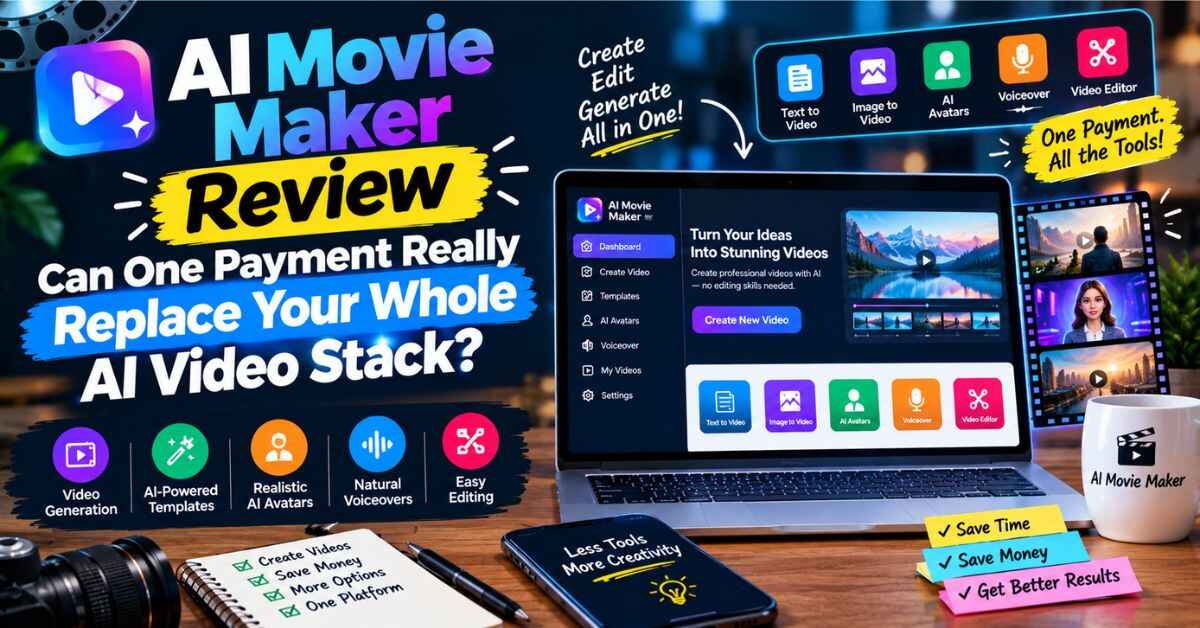
AI Movie Maker Review 2026: Can One Payment Really Replace Your Whole AI Video Stack?
You know that feeling when an idea finally clicks? Maybe it’s a short film, a trailer for your book, or a story channel you’ve been dreaming about. You open your AI video tool, type a prompt, and the first clip looks great. So does the second. Then you try a third, and a little message tells you your credits are gone. That moment is the reason I sat down to write this AI Movie Maker review.
It’s a tool built around one simple promise: that moment should never happen to you again. I’ve watched the AI video space for a while now, and the pattern is always the same. The technology keeps getting better. The pricing keeps getting in the way. So when I found a tool that says it throws out credits, caps, and monthly fees completely, I wanted to actually look at it properly, not just repeat the headline.
Grab a coffee. I’ll tell you what it does, how it works, who it suits, and where you should keep your expectations sensible.
The Credit Bar Problem Nobody Talks About
If you’ve used any AI video tool, you already know this one.
Most of these tools don’t really sell you a movie maker. They rent you seconds of footage. You pay for a plan, you get a stack of credits, and every clip eats into it. Want to redo a shot because the lighting looks strange? More credits. Want a longer scene? More credits. Want to try three versions of the same idea just to see which works? Well, you can guess.
And a movie isn’t one job. It’s a whole pile of them. Somebody writes the script. Somebody shoots the scenes. Somebody keeps the hero looking like the same person from shot to shot. Somebody records the voices, matches the lips, composes the music, adds the sound effects, edits it all together, and adds captions.
In the AI world, each of those jobs tends to get its own tool, and each tool gets its own subscription. A video generator here. A character tool there. A lip-sync app, a voice platform, a music tool, an editor. That’s six logins, six invoices, and six different limits to keep track of.
Add it all up and you can easily land somewhere around $200 to $700 a month, depending on the plans you pick. And you’d still be bumping into a ceiling on almost every one of them.
Then there’s the stuff that really stings. Your character suddenly has a different face in scene two. The lip-sync runs out halfway through a conversation. The editor stamps a watermark on your export. You finish the month with a folder full of five-second clips that never became an actual film.
I honestly think that’s why so many people quit AI video. It’s not a lack of ideas, and it’s not a lack of talent. They just run out of credits right when the story starts getting good.
Now Imagine the Meter Simply Wasn’t There
Picture it for a second.
You type one line. An idea. The tool writes the screenplay, builds the scenes, creates your characters, gives them voices, syncs their lips, adds music and sound effects, and hands you something finished, with captions already on it. Then you hit generate again. And again. And nothing counts down, because there’s nothing to count.
That’s what AI Movie Maker is going for, and it’s honestly what got my attention. It’s not “more credits for less money.” It’s a different deal altogether. You pay once, and you create as much as you like.
So, What Exactly Is AI Movie Maker?
AI Movie Maker (the full name on the sales page is AiMovie Maker Unlimited Edition) is a cloud-based movie studio. You give it an idea, a script, a story, an image, a web link, or even an eBook, and it turns that into a finished video. Everything lives in one dashboard, and it runs in your browser, so there’s nothing to download or install.
What makes it different is the pricing. According to the sales page, there are no credits, no per-second billing, no watermarks, and no monthly fees. You pay one time, and you get lifetime access, including future updates and new video models as they’re added.
It’s made by InSource Apps, and the page says it runs on official APIs from real video, voice, and music models, rather than cheap copycat wrappers. That matters more than it sounds, because a tool is only as good as the models running underneath it.
Wondering what a movie studio with no credit counter actually looks like? Take a peek at the AI Movie Maker demo here and watch the sample movies for yourself.
AI Movie Maker Review: What You Actually Get Inside
The feature list on the sales page is long. Really long. So instead of copying it line by line, I’ll group it the way I’d explain it to a friend, by what it actually helps you do.
It writes the script, so you never face a blank page
You can start with a single sentence, a full story, a link, or a book. The Script Studio turns that into a proper screenplay with acts, scenes, dialogue, and a shot list. You choose the genre, tone, length, and audience.
If you’ve ever stared at an empty document wondering where to even begin, you’ll appreciate how much friction this removes.
It shoots scenes without a camera or a crew
The scene generator makes footage from text or from an image. You can choose camera moves like pans, tilts, drone-style shots, and slow motion, and set the lighting, weather, and film look. It can even render a whole act in one go, which saves a lot of clicking around.
Your characters keep the same face
This is the feature I’d care about most. If you’ve tried telling a story with AI video, you know how maddening it is when your hero turns into a stranger every other scene.
The Character Studio lets you design someone once and lock in their face, outfit, age, and style. You can also upload a photo and put yourself, or a client, right into the movie. Build a cast once, and reuse it as often as you like.
They talk, and their lips actually match
Characters speak their lines with lip-sync, and you can adjust emotion, pace, and tone. There are hundreds of natural-sounding voices, voice cloning from a short sample, and more than 30 languages and accents. That means one film can be dubbed into several languages without paying for another service.
Music and sound effects that fit
You get original, royalty-free scores matched to the mood of each scene, full songs with AI vocals for music videos, automatic effects like footsteps and rain, and automatic mixing so the dialogue and music don’t fight each other. Anyone who has ever hunted for a licensed track at midnight will understand why that’s a relief.
A built-in editor, effects, and captions
There’s a timeline editor where you can trim shots, swap a voice or a song, and re-render any scene you’re not happy with. You also get color grading, transitions, titles, and credits. And if you’d rather not touch any of it, the AI will finish the job for you. Hands-free if you want it, hands-on if you don’t.
Captions are added automatically too, including the animated style you see on Shorts and Reels, which tends to keep people watching.
One movie becomes a whole batch of clips
This one’s quietly useful. Every movie can be cut into vertical Shorts, Reels, and TikToks, already captioned. You can export in 16:9, 9:16, and 1:1, in HD or 4K, with no watermark and no download limit. If you post on several platforms, that’s hours of repurposing work gone.
Templates, so you’re never starting cold
There’s a Cinematic Template Vault with ready-made trailers, short films, kids’ animations, faceless channel formats, ads, book trailers, music videos, and explainers, plus a Movie Prompt Library. The sales page says the first 100 buyers got these activated free, so check whether that’s still running when you visit.
How It Works, in Plain English
It’s simpler than that feature list makes it sound. There are really only three steps.
First, you give it an idea. Pick a genre or template, then type a line, paste a script, upload an image, or add a link or an eBook.
Second, you let the AI do the heavy lifting. It writes the screenplay, plans the storyboard, designs and locks your characters, voices every line, scores the music, adds effects, and renders the scenes. From there you can turn the result into a trailer, a set of Shorts, an ad, or a dubbed version with a click.
Third, you export it. Download in 4K with no watermark, post it, hand it to a client, or sell it. Then do it again.
The page also says you don’t need filmmaking, editing, or animation experience. How easy it feels will depend on how picky you are about the final result, but the whole workflow is clearly built with beginners in mind. Also Read: Faceless Empire AI Review 2026: How to Grow Social Accounts Without Ever Showing Your Face
Real Ways You Could Use It
A tool is only worth what you can do with it, so here are the uses that make the most sense to me, based on what the product offers.
Faceless story and documentary channels
True crime, history, mystery, motivation, bedtime stories. These channels live on consistency. You need new episodes all the time, and plenty of people would rather not appear on camera. With consistent characters, built-in voices, and automatic captions, you can see how one person might run a channel without a camera or a team.
Kids’ animated stories
The sales page shows an example of a ten-episode kids’ series with the same animated characters in every episode, narrated, scored, captioned, and cut into Shorts. If you’re into children’s content, bedtime stories, or little educational fables, that’s a natural fit.
Trailers for authors and course creators
If you’ve written a book or built a course, a cinematic trailer can do a lot of the selling for you. Instead of hiring a studio, you could turn a chapter or a description into a trailer and a few short promo clips.
Cinematic ads for local businesses
Restaurants, real estate agents, coaches, and small online shops all need video. The page shows a real estate listing turned into a drone-style ad with an AI presenter, then dubbed into several languages. If you’re a freelancer or run a small agency, doing that without a per-second bill can change your margins.
Music videos and lyric videos
Plenty of independent musicians have a song but no visuals. The tool can create story-driven clips, lyric videos, and visualizers, which opens up a service you could offer to local artists.
Turning books and courses into films
You can feed it an eBook or a story and get chapter-by-chapter scenes. If you have written content just sitting around, this is a way to give it a second life as video.
A quick example
Let’s say you run a motivational page, like a lot of creators do. You write a short story about a man who loses his job and slowly rebuilds his life. Normally that’s one text post, maybe a carousel. With a tool like this, the same idea could become a short cinematic film with a narrator and a soundtrack, plus five vertical clips for Instagram and YouTube Shorts. Same idea. Many more ways for people to find it.
Let’s Talk About the Money
I want to be careful here, because this is the part where a lot of reviews turn into hype.
Here’s what’s solid. The sales page compares typical monthly plans for the separate tools you’d normally need for video, voice, music, and editing, and the total lands in the range of a few hundred dollars a month. Those are publicly listed price ranges shown for comparison, not a promise of what you’ll save. Still, the point is fair. If you’re paying for several AI tools right now, the cost adds up fast, and AI Movie Maker replaces all of that with one payment.
As I write this, the launch price is $14.95, one time. The page calls it a limited-time offer and says the price could go up, or access could move to a monthly plan later. So if you’re interested, it’s smart to look sooner rather than later.
As for earning money, the page says freelancers and studios charge hundreds to a few thousand dollars for things like cinematic ads, trailers, and music videos. That’s true of the market in general. But the page also says plainly that these are commonly reported ranges and not guarantees, and I want to say the same thing. The tool removes the cost barrier. Finding clients, posting consistently, and making videos people actually want to watch is still your job. Nobody should buy this expecting money to show up on its own.
A commercial license is included, so if you deliver videos to clients or sell what you make, you’re covered, and you keep the profits.
Want to see exactly what’s included at today’s price? You can check the full details and current offer here.
What I Like About It
A few things stood out as I went through the details.
The “no meter” idea is the real heart of it. Editing, voices, and templates exist in plenty of other tools. What’s rare is not having to count credits. Being able to redo a scene five times without a second thought changes how you work. You try more things, and trying more things is how good work happens.
Having everything in one place matters too. Jumping between six tools wastes time and kills your creative flow. One dashboard, even an imperfect one, is just easier to live with.
Character consistency being built in is a big deal. It’s one of the hardest parts of AI video, and here it’s a core feature, not a paid upgrade.
It also looks friendly to beginners. With templates and a prompt library, you’re never stuck wondering what to type.
The 30-day money-back guarantee lowers the risk. If it doesn’t work the way you hoped, you can ask for your money back, which makes trying it feel pretty relaxed at this price.
And since it runs in your browser on Windows, Mac, Android, or iOS, you don’t need a powerful computer to render video.
A Few Honest Things to Keep in Mind
A review that only says nice things isn’t much use, so here’s the other side.
There’s probably a learning curve with prompts. Even with templates, what you type affects what you get, so your first results may not be your best. Give yourself a few sessions to get the feel of it.
AI video also still has its quirks. Even the best models can throw out an odd frame or a strange movement now and then. The built-in editor and the re-render option help, and since generation is unlimited, a retry costs you a minute, not a credit.
Your results depend on you. If you want income from this, you’ll still need to find clients or build an audience. The tool handles production. The marketing is yours.
Read the order page carefully, like you would with any online purchase. Check what’s included and whether any extra offers show up at checkout, so you only pay for what you want.
And watch the demo first. The sales page has sample videos. Judge the quality with your own eyes, because that will tell you more than any review can.
None of this is a dealbreaker for me. It’s just what I’d want to know before spending my own money.
Who Is AI Movie Maker Best For?
I think it fits best if you’re:
- A content creator who wants to run story, history, or motivational channels without being on camera
- An author or course creator who needs trailers and promo videos
- A freelancer or small agency owner who wants to offer video services without paying per second of footage
- A small business owner who needs ads but can’t afford a production crew
- A parent, teacher, or storyteller who wants to make animated stories
- A marketer who’s tired of paying for five different AI tools
It’s probably not for you if you want full manual control over every single frame like a professional editor, or if you’re hoping for a magic button that makes money with no effort.
Pricing, Bonus, and Guarantee at a Glance
- Price: $14.95, one-time payment (launch pricing, so it may change)
- Access: Lifetime, with future updates and new video models added automatically
- License: Commercial license included
- Exports: 4K/HD, no watermarks, no download limits
- Bonus: 100 Done-For-You Money Movie Blueprints with prompts, templates, and step-by-step plans for popular niches, per the sales page
- Guarantee: 30-day money-back guarantee
That’s about the price of a couple of coffees for something that, on paper, replaces a whole pile of monthly subscriptions. Even if you only end up using half the features, it’s a low-risk way to try AI filmmaking.
Quick Questions People Ask
Is it really unlimited? According to the official page, yes. No credits, no daily caps, and no hidden fair-use throttling. You can render as many scenes, voices, and exports as you want.
Do I need to install anything? No. It’s cloud-based and works in your browser.
Can I use it for client work? Yes. A commercial license is included, so you can sell movies, trailers, ads, and episodes.
How long can the videos be? There’s no per-second billing, so length doesn’t cost extra. You can go from a 15-second ad to a longer film built scene by scene.
What if I don’t like it? You have 30 days to ask for a full refund.
My Final Thoughts: Is AI Movie Maker Worth It?
So, is this AI Movie Maker review a thumbs up? Yes. And the reason is simple.
The biggest problem with AI video isn’t the technology anymore. It’s how the technology is priced. Credit systems make you careful at exactly the moment you should be experimenting. They make you stop when you should keep going.
AI Movie Maker flips that. One dashboard, one payment, no counter ticking down. Scripts, scenes, consistent characters, voices, music, editing, captions, and Shorts, all in one place. At $14.95 with a 30-day refund window, the risk is small and the creative freedom is big.
Will it turn you into a movie mogul overnight? No, and nobody should promise you that. But if you’ve held back on AI video because of the cost, or you’re tired of juggling subscriptions, or you just want to finish one film instead of giving up at scene three, it deserves a real look.
My advice is simple. Watch the demo, check what’s included, and decide for yourself. If the quality is what you need, you’ll probably wish you’d started sooner.
Curious what you could make with no credit bar in the way? Have a look at AI Movie Maker and try your first idea. With the 30-day guarantee, finding out costs you very little.
Affiliate Disclaimer
Quick heads-up: the links in this post are affiliate links. If you click one and decide to buy, I may earn a small commission, at no extra cost to you. It helps keep this blog going, and I only recommend things I think are worth a look. Please do your own research, watch the demo, and read the offer details before you buy. Results with any tool will vary depending on your effort, your niche, and how you use it.