Fyxer Pricing Explained (2026): What You’ll Really Pay and What You Get
You find a tool that looks great. The homepage is clean, the testimonials are glowing, and the demo makes your inbox look like a calm, organized place. Then you click “Pricing” and your brain starts doing that thing where it tries to work out what “3,000 credits per member” actually means in real life.
If that’s where you are with Fyxer, you’re in the right place. This guide to Fyxer pricing breaks down every plan, explains the credit system in normal language, and shows you what a typical month looks like in practice. By the end, you’ll know which plan fits you, and whether you should pay for anything at all.
Let’s start with why people go looking for a tool like this in the first place.
The Problem: Your Inbox Is Costing You More Than You Think
Here’s a quick exercise. Think about last week. How much time did you spend on email, and how much of that time did you actually enjoy or get value from?
Most people I know would say “a lot” for the first and “not much” for the second. It’s the reply you’ve been avoiding. The thread with 14 messages where you have to scroll up to remember what anyone decided. The newsletter you never meant to subscribe to. The invoice question buried under a pile of promotions.
And then there’s the part nobody tracks: the cost of what you miss.
The slow reply that loses a client. Someone asks about working with you. You see it two days later. They’ve already talked to someone else.
The forgotten promise. You said “I’ll send that over by Friday” at the end of a call. It was a passing sentence, and it vanished. Your client noticed even if you didn’t.
The after-call homework. Six meetings in a day means six follow-up emails to write. You tell yourself you’ll do them tonight. Tonight comes, and you’re tired.
Fyxer’s own homepage features a quote from Kyle Coleman, a marketing VP at ClickUp: in one week he got 589 emails and only 32 needed a timely response. That’s a handful of important messages hiding inside hundreds of unimportant ones. Finding them is the job, and it’s a boring, draining job.
If an assistant could take most of that off your plate for the price of a few coffees, would you pay for it? Probably. But only if you knew exactly what you were buying. That’s why the pricing details matter.
So What Is Fyxer, Quickly?
Fyxer is an AI email assistant that plugs into Gmail or Outlook. It doesn’t replace your inbox. It works inside it.
In plain terms, it does four main things:
- Sorts your email into labels like “To respond,” “FYI,” and “Marketing,” so the important stuff is easy to see
- Writes draft replies in your own tone, which you review and send yourself
- Joins your video meetings (Zoom, Google Meet, Microsoft Teams), takes notes, and drafts the follow-up
- Keeps a follow-up list of what you promised and who’s waiting on you
One reassurance worth knowing: Fyxer never sends emails on your behalf. It leaves drafts for you, and you decide what goes out.
The company says more than 100,000 people use it, and its pricing page lists names like Starbucks, AT&T, SoundCloud, Knight Frank, and Celonis. So it’s not just a tool for freelancers; it’s used by big teams too.
Want to see what it feels like before you worry about plans? Take a look at Fyxer and try it free for 14 days →
Fyxer Pricing: The Plans at a Glance
Here are the current prices, taken straight from Fyxer’s pricing page. Prices can change, so double-check the live page before you buy.
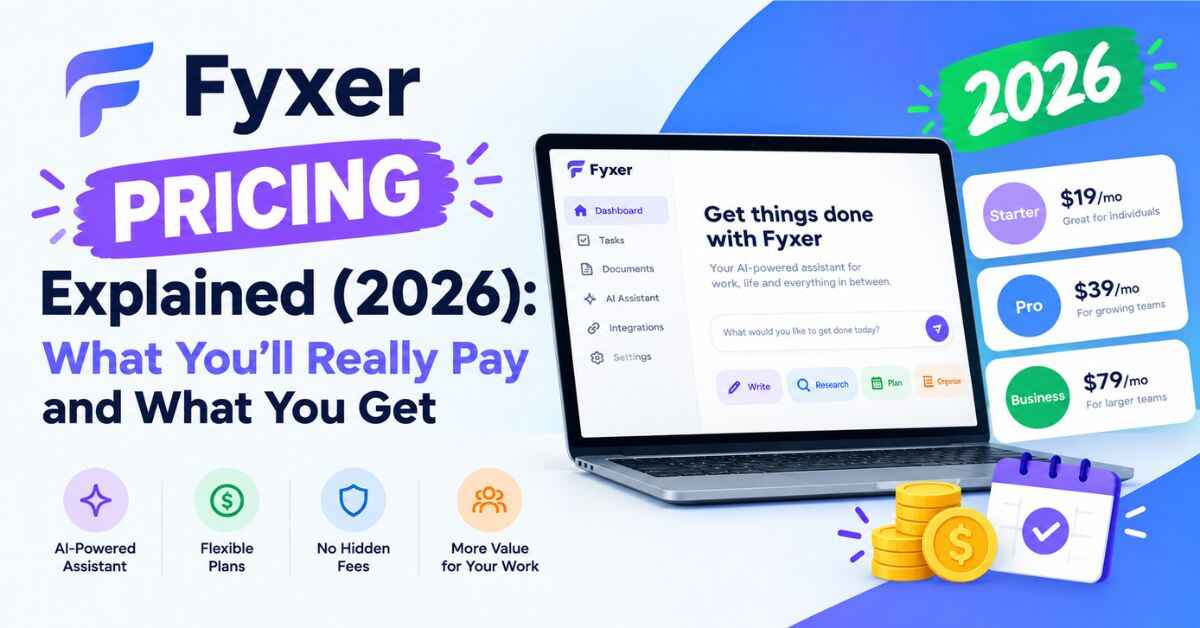
| Plan | Billed annually | Billed monthly | Who it’s for |
|---|---|---|---|
| Free | $0 | $0 | People who want to test the basics |
| Pro | $37 per person / month | $49 per person / month | Solo professionals and freelancers |
| Team | $64 per person / month | $99 per person / month | Teams juggling shared clients and follow-ups |
| Enterprise | Custom | Custom | Large organizations with security and scale needs |
A quick note if you’ve read other reviews: some older articles quote $30 for a Starter plan and $50 for Professional. Those were earlier plans. Fyxer has since changed its lineup to Free, Pro, Team, and Enterprise, so if you see different numbers elsewhere, trust the live pricing page.
Now let’s go through each plan like a normal person would, not like a spreadsheet.
The Free Plan: Good for Poking Around, Not for the Main Event
The Free plan costs nothing and has no paid seats. You get a personal profile (who matters to you and how you write), a daily dashboard briefing, a weekly email briefing, three personal spaces, and meeting notes with audio. You also get 400 credits a month to spend on things like chat and recordings.
Here’s the catch, and I want to be upfront about it: the Free plan does not sort your inbox or draft replies for you. Those features start on Pro.
So if the reason you’re interested in Fyxer is “I want my emails organized and my replies drafted,” Free won’t give you that. It’s more of a taste of the product. It’s useful if you mostly want meeting notes or just want to see how the assistant thinks before you commit.
Credits on Free stretch about as far as 20 chat messages, or around 6 hours and 40 minutes of meeting recording, if you used them on only one of those.
Best for: curious people who want to look around without paying.
The Pro Plan: Where Most Solo People Will Land
Pro is the plan most freelancers, consultants, founders, and solo professionals will care about. It’s $37 a month per person if you pay annually, or $49 a month if you pay month to month.
Here’s what you get on top of the Free plan:
- Your inbox, handled: automatic labeling and replies drafted in your tone
- Your meetings, covered: recordings for every meeting, with a follow-up list that keeps itself updated
- Daily email briefings instead of weekly
- Unlimited personal spaces and 3 shared spaces per seat
- Your own analytics: hours and value Fyxer gave back to you
- Automated Flows and the ability to share notes and transcripts
Let me put that price in perspective. At $37 a month on annual billing, you’re paying about $444 a year. That’s roughly $1.22 a day, or about $1.70 per working day. If Fyxer saves you 30 minutes a week and your time is worth even $25 an hour, that’s about $50 a month in time recovered. You’d be getting more than your money’s worth.
If it saves you nothing because you barely get any email, then no, it’s not worth it. That’s the honest answer, and it’s the reason the trial exists.
Best for: anyone who works alone or mostly alone and gets enough email and meetings to feel the pain.
The Team Plan: For People Who Share the Load
Team costs $64 per person per month on annual billing, or $99 per person monthly. It includes everything in Pro plus features built for groups:
- Unlimited shared spaces across the team
- Clear owners for follow-ups. You can assign shared follow-ups, and finished items clear for everyone
- Shared company context, an organization profile built from team email and meetings
- Team reporting and controls, so you can see usage and value per person
- Pooled credits: 6,000 per paid member, shared across the whole team
- Faster support: a reply within one business day
If you run an agency, a small sales team, a consultancy, or any group where several people touch the same clients, this is the plan designed for you. Fyxer also says that once you have 10 or more members, you can talk to the team for a volume quote.
Best for: small teams that want a shared view of who owes what to whom.
Enterprise: For the Big Setups
Enterprise is priced per organization on an annual contract, so there’s no public number. It adds things larger companies tend to need: a private cloud or dedicated tenancy, a full API, audit logs, SSO, data stored in your region (EU, UK, or US), and contractual service levels. HIPAA compliance and custom security terms are available here too.
There’s no minimum seat count to get started, and Fyxer will tailor the trial and onboarding for a bigger rollout. If you’re a freelancer reading this, you can skip this section. Also Read: Fyxer Review (2026): Can an AI Assistant Really Give You Your Inbox Back?
How Credits Work (This Is the Part Everyone Skims)
Credits are the piece that confuses people, so let me make it simple. Every plan comes with a monthly allowance of credits. Fyxer uses them to pay for the work its AI does. Here’s what each action costs:
| Action | Credits |
|---|---|
| Sorting an email | 0.2 (so 5 emails per credit) |
| Recording a meeting | 1 per minute (60 per hour) |
| A chat message | 20 |
| Running an automated Flow | 5 per run |
| Analyzing a document | 30 |
| Transcribing an uploaded recording | 30 per hour |
| A deep research question | 175 |
And here’s how much you get each month:
- Free: 400 credits
- Pro: 3,000 per paid member (after the launch offer)
- Team: 6,000 per paid member, pooled across the team
- Enterprise: agreed in your contract
Now, what does that look like in a real month? Let me give you a realistic Pro example:
- Sorting 1,000 emails: 200 credits
- 20 hours of recorded meetings: 1,200 credits
- 20 chat questions: 400 credits
That’s about 1,800 credits out of 3,000. You’re comfortably inside your limit with room to spare.
Fyxer’s own example for Pro is roughly 5,000 sorted emails, 25 hours of recording, and 25 chat messages in a month. So for most solo professionals, the allowance is generous.
Where you might feel the limit is if you’re on back-to-back calls all week. Forty hours of recording alone would use 2,400 credits. Add heavy email sorting and a lot of chat, and you could get close. If you do run low, Fyxer tells you at 80% and again at 100%. Sorting pauses first, recording keeps going, and then you can talk about whether a bigger plan makes sense.
One more thing worth knowing: a “seat” is one paid member, no matter how many inboxes or calendars they connect. If you link both a Gmail and an Outlook account, that’s still one seat. Viewers, meaning people who just need to read shared notes, don’t cost anything.
The Free Trial: The Smartest Way to Handle All This
Here’s the part I like most about Fyxer pricing, and why I wouldn’t stress about picking the “right” plan right now.
When you sign up, you get a 14-day free trial of the Team plan, with every Team feature switched on. You can even invite colleagues to test it together. On top of that, a launch offer gives you unlimited credits for your first 3 months, so you won’t be watching a meter while you’re trying to figure out whether you like it.
And what happens when the trial ends? You move to the Free plan unless you choose to pay. There’s no surprise charge. If you decide to stay, you can switch between Pro and Team, or between monthly and annual billing, from your dashboard.
Also worth knowing: if you change your mind completely, deleting your Fyxer account puts your inbox back the way it was before. That makes the whole experiment low risk.
Two weeks costs nothing, so why guess? Start your free Fyxer trial and see the numbers for yourself →
Monthly vs Annual: Which Should You Pick?
This one’s simple.
- Pro: $49 monthly vs $37 annual. That’s $12 a month less, or $144 a year saved.
- Team: $99 monthly vs $64 annual. That’s $35 a month less, or $420 a year saved per person.
If you’re sure you’ll use it, annual billing is the better deal by a wide margin. If you’re not sure yet, start monthly or start with the free trial and decide after. You can switch from monthly to yearly any time from your billing settings, so there’s no rush to lock in on day one.
My honest suggestion: use the trial fully, check how many hours Fyxer says it saved you, and then pick annual if the number is convincing.
Real-Life Examples: Which Plan Would Fit You?
Pricing is easier to understand with real people in mind. Here are a few quick scenarios.
Sara, freelance designer, 4 clients. She gets around 40 emails a day and has maybe five calls a week. The big win for her is losing the “did I reply to that lead?” worry. Pro on annual billing is the obvious fit at $37 a month. One extra project from a lead she would have missed pays for the whole year.
Mike, consultant with back-to-back calls. He spends 25 hours a week in meetings. Writing follow-ups used to eat his evenings. Pro covers him, but he’d keep an eye on credits since recording is 60 credits an hour. At that volume, he’d likely use a good chunk of his 3,000 monthly credits on recordings alone, so he should watch the 80% warning.
A three-person agency. They share clients and keep dropping the ball on who’s following up with whom. The Team plan, with assigned follow-ups, shared spaces, and pooled credits, is built for exactly this. At $64 each on annual billing, that’s $192 a month for the group.
A casual user. Someone who gets 10 emails a day and a couple of calls a week doesn’t need to pay for much. The Free plan, or just the trial, will tell them quickly whether paid features are worth it.
A real estate agent chasing leads. One eXp Realty agent said on Fyxer’s site that she never misses important lead emails anymore. In an industry where a late reply can cost a commission, even Pro can pay for itself with a single saved deal.
Is Fyxer Pricing Fair? My Honest Take
Let me be straight with you, since I don’t like articles that only say nice things.
What’s good:
- The price is clear and published. No “call us for a quote” for individuals.
- The free trial includes the top-tier features, so you test the real thing.
- No surprise charges when the trial ends. You fall back to Free.
- Annual billing saves 25% on Pro and 35% on Team.
- Credits are generous for typical solo use.
What to watch:
- It’s not the cheapest tool around. Some reviewers say the price feels high for people with light email loads. If you only get a few emails a day, you don’t need it.
- Auto-sorting and drafts need a paid plan. Free won’t do those, so don’t judge the product by the free tier alone.
- Credits can run out for heavy users. If you record a huge number of meetings, check your usage in week one.
- Drafts still need your eyes. Independent reviews point out that draft quality can vary. You’ll edit some of them. Think of it as a very quick first draft, not a final email.
- The credit system takes a minute to understand. It’s not hard, but it’s not the simple flat fee some people prefer.
None of these are dealbreakers. They’re just things you should know before spending money, which is how it should be.
Fyxer Pricing vs Doing It Yourself: The Real Comparison
It’s easy to look at $37 a month and think “that’s a lot for email.” But the real comparison isn’t Fyxer versus nothing. It’s Fyxer versus your time.
Say you spend about 6 hours a week on email triage, drafting, and meeting follow-ups. That’s roughly 26 hours a month. If Fyxer cuts that by a third, you get back about 8 or 9 hours. At $37, that works out to around $4 an hour for the help. You’d struggle to hire a human assistant at that rate, and a human wouldn’t read every email the moment it lands, or join every call.
Of course, those numbers are an example, not a promise. Your savings might be bigger or smaller. But framing it this way helps. You’re not buying software; you’re buying back hours, and the question is simply how many.
How to Choose Your Plan in Under a Minute
Here’s the shortcut:
- Start the 14-day trial. You get Team features and unlimited credits, so you see everything.
- Use it normally for the first week. Let it sort your inbox, try the drafts, and let it join a few meetings.
- Check the analytics. Fyxer shows the hours and value it gave back to you.
- Decide. Working alone? Pro. Sharing clients with a team? Team. Not convinced? Stay on Free and move on, no hard feelings.
- Choose annual billing if you’re staying, since it saves real money.
That’s all there is to it.
Final Thoughts on Fyxer Pricing
So, is it worth it?
If your inbox regularly buries important messages, if you spend your evenings writing meeting follow-ups, or if you’re the kind of person who lies awake wondering whether you replied to that one email, then Fyxer pricing is quite reasonable for what you get. Pro at $37 a month on annual billing is less than a lunch out, and it targets the exact tasks that eat the most attention.
If you barely use email, or you enjoy writing every message yourself, you can happily skip it. No judgment.
The good news is you don’t have to decide today. The trial is free, the launch offer removes the credit worries for three months, and falling back to the Free plan costs you nothing. The only thing you risk is two minutes of setup.
If you’ve read this far, your inbox is probably already on your mind. Give Fyxer a free spin and see how much time you get back →
Affiliate Disclosure
Just so you know: some links in this post are affiliate links. If you sign up for Fyxer through one of them, I may earn a small commission, and it doesn’t cost you anything extra. It doesn’t change what I write, and I’ve tried to be straight about both the good and the not-so-good. Prices and plans can change, so please check Fyxer’s website for the latest details before you decide.