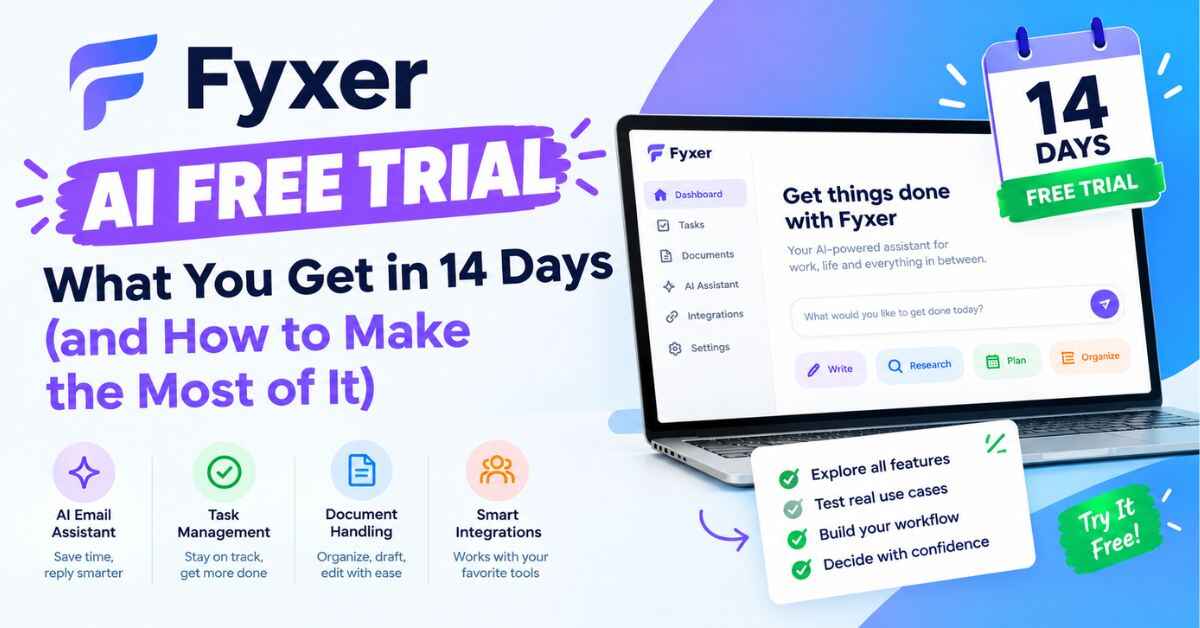
Fyxer AI Free Trial: What You Get in 14 Days (and How to Make the Most of It)
Most free trials get wasted. You sign up, click around for ten minutes, get distracted by a message from your boss, and forget about it until a “your trial is ending” email shows up two weeks later. Then you shrug and move on without ever finding out if the tool could have helped.
I’d hate for that to happen with the Fyxer AI free trial, because this is one of those tools where the answer only shows up after a few days of real use. It’s an AI email assistant that sorts your inbox, drafts replies in your voice, and takes notes in your meetings. Whether it feels like magic or like a gimmick depends on how you test it.
So in this post, I’ll walk you through exactly what the trial includes, what happens when it ends, and a simple plan to test it properly. If you’ve got 14 days and a messy inbox, you’ve got everything you need.
First, Let’s Be Honest About the Real Problem
Before we get into the trial, it’s worth being clear about what you’re actually trying to fix. Because “I get too much email” is only half the story.
Most people don’t struggle with the volume of email. They struggle with what the volume hides.
The important message you didn’t see. A lead, a client, a deadline, a question from your boss. It arrives at 10:12 a.m. and by 2 p.m. it’s buried under newsletters, receipts, and “just following up” notes.
The promise you forgot. At the end of a call, you say “I’ll send that over later today.” Then your next meeting starts. Nobody wrote it down. It just evaporates, and someone is now quietly waiting on you.
The reply you keep postponing. Some emails take real thought. But plenty don’t, and you still put them off because opening a blank reply box feels like effort.
The meeting that creates more work. You finish a call, and now you need to write notes, remember what was agreed, and send a follow-up. If you have five calls in a day, that’s an evening gone.
Here’s why this gets expensive. It isn’t just time. It’s a slow leak. A reply that goes out two days late. A lead that goes cold. A client who starts to wonder if you’re really on top of things. None of these show up as a line item, but they cost real money.
One person quoted on Fyxer’s website, a marketing VP at ClickUp, said that in a single week he received 589 emails and only 32 needed a timely response. Think about that ratio for a second. Roughly 5% of your inbox matters in the moment, and the other 95% is in the way.
That’s the problem. And it’s exactly the thing the trial lets you test, risk free.
What Is Fyxer, in Plain English?
Fyxer is an AI executive assistant that lives inside the email you already use. It connects to Gmail or Outlook, and you don’t have to learn a new app or move to a new inbox.
Here’s what it does day to day:
- Labels your emails automatically, using categories like “To respond,” “FYI,” and “Marketing,” so you can see what needs you at a glance
- Drafts replies in your tone, which you review, edit, and send yourself
- Joins your video meetings on Zoom, Google Meet, or Microsoft Teams, takes notes, and lists the action items
- Writes follow-up emails after your calls, ready for you to check and send
- Keeps a running follow-up list of what you owe people and who’s waiting on you
- Answers questions about your own work, like “Which deals are waiting on me?”
An important point for anyone nervous about handing over their inbox: Fyxer does not send emails for you. It writes the draft and leaves it there. Nothing goes out unless you press send.
The company says more than 100,000 people use it, and its pricing page lists companies like Starbucks, AT&T, SoundCloud, Knight Frank, and Celonis. So it isn’t an experimental toy. It’s an established tool used by individuals and big teams alike.
Curious what your own inbox looks like when it’s sorted for you? Take a peek with the Fyxer free trial →
Fyxer AI Free Trial: What’s Actually Included
Let’s get specific, because “free trial” can mean very different things depending on the product. Some trials are watered-down demos. Some lock the best features. Here’s what Fyxer says you get.
14 days, with the Team plan switched on. This is the part I like. Instead of giving you a cut-down version, Fyxer starts you on its Team plan, so you see the full set of features. That includes:
- Replies drafted in your tone
- Automatic email labeling
- Video meeting recordings
- Follow-up actions that update as things change
- Unlimited personal spaces
Unlimited credits for your first 3 months. Fyxer uses a credit system to pay for the AI work behind the scenes (sorting emails, recording meetings, answering chat questions). Normally, plans have monthly limits. But as part of a launch offer, you get unlimited credits for the first 3 months, so you don’t have to count anything while you’re testing.
You can bring your team. During the trial you can invite colleagues, share spaces, and see outstanding follow-ups with a clear owner. If you work with others, you can test the whole workflow together.
Sign-up with Google or Microsoft. You start with Gmail or Outlook, using your work email. The homepage says it takes about 30 seconds to get going.
One small note: when you create your account, pay attention to what the sign-up screen asks for. Fyxer’s pages say “Cancel anytime,” but I’d rather you read the details on screen than rely on my summary.
What Happens When the 14 Days Are Over?
This is the question that stops a lot of people from trying anything, so let’s answer it directly.
According to Fyxer’s pricing page, when the trial ends, you move to the Free plan unless you choose to pay. You don’t get dragged into a paid plan by default. Your account stays, and you keep the basics.
Here’s what the Free plan includes: a personal profile, a daily dashboard briefing, a weekly email briefing, three personal spaces, audio meeting notes, and 400 credits a month for things like chat and recording.
What it doesn’t include is automatic inbox sorting and drafted replies. Those features start on the Pro plan, which is $37 a month per person if you pay annually, or $49 monthly. The Team plan is $64 per person annually or $99 monthly. (Prices come from Fyxer’s pricing page today, so check it before you decide.)
And if you try Fyxer and decide it’s not for you at all, Fyxer says that deleting your account puts your inbox back exactly the way it was before. No leftover clutter, no permanent changes. That’s about as low risk as an experiment gets. Also read: Fyxer Review (2026): Can an AI Assistant Really Give You Your Inbox Back?
A Simple 14-Day Plan to Test It Properly
This is the section I’d bookmark. Most people waste trials because they have no plan. So here’s one that takes very little effort.
Day 1: Connect and let it learn
Sign up with your work email and connect Gmail or Outlook. Then do almost nothing. Fyxer builds a profile of how you write and who matters to you, and it needs time to get a feel for your inbox. Resist the urge to judge it in the first hour.
Days 2 to 3: Correct the labels
This is the step that separates people who love the tool from people who shrug at it. When Fyxer labels an email wrong, change the label yourself. Fyxer learns from your corrections, so a few minutes of fixing early on teaches it what “important” means to you. Decide which categories you want to stay in your inbox and which should be moved into folders.
Days 3 to 5: Try the drafts for real
Open a few emails that need replies and look at what Fyxer drafted. Don’t expect perfection every time. Independent reviews do mention that draft quality can vary from message to message. The real test is whether editing a draft is faster than writing from scratch. For most routine replies, it usually is.
Days 4 to 7: Let it into your meetings
Turn on the notetaker for at least three calls. You can choose which meetings Fyxer joins: all of them, only external ones, only ones you host, or none. It joins like any other attendee, so the host may need to let it in. After each call, compare its summary and follow-up draft to what you would have written. This is where many people have their “oh, that’s useful” moment.
One courtesy tip: if you’re on a sensitive call, give people a quick heads-up that a notetaker is joining. It avoids any awkwardness.
Day 7: Check the numbers
Halfway through, look at the analytics in your dashboard. Fyxer shows the hours and value it has given back to you. A feeling is nice, but a number is better. If the number is tiny, that’s useful information too.
Days 8 to 12: Use the follow-up list
By now, Fyxer has seen enough of your emails and calls to build a list of what you owe people. Try working from it for a few days. Ask the chat a couple of real questions, like “What’s waiting on me?” or “Anything important I missed today?” See if the answers match reality.
Days 13 to 14: Decide
Ask yourself three simple questions:
- Did I miss fewer important emails?
- Did I spend less time writing replies and follow-ups?
- Would I be annoyed if this disappeared tomorrow?
If the answer is yes to even two of those, it’s probably worth paying for. If it’s no across the board, drop to the Free plan and move on. Either way, you made the decision with real information, not guesses.
Who Gets the Most Out of the Trial?
Not everyone will see the same results. Here’s who tends to benefit most, and who might not.
Freelancers and solo professionals. If you’re the one doing the work and the replying, every missed email is your problem. A tool that surfaces the important ones is a quiet superpower. The Pro plan was built for exactly this.
Consultants and people who live on calls. If you spend half your week in meetings, the notes and follow-up drafts alone may justify the trial.
Real estate agents, recruiters, and sales folks. Speed matters here. An agent at eXp Realty said on Fyxer’s site that she never misses important lead emails anymore. When a slow reply can cost you a deal, that matters.
Founders and small business owners. You’re answering investors, customers, vendors, and suppliers, usually at the same time. Having the inbox pre-sorted gets your day started on the right foot.
Small teams. The trial runs on the Team plan, so you can test shared follow-ups, assigned owners, and shared context together.
People who might skip it. If you get ten emails a day and rarely take calls, you probably don’t need a paid plan. The trial will tell you quickly, and you’ll have lost nothing.
Three Short Stories of How a Trial Might Go
These are examples, not real customers, but they show how the 14 days can play out.
The freelancer. Priya is a designer with five clients. During week one, she notices that Fyxer flagged a new lead’s email as “To respond” while she was in a video call. She replies within the hour instead of the next morning. She lands the project. At $37 a month on annual billing, that single project covers the whole year, so she upgrades on day 12.
The consultant. Daniel has six meetings a day and always writes follow-ups at night. During the trial, Fyxer drafts them right after each call. He edits a sentence or two and sends. By day 5, he’s getting an hour or more back. He chooses Pro and watches his credits, since recording hours add up.
The skeptic. Marcus gets about 15 emails a day. After two weeks, the analytics show a small number of hours saved, and he realizes he just doesn’t have the volume to justify paying. He lets the trial end, drops to the Free plan, and keeps the audio meeting notes. He’s not disappointed. He found out in two weeks, for free, instead of paying for six months and wondering.
Notice something about all three: the trial gave each of them a clear answer. That’s what a good trial should do.
Two weeks is enough to know. Start your free Fyxer trial and see which story sounds like yours →
Common Questions About the Fyxer AI Free Trial
Is the trial really free? Fyxer advertises a 14-day free trial, and says that when it ends you move to the Free plan unless you choose to pay. Read the sign-up screen carefully for anything else it asks for.
Which email accounts work? Gmail and Outlook. You sign up using whichever one you use for work.
Will Fyxer send emails without asking me? No. It drafts replies and leaves them for you to review. You decide what gets sent.
Is my data safe? Fyxer says it follows SOC 2 Type II, ISO 27001, and GDPR standards, with HIPAA available for enterprise customers. It also says your data is encrypted, never sold, and that its AI providers can’t use it to train their own models. If you want to look closer, the Fyxer Trust Center has the details.
Can I invite my team during the trial? Yes. The trial runs on the Team plan, so you can invite colleagues and test shared follow-ups together.
What if the notetaker makes me uncomfortable on calls? You control which meetings it joins, including none at all. For video calls it asks to join like any other attendee.
Can I change plans later? Yes. You can switch between Pro and Team, or between monthly and annual billing, from your dashboard.
Honest Things to Keep in Mind
I always want to tell you the less glamorous bits too, because a trial is a better experience when your expectations are right.
- Drafts aren’t flawless. Some will be nearly ready to send, others will need real edits. Treat them as a head start.
- It takes a few days to settle in. The first day may feel average. Give it time to learn from your corrections.
- Paid plans aren’t the cheapest. Pro is $37 a month on annual billing, and some reviewers feel that’s high for people with light email loads.
- Heavy meeting users should watch credits. After the launch offer, Pro includes 3,000 credits a month, and recording costs 60 credits per hour.
- It’s built mainly for Gmail and Outlook. If you use something else, check before you start.
None of these are reasons to avoid it. They’re reasons to test it with your own inbox, which is exactly what the trial is for.
So, Should You Try It?
Here’s where I land. If you’ve been telling yourself that you really need to get a handle on your inbox, but you keep putting it off because it feels like another project, the Fyxer AI free trial is about as easy a first step as you’ll find. It costs nothing to start, setup takes a couple of minutes, and you get 14 days with the full Team feature set to see whether your days actually feel lighter.
The worst outcome? You find out it’s not for you, and you drop to the Free plan or delete your account and get your inbox back as it was. The best outcome? You stop losing your best hours to email, and you wonder why you didn’t try it sooner.
You don’t have to believe me, or Fyxer’s homepage, or anyone’s testimonial. You can find out yourself in two weeks.
If your inbox is still stealing your mornings, start your free Fyxer trial and take that time back →
Affiliate Disclosure
Quick heads-up: some links in this post are affiliate links. If you sign up for Fyxer through one of them, I may earn a small commission, at no extra cost to you. It doesn’t change what I write, and I’ve tried to be honest about both the good and the not-so-good. Plans, prices, and trial terms can change, so please check Fyxer’s website for the latest details before you sign up.