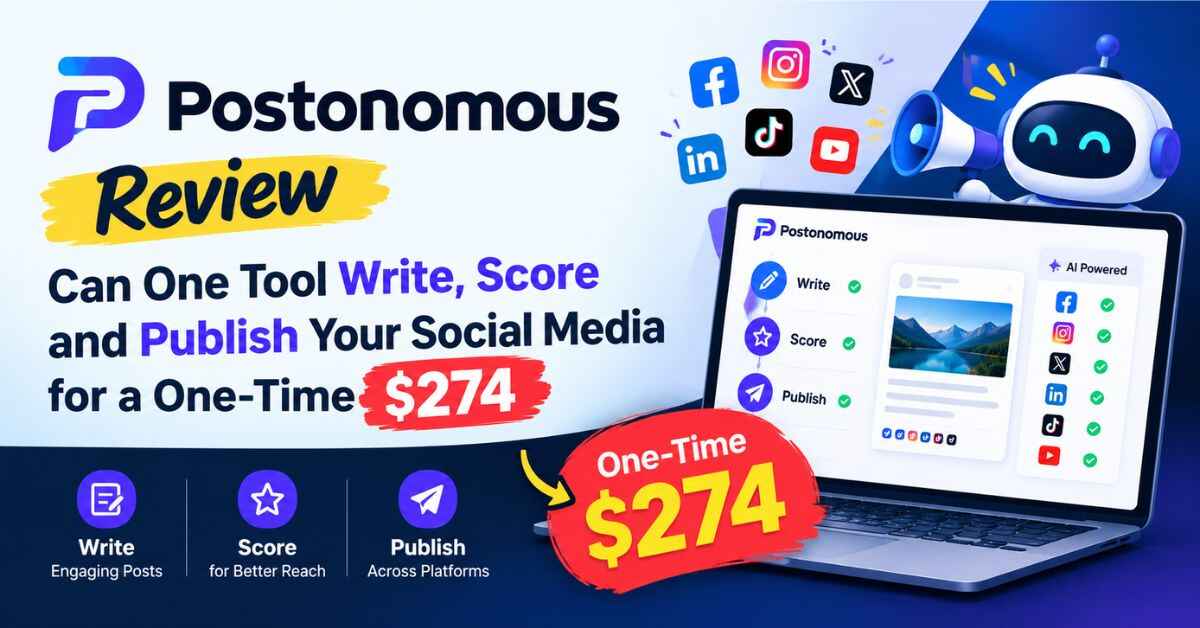
Postonomous Review: Can One Tool Write, Score and Publish Your Social Mediafor a One-Time $274?
Most people don’t quit social media because they hate it. They quit because they run out of energy to keep guessing. What should I post today? Will anyone care? Did that last post flop because of the topic, the timing or the caption? That guessing game is exactly what Postonomous says it can fix, and it’s why I wanted to write this Postonomous Review.
The tool writes your posts, images and videos, gives each draft a score before it goes live, and publishes to six networks. I read the whole sales page, checked the math, and made notes on what’s solid and what’s still unclear, so you don’t have to dig through it yourself.
Short version: there’s a lot packed in here for a one-time price, and a couple of things you should know about before you pay. Let’s get into both.
The Real Problem With Social Media (It’s Not Posting, It’s Guessing)
Anyone who has run a business account knows the cycle.
You sit down to post. You stare at a blank box. You scroll through a few competitors to get ideas, and twenty minutes disappear. You finally write something, find a picture, add hashtags, and hit publish. Then you wait. Maybe a handful of likes. Maybe nothing at all.
So the next day you do it again, and you still have no clue what worked.
Now multiply that by the number of places you’re expected to be. A post that does well on Instagram doesn’t read right on LinkedIn. A TikTok needs a different format than a YouTube video. X wants it short, Facebook wants it chatty, and your blog needs something longer. Each platform has its own style, so you end up rewriting the same idea five different ways.
Then there’s the tool pile. One app for writing, one for images, one for video, one for scheduling, one for tracking competitors, one for keywords, another for reports if you have clients. They all want a monthly fee. The sales page lists nine separate subscriptions that add up to $209.88 a month, which comes to about $2,519 a year. I checked, and the math works out. Whether you’d really need all nine is a fair question, but plenty of small businesses and agencies do end up paying for a handful of them.
And if you hire a person or an agency to handle it, the page quotes $500 to $5,000 a month for social media management. It cites “2026 pricing guides” without naming them, so treat that as a rough range. But anyone who has priced it out knows it isn’t cheap.
So most small business owners end up in the same place. Too busy to do it well, too tight on budget to hire it out, and tired of posting into the void.
That’s the gap Postonomous is going after.
What Postonomous Actually Is
Postonomous is a social media tool sold as a one-time payment bundle. In plain words, it does four things.
It learns your brand first. You paste in your website address. In about a minute, it pulls out your logo, colors, tone of voice and key facts, and builds a brand profile from them. The page says it never makes up prices or offers, which is a detail I care about. Nothing wrecks trust faster than a post announcing a discount you never offered.
It creates the content. You chat with it in plain language and ask for what you need: posts, AI images, blog articles, short videos, longer YouTube videos. It makes a separate version for each network instead of one generic post copied everywhere.
It scores your drafts before you publish. This is the part that makes it different. Each draft gets a score from 0 to 100, called a WinScore, based on how AI personas “react” to it compared with top posts in your market.
It publishes for you, but only with your approval. It can post to Facebook, Instagram, YouTube, TikTok, LinkedIn and X, plus WordPress blogs, all from one calendar. The page is clear that nothing goes out unless you approve it.
The setup is three steps: paste your website, connect your channels (a couple of clicks each), then ask for content and approve what you like.
Curious what a WinScore actually looks like on a real draft? You can see Postonomous in action on the official page. The demo sections show the tool at work, and it’ll make the rest of this review easier to picture.
Postonomous Review: What’s Inside, Feature by Feature
The sales page lists a lot, so I’ll group it the way you’d actually use it.
The Brand Profile
Everything starts here. Because the tool reads your website first, the content it writes is supposed to sound like you, use your colors and stick to facts you’ve actually published. For a business owner, that’s the difference between “usable draft” and “generic AI paragraph I have to rewrite from scratch.”
The Creation Studio
You talk to it like you’d talk to an assistant. “Write a post about our weekend sale.” “Make an image for this.” “Turn this into a blog article.” It writes one native version per network, so the LinkedIn post and the TikTok caption aren’t the same text pasted twice.
The Simulator and WinScore
This is the feature the page leans on most, so let me explain it plainly. Before you publish, AI personas react to your draft, and the tool gives it a score from 0 to 100. The idea is to catch the weak posts before your audience sees them.
There’s also Champion Mode. If a draft scores below the benchmark, it rewrites and retests the draft until it does better.
I like the idea. It’s like having a quick focus group before you post. But I’ll be straight about the evidence, and I’ll come back to it in the honest section below, because the page’s research claims need a closer look.
Publishing and the Calendar
One calendar for scheduling across all six networks, plus WordPress publishing and scheduling. Publishing itself costs no credits. For anyone who’s been bouncing between apps just to schedule posts, one calendar is a real time saver.
Video
This is a bigger part of the package than I expected. The page lists:
- Short videos for Reels, Shorts, TikTok and 15-second ads
- Longer YouTube videos up to 10 minutes
- A zero-input mode, six styles, six narrator voices and captions
- A talking presenter built from a single photo
- Voice cloning, a library of 38 characters, and custom characters
- Cutaway editing for your own talking-head clips
If you’ve ever avoided video because you hate being on camera, or you can’t afford an editor, this is the part that might matter most to you. I’d want to test the quality myself, because the page doesn’t let me judge how the finished videos actually look. Also read: LOCUS AI Review: Can One Tool Really Put Your Link on Google’s First Page in 30 Seconds?
Intelligence Tools
Competitor tracking, trending boards, keyword trend scans, and a “Recreate a trending format” feature. The idea is to stop guessing what’s working in your market and start from what’s already getting attention.
AI Presence
This one is interesting and a bit different. It checks whether six AI assistants (ChatGPT, Gemini, Perplexity, Claude, Grok and DeepSeek) recommend your business, and it can run that check daily or weekly. More and more people ask an AI assistant “who’s the best plumber near me” instead of searching on Google, so knowing whether you show up there is a smart thing to track.
Agent Access
For the more technical crowd, the page says you can connect it to other AI tools through MCP and REST, with 22 tools, and it lists things like Claude Code, Codex, ChatGPT and Cursor. Most people reading this won’t touch it, but it’s a nice extra for developers.
Agency Features
A client portal, unlimited read-only client logins and editor seats, white-label reports, and agency assets such as a proposal, contract, pitch deck and pricing sheet. The bundle also includes 25 resale accounts.
Who Postonomous Is Really For
Let me skip the “it’s for everyone” line and give you actual situations.
The local business owner. A dentist, a gym owner, a restaurant manager. You know you should be posting, but you’ve got a business to run. Paste the website, ask for a week of posts, approve the ones you like. That’s about as light as social media can get.
The coach or consultant. Your clients find you through content, but writing it takes hours you’d rather spend on calls. The brand voice feature should help the posts sound like you instead of a robot, and the video tools could help if you’d rather not film yourself.
The e-commerce seller. Product posts, images and short videos for different platforms, all from one place. The page says it won’t invent prices or offers, which matters when you’re selling.
The agency or freelancer. This is where the bundle looks strongest on paper. Ten brands, a client portal, white-label reports, unlimited read-only client logins and 25 resale accounts. If you manage accounts for other people, the one-time price against nine monthly subscriptions is the biggest selling point.
The creator. Competitor tracking, trending boards and “recreate a trending format” could save you hours of research each week.
The affiliate marketer. The page lists affiliate marketers as a target group too. Content for multiple platforms, plus blog publishing, fits that style of work. Just remember that each affiliate program has its own rules about how you can promote.
If you recognized yourself in one of those, the easiest way to know whether it fits is to look at the real feature list and demos. Here’s the official Postonomous page with everything included. While you look, ask one question: would this replace at least two or three tools I’m paying for right now?
The Price, and What You Actually Get for It
Here’s what the page says. The launch price is $274 with the code POSTBUNDLE, down from $347, so that’s $73 off. It’s a single payment with no monthly fee.
The bundle includes:
- All features
- 10 brands
- 5,000 credits per month
- Three done-for-you business setups
- One campaign review
- 25 resale accounts
The page also says the price goes up by $1 every time the countdown expires, until the cart closes on Thursday, October 22 at 11:59 PM ET. A few of the countdown timers on the page showed blanks when I looked, so I couldn’t confirm how that works. The $1 increases are small either way, but the cart closing date is worth noting if you’re thinking about it.
Is $274 cheap? Not like a $15 tool, no. It’s a real purchase. But compare it to the page’s own comparison: nine subscriptions at $209.88 a month. At that rate, $274 is roughly one month and a bit of what the separate tools would cost. If you’d actually use most of what’s in the bundle, it pays off quickly. If you’d only use the scheduling and a bit of writing, it’s more than you need.
The Credits (This Is the Part To Read Carefully)
You get 5,000 credits each month, and unused credits do not roll over. The page lists some costs:
- A post costs 3 credits per network
- An image costs 30 credits
- A one-minute whiteboard video costs 125 credits
- Publishing is free
I did the math so you can picture it. 5,000 credits could cover roughly 1,600 single-network posts, or about 166 images, or about 40 one-minute videos. Mix them together and the numbers shrink fast. A post sent to all six networks costs 18 credits, so that’s around 277 of those. For a single small business, that’s plenty. For an agency running ten brands with lots of video, it could get tight.
The page also says you can bring your own AI key for text actions, which should help stretch things. And it doesn’t list credit costs for many other features, so it’s hard to know exactly how far 5,000 goes if you use the heavier tools.
One more thing on limits. The page calls posting “unlimited,” but the FAQ says there’s a fair-use cap of 100 posts per business per month. That’s a very different thing, so know it going in.
The Refund Window
The guarantee is 14 days from purchase, no reason required. Refunds go through JVZoo to your original payment method. After 14 days, sales are final. That’s shorter than the 30 days you see on a lot of products, so if you buy, use those two weeks to actually test things, not just log in once.
The Upgrade
After checkout, there’s one optional upgrade that the page says “lifts the limits.” It doesn’t say what it includes or what it costs. You don’t have to buy it, but be ready for the offer and read it carefully before clicking.
The Bonuses
There are five, and they’re modest but sensible:
- First 30 Days Playbook: a daily task guide for your first month
- Hook Bank: 150 opening lines for 10 business types
- Ask-For-It Pack: 61 prompts you can paste into the app
- Client-Getting Scripts: 49 outreach scripts
- PostReady: a free 12-point writing checker
I’d treat these as nice extras rather than a reason to buy. The playbook and the prompt pack are probably the most useful for a beginner, since they tell you what to do first.
The Honest Part: What I’d Want to Know Before Paying
I’d rather you buy for the right reasons than be disappointed later, so here’s where I’d slow down.
The WinScore isn’t proven to predict your results. The page cites a study where AI personas predicted real human reactions 70.7% of the time, and another narrower study with a figure of up to 96.68%. Those numbers come from research papers, not from Postonomous itself. The 96.68% figure only applied when the AI had each person’s full profile, which normal users won’t have. The page does say a WinScore is “a signal, not a guarantee,” and that’s the right way to read it. It’s a useful second opinion, not a crystal ball. I couldn’t find any data on how often Postonomous’s own scores match real post performance.
One testimonial isn’t a trend. The page shows one user, Vrushali B., who reported 3.1 million views on an Instagram reel. The page itself labels it as her result, not typical. Don’t expect that.
Some limits aren’t spelled out. Champion Mode has no stated limit on how many times it rewrites, and “beats the benchmark” isn’t defined. Credit costs for many features are missing, which makes the 5,000 credits harder to judge. The price after launch isn’t stated either.
Privacy and consent details are thin. The page mentions voice cloning and talking presenters made from a single photo. It says cloned voices are for your own voice only, but it doesn’t explain how that’s enforced. And I couldn’t find details about data privacy or retention on the page, only links to Terms, Privacy and Refunds that I couldn’t read there. Read those before you upload anything personal.
AI content needs a human eye. Even with the approval step, you’re the one responsible for what gets posted. Read everything. Fix anything that sounds off. Be upfront with your audience when something is AI-generated, and check each platform’s rules, because they change.
The page has a few loose ends. The coupon wording is inconsistent about whether it might be removed. The disclaimer text mentions Facebook with odd spelling, which looks like boilerplate from another template. “10 brands” and “10 businesses” are used interchangeably. None of that is a dealbreaker, but it’s worth knowing.
It won’t build an audience for you. The tool saves time and takes the guessing out of the writing. Growing followers still takes consistency, good offers and patience.
A Sensible Way to Test It
If I were trying Postonomous this week, I’d do it like this.
I’d start with one brand, not ten. Paste the website, check the brand profile it builds, and fix anything that’s wrong. If the profile is off, everything after it will be off too.
Then I’d ask for a week of posts for two or three networks and read every one. I’d approve the ones that sound like me and rewrite the ones that don’t.
I’d pay attention to the WinScore, but I’d also keep my own notes on how the posts really perform. After a couple of weeks, I’d see whether the high-scoring posts actually did better. That’s the only way to know if the score is useful for my audience.
I’d try one video, just to see the quality with my own eyes before planning a video-heavy month.
And I’d keep an eye on the credit counter, so there are no surprises. The 14-day refund window is short, so I’d do this testing early, not on day twelve.
Picture two people buying this on the same day. One connects a brand and approves a week of posts before the weekend. The other buys it, thinks “I’ll look at it when things calm down,” and logs in again three weeks later. The tool is the same. The difference is who actually started.
Quick Questions
Do I need to be technical? The page says no. You paste your website, connect channels and chat in plain language.
Which platforms does it post to? Facebook, Instagram, YouTube, TikTok, LinkedIn and X, plus WordPress blogs.
Will it post without asking me? No. The page says nothing publishes without your approval.
Is there a monthly fee? The page describes a one-time payment of $274 with the code POSTBUNDLE. Credits reset monthly, and unused ones don’t roll over.
Can I use it for clients? The page says you own what it makes for your business and client work, and the bundle includes a client portal and 25 resale accounts. Read the full terms to confirm what’s covered.
What’s the refund policy? 14 days from purchase, handled through JVZoo. After that, sales are final.
Final Verdict: Is Postonomous Worth It?
For the right person, I think it’s worth a serious look.
If you’re a business owner, coach, creator or agency who’s tired of juggling tools and guessing what to post, Postonomous packs a lot into one purchase: brand-aware writing, images, video, scheduling across six networks, competitor tracking and a pre-publish score. Next to nine monthly subscriptions, the one-time price makes sense if you’d use most of it. The approval step keeps you in control, and the refund window lets you test it.
If you only need basic scheduling, or you want guaranteed viral results, or you can’t spare a few weeks to learn the tool, it’s probably more than you need. And if you expect the WinScore to predict hits with certainty, that’s more than the evidence supports.
The real question isn’t whether the feature list is long. It’s whether you’ll use it often enough to earn back $274. If you will, the math works in your favor.
If you’ve read this far, you’re probably weighing it seriously, and that’s the right way to buy anything. Go look at the full feature list, the demos and the current price, and see if it fits how you work. Visit the official Postonomous page here. The launch pricing is set to end when the cart closes on October 22, and the 14-day refund window gives you room to test it properly.
A quick note: this post has affiliate links. If you click one and buy, I may earn a small commission at no extra cost to you. It helps me keep writing reviews like this. I try to be upfront about the good and the not-so-good, and the opinions here are mine. Please do your own research, read the terms on the official page, and decide what’s right for you. Results vary, and nothing here is a promise of income.