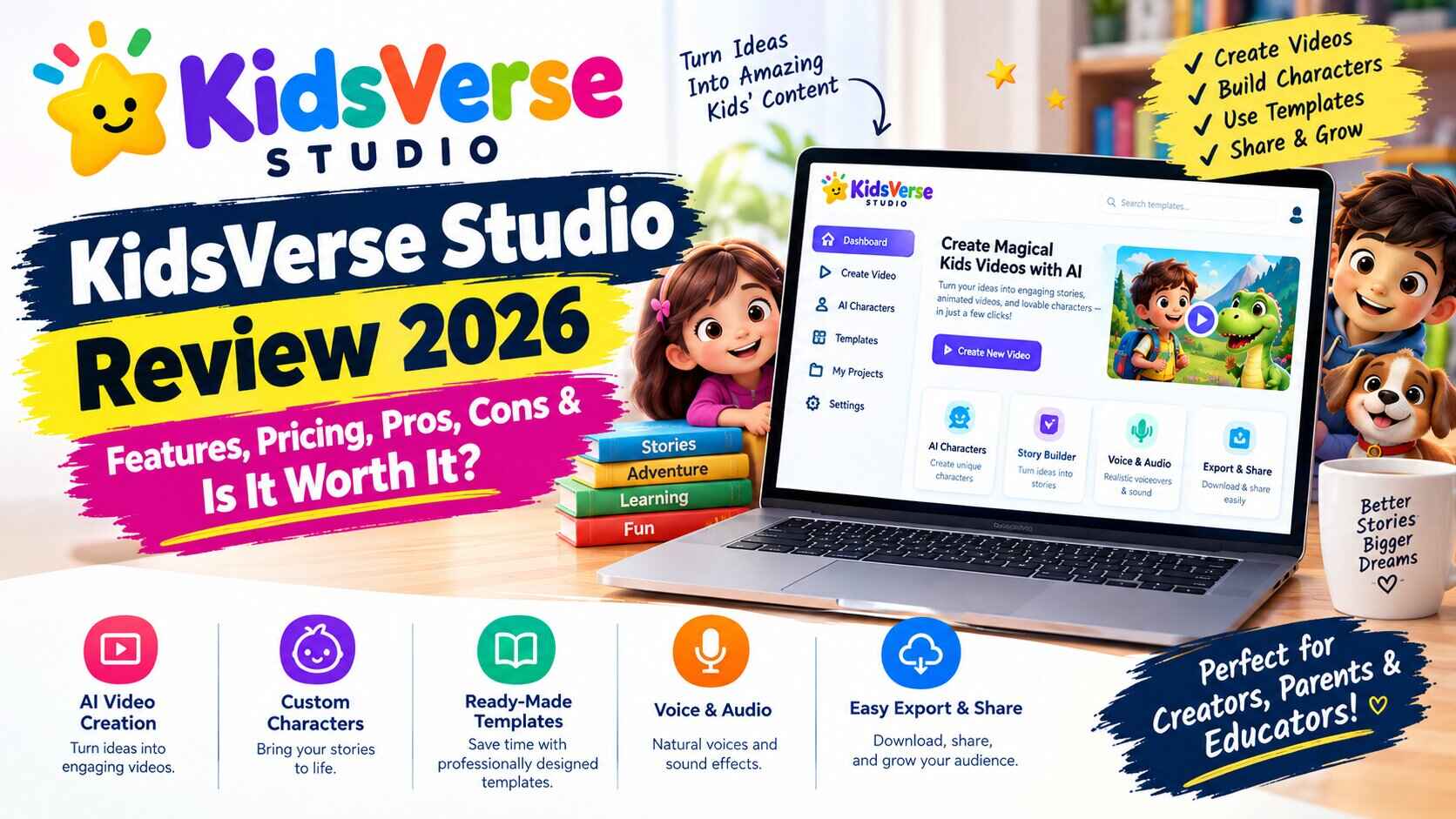
KidsVerse Studio Review 2026: Features, Pricing, Pros, Cons & Is It Worth It?
KidsVerse Studio Review: Explore its features, pricing, pros, cons, and key tools to see if it’s worth using for kids’ content creation. Rainy Sunday. Your kid wants a dinosaur story, a coloring page, and “something with mazes.” You’ve got a laptop, a printer low on ink, and about forty minutes of patience. So you search for free printables and get a pile of blurry scans and signup walls.
Now flip it around. Say you’re the one who wants to make and sell that kind of stuff. Same mess, different headache. Designers cost money, formatting takes forever, and you can’t tell if the whole thing is worth the trouble.
That’s what this KidsVerse Studio review is about. KidsVerse Studio is an AI tool for making children’s content, and according to the sales page it handles storybooks, coloring books, worksheets, crafts and games from a single dashboard. I’ll tell you what it does, what it costs, where it looks good, and where I’d slow down before clicking anything.
Why kids’ content is harder to make than it looks
From the outside it seems easy. Bright pages, short words, a cartoon animal or two. How hard can it be?
Pretty hard, once you try to sell it. If you want low-content books on Amazon KDP or printable packs on Etsy, you’re juggling a lot. You need ideas parents actually want. You need illustrations that don’t look cheap, a layout that prints cleanly, and a cover that still looks good as a tiny thumbnail. Then you need a listing people can find.
The sales page talks about the old route: paying a freelance designer somewhere between $50 and $150 a book and waiting a couple of weeks, or piling up subscriptions to a handful of tools before you’ve made a cent. Those numbers come from the vendor, not me, but they match what a lot of beginners grumble about.
And if you’re a parent or a teacher, not a seller, it’s a different kind of annoying. You want something personal for one specific kid. Or a worksheet that fits this week’s spelling words. Or a craft that uses stuff already in the house. Hunting for it eats the time you meant to spend with the child.
So it’s rarely about a lack of ideas. It’s a pile of small, boring jobs. KidsVerse Studio is built to take that pile off your plate.
KidsVerse Studio Review: What Is It?
Put simply, it’s a browser-based platform that uses AI to make learning content for kids aged 3 to 10. You pick a format, a theme and an age group, and it builds the thing. Then you either download a print-ready PDF or sell it through a little branded website that comes with the tool.
The person behind it is Yogesh Kashyap, who says he’s launched a lot of products over the years. I can’t check that, so take it as the sales page’s version.
What sets it apart from a plain AI writing tool is how much of the chain it tries to cover. Most people end up with one app for stories, another for images, another for layout and another for a store. This tries to do all of it, from the idea to the sale. It’s aimed at parents, teachers and tutors, people who sell on KDP or Etsy, and freelancers who serve schools and daycares.
How does KidsVerse Studio work?
The page describes three steps, and I like how plain they are.
First, you pick. That means the format (storybook, coloring book, worksheet, craft or game), a theme like dinosaurs, space, the alphabet or feelings, and the child’s age group.
Second, the AI builds it. Story, pictures, layout, cover, the lot. If you want a personal touch, you can drop in a child’s name so they star in the story.
Third, you publish. Download KDP- or Etsy-ready PDFs, or put it straight onto your own branded “Zone,” which is the mini website included with the tool.
The page says you can finish a first product in about 60 seconds. I’d treat that as demo speed. Even if it takes you ten times longer, that’s still much quicker than building a book from nothing.
KidsVerse Studio features
AI eBooks and audiobooks
This part makes fully illustrated storybooks with a real beginning, middle and end. You can personalize them with a child’s name. There’s also a flip-book reader so the pages turn like a real book, read-along narration, and quizzes that get made automatically for comprehension.
Why it matters: a story with your own kid’s name in it is the sort of thing parents and grandparents happily buy as a gift, and it’s hard to find ready-made.
Coloring books
You choose a theme and it produces thick-lined pages that print well, then packs them into a book with a front cover, a back cover and a page for the owner’s name. If you’ve ever put one together by hand, you know how much time that saves.
Worksheets and crafts
Teachers and homeschooling parents will care about this one most. The page lists 32 learning categories, including alphabet tracing, number practice, matching, mazes, sight words, patterns and word searches. The craft side gives step-by-step paper craft instructions with material lists and safety notes.
The other stuff
There’s quite a bit more:
- 350+ learning games, plus an AI game maker for custom themed ones, including 90 “Quest Games.”
- A library of 50,000+ ready-made kids’ assets across 32 categories, with commercial use included.
- The Zone: a branded mini site on a yourbrand.kids-verse.com address (or your own domain), with a built-in store, order tracking, basic analytics and a player leaderboard.
- Places to sell: Amazon KDP, Etsy, Gumroad, print-on-demand, local clients like daycares and schools, or free content to build an email list. Payments go through your own Stripe, PayPal or Razorpay account.
- Browser-based, so there’s nothing to install, and it works on desktop, tablet and phone.
KidsVerse Studio pricing
This is the part where I’d read slowly.
The launch offer is $17, paid once, with lifetime updates and no monthly fee during the launch window. The page says the price switches to a monthly subscription after the launch period, and there’s a countdown timer to remind you. What the monthly price will be isn’t stated anywhere I could see.
There’s no free trial. What you get is a 30-day money-back guarantee. The page says that if it isn’t for you in that time, you email support and get a refund.
Launch buyers also get five bonuses: a KDP low-content playbook, an Etsy printables checklist, a cheat sheet of 50 kids’ niches, ready-made listing templates for KDP and Etsy, and a fast-action bonus for the first 100 buyers. The page puts big dollar values on them. I’d skip the numbers and ask whether you’d actually use the bonuses.
There are higher tiers too. An agency and white-label upgrade lets you rebrand the platform, manage client accounts and resell licenses, and there’s done-for-you setup and priority support. No prices are shown for any of those.
Is the pricing easy to follow? The $17 part is. What happens after launch isn’t, and I’d want that cleared up before paying.
If $17 still sounds fair once you’ve read the terms, you can have a look at KidsVerse Studio through my link.
KidsVerse Studio pros and cons
Pros
- It’s all in one place. Stories, coloring pages, worksheets, games and a shop, without paying for five different tools.
- Easy to start. Pick, generate, publish. The page says you don’t need design or writing skills.
- Plenty of formats. If one idea doesn’t sell, try another without learning new software.
- Personalization. Name-based storybooks are a real selling point.
- Cheap to try. $17 is a small bet, with a 30-day refund promise behind it.
- Commercial use is included, which matters if you plan to sell.
- A store of your own. You can sell from your Zone without marketplace fees and keep the sales.
Cons
- The monthly price is a blank. The page says the launch deal ends but not what comes next.
- No free trial. You pay first and rely on the refund policy.
- Upgrade prices are hidden. Agency and white-label tiers are mentioned with no numbers.
- Details are thin. I couldn’t find anything on limits for how many products you can make, how often you can regenerate, or how much you can store.
- You’re the quality checker. AI can slip up on a story’s logic or an illustration’s details, and kids’ content deserves careful eyes.
- The testimonials are all “early access reviewers.” That’s friendly feedback, not long-term user reports.
- No promise of income. The page’s own disclaimer says so, which is honest, and worth remembering next to the big market claims.
Who is KidsVerse Studio best for?
Parents. A one-off story with your child’s name in it, or a worksheet for this week’s spelling list, could save you a lot of searching. You won’t use the selling side, so the real question is whether you’ll use the creation side often enough for $17 to make sense.
Teachers and tutors. Themed worksheet packs, quizzes and games for a unit are the obvious fit. Check that the content matches what you’re really teaching.
Creators and side-hustlers. This is who the page is mostly talking to: people who want to make low-content books for KDP or printable packs for Etsy. The bonuses on niches and listings may help you get moving.
Freelancers and small agencies. The white-label options are meant for people who serve daycares, schools and tutoring centers. Since the upgrade prices aren’t listed, I’d ask before building a business plan around them.
Who should probably pass. Anyone wanting a polished, professionally illustrated picture book for a big publisher. Anyone expecting income with no effort. And anyone who won’t read the rules on Amazon KDP or Etsy. Both have policies about AI-generated material and low-quality content, and you’re the one responsible once you upload.
A few quick pictures of where it might fit. These are made up, not customer stories.
Say a mum named Priya wants a “Priya and the Moon Rocket” story for her six-year-old’s birthday, plus a matching coloring sheet. That’s a ten-minute job instead of a whole evening.
Say a tuition-center owner needs fresh worksheet packs every month and doesn’t want to pay a designer each time. A steady supply of themed packs is what this kind of tool is made for.
Say a side-hustler wants to test five Etsy niches this month. Cheap, quick drafts let her find out which idea sells before she sinks real time into any of them.
KidsVerse Studio user experience
I haven’t spent weeks inside the dashboard, so I’ll stick to what the page describes. It’s one browser-based dashboard with nothing to install, and it works on a phone or a laptop. There’s a built-in AI support assistant, live notifications for things like sales and finished creations, and a studio for audiobook narration.
Setup is meant to be quick: choose, generate, download or publish. For a beginner, that’s the right shape. A tool for non-technical people should feel boring in the best way, with few menus and clear next steps.
What I’d test in your first week is how much you can adjust the results. Can you edit the text, swap an illustration, change the layout? One-click output is great for speed, but you’ll want some control for the final polish.
Is KidsVerse Studio worth it?
At $17, with a 30-day refund promise, the risk is small. The real question is whether you’ll make something with it.
If you’re a parent or teacher who’d use it a few times a year, it can pay for itself in saved evenings. If you’re a seller, it’s a cheap way to test ideas fast, as long as you’re willing to check every page, pick your niches carefully and follow the marketplace rules.
What would make me hesitate is the unknown monthly price after launch. If you buy during the launch window you’re covered by the lifetime-updates promise, but I’d confirm exactly what that covers on the checkout page.
So treat it as a low-cost experiment. Make one product in the first week. Look at the quality with a critical eye. If you like what you get, good. If you don’t, ask for the refund.
KidsVerse Studio Review: Final Verdict
To wrap up this KidsVerse Studio review: it’s a wide, ambitious tool for making children’s educational content, from storybooks and audiobooks to worksheets, coloring books and games, with a store built in for selling. The low launch price, the easy start and the personalization are the best parts. The catches are the unclear price after launch, the missing detail on limits, and the need to double-check every AI-made page.
Nothing in here replaces taste, effort and a good niche, and the vendor’s own disclaimer says so. But as a way to get going without hiring designers or stacking subscriptions, it’s worth a look.
If you’re curious, see the current KidsVerse Studio offer here, read the terms carefully, and decide for yourself.
Frequently Asked Questions About KidsVerse Studio
What is KidsVerse Studio?
An AI platform for making children’s learning content, including storybooks, coloring books, worksheets, crafts and games, for ages 3 to 10. It also comes with a mini website and store for selling what you make.
How does KidsVerse Studio work?
You choose a format, theme and age group, the AI builds the content, and you download print-ready PDFs or publish to your own branded Zone.
How much does KidsVerse Studio cost?
The launch offer is $17, paid once. The page says it moves to a monthly subscription after launch but doesn’t give the amount. Agency and white-label upgrades exist, but their prices aren’t shown.
Is KidsVerse Studio easy to use?
The page calls it beginner-friendly, with no design or writing skills needed, and says it runs on any device with a browser. Try it yourself inside the refund window to see how it feels.
Who can use KidsVerse Studio?
Parents, teachers, tutors, creators selling on KDP or Etsy, and freelancers who work with schools and daycares.
Does KidsVerse Studio offer a free trial?
No. There’s a 30-day money-back guarantee instead, so you can try it and ask for a refund if it isn’t for you.
Is KidsVerse Studio worth it?
For $17 with a refund window, it’s a reasonable low-risk experiment, especially if you’ll use it regularly. Check the after-launch pricing and the marketplace rules first, and don’t expect guaranteed income.
Also CHeck: KDP Profit Machine Review: Can a $17 Tool Really Get You Publishing on Amazon?
Quick note: the links in this post are affiliate links. If you buy through them, I may earn a small commission, at no extra cost to you. I try to be upfront about the downsides of anything I write about, but please read the offer details yourself before you buy, and don’t spend money you can’t afford to lose.