Marblism vs OpenClaw (2026): Ready-Made AI Team or Free DIY Agent?
If you’ve been reading about AI agents lately, you’ve probably seen the little red lobster. OpenClaw took over tech Twitter, racked up hundreds of thousands of GitHub stars, and made a lot of people wonder if they should just run their own AI assistant for free. Meanwhile, tools like Marblism offer a ready-made team of AI employees for a small monthly fee. So the question I kept coming back to was this one: in a Marblism vs OpenClaw showdown, which one actually makes sense for a regular business owner?
I spent time on both official sites, the documentation, security coverage and independent reviews. Here’s what I found, in plain English. I’ll tell you where OpenClaw is genuinely impressive, where Marblism is the easier choice, and who should skip which.
The Problem: “Free” Sounds Great Until It Isn’t
Let’s start with something that happens a lot.
You’re a business owner with a full plate. Emails are piling up. You haven’t posted online in a week. You missed a call yesterday. Then you see a post about a free, open-source AI agent that apparently runs your inbox, books your flights and manages your calendar from WhatsApp. No subscription. No monthly fee. Just download it.
You’re sold. Free is hard to beat.
Then reality shows up. You find out you need a computer or server for it to run on. You need to connect it to an AI model, which usually means an API key and a bill that depends on how much you use it. You need to give it access to your email and files. You hear words like “gateway,” “skills,” “sandbox” and “prompt injection.” And somewhere in the second hour of setup, you start to wonder whether you’re running an assistant or becoming an IT department.
That’s the quiet cost of free. It isn’t always money. Often it’s time, attention and risk.
On the other side, you don’t want to hand over $500 a month to an agency or a virtual assistant either. You just want some of the repetitive work to disappear.
So let’s compare these two options properly.
Meet Both Tools
OpenClaw: The Open-Source Agent You Run Yourself
OpenClaw is a free, open-source AI agent created by developer Peter Steinberger. It runs on your own machine (Mac, Windows or Linux), and you talk to it through chat apps like WhatsApp, Telegram, Slack, Discord, Signal or iMessage. Its website lists 29 channels.
Here’s what it says it can do: organize your inbox, send emails, manage your calendar, check you in for flights, browse the web, fill in forms, read and write files, and run commands on your computer. It has persistent memory, so it remembers your preferences and projects between conversations. And it’s extensible through “skills,” which are add-ons the community builds and shares.
A few important details from the official site:
- It’s MIT licensed, with no paid version and no hosted tier.
- It’s stewarded by the OpenClaw Foundation, an independent non-profit.
- It lets you bring your own model, including hosted models, subscription-backed models and local models.
- Native desktop apps are available now, so setup isn’t only for people comfortable with a terminal anymore.
It’s genuinely impressive technology. Think of it as a powerful general-purpose assistant with a lot of freedom.
Marblism: Seven Ready-Made AI Employees
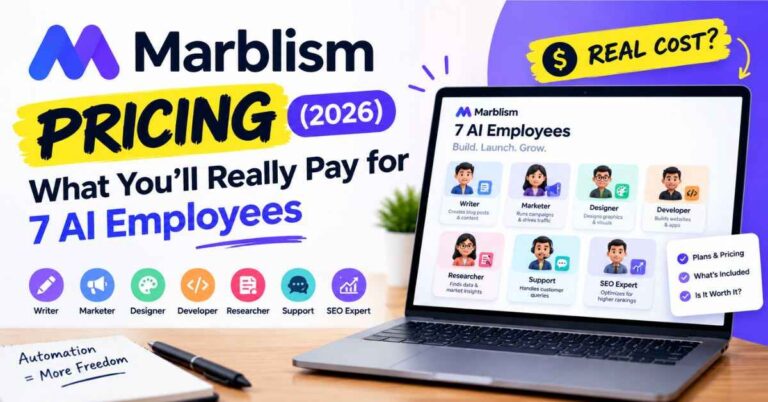
Marblism is the opposite approach. Instead of one flexible agent you build and maintain, you get seven AI employees, each with a defined job:
- Eva handles your inbox and calendar.
- Sonny runs your social media.
- Stan finds leads and does outreach.
- Penny writes SEO content.
- Rachel answers your phone.
- Walter builds your website.
- Linda reviews contracts.
They connect to tools like Gmail, Outlook, Instagram, LinkedIn, WordPress and Shopify. It’s a hosted service, so there’s nothing to install or maintain. The company says more than 40,000 businesses use it and shows a 4.8 out of 5 rating on Trustpilot.
If you want to look at the team while you read, here’s the official Marblism page. It’s free to look around.
Marblism vs OpenClaw: The Real Differences
Let’s go through it piece by piece.
Difference 1: Setup and Who It’s Built For
OpenClaw offers a one-line installer and desktop apps, and its docs aim to make setup quick. Some reviewers call it a manageable afternoon project if you’re comfortable with servers and Docker. Others describe it as one of the harder setups they’ve tried, even with good documentation. That range tells you something: your experience will depend a lot on your technical comfort.
It’s also not a one-time job. Because you host it, you’re responsible for updates, configuration, connecting your accounts safely and fixing things when they break.
Marblism asks you to sign up, connect your accounts, describe your business and goals, and approve what your employees produce. There’s no server, no API key and no model to choose. Marblism says you don’t need to be good at prompting.
So here’s the plain truth. OpenClaw was born in the developer world, and it shows. Marblism is built for people who just want the work off their plate.
Difference 2: What Each One Actually Does
OpenClaw is a generalist with big reach. It can work across your files, browser and apps, and it’s popular for things like inbox triage, scheduling, daily briefings, research and even coding workflows. Its power comes from flexibility: you decide what it does, and you can teach it new skills.
Marblism is specialized for small business jobs. Rachel answers phone calls. Sonny posts to social media. Penny writes and publishes SEO articles. Stan searches a contact database and does outreach. Walter builds a website. Those are things small business owners often never get around to.
One honest note: OpenClaw can be set up to do many of these things, including phone calls via third-party services, but you’d be assembling and maintaining the pieces yourself. With Marblism, those roles come ready.
Difference 3: The Real Cost
This is where “free” gets interesting.
OpenClaw: The software costs nothing. But running it isn’t free. You need a machine or server to host it, and you pay for the AI model it uses, either through API usage or a subscription you connect. Some guides estimate a useful cloud setup at roughly $10 to $15 a month for light use. Others warn that costs can climb quickly if you leave always-on tasks running, with a few users reporting bills in the hundreds of dollars for constant background jobs. Your actual number depends on what you ask it to do and which model you choose. And then there’s your own time, which isn’t free either.
Marblism: $24 a month on the yearly plan ($288 a year) or $44 a month if you pay monthly. That includes all seven employees, unlimited businesses, unlimited team members and 50 hours of AI work per month. There’s also a 7-day money-back guarantee. Hours are only used by advanced AI actions, and you can buy top-ups if you run out.
So OpenClaw can be cheaper for a technical person who likes tinkering and keeps usage modest. Marblism is more predictable if you value a flat price and no maintenance.
Difference 4: Security and Control
I want to be fair here, because this topic gets heated.
OpenClaw’s strength is control. Your data and memory live on your machine, and the project is open source, so anyone can inspect it. You choose the model. You can run it fully sandboxed or with full access.
But that same power creates responsibility. Security researchers and companies including Cisco have raised concerns, especially about community-built skills. In early 2026, one security firm reported hundreds of malicious skills in the ClawHub marketplace. Reviewers also point out risks like credentials stored in plain text and prompt injection, where a malicious message tricks the agent into doing something you didn’t intend. Microsoft’s own guidance reportedly recommends treating it like untrusted code with persistent credentials and running it in an isolated environment.
To be fair, the project has been responding. It has added skill scanning with ClawScan and partners like Tencent’s AIG, Microsoft has worked on running it inside protected containers on Windows, and there’s an enterprise platform for sensitive environments. So the picture is improving. But the main point stands: with a self-hosted agent that has access to your email, files and accounts, you are the security team.
Marblism is a hosted service, so the company handles the infrastructure. Its site says data is encrypted in transit and at rest, that it has been independently audited at CASA Tier 2, and that your data isn’t used to train AI models. You still decide what to connect, and you review what the employees produce. Hosted doesn’t mean risk-free, but it removes the “I have to secure this myself” part.
Difference 5: Day-to-Day Experience
With OpenClaw, you text your agent like a coworker, and it can act on your computer and apps. It’s flexible and feels like a personal assistant that grows with you. The trade-off is that you’re shaping its behavior and watching what it does.
With Marblism, the experience is more like managing a small team. Each employee has a lane, checks in for approval, and works toward your goals. You spend less time configuring and more time reviewing.
Quick Comparison
| Marblism | OpenClaw | |
|---|---|---|
| What it is | Seven hosted AI employees | Open-source self-hosted AI agent |
| Price | $24/mo yearly, $44 monthly | Free software, plus model and hosting costs |
| Setup | Sign up and connect accounts | Install, connect a model, configure |
| Best for | Non-technical small business owners | Technical users who want full control |
| Phone answering | Built in (Rachel) | Possible with extra setup |
| Maintenance | Handled by Marblism | You handle updates and security |
| Usage limit | 50 hours of AI work per month | Depends on your model and hardware |
| Refund | 7-day money-back guarantee | Not applicable (free) |
Costs and features come from each company’s official pages and independent reviews at the time of writing and may change. Marblism Review 2026: Pricing, Honest Pros and Cons, and Who Should Actually Use It
Real-World Examples
Let’s picture real people.
The developer who loves to tinker. He’s comfortable with Docker, has a spare Mac mini and wants an agent that writes code, watches deployments and runs on his own terms. OpenClaw is a great fit.
The home-service owner. She’s on a job site all day and misses calls. Rachel answering, booking and texting a summary is what she actually needs. She does not want to configure a phone integration.
The coach who needs content. She wants social posts and weekly blogs published without much effort. Sonny and Penny handle that inside her accounts.
The privacy-focused founder. He wants everything on his own hardware, with local models and nothing leaving his network. OpenClaw’s self-hosted design matches that goal, as long as he’s willing to manage security.
The small shop owner. She wants fewer moving parts. No servers, no API bills, no skills to vet. Marblism fits better.
The team that wants both. Some people use a packaged tool for standard small-business work and a self-hosted agent for deeper, custom automation. That’s a reasonable setup if you have the skills for it.
The Honest Downsides
Marblism: The 50 shared hours can run out if you push every employee hard. You’ll need to review the work, and setup takes some effort for things like lead generation and brand voice. Human support works business hours, with an AI bot covering the rest. And it’s a fixed set of roles, so it won’t flex into custom tech workflows the way OpenClaw can.
OpenClaw: Setup and upkeep are on you. Costs depend on model usage and can surprise you. Security needs real attention, especially with community skills and account access. And as a general-purpose agent, it doesn’t come with built-in small-business roles like a receptionist or SEO writer.
None of these are dealbreakers. They just decide who each tool is for.
So Which One Should You Pick?
Here’s the simple version.
Pick Marblism if:
- You’re not technical and don’t want to host or secure anything yourself
- You want ready-made roles for email, social, leads, SEO, calls, your website and contracts
- You prefer one flat, predictable price
- You’d rather review work than build and maintain an agent
Pick OpenClaw if:
- You’re comfortable with servers, command lines and security basics
- You want full control, open source code and the ability to run local models
- You need custom automations that go beyond standard small-business tasks
- You enjoy tinkering and don’t mind managing the upkeep
If you’re unsure, ask yourself one question: do I want to build an assistant, or do I want help with my work this week? If it’s the second one, take a look at what Marblism’s team can handle for you.
Why I’d Lean Marblism for Most Business Owners
OpenClaw is impressive, and I mean that. But for the typical small business owner, three things tip it toward Marblism.
First, time. Your hours are worth more than the monthly fee. Skipping setup, hosting and upkeep is a real saving.
Second, less risk. You’re not handing an autonomous agent access to your computer and accounts and then hoping your configuration is right.
Third, it’s easy to test. A 7-day money-back guarantee means you can try your most painful task and decide with real results.
If that sounds like your situation, give Marblism a proper test run and see which employee you’d put to work first.
Quick FAQ
Is OpenClaw really free? The software is free and open source. You still pay for the AI model it uses, and for a computer or server to run it, plus your own time.
Is Marblism better than OpenClaw? For non-technical small business owners who want ready-made roles and no maintenance, usually yes. For technical users who want full control and customization, OpenClaw may suit them better.
Is OpenClaw safe? It can be, if you configure it carefully, use trusted skills and run it in a protected environment. Security researchers have raised real concerns, so treat it seriously.
How much does Marblism cost? It’s $24 a month billed yearly or $44 a month if you pay monthly, with a 7-day money-back guarantee.
Can I use both? Yes. Some people use a packaged tool for everyday business tasks and a self-hosted agent for custom automations.
Affiliate disclosure: Some links in this post are affiliate links for Marblism. If you click one and decide to buy, I may earn a small commission at no extra cost to you. I’ve tried to be fair to OpenClaw and to give you the real trade-offs, and I only recommend what I think can genuinely help. Thanks for supporting the blog.