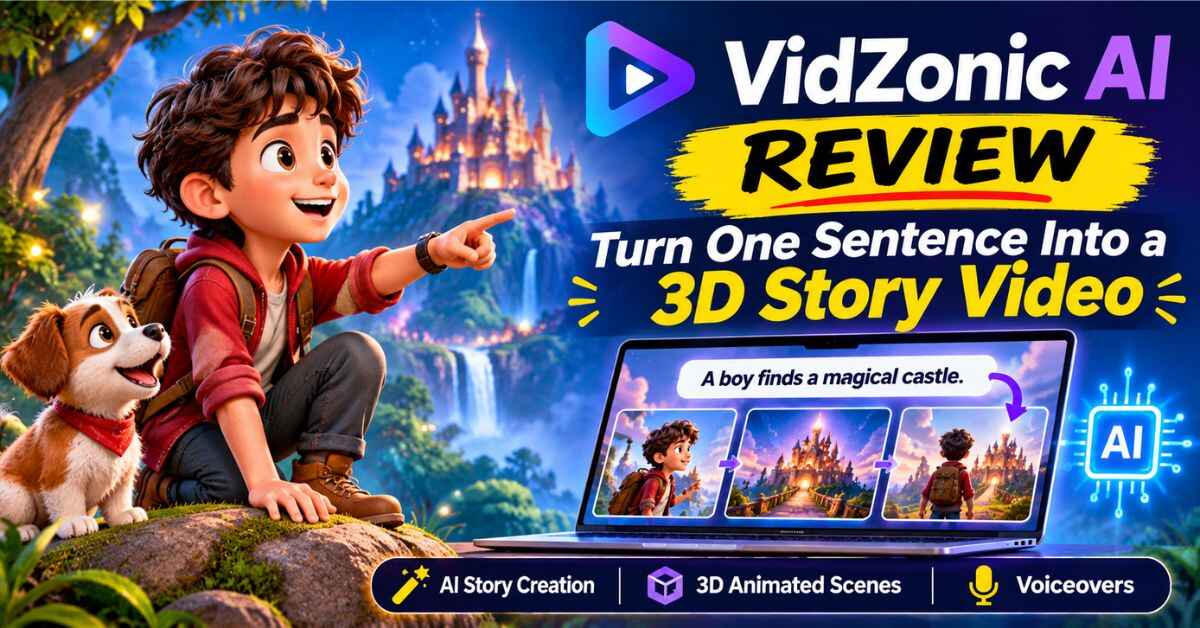
VidZonic AI Review 2026: Turn One Sentence Into an Animated 3D Story Video
Picture this. You type one line, something like “a baby dragon hatches and goes looking for its mom,” and a couple of minutes later you’re watching a colorful animated story with characters, narration and motion.
No animator. No editing software. No weekend lost to timelines.
That’s the promise behind VidZonic AI, and in this VidZonic AI review I’ll walk you through what it does, how it works, who it suits, where the limits are and whether it’s worth a look. I’ll be straight about the good parts and the not-so-good parts, because that’s the kind of review I’d want to read myself.
Let’s start with the problem it’s trying to solve.
Why Animated Story Videos Are So Hard to Make
Short animated stories are everywhere right now. Kids’ adventure clips, fantasy tales, bedtime stories, little moral fables. They pull in views on YouTube Shorts, TikTok and Reels, and a lot of the channels behind them don’t show a face.
It looks simple from the outside. Then you try it.
First you need a story that works in a few seconds. Then characters. Then a picture for every scene, and those pictures need to look like the same world. Then animation, so it isn’t just a slideshow. Then a voice. Then music. Then everything has to be stitched together in an editor, exported, and uploaded.
Each step lives in a different tool, and each tool has its own learning curve and its own monthly bill.
Here’s how that usually goes:
- You spend an evening on a script and love it
- You spend the next evening wrestling with images that don’t match
- You spend a third evening on editing and give up halfway
- The idea sits in a folder, unfinished, for months
I’ve watched this happen to creators with great imagination and plenty of motivation. The ideas were never the issue. The pile of tools and skills between the idea and the finished video was.
And if you want to make videos for clients, it’s worse. Animation is slow and costly, which is exactly why small businesses, authors and schools rarely get animated videos at all.
So What Is VidZonic AI?
VidZonic AI is a cloud-based app that turns a story idea into a short animated video. You don’t install anything. You log in, describe your idea, choose a few settings, and let it build.
Here’s what it does in one flow, as shown in the demo:
- Writes the story from your idea, with an optional key message like “kindness turns surprises into adventures”
- Creates the characters and gives each one a role and a look
- Builds each scene as a picture and a short animated clip
- Adds narration and dialogue in the language you choose
- Puts the finished video in your library, where you can keep editing
You also pick a visual style. The options shown include cinematic realistic, 3D animation, anime, 2D cartoon and storybook watercolor, so the same idea can feel very different depending on your choice.
The creators position it as a one-time purchase with a commercial license and a 30-day money-back guarantee. No monthly subscription for the app itself, which is a nice change from the usual pile of recurring tools.
👉 Want to see what the app actually looks like in action? Take a look at the VidZonic AI demo here
VidZonic AI Review: How It Works, Step by Step
I like tools that don’t need a manual, and this one is built around a simple routine.
Step 1: Write your idea.
A sentence is enough. If you like, add a “key message” so the story has a point, like friendship, courage or kindness.
Step 2: Pick your settings.
You choose the screen shape, whether that’s wide for YouTube or vertical for Shorts, TikTok and Reels. You choose a genre, a language, and a visual style. You also pick the length of the story: 10, 20 or 30 seconds.
Step 3: Generate.
The app writes the story, creates the cast and builds the scenes. When it’s done, your video shows up in the library, marked as ready.
Step 4: Edit anything you don’t love.
This is where I think VidZonic stands out. Every scene has its own picture and its own short clip. You can change the narration, rewrite a character’s dialogue, redraw a picture, or redo the animation. You’re not stuck with whatever the AI gave you the first time.
Step 5: Export and share.
Once you’re happy, you export the finished video and post it wherever you like.
Most beginners get stuck because they need to learn five tools before they can finish one video. Here, you learn one screen.
The Features That Actually Matter
A long feature list can be a blur, so here are the parts I think make a real difference.
Idea-to-story in one place.
You don’t need a separate writing tool, image tool and animation tool. The story, the cast, the scenes and the voices all come out of the same flow.
Editable scenes.
Redraw a picture. Re-animate a clip. Rewrite a line of dialogue. If a scene is almost right, you can fix it without starting over.
Character control.
Each character has a role, a few personality tags and a description of how they look. You can edit that description and redraw the character, which is how you keep faces consistent from scene to scene. Consistent characters are what make a story feel like a real story and not a random set of pictures.
Several visual styles.
From realistic to 3D to anime to watercolor, you can match the look to your audience. A kids’ bedtime story and a fantasy battle shouldn’t look the same, and here they don’t have to.
Narration and dialogue.
The app adds voices for narration and for each character, and there’s a language option, so you can aim at audiences beyond English. The creators talk about 100+ languages and lots of voices, so it’s worth checking the language list when you try it.
A video merger.
Short clips can be joined into a longer video. In the demo, two 20-second stories were combined into a 40-second video. The merger joins stories of the same length and shape.
An image studio.
You can generate images in different styles, edit them using plain-language instructions, enhance them to higher quality, and create variations. If you ever need a thumbnail, a cover image or artwork for a story, that’s already there.
A prompt engine for adventure ideas.
Pick a theme like a pirate island or a dragon quest, and the app gives you a detailed story prompt you can copy and use. It’s handy on days when you’re staring at a blank box.
A stock media and music library.
There’s a searchable library of images, clips and music. One heads-up worth knowing: it appears to draw from free stock sources like Pixabay, so it’s a convenient search tool rather than AI-made content. It’s still useful, just keep that in mind.
One-time payment.
No monthly subscription for the app itself, and a commercial license so you can use it for clients.
Let’s Talk About Video Length (Because It Matters)
This is the part many reviews gloss over, so let me be clear.
In the demo, each story is 10, 20 or 30 seconds long. Those map to 2, 4 or 6 scenes. If you merge stories, you can get to roughly a minute.
That makes VidZonic a short-form tool. It’s well suited to YouTube Shorts, TikTok, Reels, short story clips, intros, teasers and quick animated moments for clients. It isn’t designed to produce a ten-minute animated movie in one click.
I don’t see that as a flaw, as long as you know it going in. Short-form is where a huge amount of attention lives right now, and short animated stories are a format that fits it perfectly. But if you were picturing long, full-length YouTube stories, you’d need to stitch many clips together in another editor, or look at a different type of tool.
Going in with the right expectations is the difference between a happy buyer and a disappointed one.
👉 Curious what a 20- or 30-second story looks like when it’s finished? Watch the demo here
Who VidZonic AI Is a Good Fit For
Different people will use this in very different ways, so let me paint a few pictures.
The faceless short-form creator.
You want a Shorts or TikTok channel without ever showing your face or recording your voice. Animated mini-stories with a recurring hero could be a great fit.
The parent or teacher with a story to tell.
A moral tale, a classroom lesson, a bedtime story with a few characters. You can turn it into a short animated clip without learning animation.
The freelancer.
Small businesses, authors and schools often want a short animated video but can’t afford a studio. With a commercial license, you could offer quick animated clips as a service. Just make sure you check the license terms and use the watermark-free option for client work.
The marketer or affiliate.
Short animated stories can be a fresh way to grab attention, whether for a brand, a product or a niche page.
The author or storyteller.
You’ve written a short fantasy or adventure. Turning it into an animated teaser can help people discover it.
The complete beginner.
If you can type an idea, you can start. The app is designed for people with no animation or editing skills.
If one of those sounds like you, this is worth a closer look.
A Few Real-Life Examples
Let me make this concrete with scenes you might actually create. These are ideas, not promises of results.
A 20-second fable.
“A shy fox helps a lost rabbit find its way home.” Four scenes, two characters, a warm watercolor style. A tidy little story for a kids’ channel.
A fantasy teaser.
“A young knight discovers a glowing sword in an ancient cave.” Thirty seconds, six scenes, a dramatic 3D look. Great as a hook or a trailer.
An animated intro for a channel.
Ten seconds, two scenes. A friendly character welcomes viewers and sets the tone.
A short story for a client.
A local bakery wants a cute animated clip about a little cupcake going on an adventure. You create it, polish a scene or two, and deliver it.
A series with a recurring hero.
You build one character, give them a fixed look, and make a new short adventure each week. Because you can edit and redraw characters, your hero can stay consistent over time.
A multilingual version.
You make a story once, then try it in another language to reach a new audience. As always, test how the voices sound in the language you choose.
None of these needs a camera, a microphone or an editing timeline. Also read: CineMill Creator Review 2026: Turn One Sentence Into a Cinematic Story Video
Pricing, Upgrades and the Watermark
Let me explain this part plainly, because launches can get confusing.
VidZonic AI is offered at an early-bird launch price, and the creators say the price climbs during the launch window. It’s a one-time payment, and there’s a 30-day money-back guarantee. Launch details can change, so check the exact price and dates on the official page.
There are also optional upgrades. I’m not going to walk through every one, because most people don’t need them on day one. But there’s one that’s worth understanding.
The Premium upgrade, listed at around $47, is the one that removes the VidZonic branding and watermark. If you plan to publish professional videos or make clips for clients, that’s the upgrade that makes the output look clean. It also adds extra visual and image tools.
Another upgrade removes daily limits, which matters if you plan to create lots of videos in a day. If you’re a casual creator making a few clips a week, you may not need it.
The other upgrades cover done-for-you setup, automation, a character studio, fantasy world tools, YouTube tools, agency features and reseller options. Some of those might be useful later, and some probably aren’t for most people.
My practical advice: start with the main app, make a few test videos, see how you like it, and add upgrades only when you have a real reason. There’s no need to buy everything at once.
The Honest Pros and Cons
A review is only useful if it tells you the trade-offs, so here’s how I see it.
What I like:
- Turns one idea into an animated story, with characters, scenes and voices
- Every scene is editable, so you’re not stuck with the first result
- Character descriptions you can edit help keep faces consistent
- Several visual styles to fit different audiences
- A built-in image studio is a nice bonus
- Beginner-friendly, and it runs in the cloud, so there’s nothing to install
- One-time payment, commercial license and a 30-day money-back guarantee
What to keep in mind:
- Stories are 10, 20 or 30 seconds long, so it’s a short-form tool
- The base version includes a watermark, which the Premium upgrade removes
- Daily limits apply on the base version, and an upgrade removes them
- The stock media and music library appears to pull from free stock sources
- It’s a new product, so test it yourself during the guarantee window
- A good story and a steady posting routine still matter more than any tool
None of those points is a dealbreaker. They simply help you choose with open eyes.
Why Short Animated Stories Are Worth Paying Attention To
There’s a reason I keep coming back to this format.
Short videos are easy to watch, easy to share and easy to repeat. Add a charming character and a tiny story with a beginning, middle and end, and people remember it. That’s the whole reason animated shorts do so well.
The catch has always been production. Making even a 30-second animated story by hand can take days. A tool that compresses that into minutes changes what’s possible for a solo creator.
That doesn’t mean everything you publish will take off. Platforms reward original, engaging content, and they tend to look less kindly on repetitive, low-effort videos churned out in bulk. If you’re going to use a tool like this, put your own ideas into it: your characters, your stories, your voice and your point of view. The tool saves you the production time, and your creativity decides whether people care.
A little advice if you’re thinking about kids’ content: platforms have specific rules about videos made for children and about labeling AI-generated material. Take a few minutes to read them before you upload.
👉 Got a story idea you’ve never had the tools to make? See what VidZonic AI can do with it here
A Simple Way to Test It Without Overthinking
If you decide to try it, here’s the approach I’d take.
- Make three test videos. Pick three different ideas and three different styles. Don’t judge it on one attempt.
- Edit a scene or two. Try redrawing a picture and re-animating a clip. See how much control you really have.
- Check the voices. Listen to the narration, and if you’re aiming at another language, test that too.
- Look at the output. Is the quality good enough for the platform you have in mind?
- Decide on upgrades. If the watermark is a problem, look at Premium. If the daily limit gets in your way, look at the unlimited option.
- Use the refund window. If it isn’t for you, the 30-day guarantee gives you time to find out.
That way, you’re making a decision based on your own results and not on anyone’s sales page, including mine.
So, Is VidZonic AI Worth It?
Let me wrap this up the way I’d talk to a friend.
If you love the idea of making short animated stories and you’ve been put off by the cost, the tools and the learning curve, VidZonic AI is worth a serious look. It brings the story, the characters, the scenes, the voices and the editing into one place, it’s built for beginners, and the one-time price is friendly compared to stacking subscriptions.
It isn’t magic. The stories are short, the base version has a watermark, and the best results will still come from good ideas and a bit of patience. But as a way to go from “I have an idea” to “I have a finished animated clip” in minutes, it’s one of the more approachable options I’ve come across.
For creators who want to test the short-form animated-story world without spending weeks learning software, it’s a low-pressure way in. And with a 30-day guarantee, you can find out for yourself.
At the very least, watch the demo and see what you think. If it sparks an idea, you may be one sentence away from your first animated story.
👉 Ready to see it for yourself? Check out VidZonic AI here, look at the current launch offer, and try your first story idea.
Quick note: This post contains an affiliate link. If you buy through it, I may earn a small commission at no extra cost to you. I only share products I think are worth a look, and I’ve tried to be honest about both the good and the not-so-good. This review is based on the demo and the information the creators have shared, so I’d encourage you to test the product yourself during the guarantee period. I’m not promising any views, sales or income, because your results will depend on your own ideas and effort. Please read the official page and terms before you buy.