ShopEmpire Review 2026: Can You Really Make Affiliate Videos Without Ever Showing Your Face?
Let me guess how you got here. You’ve read the affiliate marketing guides, you understand the model, and you know short videos are where the attention is. You still haven’t posted one, because the thought of talking to a camera makes your stomach drop. That’s the person this ShopEmpire review is written for.
ShopEmpire is a new AI tool from Neil Napier and Kamal Jalwania that launched on JVZoo in early October 2026.
The idea behind it is pretty straightforward. You find a product that’s already selling, upload or use its product photo, turn that image into a finished video, and then post the video to your social media accounts.
No camera. No voice recording. No complicated editing software.
I went through the sales material, the full funnel, and the dashboard walkthroughs to see how the whole thing works. In this post, I’ll break down what ShopEmpire actually does, what it can cost once you include the upgrades, and where some of the marketing claims seem to get a little ahead of reality.
I’m not here to tell you it’s some kind of magic button.
Instead, I’ll point out what looks useful, what I think is worth paying attention to, and what you should check for yourself before spending any money.
The Problem Nobody Really Talks About
Affiliate marketing sounds simple when someone explains it.
Find a product. Share your affiliate link. Make a commission when someone buys.
Simple, right?
Not quite.
There’s a big gap between understanding how affiliate marketing works and actually doing it consistently. That’s where most beginners get stuck.
The first problem is finding products worth promoting. You can spend hours browsing TikTok Shop, Amazon, and other marketplaces trying to figure out what’s actually selling. Even after all that searching, you may still have no idea whether you’ve found a product with real potential.
Then comes content.
These days, video is hard to avoid. Social platforms heavily favor short-form video, which means simply dropping an affiliate link into a post isn’t enough anymore. You need something people will actually stop scrolling to watch.
And then there’s consistency.
You’re not just creating one video. Ideally, you’re creating and posting content regularly, often across several different platforms. Before long, what started as a side hustle can start feeling like another part-time job.
There’s another issue that doesn’t get talked about enough: being on camera.
Not everyone wants to show their face online.
Maybe you’re naturally shy. Maybe you have a regular job and don’t want your coworkers or people you know seeing your content. Or maybe you’ve tried recording yourself before and simply didn’t like the way you looked or sounded on video.
So what happens next?
A lot of people buy a course, open up a video editor, look at a timeline full of buttons and settings, and think, “I’ll figure this out later.”
Then later never comes.
Meanwhile, other people keep publishing content.
They aren’t necessarily more talented or smarter. They’re simply able to keep putting content out there consistently. And on social media, consistency can make a huge difference.
That’s what makes the whole thing frustrating.
You might have the ideas. You might even have the motivation. What you don’t have is an easy way to turn a product into decent-looking video content without needing a camera, editing skills, expensive software, or the confidence to become the face of your brand.
Hiring an editor isn’t always a practical solution either.
A freelance video editor can cost real money for every video. That might make sense once you’re generating consistent sales, but it’s a tough expense when you’re still testing products and don’t even know which ones will work.
That’s the gap ShopEmpire is trying to fill.
So What Is ShopEmpire, Exactly?
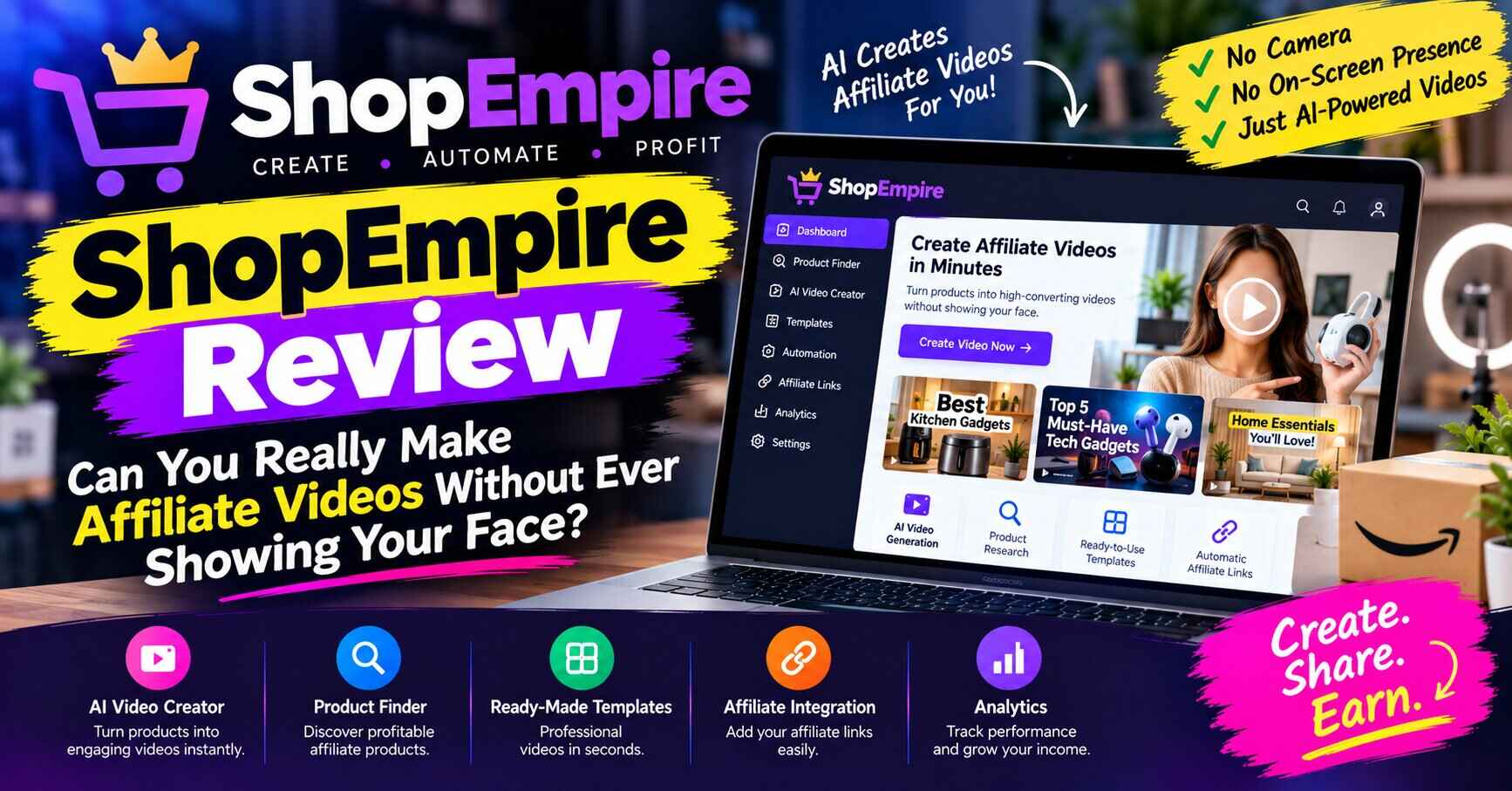
ShopEmpire is a cloud-based tool that takes a product photo and builds a branded, ready-to-post video around it. You don’t need to install anything. You log in, pick a product, choose a template, approve a plan, and the AI renders the video.
What makes it different from many other AI video tools is that product discovery sits inside the same dashboard. Most video generators assume you already know what you’re promoting. ShopEmpire helps you work that out first, then helps you make the video, then helps you publish it.
Here’s what comes with the front end, which is $37 at the time of writing:
- 10,000 video credits to get started
- Trending product discovery across TikTok Shop, Amazon and eBay, covering 10 built-in niches and 16 countries
- A campaign builder that lets you save up to 20 products, each with your own affiliate link attached
- 100 branded templates across 8 categories and 7 aspect ratios
- An AI Studio Assistant that shows you the planned scenes before anything is rendered
- A multi-scene video builder that handles up to 10 scenes and 30 seconds per video
- A publisher and scheduler for TikTok, YouTube, Facebook, Instagram and Pinterest
- A media library so you can reuse your past work
- A commercial license, which matters if you want to make videos for clients
- Built-in training videos
There’s no monthly subscription for the core software. We’ll come back to that, because “no subscription” needs some context.
How It Works, Step by Step
This is probably the part of ShopEmpire I found most interesting. The workflow is actually pretty straightforward. There aren’t a dozen complicated steps to figure out.
Here’s what a typical session looks like.
Step 1: Choose a niche and find a product
First, you pick a niche you’re interested in. There are options such as fashion, beauty, fitness, gadgets, home, pets, and more.
ShopEmpire also shows trending products, along with pricing and discount information. The idea is to help you spot products that already appear to be getting attention before you start creating content around them.
Step 2: Turn it into a campaign
Once you’ve found something you want to promote, you add your affiliate link and save the product as a campaign.
You’re not limited to the products already available inside the platform, either. If you have another product in mind, you can add it yourself and upload your own product images.
Step 3: Pick a video template
Next, you choose a template.
You can filter the templates based on things like style, motion, and video format. The format is especially important because different platforms work better with different video sizes.
For example, a vertical video makes sense for TikTok, while you might want a square format for certain Facebook posts.
Step 4: Let the AI Studio Assistant build the plan
This is where the AI takes over most of the work.
The Studio Assistant places your product image into the selected template and lays out the scenes it plans to create. You can still make changes if you don’t like what it comes up with.
You can replace images, rearrange scenes, adjust how long each scene stays on screen, and choose whether to use the template’s background or your own image.
You can also write your own script if you already know what you want to say. Or, if you’d rather not start from scratch, you can have the AI generate one for you. It can also create a voiceover script.
Step 5: Review it and render the video
One thing I like about this part is that the video isn’t rendered immediately.
You get a chance to review the setup first. Your credits aren’t used until you approve the project and start the rendering process.
Once you approve it, the AI works with your actual product image, adding things like lighting, depth, and motion to make the product fit naturally into the video.
So it’s not simply taking your product photo and dropping it over a random stock video.
Step 6: Publish it
Once the video is ready, you can connect your social media accounts and publish from there.
After the initial setup, the process is fairly simple. Your affiliate link can also be included in the caption, so you don’t have to manually add it every time you publish.
And that’s basically the workflow: find a product, create the video, review it, render it, and publish.
That approve-before-you-spend step is a small thing that says a lot. Anyone who has burned credits on a video that came out wrong in another tool knows how annoying that is. Here, you see the plan first. Want to see the dashboard for yourself? You can take a look at ShopEmpire, including the current pricing and what’s included, right here: Check out ShopEmpire here →
The Real Benefits (Beyond the Sales Page Language)
Let me skip the hype and focus on what actually matters if you’re the one sitting at the desk.
You Can Start Without Showing Your Face
This is the big one, and I don’t want to rush past it. For many people, being on camera is the single thing between them and trying this at all. Removing it doesn’t just save time. It removes the excuse. You can’t say you’re waiting until you feel confident on camera when the tool doesn’t need you on camera.
Research and Creation Live in One Place
Normally, you’d need one tool to research products, another to create the videos, and then a third tool to schedule and publish your content.
Every time you jump from one platform to another, you lose a little time and focus.
Having product discovery, video creation, and publishing in one dashboard makes the process much simpler. Instead of spending your time moving between different tools and browser tabs, you can focus more on choosing the right products and creating content.
That said, there’s an important point to keep in mind.
Dedicated product research platforms such as FastMoss, Kalodata, and EchoTik can provide much deeper sales and product data. ShopEmpire’s research feature is more lightweight. I’d look at it as a convenient way to spot trends quickly rather than a complete replacement for serious product research.
If you’re planning to build a serious e-commerce business, you may eventually want to use a more advanced research tool alongside ShopEmpire.
Templates Solve the Blank-Page Problem
Starting from nothing is often the hardest part of creating content.
You open a video editor, look at the empty timeline, and suddenly you have no idea where to begin.
ShopEmpire’s collection of around 100 templates helps with that. They’re organized by different styles and formats, so you can start with something that’s already designed instead of building everything from scratch.
Pick a template. Add your product. Make a few changes.
That’s a lot easier than staring at a blank screen and telling yourself you’ll do it later.
Sometimes removing that first hurdle is all it takes to actually get started.
Creating Videos in Batches Makes More Sense
Another advantage is that the process is repeatable.
Once you understand the workflow, you can create several videos in one sitting instead of treating every single video like a separate project.
That’s important if you want to post regularly.
Anyone who’s tried to create and publish content every single day knows how quickly the process can become exhausting. Batching several pieces of content at once can make the whole routine much more manageable.
The Commercial License Gives You Another Option
Most people will probably use ShopEmpire to create videos for their own affiliate marketing campaigns.
But the commercial license opens up another possibility.
You can use the tool to create videos for other businesses and potentially offer it as a service.
Think about small local businesses such as cafes, salons, restaurants, or small online shops. Many of them need social media content but don’t have the budget to hire a full production company.
You could create short promotional videos for them instead.
You don’t have to start a video-content service on day one. But knowing that option is available gives the tool a little more potential value if you decide to expand what you’re doing later.
Who Could Actually Use This? A Few Real-World Examples
Software only makes sense when you picture a real person using it. Here are a few who fit.
The nine-to-fiver. Say you work a full-time job and have about an hour in the evening. You don’t want to film, edit and caption after dinner. With a tool like this, you could pick a product, build a video and schedule it in one sitting, then go to bed.
The “tried it before” affiliate. You’ve been sharing links in text posts or blog articles, and the results have been quiet. You know video would help but you’ve never had a workflow for it. A templated, repeatable process gives you something to actually stick to.
The side-hustle beginner. You have no audience, no product and no budget for a course. A low entry price plus built-in training makes it less scary to test the idea before committing real money.
The small agency or freelancer. You offer social media services, or want to. Being able to turn a client’s product photos into short ads quickly, under a commercial license, could save hours per client. (The agency-focused upgrade exists for this, though it’s an extra purchase.)
The shy creator. You’d love to post but dread the camera. This lets you build a presence around products without turning yourself into content.
What About the Money? Let’s Talk About Pricing and Upgrades
This is the part many reviews skip, so I’ll be straightforward.
The front end is $37, and it’s a complete, working product. You aren’t forced to buy anything else. But like most launches on this kind of platform, there’s a funnel of optional upgrades. Here’s the rough shape of it, based on the funnel at launch:
- White Label Reseller (order bump): around $120, lets you resell the software under your own brand
- 120K Credits Pack (order bump): around $120, which works out to 10,000 fresh credits every month for 12 months, paid once
- Credit Booster Pro: around $97, adds 20,000 credits, bulk creation, voiceovers, and removes the ShopEmpire watermark
- DFY Niche Packs: around $67, pre-built campaigns, hooks and copy for 10 niches
- Visionary Studio: around $197, adds image-to-video, text-to-video, a consistent brand character and editing tools
- Agency Dashboard: around $97, for managing client workspaces with white-label output
- Bundle: around $267 for the front end plus the four upgrades, which saves roughly $228 compared with buying each separately
Prices and offers can change, so confirm everything on the checkout page before you decide.
My honest take: start with the front end. See how the workflow feels. See how quickly your credits go. Then decide whether any upgrade solves a problem you’ve actually run into. Upgrading before you’ve made your first ten videos is how people spend money on features they don’t need.
One thing worth knowing: the watermark removal is in the Credit Booster Pro upgrade. If you plan to post videos publicly and want them clean, factor that in.
The Honest Part: What to Watch Out For
I said I’d tell you where the hype goes too far, so here it is. A review without this section isn’t a review.
1. Credits are the real currency. “No subscription” is true, but AI video costs real computing power, so usage is metered through credits. That’s the same as every tool in this category. It’s just packaged as one-time credit purchases instead of a monthly bill. What I couldn’t find anywhere is a clear statement of how many credits one finished video costs. Without that number, you can’t tell whether 10,000 credits is generous or runs out quickly. Test this early and watch your balance.
2. Income claims need a grain of salt. The launch materials reference figures like $1,000 to $3,000 a month, then include a standard disclaimer that results aren’t typical. That’s an illustration, not a promise. A tool can save you time and remove barriers, but it can’t guarantee that anyone watches, clicks or buys. Your product choice, your consistency and your content strategy still decide that.
3. Platform connections are out of the developer’s hands. Auto-posting to five platforms depends on access that TikTok, Meta, Pinterest and others control, and they’ve changed third-party rules before. Even big scheduling tools run into this. If an integration breaks, you might need to post manually for a while.
4. Compliance is on you. If you’re adding affiliate links to captions, you need to follow the rules of the affiliate programs you join (Amazon’s Associates terms are strict about where links can appear) and disclose properly when you’re earning a commission. The tool doesn’t handle that for you.
5. It’s template-driven. The videos are polished, but they come from templates, so if you want highly custom, cinematic work, the higher-tier features may be where that lives. For quick product promos, templates are usually plenty.
None of these are deal-breakers for me. They’re things I’d want to know before spending a dollar, so now you do.
How It Compares With Other AI Video Tools
The AI video space is crowded. Tools like Creatify, Arcads, HeyGen and Pippit all turn product photos or links into videos, and they’re almost all subscription-based. Pricing varies widely, from roughly $24 a month at the lower end to over $100 a month for some.
ShopEmpire’s angle is different in two ways: a one-time front-end price instead of a monthly one, and built-in trending product discovery. If you’re a beginner who wants to test the faceless affiliate idea without committing to a monthly plan, that’s appealing. If you’re already producing at high volume and need maximum control, a dedicated subscription tool may suit you better.
Is There a Guarantee?
According to the funnel materials, ShopEmpire comes with a 14-day money-back guarantee. That’s a decent window to log in, build a few videos and see how it fits your routine. The same wording appears on several pages of the funnel, but check the exact refund terms on the page where you actually buy, just to be safe.
For me, the guarantee is what makes this a low-risk experiment instead of a gamble. Try it properly, make a handful of videos, and if it’s not for you, you can ask for your money back.
Who Should Skip It
To keep this trustworthy, here’s who I wouldn’t point toward ShopEmpire:
- Anyone expecting instant income. If you’re hoping to press a button and wake up to commissions, this isn’t that, and nothing is.
- People who won’t post consistently. The tool removes friction, but it can’t do the posting for a version of you that doesn’t show up.
- Those who need deep market research. The discovery feature is useful, not exhaustive.
- Anyone who isn’t willing to follow affiliate and disclosure rules. That’s a quick way to get accounts banned.
My Verdict
Here’s where I land. ShopEmpire is a real tool that does what it says at its core: it turns a product photo into a branded video and helps you publish it without you ever appearing on screen. The approve-before-render step is thoughtful, the front-end price is modest, and having product discovery, video creation and publishing in one place saves a lot of tab-hopping.
The open questions are the ones I listed. Credit usage isn’t spelled out, income claims should be treated as marketing, and the social integrations depend on platforms that change their rules. If you go in knowing that, with sensible expectations, I think it’s a fair low-risk way to test faceless affiliate videos.
If you’ve been circling this idea for months and the camera has been the only thing stopping you, the 14-day guarantee makes it easy to find out for yourself. Curious whether it fits the way you work? Have a look at what’s inside, check the current price and bonuses, and decide for yourself: See ShopEmpire and the current offer →
Quick FAQ
Do I need video editing experience? No. The templates and the AI planner handle the heavy lifting.
Do I have to appear on camera or record my voice? No. That’s the main idea. The AI can generate a script and a voiceover script for you.
Can I use it for client work? The commercial license says yes, though always check the terms on your own account.
Is there a monthly fee? Not for the front-end software. Credits are the metered part, sold as one-time purchases.
Also Check: BuyerEngine AI Review 2026: Features, Pricing, Pros, Cons & Is It Worth $37?
Quick note: this post contains affiliate links. If you buy through them, I may earn a small commission at no extra cost to you. It’s what keeps this blog running. I only recommend things I’d be comfortable pointing a friend toward, and I’ve tried to be upfront about the downsides here. Results vary from person to person, and nothing in this review is a promise of income.