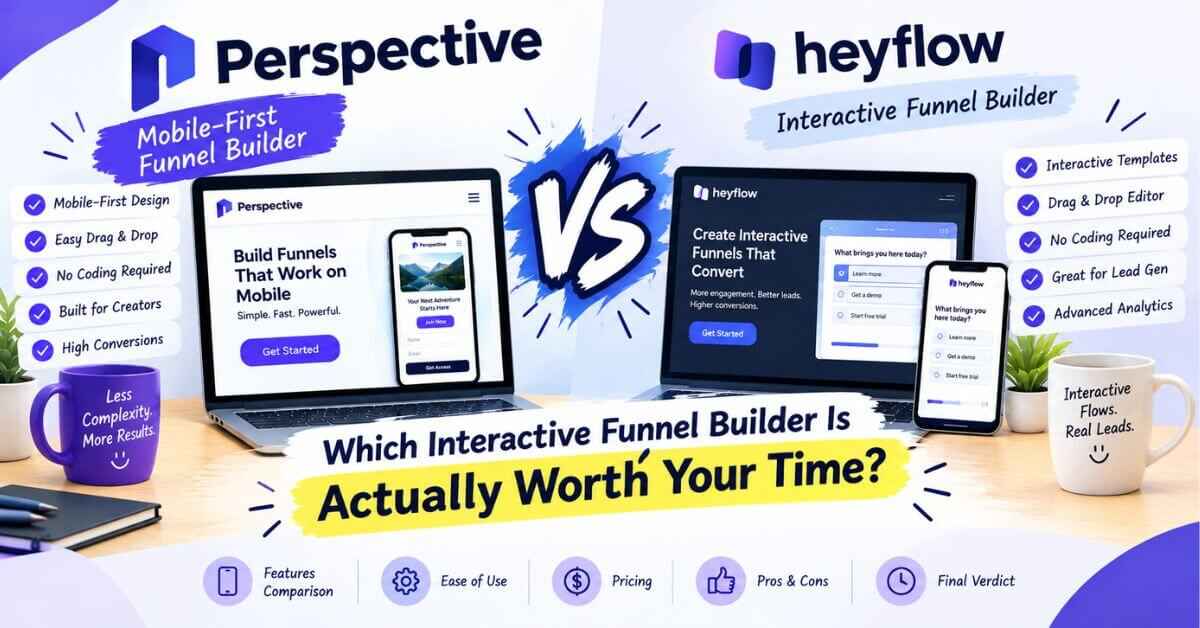
Perspective vs Heyflow: Which Interactive Funnel Builder Is Actually Worth Your Time?
If you’re weighing Perspective vs Heyflow, you’ve probably already figured out something most people take months to learn: the old “one long landing page with a form at the bottom” approach is tired. Visitors want to tap, answer, and move on. Both of these tools understand that, and both are built around it. So the choice isn’t between a good idea and a bad one. It’s between two good ideas that are packaged differently, and the packaging matters more than you’d think.
I spent time going through both, reading what reviewers say, and looking at how each one handles the whole journey from click to follow-up. In this post I’ll tell you what each tool does well, where they differ, and why I think Perspective is the better pick for a lot of small businesses, coaches, and freelancers. I’ll be fair to Heyflow too, because it’s a solid product and it deserves an honest look.
The Quiet Problem With Pretty Funnels
Let me describe something that happens a lot.
Someone builds a beautiful interactive funnel. It’s got smooth animations, clever questions, and a clean design. They’re proud of it, and they should be. They send some traffic, and leads start trickling in.
Then comes the part nobody warned them about.
The leads land in an email notification. Or a Google Sheet. Or a connected tool that needs its own setup. Somebody has to send a reply. Somebody has to remember to follow up on Thursday. Somebody has to figure out which leads came from which ad, and which ones actually booked a call. The funnel did its job, but everything after the funnel is held together with tape.
So the owner spends their evenings copying names into a spreadsheet, writing the same confirmation email for the fortieth time, and wondering why they bought “a funnel tool” and ended up with a part-time admin job.
And meanwhile, a lead who signed up at 10 p.m. hears nothing until the next afternoon. By then, the excitement has cooled and they’ve moved on.
That’s the leak that doesn’t show up in the design. A funnel can look amazing and still lose money, because the real conversion happens in what comes after the form is submitted. This is where the two tools start to feel different, so keep it in mind as we go.
What Is Perspective?
Perspective is a funnel builder from a German company called Perspective Software GmbH. A funnel is a short, guided path that takes someone from “I tapped your link” to “I booked a call,” “I joined your list,” “I applied for the job,” or “I bought.”
Visitors move through short screens, one question or one idea at a time. They tap an answer, the next screen slides in, and they keep going. It feels like an app because it’s built mobile-first. The phone experience comes first, and desktop comes second.
The company says you can build a funnel in about 30 minutes without design or coding skills, that more than 8,000 businesses use it, and that it holds a 4.9 rating on G2 and 4.8 on OMR. Those are their own numbers, so treat them as a starting point and read the public reviews yourself.
What sets it apart from a plain funnel or form builder is what surrounds the funnel. In one account you get email messaging (plus WhatsApp on higher plans), a metrics dashboard, a built-in contact manager, workspaces for clients, an AI funnel builder, and integrations with the tools you already use.
What Is Heyflow?
Heyflow is another interactive funnel builder, and it’s well known in marketing circles. It lets teams create interactive forms, funnels, and landing pages to turn traffic into leads and customers. Reviewers on software sites are mostly marketing and advertising professionals, and lead generation is the most common use case they mention.
Reviewers praise its intuitive setup and its logic features, which let you show different questions depending on previous answers. It integrates with a lot of other tools, with Zapier being the one reviewers mention most often, and it has an API for custom setups. It also offers a free plan with limits, which is a nice way to try it out.
In other words, Heyflow is a capable, flexible funnel and form builder, especially popular with growth and performance marketers who already have a toolkit and want a strong front-end for lead capture.
Perspective vs Heyflow: The Short Version
If you only read one section, read this one.
- Heyflow is a flexible interactive form and funnel builder, strong on logic and integrations, popular with marketers who already have their own follow-up and CRM setup.
- Perspective is a mobile-first funnel builder that also bundles in the parts that come after the funnel: messaging, a contact manager, metrics, client workspaces, and a lot of beginner-friendly training.
So if you already run a polished marketing stack and just want a flexible front end for lead capture, Heyflow is a reasonable choice. If you want one place to build the funnel and handle what happens next, with less duct tape, Perspective is likely the better fit.
Let me walk through the areas that matter in everyday use. Also read: Perspective Review 2026: Features, Pros, Cons, and Honest Verdict
Round 1: Building the Funnel
Both tools use a visual builder, and both aim to be quick. Heyflow reviewers describe the setup as intuitive, and that matches its reputation.
Perspective works with simple blocks: a headline, a multiple-choice question, a testimonial slider, a date and time picker, a countdown, a file upload, a payment step. You drop them in, edit the words, and move on. There are 29 premium funnel templates and more than 70 section templates covering things like booking calls, quizzes, webinar signups, freebies, and applications, so you rarely start from a blank page.
There’s also an AI funnel builder that drafts a first version, an AI brand profile that picks up your look and tone, tools to rewrite or simplify your copy, and translation into 20+ languages. You can edit everything by hand afterward, which I like, because nobody wants to be stuck with whatever the AI produced.
My take: Both are easy to start with. Perspective’s templates and AI draft tools make the “first version” especially fast for beginners.
Round 2: The Phone Experience
Perspective’s own site points out that 98.5% of Facebook users access the platform on mobile, citing Meta’s report. If you get traffic from social media or ads, most of your visitors are tapping on small screens.
Perspective was designed for that from day one: big tap targets, one clear action per screen, nothing hiding below the fold. A reviewer on its site said it’s built for mobile and feels like an app, and another who compared it with older funnel tools said it did mobile optimization and ease of use the best.
Heyflow also works well on phones, and the interactive style is mobile-friendly by nature. This round is closer than it is with a traditional landing page tool. The difference is that Perspective treats the phone as the starting point of the whole product, from the templates to the metrics (it even shows you your device split).
My take: Both handle mobile well. Perspective’s mobile-first thinking runs through the whole product.
Curious how a tap-through funnel feels from the visitor’s side?
It’s one of those things that’s hard to judge from screenshots. Open a free trial, pick a template, and click through it on your own phone the way a stranger would. It takes about ten minutes.
👉 Try a Perspective funnel on your own phone
Round 3: What Happens After the Lead Comes In
This is the round that decides it for me.
With Perspective, a confirmation email can go out within seconds of someone submitting. You can set up messages that trigger when a lead’s status changes, connect your own sender address, and on higher plans build email sequences, even by typing a prompt and letting AI draft them. The Expand plan adds WhatsApp messaging, which matters a lot if your audience lives in WhatsApp more than in their inbox.
Leads land in a built-in contact manager. You can view them as a list or on a Kanban board with stages like New, Intro Call, and Closed. Drag someone from one column to the next, add a task, jot a note. It isn’t trying to be a giant CRM, and that’s the point. You won’t be exporting spreadsheets every Friday and wondering who you forgot to answer.
The dashboard shows conversion rate over time, page-to-page conversion (so you can see exactly which screen loses people), button clicks, device split, busiest times of day, and top answers. From the Grow plan up, you can A/B test your first page.
Heyflow, as far as I could tell from its own positioning and from reviews, focuses on the funnel and form itself, and leans on integrations (Zapier especially) to send leads into your CRM, email tool, or other systems. That’s a perfectly good approach if you already have those tools running and enjoy a modular stack. It does mean more pieces to set up and keep working together, which is exactly the “duct tape” problem from the start of this post.
I’ll be fair in the other direction too. One reviewer who compared Perspective with other builders said its advanced email automation could still improve. If you need very complex, branching automations, you may want a dedicated email platform alongside it, and Perspective connects with ActiveCampaign, Brevo, HubSpot, GoHighLevel, and others.
My take: If you want funnel, follow-up, and lead tracking in one place, Perspective has the clear edge. If you already have a full stack and just want a flexible front end, Heyflow’s integration approach can work well.
Round 4: Pricing
Let’s talk money. Prices change, so please confirm both on the live pricing pages. This is what I found.
Perspective has four plans, with about 20% off if you pay yearly:
- Base: around €47 a month billed yearly (about €59 monthly). It includes 2 live funnels, 40 AI credits, and 100 generated leads.
- Grow: around €147 a month yearly (about €184 monthly). It includes 10 live funnels, 150 AI credits, 500 leads, A/B testing, and branding removal.
- Expand: around €297 a month yearly (about €369 monthly). It includes 20 live funnels, 500 AI credits, 1,000 leads, and WhatsApp messaging.
- Scale: custom, for larger organizations.
A “generated lead” counts whenever someone leaves their email or phone number. If you go over your allowance, extra leads cost a flat €0.25 each, and nothing gets blocked.
Heyflow, according to recent pricing roundups, has a free plan with limits (around 100 leads a month and one flow, with Heyflow branding) and paid plans that start at roughly $59 a month for the Starter tier, with more leads and custom branding. Higher lead volumes move you into custom plans. Some reviewers on software sites feel the pricing is on the high side for what you get, while others are happy with the value.
Here’s how I’d read that. Heyflow’s free plan is a genuinely nice way to experiment, and that’s a point in its favor. But once you’re running real campaigns, the comparison becomes about what’s included in the paid plan. Perspective’s entry plan bundles email, a contact manager, metrics, and training in the price, so you’re not adding separate tools around the funnel. When you count what you’d otherwise pay for to cover the same ground, the gap often narrows or flips.
My take: Heyflow wins on having a free tier to play with. Perspective tends to win on total value once you need follow-up and lead management too.
Round 5: Learning, Training, and Support
Software is only worth what you can get out of it, and training is what separates a tool you use from a tool you pay for and abandon.
Perspective includes a free academy with step-by-step video lessons, a weekly live training where the team helps with ads and funnels, a crash course, and a community on Skool. The trial includes 30+ courses. Live chat support runs Monday to Friday, roughly 10:00 to 17:00. The team is in Germany, so check how that fits your time zone, with email for the rest.
Heyflow has help resources and support options as well, and its users are often experienced marketers who are comfortable figuring things out. If you’re newer to funnels, though, the guided training Perspective includes is a real plus.
My take: Perspective is the friendlier place to start if you’re a beginner.
Round 6: Who Fits Where
Let me put it all together.
Choose Perspective if you:
- Get most of your traffic from social media, ads, or other phone-heavy sources
- Want funnels, email follow-up, metrics, and a contact manager in one place
- Are a coach, consultant, local business, recruiter, creator, or small agency
- Like having live training and a community to lean on
Choose Heyflow if you:
- Already have a full marketing stack and just want a flexible lead-capture front end
- Like the idea of starting on a free plan to experiment
- Are comfortable connecting tools together with Zapier or an API
- Mostly need forms and logic-based flows, with follow-up handled elsewhere
Both are good tools. It’s about matching the tool to your situation.
Wondering whether the all-in-one route fits what you’re building?
The quickest way to find out is to build one real funnel for one real offer. If the follow-up and contact manager feel like a relief, you’ll know within an hour. A free trial lets you test it without paying anything up front.
👉 Build one test funnel and see if Perspective fits
Real-Life Scenarios: Which Tool Wins?
Let’s make this concrete. These are illustrative situations, not customer stories, but they show how the choice tends to play out.
The coach with a link-in-bio. Picture a business coach whose Instagram link goes to a plain “Book a call” button, and half the people who tap it never schedule. With a Perspective funnel, those visitors answer three easy questions (what’s your goal, what’s in your way, when do you want to start) and then pick a time. A confirmation email goes out immediately, the lead appears in her contact board, and she walks into the call knowing who she’s talking to. Everything is in one place, so she never touches a spreadsheet.
The performance marketer with a full stack. Now picture someone who already runs a CRM, an email platform, and a reporting dashboard, and just wants a flexible interactive front end to test different question flows. Heyflow’s logic features and integrations are a natural fit here, and the free plan makes testing cheap. This person doesn’t need another contact manager.
The local clinic. A dental practice runs a Facebook ad for new patients. A short funnel asks “What are you looking for?” and “When works for you?” then sends a confirmation automatically. It feels like texting a friend instead of filling in a form. With no marketing team to maintain a stack of connected tools, the built-in follow-up is a big deal.
The small hiring team. One story featured on Perspective’s site describes skipping the resume at the first step and using an application funnel instead. Most people viewing a job ad on their phone won’t upload a CV right then, so you make step one easy, qualify them with a few questions, and ask for more later. The creator claims up to 70% more applications this way. That’s one person’s result, not a promise, but the logic holds up.
The freelancer growing into a small agency. Someone who built one funnel for one client now has five. Separate workspaces keep each client organized, and on higher plans branding can be removed so everything looks like theirs. One user on the site said they started running ads and had a new client within days.
Across these examples, the pattern is simple. When you want the whole journey handled in one place, Perspective makes life easier. When you’re an experienced marketer who already has the rest of the pipeline built, a flexible front-end tool can do the job.
Why I Lean Toward Perspective for Most People
Here’s my honest reasoning.
Most coaches, consultants, local businesses, and small teams don’t have a marketing operations person. They have themselves, and a few hours a week. For them, the best tool isn’t the one with the most flexible logic. It’s the one that gets a funnel live quickly and doesn’t leave them with a pile of loose ends afterward.
Perspective makes the funnel itself excellent, with short tap-through screens, templates, AI drafts, and a phone-first design. Then it gives you just enough follow-up, metrics, and contact management to act on the leads, without making you assemble extra tools or learn an entire ecosystem.
It also keeps the doors open. It connects with Zapier, Make, webhooks, and tools like ActiveCampaign, Brevo, HubSpot, and GoHighLevel, so if you outgrow part of it, you aren’t trapped. And since plans are flexible, you can start small and upgrade when your results tell you to.
Add live training and a friendly community, and for a phone-first lead-gen business, it’s an easy recommendation.
What Perspective Won’t Do (The Honest Part)
A comparison that only praises one side isn’t worth much, so here’s the other half.
Perspective probably isn’t right for you if you want a free plan to experiment with indefinitely, if you only need a simple survey or form, or if very advanced multi-step email automation is your main need. It’s also a funnel and lead tool, not a full replacement for a big CRM or a complete business platform.
Live chat support runs on weekday daytime hours in German time, so if you’re far from that time zone, you’ll sometimes lean on email. And as with any tool, a funnel builder can’t rescue a weak offer. You still need to know your audience and write clearly.
I’d rather you hear that now than discover it three weeks into a subscription.
The Free Trial Settles the Debate
You don’t have to take my word, or anyone’s, for any of this.
Perspective offers a 14-day free trial on any plan, with access to the templates and 30+ courses. They send a reminder on day 7, and if you cancel from your account settings before the trial ends, you won’t be charged. Some invite links offer a longer trial, up to 30 days, but that depends on the link and the offer at the time, so check the signup screen. Heyflow also offers a free plan and a trial, so you can test both side by side.
Here’s how I’d run a fair test:
- Pick one real goal, like booked calls or email signups.
- Build the same funnel in both tools and time yourself.
- Open both on your phone and click through as a stranger would.
- Send a test lead through each and see what happens next.
- Ask yourself which setup you’d rather live with six months from now.
Whichever tool left you feeling less frustrated and more excited is probably your answer. Your gut is more reliable than you’d think after a hands-on test.
My Bottom Line
When people ask me about Perspective vs Heyflow, I don’t say one is “bad.” Both are solid interactive funnel tools, and either could serve you well.
But if you want a single place to build the funnel, follow up with leads, see what’s working, and keep everything organized, without stitching together a bunch of extra tools, Perspective is the one I’d start with. It feels like an app to your visitors, it keeps the follow-up in the same place as the funnel, and the training and community make it realistic to finish what you start.
Try it, build one funnel, and compare it with whatever else is on your shortlist. That’s the only comparison that really counts.
Ready to stop comparing and start collecting leads?
You’ve done the reading. The next best step is a small experiment: pick a template, edit it with your own words, and watch your first test lead come through. That’ll tell you more than another ten comparison tabs.
👉 Start your free Perspective trial and build your first funnel
Somewhere out there, someone scrolling on their phone would happily book with you, join your list, or buy from you if the path were just a little easier. Making that path easy is what this tool is for.
Quick disclosure: some links in this post are affiliate links. If you sign up through one, I may earn a small commission at no extra cost to you. I only recommend tools I think are genuinely useful, and my opinions are my own. Prices, features, and trial terms can change, so please double-check everything on each tool’s official website before you decide.