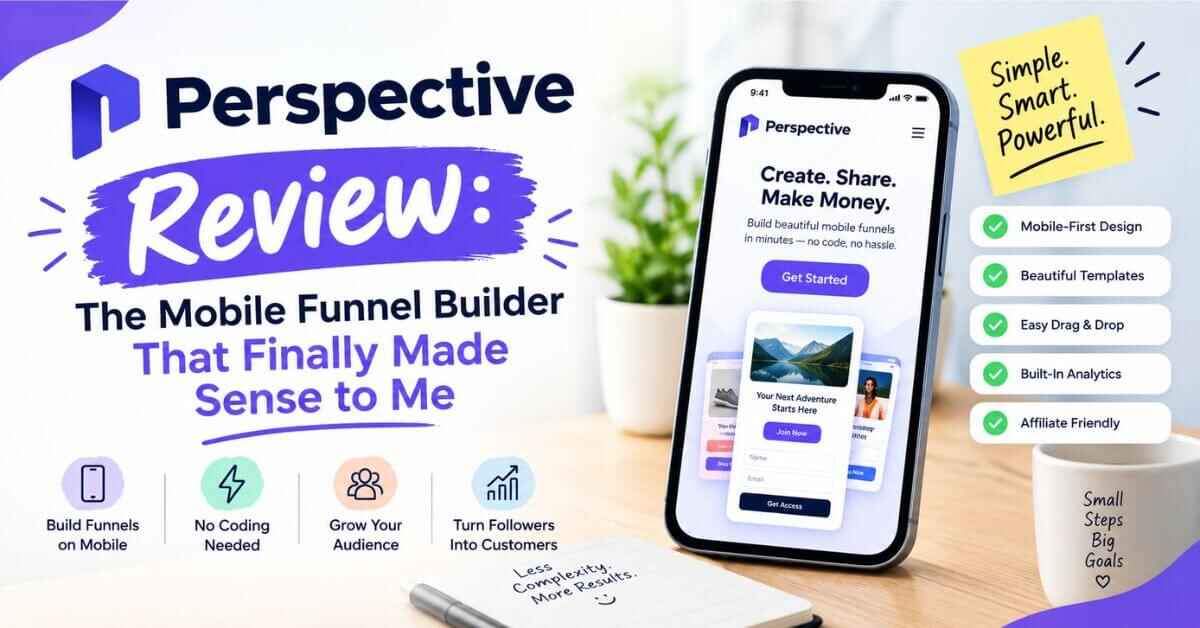
Perspective Review 2026: Features, Pros, Cons, and Honest Verdict
If you’ve ever sent traffic to a page and watched it vanish without a single signup, this Perspective review is for you. I’ve spent a lot of time looking at funnel builders over the years, and most of them leave me with the same feeling: too many menus, too many settings, and a page that looks great on a laptop but awkward on a phone. Perspective is the first tool in a while that made me stop and think, “Okay, this is built for how people actually browse.”
Let me explain what I mean.
The Problem: Your Traffic Is on Their Phones, Your Page Isn’t
Picture this. You post a great reel, or you run a small ad. Someone is lying on the couch scrolling with their thumb, and they tap your link. What happens next?
Most of the time, they land on a page designed for a desktop screen, squeezed down to fit a phone. The text is small. The form has seven fields. The button is somewhere below the fold. They squint for three seconds, feel a little tired, and swipe back to whatever they were watching.
You just paid for that click, in money or in effort, and it’s gone.
This is the quiet leak in a lot of online businesses. People spend weeks on their offer, their content, their branding, and then lose half the audience at the last step because the page feels like work.
Here’s the part that stings. Most of us know this already, but fixing it feels like a big project. You’d need a designer, or a weekend of dragging boxes around in a page builder, or a developer who answers emails “sometime next week.” So the page stays mediocre, and the leak keeps leaking.
And it gets worse once leads do come in. Now you need somewhere to store them. Then you need to send a confirmation email. Then a follow-up. Then you want to know which ad actually brought the good leads, so you open another tool. Before long you’re paying for four or five different apps that barely talk to each other, and you spend more time connecting them than talking to the people who signed up.
If that sounds familiar, you’re not doing anything wrong. The tools just weren’t built with a solo operator or a small team in mind.
So What Is Perspective, Exactly?
Perspective is a funnel builder, made by a German company called Perspective Software GmbH. A funnel is just a short, guided path that takes a visitor from “I just clicked a link” to “I booked a call,” “I joined the list,” “I applied for the job,” or “I bought the thing.”
Instead of one long page with a form at the bottom, a Perspective funnel works more like a little app. One question or one idea per screen. The visitor taps an answer, the next screen slides in, and they move forward almost without thinking about it. By the time they reach the contact form at the end, they’ve already said yes to a few small things. That tiny bit of momentum matters more than most people realize.
The whole thing is mobile-first, which means it’s designed for phones from the start and then adjusted for desktop, not the other way around. Their site says you can build a funnel in about 30 minutes, with no design or coding skills. That’s a bold claim, and I’ll get into how realistic it is further down.
Perspective also isn’t only a page builder. Inside the same account you get messaging (email and, on higher plans, WhatsApp), a metrics dashboard, a built-in contact manager, and ways to connect everything to the other tools you might already use. It’s an all-in-one setup for collecting leads and doing something useful with them.
According to their website, more than 8,000 businesses use it, and it holds a 4.9 rating on G2 and a 4.8 on OMR. Those are their numbers, so treat them the way you’d treat any company’s own claims, but the review pages are public and worth a look.
By now you probably know whether Perspective sounds like it fits what you’re doing. If it does, the best next step isn’t to keep reading reviews (including this one). It’s to open the builder and spend twenty minutes playing with a template.
Start your free Perspective trial here and build your first funnel
My Perspective Review: What You Actually Get Inside
Here’s where I’ll slow down and go through the parts that matter. I’ll skip the long feature list and focus on what each piece does for you.
1. A Builder That Feels Like Making a Presentation
The company says building a funnel should be easier than making a slide deck. After looking through the builder and the demo material, I think that’s a fair comparison. You work with blocks: a headline, a multiple-choice question, a testimonial slider, an image, a countdown, a date and time picker, a file upload, a payment step. You pick one, drop it in, change the words, and move on.
There’s no code to touch and no grid to fight with. If you can make a simple Instagram story, you can probably make a decent funnel here.
A few of the blocks are worth pointing out because they’re the ones that actually move conversions:
- Multiple choice questions. Visitors tap instead of type. Tapping feels effortless, and it also tells you something about the person before they ever leave their email.
- Appointment block. If you sell calls or consultations, people can pick a time right inside the funnel.
- Testimonial slider. Social proof sits exactly where doubt shows up.
- Page animations and a little confetti moment. It sounds small, but a tiny celebration after someone submits their details makes the whole thing feel polished instead of cold.
2. Templates So You’re Never Staring at a Blank Page
The blank page is where most projects die. Perspective gives you 29 premium funnel templates and 70+ section templates, built around things people actually want to do: book appointments, run a quiz, host a webinar signup, hand out a freebie, hire someone, or run a simple video sales letter.
The company says it analyzed more than 100,000 funnels on its platform to design the templates. I can’t verify that independently, but the practical point is clear. You’re starting from a structure that’s already been tested in the wild, and you just replace the words and images with your own.
For anyone who’s ever lost two evenings to choosing fonts, that alone is worth something.
3. The AI Funnel Builder (and Why Editing Still Matters)
Lately a lot of tools slap “AI” on the box and leave it there. Perspective’s version is more practical. There’s an AI funnel builder, an AI brand profile so the funnel picks up your colors and tone, a way to personalize templates, and tools to rewrite, simplify, change the tone of your copy, or translate it into 20+ languages.
What I like is that you’re not locked into whatever the AI produces. The homepage makes a point of saying you get full control over AI-built funnels: double-click, drag, swap. So the AI gives you a fast first draft, and you fix it by hand until it sounds like you. That’s exactly how I’d want to use it.
Plans come with a monthly pool of AI credits (40 on the entry plan, 150 on Grow, 500 on Expand), so it helps to use them on the things that save you real time, like the first draft of a funnel or the email copy.
There’s also an MCP connection, which lets you build funnels by chatting with an AI assistant like Claude. If you’re the kind of person who likes working that way, it’s a neat extra. If you’re not, you can ignore it completely.
4. Messages: Follow-Up Without the Extra Tool
A funnel that collects a lead and then goes silent is only half a funnel. This is where Perspective earns its keep for me.
You can send an automatic confirmation email the moment someone submits. You can set up emails that trigger when a lead’s status changes, connect your own sender address, and on higher plans build whole email sequences (even by typing a prompt and letting AI draft them). On the Expand plan you also get WhatsApp messaging, which matters a lot if your audience lives in WhatsApp instead of their inbox. In many parts of the world, that’s simply how people talk to businesses.
Think about what this fixes. Someone signs up at 11 p.m., and within seconds they have a message saying “Got it, here’s what happens next.” They feel looked after, and you didn’t lift a finger.
To be fair, one reviewer who compared Perspective to other builders said the mobile experience and ease of use were the best part, while the advanced email automation could still improve. If you need very complex email logic with dozens of branches, you may want a dedicated email platform alongside it. Perspective does connect with tools like ActiveCampaign, Brevo, HubSpot, and others, so that’s easy to do.
5. Metrics That Tell You What’s Working
This is the part most beginners skip, and it’s the part that makes the money.
Perspective’s dashboard shows you conversion rate over time, page-to-page conversion (so you can see exactly which screen people drop off on), button clicks, which devices visitors use, which times of day they’re most active, and your top answers. On the Grow plan and up you also get A/B testing so you can pit two versions of your first page against each other and see which one wins.
Why does this matter? Because guessing is expensive. If you find out 60% of people leave on question three, you know exactly what to fix. A headline tweak or a shorter question can change your whole result, and you’d never spot that without seeing where people stop.
6. A Built-In Contact Manager
When a lead comes in, it lands in a simple contact list you can view as a list or a Kanban board. Think “New,” “Intro Call,” “Interview,” “Closed.” You drag people from one stage to the next, add tasks, and keep notes.
It isn’t trying to replace a giant sales CRM. It just means you don’t need to export a spreadsheet every Friday and wonder who you forgot to reply to. For a coach, a local service business, or a small recruiting team, that’s plenty.
7. Workspaces and Whitelabel for Agencies
If you build funnels for other people, this one’s interesting. You can create separate workspaces for each client, and on higher plans you can whitelabel things: remove Perspective’s branding, use custom fonts, and send lead notifications that look like they come from you or your client. All plans advertise unlimited workspaces and unlimited domains, which is generous.
That turns Perspective into something you can resell as a service, not just a tool you use for yourself. A few of the testimonials on their site come from people running funnel or recruiting agencies on top of it.
8. Support and Learning (This Surprised Me)
I didn’t expect this part to be so strong. You get a free academy with step-by-step video lessons, a weekly live training where the team helps with ads and funnels, a crash course, and a community on Skool where members swap ideas. The trial itself includes 30+ courses.
Live chat support runs Monday to Friday, roughly 10:00 to 17:00 (their team is based in Germany, so check what that means in your time zone). Outside those hours you can email support.
If you’ve ever bought software and then sat alone with a confusing dashboard, you’ll know why this matters. Having people to ask is half the reason beginners actually finish setting things up.
And if you’re still on the fence, that’s completely fine. Take another look at the demo and the templates and see which one matches your business. You can watch the short walkthrough first, then decide whether it’s worth a try.
Take a look inside Perspective and browse the templates
Real-Life Use Cases: Where Perspective Fits
Features are nice, but I always think the better question is: what would I actually do with this? Here are the situations where it makes the most sense.
The Coach or Consultant Who Wants More Booked Calls
Let’s say you’re a fitness coach, a business consultant, or a therapist-adjacent professional who sells one-on-one sessions. Right now, your link-in-bio goes to a plain page with a “Book a call” button. Half the people who click never schedule.
With a Perspective funnel, that same visitor answers three easy questions: what’s your goal, what’s your biggest challenge, how soon do you want to start? Then they pick a time. By then they’ve already told you what they need, and you walk into the call knowing who you’re talking to. That’s the “generate appointments” use case, and it’s the one the product leans on most.
The Local Business Owner
A salon, a dental clinic, a home renovation company, a driving school. Visitors from a local Facebook ad want a quick answer, not a ten-page website. A short funnel that asks “What service are you interested in?” and “When works for you?” feels like texting a friend. The owner gets a clean lead with a phone number, and a confirmation message goes out automatically.
The Recruiter or Small Company Hiring People
One of the featured stories on their site is about skipping the resume step and using an application funnel instead. The idea is simple: most people looking at a job ad on their phone won’t upload a resume right then. Make the first step easy, qualify them with a few questions, and ask for more later. The creator claimed up to 70% more applicants using this approach. That’s one person’s result, not a promise, but the logic holds up. Less friction, more applications.
The Course Creator or Blogger Building an Email List
This is close to home for a lot of online creators. Instead of a boring “Subscribe to my newsletter” box, you can build a mini quiz: “Which type of learner are you?” Then deliver a freebie matched to their answer. People who take a quiz are far more engaged than people who just drop their email in a box, and that shows up later in open rates and sales.
The Freelancer or Agency Owner
If you sell lead generation or ads to clients, you need landing pages and funnels that look professional and convert, and you need to build them quickly. Workspaces, whitelabeling, and templates mean you can set up a client’s funnel in an afternoon and hand them a result instead of a mockup. One user on their site said they started running ads three days earlier and already had a new client. Again, one person’s story, but it shows the speed people are going for.
The Online Seller
You can personalize an offer and take payment inside the funnel itself. For simple products or services, that cuts out the extra checkout tool and the extra step where people drop off.
What About Price? Let’s Talk Honestly
I don’t love reviews that dodge the money question, so here it is.
Perspective runs on four plans. Prices on their page are shown as monthly rates, with a discount if you pay yearly (they advertise 20% off):
- Base, which starts at roughly €47 a month on yearly billing (about €59 if you pay monthly). You get 2 live funnels, 40 AI credits, 100 generated leads, a CRM, metrics, email, and live support. This is the “get started and get your first results” plan.
- Grow, from around €147 a month on yearly billing. You get 10 live funnels, 150 AI credits, 500 leads, A/B testing, branding removal, and custom scripts.
- Expand, from around €297 a month on yearly billing. You get 20 live funnels, 500 AI credits, 1,000 leads, WhatsApp messaging, smart personalization, and the premium integrations.
- Scale, a custom plan for large companies, with a dedicated success manager.
Prices change, so look at the pricing page for the latest numbers before you decide.
Two things worth knowing so there are no surprises. First, “generated leads” count whenever someone leaves their email or phone number in your funnel, and if you go over your plan’s limit you’re charged a flat €0.25 per extra lead instead of being cut off. So you won’t lose leads, but a funnel that suddenly goes viral will cost a little more. Second, some of the more advanced features come as add-on bundles, so check which plan includes the thing you need.
Is it cheap? Not compared to a basic page builder. But you’re not comparing it to a basic page builder. You’re comparing it to a page builder plus an email tool plus a CRM plus an analytics tool plus the hours spent gluing them together. When you do the math that way, the entry plan looks a lot more reasonable. And if one extra client or one extra sale per month pays for the plan, it becomes an easy decision.
The Free Trial: The Easiest Way to Know for Sure
Here’s the thing I keep coming back to. You don’t have to take anyone’s word for it, including mine.
Perspective offers a 14-day free trial on any plan, with access to the templates and the courses. They’ll send a reminder on day 7, and you can cancel from your account settings before the trial ends and not be charged. Some invite links also give a longer trial, up to 30 days, though that depends on the link and the offer at the time, so check what you see when you sign up.
Fourteen days is plenty to build one real funnel, send a few test leads through it, and see whether it feels right. That’s the only test that matters.
Who Perspective Is Great For (and Who Might Want Something Else)
A review that’s all praise isn’t much use, so here’s my honest read.
Perspective is a strong fit if you:
- Get most of your traffic from social media, ads, or anywhere people use phones
- Sell services, coaching, consulting, courses, or run a small agency
- Want to collect leads and follow up without juggling five tools
- Aren’t a designer or developer and don’t want to become one
- Like having templates, training, and a community to lean on
You might want something different if you:
- Need a huge, multi-page content website or a full online store with hundreds of products (Perspective is about funnels, not replacing your whole website)
- Need extremely advanced email automation with complex branching logic
- Are on a very tight budget and only want a free basic form
- Want phone support at any hour (their live chat has set weekday hours)
Knowing that going in saves you time, and honestly, it’s how I’d talk to a friend asking me the same question.
Why I Think It’s Worth Your Attention
If I had to sum up why Perspective stands out, it’s this: it takes the thing that usually feels technical and slow, and makes it feel quick and almost fun.
The mobile-first design fits how people really browse. The templates and AI mean you’re never starting from nothing. The messages, metrics, and contact manager sit in the same place, so leads don’t fall through the cracks. And the free academy and community mean you’re not on your own.
None of that guarantees overnight results, and anyone who promises that is selling you a dream. Funnels still need a good offer, honest copy, and some patience while you test and tweak. But a good tool removes the excuses. It takes the “I don’t know how to build this” and “I can’t afford a designer” off the table so you can focus on the part only you can do, which is knowing your audience and speaking to them clearly.
If you’ve been sitting on an idea for a funnel, or you already have one that’s underperforming, the cost of trying is a couple of hours and a trial you can cancel. That’s a small bet for a pretty big potential upside.
Here’s a thought to leave you with. Somewhere right now, there’s a person scrolling on their phone who would happily book a call with you, join your list, or buy from you, if only the path to doing it were easy. Making that path easy is the whole point of this tool.
Give your visitors an easier way in with Perspective
Frequently Asked Questions
Do I need design or coding skills?
No. The builder works with blocks and templates, and the company says it’s easier than making a presentation.
Can I use Perspective on my own domain?
Yes. All plans advertise unlimited domains, so you can connect your own.
Does it work with the tools I already use?
It connects with Meta Pixel, Zapier, Make, Google Analytics, Google Tag Manager, ActiveCampaign, Brevo, HubSpot, GoHighLevel, and more, depending on your plan.
What if I want to cancel?
You can cancel from your account settings. Cancel within the 14-day trial and you won’t be charged.
Is it good for beginners?
That’s honestly where it shines. The templates, the free academy, and the weekly live training are all aimed at people who’ve never built a funnel.
Affiliate disclosure: Some of the links in this post are affiliate links. That means if you sign up through one of them, I may earn a small commission, at no extra cost to you. I only write about tools I think are genuinely useful, and my opinions are my own. Prices, features, and trial terms can change, so please double-check the details on the official Perspective website before you decide.