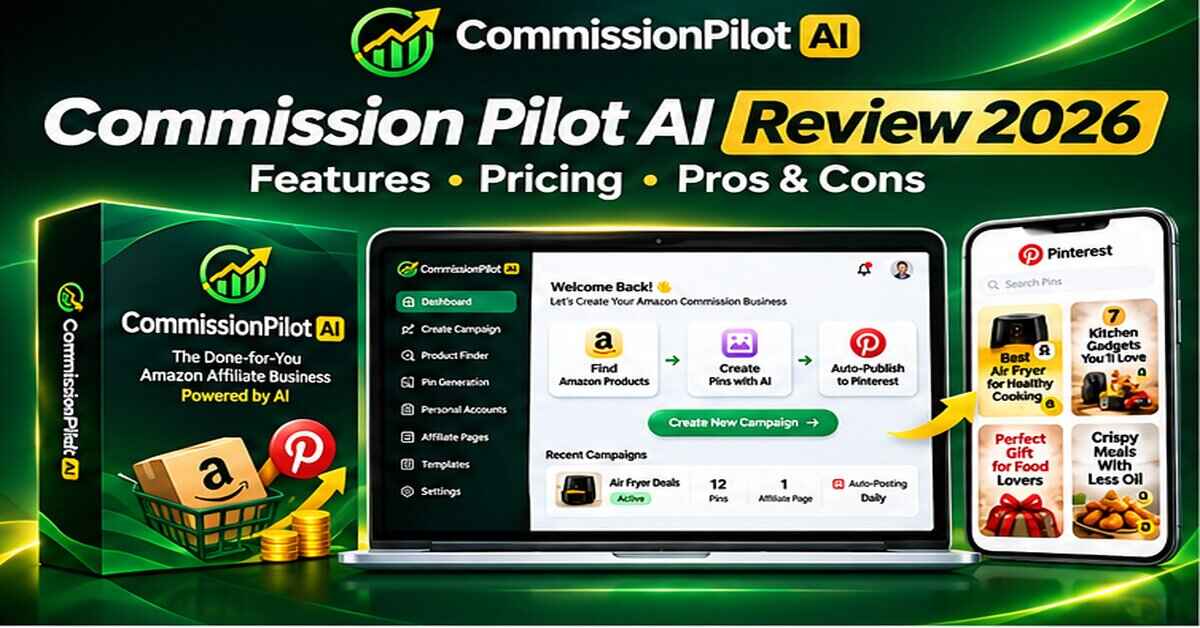
Commission Pilot AI 2026: Features, Pricing, Pros & Cons
Commission Pilot AI (you’ll also see it written as CommissionPilot AI) is an app that finds Amazon products, designs Pinterest pins and affiliate pages for them, and posts those pins for you every day. It costs a one-time $17 during the launch offer. If you’ve ever wanted to earn Amazon affiliate commissions but didn’t want to build a website, grow a following or spend hours designing pins, that’s the pitch. In this review I’ll walk through how it works, what you get, what it can’t promise, and who it actually suits.
Let me start with the problem, because you may have lived it. Amazon affiliate marketing sounds simple. You share a product link, someone buys, you earn a small cut. But in real life, the work behind that link is huge. You have to find products worth promoting, design a pin for each one, write a title and keywords, build a page, post it, and then do the same thing again tomorrow.
Most people last about two weeks. The first few pins take an hour each, nobody clicks, and the whole thing starts to feel like a part-time job with no pay. That’s usually where the dream ends. It isn’t that Pinterest or Amazon doesn’t work. It’s that the daily grind is hard to keep up.
Commission Pilot AI is built around that exact problem. Instead of doing the grind yourself, you pick a niche and let the app handle product finding, pin making, page building and daily posting. I’ll cover what that looks like in practice, and I’ll be honest about the parts that depend on you.
A quick note on how I wrote this. I studied the full sales page, including the pricing, the examples and the fine print. I haven’t run the app myself, so I’m describing what the vendor publishes, and I’ll point out where claims deserve a pinch of salt.
Commission Pilot AI Review: Quick Overview
Here’s the short version before the details.
- Product: Commission Pilot AI (written “CommissionPilot AI” on the vendor’s page)
- Vendors: Pranshu Gupta, Ram Malav and Team BizOmart
- What it does: Finds Amazon products, creates pins and video pins, builds hosted affiliate pages, and posts to Pinterest daily
- Made for: Beginners, affiliate marketers, freelancers and anyone who wants Pinterest traffic without the daily work
- Price: $17 one-time (Personal) or $27 one-time (Commercial), launch offer
- Personal plan: 10 campaigns and 150 pins per month
- Commercial plan: 20 campaigns and 250 pins per month, plus a commercial license and 2 Pinterest accounts
- Monthly fees: None, according to the page
- Bonuses: 2 free (setup training and a niche guide)
- Refund: 30-day money-back guarantee
The short verdict: it’s a well-built idea that removes a lot of daily work, priced low enough to be a small risk. Just don’t treat the income examples as promises.
What Is Commission Pilot AI?
Commission Pilot AI is a done-for-you app for running an Amazon affiliate business through Pinterest. The vendor describes the whole model in one line: Pinterest brings the buyers, Amazon makes the sale, and you collect the commission.
Here’s how that works in real life. Someone on Pinterest searches “gift for dad who has everything.” They see a pin like “10 Grill Gifts Dad Will Actually Use” and click it. A clean page shows the best picks, and they click through to Amazon, where they buy a grill set. Amazon handles payment, delivery and returns. And because the pin’s link carries your affiliate tag, you earn a commission.
What makes the sales page example interesting is the whole-cart idea. The page says Amazon pays on qualifying items bought within 24 hours of the click. So if that buyer also adds a meat thermometer, a birthday card and some coffee pods, you can earn on those too, even though you never promoted them.
The app takes over the heavy lifting in between:
- It finds best-selling products. You can pick a niche or paste any Amazon link, and the app shows what you could earn per sale.
- It builds a whole campaign. Pins in six styles, a video pin, titles, descriptions, keywords and a ready affiliate page.
- It posts for you. Five pins a day, spaced a few hours apart, through Pinterest’s own connection.
The vendors are clear that it isn’t affiliated with Amazon, Pinterest or OpenAI. You also need your own free Pinterest account and your own free Amazon Associates account. More on those in a moment.
How Does Commission Pilot AI Work?
The vendor describes it as three simple steps: pick, build, earn. Here’s how it plays out.
Step 1: Getting Started
After you buy, you get instant access to the app and the training. Before anything else, you’ll need two free accounts: a Pinterest account (a Business account is covered in the training) and an Amazon Associates account. You join Amazon Associates yourself and follow its rules, including the disclosure requirements.
If you’ve never done this, Bonus #1 is a set of step-by-step videos that show you how to set up both accounts, connect them and get your first pins live. That’s a real help, because account setup is where beginners often get stuck.
Step 2: Setting Up the Product
Connecting to Pinterest is meant to be a single click through Pinterest’s official connection, with no API keys, no password sharing and no browser tricks. The vendor also says the app sets up your profile and boards using AI.
Then you pick a niche. Kitchen, pets, gifts, home and beauty are the examples on the page. If you’re unsure, Bonus #2 gives you 50 ready niches with example Amazon products for each. You search for a niche, or paste an Amazon link, and the app shows best-sellers with an estimate of what you’d earn per sale. On the page, those estimates look like a few dollars per item. A $69 air fryer shows about $3.90 per sale, for example.
Step 3: Using the Main Features
Choose a product and the app builds a full campaign in about a minute: six pin designs, a video pin, titles, keywords and a hosted affiliate page with your link. Then you switch on auto-posting. Fresh pins go out every day, and when you run low, a one-click button refills five new pins.
From there you watch the stats: Pinterest views and saves, clicks on your pages, and a tracker for Amazon’s three-sale requirement. I’ll explain that rule in the FAQ.
👉 Curious what the pins and affiliate pages actually look like inside the app? You can watch the demo and see the sample designs for kitchen, pet, home, beauty and toy niches on the official page: See the Commission Pilot AI demo here
Commission Pilot AI Features and Benefits
Let me focus on the three things that matter most, and what each one means for you.
Feature 1: Product Finder With Earnings Shown Up Front
Choosing what to promote is the quiet killer of most affiliate efforts. You guess, you post, and nobody clicks. Commission Pilot AI includes a product finder that surfaces best-selling Amazon items and shows your estimated commission per sale before you start.
That last part is something I appreciate. A $250 grill set might earn around $10, while a $35 dog bed might earn about $1.35. Seeing that upfront helps you aim at products worth your pins. The page also says bigger-ticket items mean bigger carts, and it suggests promoting products in the $20 to $500+ range.
Feature 2: Pins, Video Pins and Hosted Affiliate Pages
This is the “make it all for me” part. For each product, the app produces pins in six styles: gift idea, lifestyle, top picks list, holiday special and so on, plus a real video pin. It writes titles, descriptions and keywords, because Pinterest works like a search engine and keywords decide who sees your pin.
Each pin sends visitors to a hosted page at a web address like yourname.commissionpilot.page. The page lists the product, has a View On Amazon button, tracks clicks and includes the Amazon disclosure. You don’t need your own website or hosting.
Why does that matter? Because the tech side (websites, hosting, links) is where many beginners stall. Having a ready page for every product removes that wall.
Feature 3: Daily Auto-Posting Through Pinterest’s Official Connection
Pinterest rewards consistency, and consistency is exactly what people can’t keep up manually. The app posts five pins a day, spaced two to three hours apart, which comes to 35 a week. On the Personal plan the monthly limit is 150 pins, and the Commercial plan raises it to 250.
The page says the connection is “officially approved by Pinterest” and uses Pinterest’s own approved route, with no bots or password sharing. The vendors add a fair note in their disclaimer: approval to use Pinterest’s official connection doesn’t mean Pinterest sponsors or endorses the product. I’d keep that in mind, and I’d still follow Pinterest’s content rules yourself.
A Few Extras Worth Mentioning
- Paste any Amazon link: Got a product in mind? The app builds the campaign for it
- Pinterest stats: Views, saves and clicks pulled from Pinterest
- Page and earnings stats: Clicks on your pages and what you earned
- 3-sales tracker: Built in, to keep an eye on Amazon’s requirement
- CSV backup: Export your pins and data anytime
- No API keys or per-pin charges: One payment covers it, per the page
Who Is Commission Pilot AI Best For?
I’d point this at the following people.
Complete beginners. If you’ve never sold anything online, the step-by-step training and the pick-and-switch-on workflow are made for you.
Affiliate marketers who want a new traffic source. Pinterest sends search-based traffic, and the app handles the daily posting that usually stops people.
Busy parents and 9-to-5 workers. If you can’t spend an hour a day designing pins, handing that off is the whole point.
Camera-shy people. There’s no face, voice or video recording needed.
Freelancers and small agencies. The Commercial plan includes a license to make pins and pages for clients. The page suggests services on Fiverr, Upwork and to local businesses, with examples of $200 to $600 a month per client. Those are illustrations of what people charge, not promises, so treat them as ideas to test.
Bloggers and store owners. Pins that send visitors to your own blog or shop.
Who should skip it? If you want guaranteed income, no product can give you that, and this one says so in its own disclaimer. If you don’t want to use Pinterest or Amazon Associates at all, this isn’t for you. And if you’d rather build a long-term website you fully own, a hosted-page model may feel limiting.
Commission Pilot AI Pros and Cons
I like a straight list. Here are the strengths and the weak spots.
Pros
- Finds best-selling Amazon products and shows earnings per sale upfront
- Builds pins in six styles plus a video pin, with titles and keywords
- Ready, hosted affiliate pages, so no website is needed
- Posts five pins a day automatically through Pinterest’s official connection
- No followers, API keys or design skills needed
- One-time payment, no monthly fees, per the page
- Includes setup training and a 50-niche guide
- Commercial plan lets you serve clients
- 30-day money-back guarantee
- The fine print is honest that income figures are examples only
Cons
- Amazon commissions are small (the page says most gift, home and kitchen items pay about 3% to 4.5%)
- Results take months to build, and nothing is guaranteed
- You need your own Pinterest and Amazon Associates accounts and must follow their rules
- Amazon requires qualifying sales within a set period, or your Associates account can close
- Pages live on the vendor’s hosted domain, so you depend on the vendor
- The $400 to $800 a month example is a best-case illustration
- Monthly pin limits apply (150 or 250)
- The income screenshots on the page may not be from Commission Pilot AI users
- Automated posting still has to follow Pinterest’s content rules
- Client work requires the $27 Commercial plan
None of this is hidden. The vendor lists most of it in the fine print. The thing I’d think hardest about is how much weight to put on the income examples, so let me tackle that directly.
Commission Pilot AI Pricing and OTOs
Here’s the part most readers scroll straight to.
Personal plan, $17 one-time. You get the full app, 10 campaigns and 150 pins per month, the product finder, the six pin styles and video pins, daily auto-posting, hosted affiliate pages, stats and the 3-sales tracker, AI profile and boards setup, lifetime access and both bonuses. No monthly fees.
Commercial plan, $27 one-time. Everything above, plus 20 campaigns and 250 pins per month, a commercial license to sell Pinterest services to clients on Fiverr, Upwork or locally, two Pinterest accounts, and the right to keep 100% of client profits. The page marks this as the best seller.
On the page, the vendors compare the price to a “regular price” of $197 a month. I wouldn’t use that as a real benchmark. It’s a launch-marketing anchor, and what matters is simply whether $17 or $27 once is worth it to you.
The page also runs a countdown timer and says the launch price will go up and won’t come back down. I can’t confirm exactly when that happens, so check the live page before you decide.
As for upgrades after checkout, I didn’t see any listed on the sales page. If you’re offered extras at checkout, treat them as optional and read each one carefully. The main plans are designed to be used as they are.
My honest take: if you’re a beginner who just wants to test the model, the $17 Personal plan is the sensible start. If you already know you want to serve clients or run a second Pinterest account, the extra $10 for the Commercial plan is a small step up.
🔥 The launch price is shown with a countdown on the official page, and the vendors say it won’t come back down once it rises. If you’d like to check the current price and compare the two plans, here’s the official page: Check the Commission Pilot AI launch offer here
Commission Pilot AI Bonuses
Both plans include two free bonuses:
- Quick-Start Setup Training. Step-by-step videos for setting up your free Amazon Associates account and your Pinterest Business account, connecting both and getting your first pins live. If you’re new, this is the bonus I’d open first.
- Top 50 Pinterest Niches That Sell On Amazon. Fifty ready niches people search for on Pinterest, with example Amazon products for each. Pick one and start.
The page puts big dollar values on these, but I’d ignore those numbers. What matters is that they cover the two places beginners get stuck: account setup and choosing a niche.
If you want more on building traffic and income step by step, our Affiliate Marketing guides at Brightrs are a good next stop.
My Commission Pilot AI Evaluation
Here’s how I’d score it, based on everything the vendor publishes.
- Idea and fit: 9/10. Pinterest is a search engine for shoppers, Amazon has the products, and the app connects the two. The model makes sense.
- Ease of use: 9/10. Pick, build, switch on. No tech, followers or design skills.
- Value for money: 8.5/10. $17 or $27 once is low-risk compared with paying monthly for separate design, scheduling and page tools.
- Income realism: 6.5/10. The headline numbers are optimistic. The commission rates and the conversion assumptions are best-case.
- Transparency: 8/10. The fine print is honest, but the big claims at the top lean harder than the disclaimer.
Overall: 8.1/10.
Let me explain the income point, because it’s the one I’d want a reader to understand. The page’s example works like this: 35 pins a week bring about 140 clicks, about 7 in 100 clicks buy, that’s roughly 10 sales a week at $10 each, or about $100 a week and $400 a month. That math holds together on its own, but the 7% buying rate is a generous assumption, the $10 per sale needs a big-ticket product, and Amazon’s commission rates on many categories are around 3% to 4.5%. And pins take time to be found.
The vendors say as much in their own disclaimer: the figures are examples, not typical results, and nothing is guaranteed. They also say the proof screenshots are shared with permission but may not come from Commission Pilot AI users. I’d read the $400 to $800 line as a best-case picture and plan for a slower start. A realistic goal for month one is to learn the process, get pins live and see which niche gets clicks.
Commission Pilot AI vs. Alternatives
How does it compare with the other ways of doing this?
Doing it by hand. You’d have full control, but the page estimates 20 to 30 minutes per pin, and you’d need to design, write, build pages and post daily. That’s the grind that makes most people quit.
A design tool plus a scheduler. Great for flexibility, but you’d pay for each tool, build your own pages and still find your own products. The app bundles all of it for one payment.
Using ChatGPT or another AI chatbot. Good for writing pin text, but it doesn’t find products, design pins, host pages or post for you. The vendor puts it at about 10% of the job, with the other 90% being the product finder, hosting, posting and tracking.
Blogging or building a niche site. You’d build an asset you fully own, and it can earn more in the long run, but it takes longer and costs more effort up front. Pinterest pins are a faster, lighter way to start testing.
Hiring a virtual assistant. You’d get human judgment, but it’s an ongoing monthly cost.
The simple takeaway: Commission Pilot AI doesn’t replace strategy or patience. It replaces the daily production work, which is the part most people can’t sustain.
Looking at other Pinterest and Amazon tools? Check our PinMyListings review for pinning Etsy listings, and our AzonFlow review for another Amazon-focused tool. You can also browse our Social Media Marketing guides and all our software reviews.
Is Commission Pilot AI Legit?
Yes, from everything I can see. Here’s why I feel comfortable saying so.
- It’s sold through WarriorPlus, a known marketplace that handles checkout and receipts.
- The page shows real app screens and sample pins and pages across several niches.
- It uses Pinterest’s official connection, and the vendors clarify that this isn’t an endorsement.
- It tells you to join Amazon Associates yourself and follow its operating agreement.
- It includes a clear earnings disclaimer and says income figures are illustrations.
- It says it’s not affiliated with Amazon, Pinterest or OpenAI.
- The vendors are named, and a 30-day money-back guarantee is stated.
Is it a guaranteed income machine? No, and the fine print says so. Is it a real tool that does what the page describes? From everything published, yes.
One practical point worth saying out loud: following the rules of Amazon Associates and Pinterest is your job, not the app’s. Use the disclosure features, don’t spam, and keep your pins useful. That’s what protects your accounts.
Commission Pilot AI Refund Policy
Commission Pilot AI comes with a 30-day money-back guarantee. The vendors say that if it doesn’t meet your expectations, you can contact their support team within 30 days and they’ll refund every penny. Since the sale runs through WarriorPlus, use the support link on the sales page or your purchase receipt.
My suggestion: don’t wait until day 29. In your first week, set up your Pinterest and Amazon accounts, build one or two campaigns and get a few pins live. You’ll quickly see whether the workflow suits you and whether the pins look like something you’d happily post under your name.
Frequently Asked Questions
Do I need followers on Pinterest?
No. Pinterest works like a search engine, so your pins can reach people searching for what to buy, even if you have zero followers.
What accounts do I need?
A free Pinterest account and a free Amazon Associates account. The Quick-Start Setup Training bonus shows you how to set up both.
Do I need design or tech skills?
No. The app designs the pins, writes the titles and keywords, and builds the hosted pages.
Do I need API keys or have to pay for AI?
No. According to the page, there are no API keys and no per-pin charges.
Is it safe for my Pinterest account?
It connects through Pinterest’s official connection with no password sharing. You should still follow Pinterest’s content rules and keep your pins genuinely useful.
What is Amazon’s 3-sales rule?
As far as I know, Amazon wants new Associates to make three qualifying sales within the first 180 days or the account can be closed. Check Amazon’s current Associates terms to be sure. The app includes a tracker to help you keep an eye on it.
How long before I see results?
The page says results build over months. Pinterest pins can keep working for a long time after posting, but I’d expect the first weeks to be about learning and setup.
Will I definitely earn money?
No. The vendors say clearly that income figures are examples, not typical results, and that your results depend on your effort, niche, products and Pinterest traffic.
What’s the difference between the $17 and $27 plans?
Personal gives you 10 campaigns and 150 pins a month. Commercial gives you 20 campaigns and 250 pins a month, a commercial license for client work, and two Pinterest accounts.
Are there monthly fees?
No, according to the page. It’s one payment with lifetime access.
What if I don’t like it?
You can ask for a refund within 30 days.
Final Verdict: Is Commission Pilot AI Worth Buying?
Let me bring it all together.
Commission Pilot AI isn’t a magic money button, and the fine print says so. What it is, though, is a practical way to skip the hardest part of Pinterest and Amazon affiliate marketing: the daily production work. It finds products, builds pins and pages, and posts for you, all for a one-time $17 or $27 with a 30-day refund window. For a beginner, that’s a small risk for a real shot at testing a model that does work for many people.
It’s worth buying if you want to try Pinterest-driven Amazon affiliate income, you’d rather not design and post every day, and you understand that results build slowly. It’s probably not for you if you expect quick income, you don’t want to deal with Amazon Associates and Pinterest rules, or you’d rather own a full website.
If I were starting out, I’d do this: grab the $17 Personal plan, open the Quick-Start Setup Training, pick one niche from the 50-niche guide, and get a handful of pins live. Then watch what gets clicks for a month before deciding whether to scale up. That’s a sensible, low-pressure way to find out if it suits you.
✅ If the idea of letting an app handle the daily pin-making while you learn the Pinterest and Amazon side sounds like your kind of project, here’s where to take a look: Get Commission Pilot AI here
Thanks for reading. If you have questions about Commission Pilot AI, leave a comment and I’ll do my best to answer. For more honest software reviews, browse the rest of Brightrs or read about who runs the site.
Affiliate disclaimer: Some of the links in this post are affiliate links. If you buy through them, I may earn a small commission at no extra cost to you. I only write about products I’ve looked into properly, and my opinions stay my own. Please do your own research before buying, and remember that results depend on your own effort, niche and marketing.