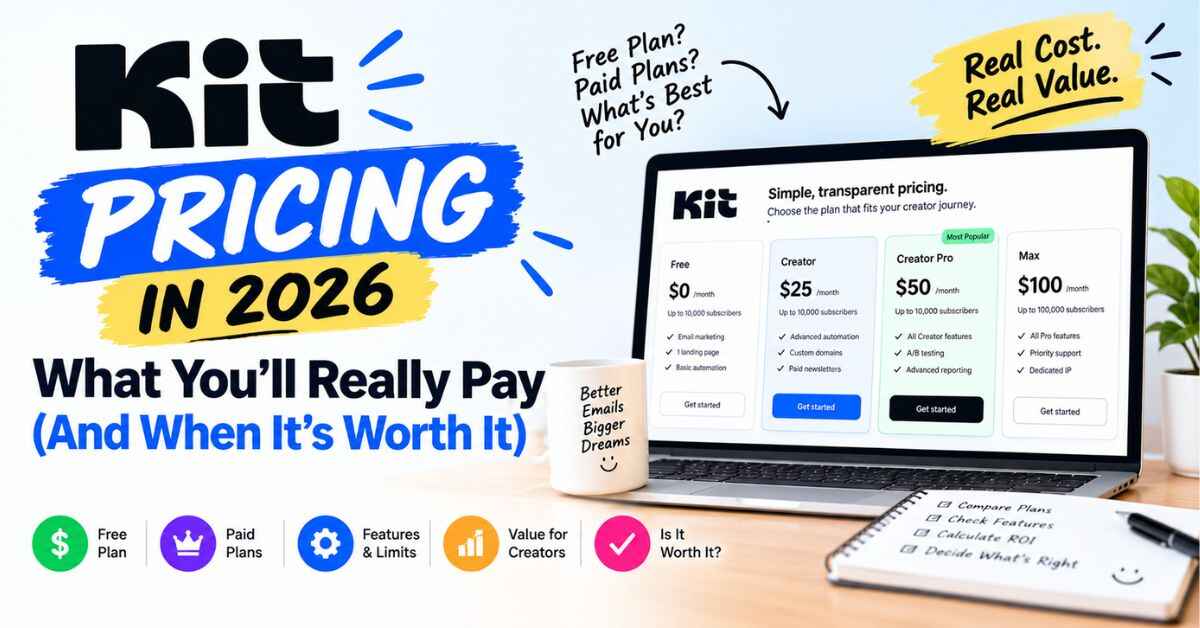
Kit Pricing in 2026: What You’ll Really Pay (And When It’s Worth It)
Most people don’t open a pricing page to read about features. They open it to find out one thing: “How much is this going to cost me?” So let’s start there. Kit pricing has three levels: a free plan, a Creator plan at about $33 a month when billed yearly, and a Pro plan at about $66 a month when billed yearly, both for a list of 1,000 subscribers. That’s the short answer. The longer answer is where it gets useful, because the right plan depends on what you’re trying to do.
Kit is the email platform that used to be called ConvertKit. It’s built for creators who want to grow an audience and earn from it. I’ll go through what each plan actually includes, who needs which one, where the price can surprise you, and whether the whole thing is worth the money.
I’m not going to pretend it’s the cheapest tool on the market. It isn’t. But cheap and good value are different things, and I’ll show you where the difference is.
[ADD 2-3 SENTENCES HERE ABOUT YOUR OWN EXPERIENCE. For example, a tool you used before and what it cost you, or what made you start looking at email. A true, small detail makes this intro sound like you.]
Why Pricing Pages Feel So Confusing
You know the feeling. You land on a pricing page. There are three columns, a toggle between monthly and yearly, a slider for subscribers, and a table with 40 rows of tiny checkmarks. Half the features have names that don’t explain themselves. You scroll for a minute, give up, and close the tab to “think about it.”
I’ve done that with plenty of software. And with email tools it’s worse, because the real cost isn’t one number. It changes as your list grows. It changes if you pay monthly or yearly. It changes depending on which features you need, and those features are often the very ones the cheaper plan is missing.
That’s how people end up paying for a tool that doesn’t do what they wanted. Or they pick the free option, spend a month setting it up, and then find out the one thing they needed was locked behind a paid plan.
So before comparing prices, ask a different question: what are you actually trying to get done with email? Build a list? Automate a welcome series? Sell a product? Work with sponsors? Your answer decides which plan makes sense, and I’ll help you work that out below.
What Kit Is (A Quick Refresher)
Kit is an email marketing and newsletter platform made for creators. According to Kit, more than 550,000 creator business owners use it. Their site shows people like Pat Flynn, Tim Ferriss, James Clear, Ali Abdaal and Mark Manson. That doesn’t prove it’s right for you, but it does tell you people with real audiences trust it with their lists.
You can collect emails with forms and landing pages, send newsletters, automate follow-up emails, and sell digital products or subscriptions. And Kit puts a lot of weight on what it calls audience insights, meaning you can see who’s reading, clicking and buying, then act on it.
Now let’s get into the numbers. Also read: Kit Review: Is This Email Platform Really Worth It for Creators in 2026?
Kit Pricing: The Three Plans in Plain English
Here’s what I found on Kit’s pricing page, with 1,000 subscribers as the starting point. Prices can change, so always check the live page before you decide.
The free plan (Newsletter)
Cost: $0, for up to 10,000 subscribers.
This is a real free plan, not a two-week teaser. You get unlimited landing pages, unlimited forms, unlimited email broadcasts, tagging and segmentation, and the ability to sell digital products and subscriptions. For one person who wants to start collecting emails and send regular newsletters, that’s a lot.
Here’s the part you need to know, though. The free plan does not include visual automations or email sequences, and it doesn’t include apps and integrations. It’s built for one user, with email-only support and A/B testing on two subject lines.
So the free plan is great for: building your list, sending newsletters, and testing whether email suits you. It’s not the plan for: setting up an automatic welcome series that runs while you sleep, or connecting other tools.
The Creator plan
Cost: About $33 a month when billed yearly ($390 a year), for 1,000 subscribers. Paying monthly costs more. Third-party reviews list roughly $39 a month, so check the page for the current monthly rate.
This is where Kit starts to feel like a full tool. On top of everything in the free plan, you get unlimited visual automations and email sequences, Kit MCP (the AI connection), two users, polls, SMS marketing, apps and integrations, RSS campaigns, removal of Kit branding, and 24/7 email and chat support.
If I had to name the biggest reason to upgrade, it’s automations. That’s the feature that lets you write a good email once and have it work for every new subscriber from then on.
The Pro plan
Cost: About $66 a month on the standard price when billed yearly, for 1,000 subscribers. Right now Kit is advertising a limited-time Pro offer of 25% off the first year, which brings the first year to about $593, roughly $50 a month. The page doesn’t state an end date for that offer on the pricing page, though the home page has mentioned November 7, 2026, so check before you rely on it. The discount applies to the first year only, and then it renews at the standard rate.
Pro includes everything in Creator, plus Subscriber Signals (audience details and sponsor-ready reports), a Growth Concierge team, engagement analytics and an insights dashboard, deliverability reporting, engagement scoring, collaborative editing, A/B testing for subject lines and content (up to five subject lines), Facebook custom audiences, a newsletter referral system, unlimited users, and priority support.
That’s a lot, and a lot of it is aimed at people running a bigger newsletter business. If you’re just starting, you probably don’t need it yet.
How the subscriber count changes things
Kit charges based on active subscribers, not on how many emails you send. You can send unlimited emails, and you aren’t charged for people who unsubscribe. The numbers above are for 1,000 subscribers. As your list grows, the price goes up. Kit’s page has a slider that shows your exact price for your list size, so use that before deciding.
And if you pay yearly, you save around 17%, which is roughly two months free.
Numbers on a page only tell you so much. If you want to see what you’d get for your own list size, you can check the current Kit plans here and try the paid features free for 14 days. Kit says no credit card is needed to start.
What You Get for the Money (The Features That Justify the Price)
A price only makes sense next to what it buys. Here’s what I think matters most, in plain terms.
Visual Automations
If there’s one reason to pay for Kit, this is it.
Think about what you’d want to happen when someone joins your list. A warm welcome email goes out right away. Two days later they get your best free resource. A few days after that, a short story about why you do this work. Later, a soft mention of something you sell.
Doing that by hand for every new subscriber isn’t realistic. In Kit, you draw it out like a flowchart: someone signs up, gets this email, waits two days, gets that one. You can split people into paths based on what they click, so someone who loves your productivity tips doesn’t get the same emails as someone who joined for fitness content.
You build it once and it runs on its own. This is the feature that turns email from a chore into something working quietly in the background.
Forms and landing pages
Even on the free plan, you get unlimited forms and landing pages. They’re built with creator templates, like a free-download page or a book promo page, and you can build them without code. For a lot of people, this alone is worth starting with Kit.
Selling your own products
Kit lets you sell digital products, paid newsletters and subscriptions right from the platform. The listed fee is 0.6% plus normal card processing, which is low. And because each sale is tied to a subscriber, you can see who bought and follow up with something that fits them.
Recommendations
Creators can recommend each other’s newsletters, so when someone joins your list they may see suggestions from other creators in your space, and yours gets shown to their readers too. Kit says it can roughly double list growth for people who use it. Treat that as a best case, because results depend on your niche and setup. Still, growing alongside other creators beats growing alone.
Deliverability
If your email lands in spam, nothing else matters. Kit says creators on the platform see about a 99.8% delivery rate and roughly 40% average open rates. Those are Kit’s own numbers, so use them as a rough guide, not a promise.
Free migration
Kit says migration is included, and their team moves your subscribers, tags, segments, automations and forms, then checks that every active subscriber made it. They say your part takes about an hour. If a hard move is the thing keeping you on a tool you dislike, that removes a big excuse.
Which Kit Plan Should You Pick? (A Simple Way to Decide)
This is the part most pricing articles skip. Here’s how I’d think about it.
Start with the free plan if you’re brand new, your list is small or empty, and your goal is to collect emails and send a regular newsletter. You get forms, landing pages and broadcasts without paying. It’s a very good way to find out whether you’ll actually stick with email.
Move to Creator if you want automations, integrations or SMS, or you’re ready to sell products with automatic follow-up. This is where most serious creators end up. The moment you want a welcome sequence that runs without you, you’ve outgrown the free plan.
Go for Pro if you run a bigger newsletter, work with sponsors, or want deeper analytics, A/B testing, a referral system and strategy support from the Growth Concierge team. If you’re not sure whether you need it, you probably don’t yet. You can always upgrade later.
One more thing. Kit has a 14-day free trial of paid plans, so you don’t have to guess. You can try the paid features first and decide with real experience.
Real Examples: What the Price Looks Like in Practice
These are examples of how people in these roles typically use a tool like Kit. They’re not income claims.
A creator just starting out. Say you run a motivational page on Instagram and you’ve never had an email list. You start on the free plan, build a landing page, link it in your bio and send a weekly note. Cost: nothing. When you’re ready for a welcome sequence, you upgrade to Creator.
A blogger with steady traffic. You’ve got readers coming from search, and you want them to return. You add a form offering a checklist, and set up a short automated sequence that shares your best posts. That sequence needs the Creator plan. The fee is a small cost next to the value of readers who come back on their own.
A coach or course creator. A free mini-course delivered through automated emails warms people up, and then you invite the ready ones to your paid program. You need automations, so Creator makes sense. If the course earns anything at all, the monthly fee becomes a small slice of it.
A newsletter writer thinking about sponsors. If you’re growing a larger newsletter and want sponsor-ready audience reports, Subscriber Signals on Pro is the interesting part, along with the deeper analytics.
Is Kit Expensive? An Honest Answer
Compared with some tools, yes. A few competitors are cheaper, especially at bigger list sizes. Beehiiv, for example, gets mentioned a lot as cheaper at larger scale, though Kit’s free tier is more generous up front.
But I’d look at it a different way. Kit’s cost is tied to how many subscribers you have. If your list is growing and your emails are bringing in sales, that fee is a small share of the money it helps you make. If you have a big list that never buys anything, any email tool will feel expensive.
The question isn’t “how much does it cost?” It’s “what will it help me earn, and how much of my time will it save?” A tool that automates your welcome emails, helps you sell a product and keeps your list healthy can pay for itself quickly. A tool that sits unused costs you even when it’s free.
Where Kit Pricing Can Catch You Off Guard
I always tell people about the downsides, so here they are.
The free plan is missing automations. This is the big one. If you start on free expecting to build a full welcome sequence, you’ll hit a wall. Know that going in.
The price rises as your list grows. Kit prices by subscriber count, so a bigger list means a bigger bill. Some reviewers also pointed out that Kit raised some prices in late 2025, so if you’ve seen older numbers online, they may be outdated.
Promos can end or only cover the first year. The Pro discount applies to the first year, then renews at the standard rate. Plan for the full price after that.
Third-party prices don’t always match. Different review sites list different numbers, depending on when they checked. Always trust Kit’s live page over any article, including this one.
None of this makes Kit a bad deal. It just means you should go in with open eyes. I’d rather you know now than find out on your first invoice.
If you’re still on the fence, the easiest way to settle it is to try it. You can start with Kit’s free plan and see how it feels, or take the 14-day trial of the paid features if you want to test automations before paying. No pressure either way.
How Kit Pricing Compares to Other Tools
You’ll see Kit compared with Beehiiv, Mailchimp, MailerLite, Substack and ActiveCampaign. There’s no single winner for everyone.
Beehiiv is newsletter-focused and often cheaper at larger list sizes, though its free tier is smaller. Mailchimp is well known but often feels aimed at businesses more than creators. Substack is simple for writers but gives you less control over automation and selling. ActiveCampaign is powerful, though it can be more than you need if you just want to grow an audience and sell a few things.
Kit sits in the middle. More capable than the simplest tools, easier than the complicated ones, and built around how creators earn. You’re paying a little extra for creator-focused features, a strong automation builder, and support from people who understand creator businesses.
A Simple First Week With Kit
If you decide to try it, don’t do everything at once. Here’s an easy first week.
Day one, make your account and pick a plan. Day two, decide on one free offer, something small that solves a real problem for your audience, like a checklist or mini guide. Day three, build your landing page from one of Kit’s templates and keep the wording simple. Day four, write a welcome email like you’re talking to one person, because you are. Day five, if you’re on a plan with automations, set up a short sequence with a welcome email and one or two follow-ups. Day six, share your page everywhere you can: your bio, posts, blog and video descriptions. Day seven, look at who signed up and who clicked, then tweak.
One offer, one page, one short sequence. You can get fancier later. A simple setup that runs beats a perfect one that never launches.
And a few mistakes worth dodging. Don’t wait until your list is “big enough,” because ten people who care are worth more than a thousand who never open anything. Don’t only email when you’re selling. Don’t copy someone else’s voice, since yours is why people joined. And don’t be shy about asking people to join. Most lists stay small because the creator never invited anyone.
My Final Verdict on Kit Pricing
So, is Kit pricing fair? I think so, for the right person.
Kit isn’t the cheapest tool, and it won’t grow your list by magic. But the free plan gives you a real way to start. Creator unlocks the automations that make email actually work for you. Pro adds the deeper tools for bigger newsletters. Migration is free, support is real, and the whole thing is built around how creators make money.
If you create content and want an audience that doesn’t vanish when an algorithm changes its mind, email is the foundation. And for most creators, I’d say the best move is simple: start free, learn what you need, and upgrade when the automations pay for themselves.
You don’t have to commit today. Try it, set up a simple signup page, and see how it feels. Worst case, you learn something about your audience. Best case, a year from now you’ve got a list of people who chose to hear from you, and you’re glad you started.
Your audience is out there right now, scrolling, watching, listening. The real question is whether you’ll have a way to reach them next month if the algorithm shifts again. Take a look at Kit’s plans and see which one fits you. It takes a few minutes to get started, and you can decide for yourself after that.
Quick Questions About Kit Pricing
How much does Kit cost? There’s a free plan for up to 10,000 subscribers. Creator is about $33 a month billed yearly for 1,000 subscribers, and Pro is about $66 a month billed yearly (standard price) for 1,000 subscribers. Check Kit’s pricing page for the live numbers.
Is there a free plan? Yes. It covers up to 10,000 subscribers with unlimited forms, landing pages and broadcasts, but it doesn’t include automations or integrations.
Is there a free trial? Yes, a 14-day trial of paid plans. Kit says no credit card is required.
Do I pay by emails sent? No. Pricing is based on active subscribers. You can send unlimited emails, and you aren’t charged for unsubscribes.
Is paying yearly cheaper? Yes. Kit lists about 17% savings on yearly billing, roughly two months free.
Will Kit move my list for me? Kit advertises free migration with its team handling subscribers, tags, segments, automations and forms.
Does the price go up as my list grows? Yes. Paid plans scale with your active subscriber count.
A Quick Note About Links
Some links in this post are affiliate links. If you click one and sign up for Kit, I may earn a small commission, at no extra cost to you. I only recommend things I think can genuinely help the people reading, and I’ve tried to be upfront about the downsides too. Either way, thanks for reading.