Sellfy vs Shopify (2026): Which One Is Right for Selling Digital Products?
You’ve got something to sell. Maybe it’s a template pack, an ebook, a planner, a course, or a line of designs. And now you’re stuck on a question that sounds simple but isn’t: where should you actually build your store?
Two names come up again and again, and that’s why this Sellfy vs Shopify comparison exists. Shopify is the giant everyone has heard of. Sellfy is the smaller, creator-focused option that keeps getting recommended by people who sell their own work. They solve similar problems in very different ways, and picking the wrong one can cost you time, money, and a lot of patience.
I’ll walk through pricing, features, setup, and who each platform suits best, and I’ll be honest about where Shopify is the better choice. Grab a coffee. It’s a long read, but it could save you from a painful switch later.
The Problem: Picking a Platform Shouldn’t Feel This Heavy
Here’s how it usually goes.
You finish your product and feel great. You open a browser and search “best platform to sell online.” Within minutes you’re staring at a dozen tabs: comparison tables, YouTube reviews, forum threads where everyone disagrees, and pricing pages with more footnotes than a textbook.
Some people say “just use Shopify, everyone does.” Others say it’s overkill. Somebody mentions you’ll need apps for this and plugins for that. Somebody else says to use something simpler.
Underneath it all is a quiet fear. What if you spend a weekend building your store, then realize it’s the wrong tool? What if you pay for features you’ll never use? What if it’s so complicated you never launch?
That fear is real, and it’s why so many good products stay stuck in a folder on a hard drive.
The Agitation: When “Powerful” Turns Into “Complicated”
Let me describe what happens to many creators who go with the biggest name by default.
They sign up for a powerful platform and start building. Quickly, they discover that a store isn’t just a store. It’s a theme to choose and customize, apps to find and install, settings to understand, and a dashboard with a hundred menus. A digital product, which should take five minutes to upload and sell, suddenly involves a pile of decisions.
Then the extras show up. A theme might cost money. An app for digital delivery, another for email, another for upsells, another for subscriptions. Themes, apps, and domains are all extra costs on top of the monthly plan. Each one looks small. Together, they add up to a bill that’s quite a bit larger than the plan price on the homepage.
And while you’re busy configuring, you’re not making anything. Your time goes into learning a system built for much bigger businesses than yours.
None of this makes Shopify a bad platform. It’s an excellent one for the right kind of seller. The problem is when a creator with a handful of digital products ends up using a tool designed for a warehouse full of inventory.
So let’s look at both options properly.
Quick Overview: What Are Sellfy and Shopify?
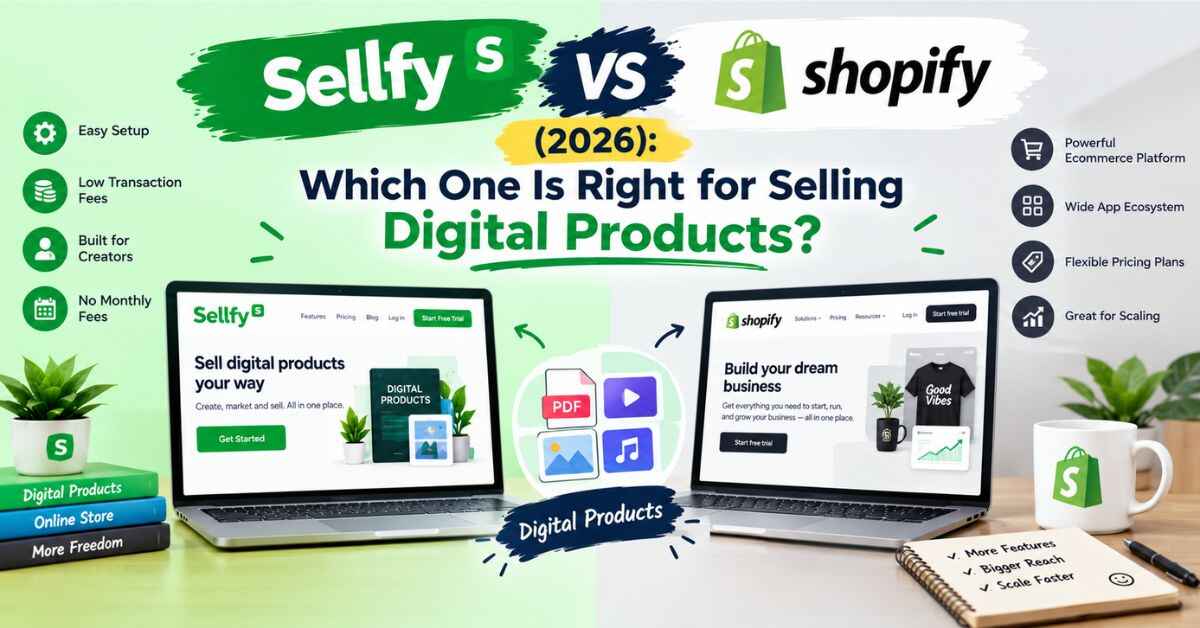
Shopify is a huge ecommerce platform used by everyone from tiny shops to massive brands. It’s built to handle large product catalogs, physical inventory, multiple staff accounts, and endless customization through themes and apps.
Sellfy is an ecommerce platform built specifically for creators who want to sell digital downloads, subscriptions, print-on-demand merchandise, and physical items from one simple dashboard. It’s known for its quick setup, bundled marketing tools, and the fact that it charges no platform transaction fees on any plan.
Think of it this way. Shopify is a fully equipped commercial kitchen. Sellfy is a well-organized kitchen designed for someone who cooks their own signature dishes. Both can make great food. One just asks a lot more of you to get started.
Sellfy vs Shopify: Pricing Compared
Money is usually the first question, so let’s get into it.
How Shopify charges
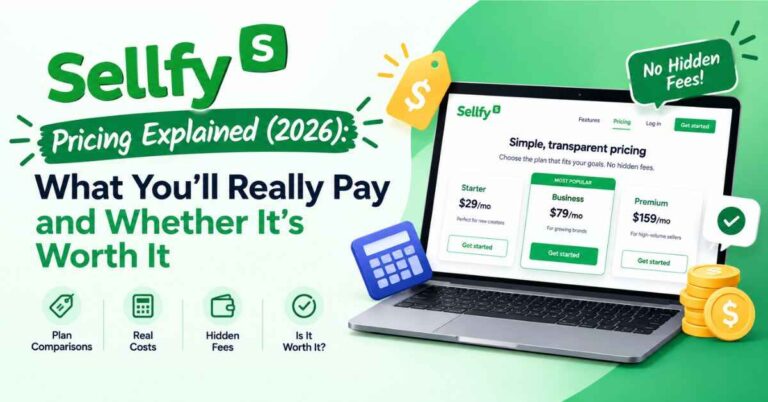
Shopify has three core plans, and the prices climb with each tier. When billed annually, Basic is $29 a month, Grow is $79 a month, and Advanced is $299 a month, with higher prices if you pay month to month. websitebuilderexpert
On top of the plan fee, there are payment processing rates. On Shopify Payments, Basic charges 2.9% + 30¢ per online transaction, Grow charges 2.7% + 30¢, and Advanced charges 2.5% + 30¢. That’s essentially the card processing cost, similar to what you’d pay with Stripe or PayPal elsewhere. charleagency
And if you use a different payment provider, there’s an additional charge. Third-party transaction fees are 2% on Basic, 1% on Grow, and 0.6% on Advanced. websitebuilderexpert
As for trials, Shopify currently offers a 3-day free trial plus the first three months at $1 a month for new merchants. Promotions like this change, so check Shopify’s site for what’s available today. charleagency
Then there’s the stuff that isn’t on the pricing page. Themes, apps, and domains are extra, and those extras often decide what a Shopify store really costs you each month.
How Sellfy charges
Sellfy takes a different approach. Its plans are priced by your yearly sales volume rather than per-transaction fees, and every plan comes with 0% transaction fees. sellfy
You still pay payment processing costs. Those are charged by PayPal or Stripe, not Sellfy, and are typically around 2.9% + 30¢ per transaction. So on card fees, the two platforms are similar. The difference is what the monthly plan includes. sellfy
Entry plans start at a modest monthly price. Listings vary a little (some show the low $20s when billed annually, others the high $20s monthly), so check Sellfy’s pricing page for today’s number. Paying yearly saves around 25%, and the top self-serve Premium plan is listed at $159 a month, or $119 a month billed annually, for sellers up to $200K a year. sellfy
What the numbers really mean
Here’s the honest takeaway, and I want to be careful not to oversell.
At the entry level, the sticker prices of Shopify Basic and Sellfy’s lower plans are in the same neighborhood. So it isn’t a simple case of one being dramatically cheaper on the plan fee alone.
The real difference is what’s bundled in. On Sellfy, digital delivery, email marketing, cart abandonment emails, upsells, subscriptions, and print-on-demand are built into the platform. On Shopify, many of those capabilities often come from apps, and each app can carry its own monthly cost. That’s where a Shopify bill tends to grow past the plan price.
There’s also a difference in how each model scales. Shopify’s plans get more expensive as your needs grow, and the cheapest tier carries the highest card rates. Sellfy’s plans scale with your yearly sales, with no platform cut at any level.
If you plan to sell mostly digital products and want predictable costs, Sellfy’s setup is simpler to reason about. If you’re running a large store with lots of physical inventory, Shopify’s higher price buys you real power.
👉 Want to see what’s actually included in a Sellfy plan, without hunting for apps? You can explore the dashboard free for 14 days, no credit card needed: Take a look inside Sellfy →
Free Trial and Refund: How Risky Is It to Try Each One?
Shopify’s trial is short. All Shopify plans include a free three-day trial for new customers. Three days is enough to poke around, but not long enough to build a real store, test your products, and see how everything feels. The discounted first months can help, but they come with a commitment. nerdwallet
Sellfy’s trial is much more relaxed. Every plan comes with a 14-day free trial with no credit card required, plus a 30-day money-back guarantee. sellfy
That difference matters. With Sellfy, you have two weeks to build a real test store, upload products, explore the email tools, and decide without pressure. And if you sign up and it turns out not to be right, you have a month to ask for your money back.
When you’re nervous about picking the wrong platform, a longer, lower-risk trial is a very welcome thing.
Ease of Use: Which Is Easier to Set Up?
This is where the two platforms feel most different.
Shopify
Shopify gives you enormous flexibility, and that comes with a learning curve. You’ll choose a theme, customize it, set up pages, configure shipping and tax settings, and install apps for anything beyond the basics. Plenty of people enjoy this. Plenty of others find it draining, especially when all they wanted to do was sell a PDF.
Sellfy
Sellfy’s setup is guided and visual. You pick a look, add your logo and colors, upload a product, write a description, set a price, and publish. No code and no developer. For a lot of creators, the first version of a store comes together in a single afternoon.
A store that’s live and slightly imperfect beats a perfect store that only exists in your head. If your goal is to start selling, simpler tools help you get there sooner.
Features That Matter When You Sell Your Own Work
Let’s look at what Sellfy gives you, and how that compares with the Shopify experience.
Automatic digital delivery
When someone buys a digital product on Sellfy, they get it right away. You can also set download limits, and for PDFs you can add stamping so each copy carries the buyer’s details. That discourages casual sharing and protects your work. On Shopify, digital delivery usually relies on an app you’d need to choose and set up.
Built-in email marketing
Your email list is one of the most valuable things you’ll ever build, and Sellfy includes the tools to use it. You can announce launches, update buyers, and stay in touch without a separate email platform.
If you’re switching from another platform, Sellfy imports your existing email contacts into its marketing tool on every plan, usually within one to two business days. That takes one of the biggest headaches out of moving. sellfy
Cart abandonment emails and upsells
Think about how often you’ve left something in a cart. Your customers do the same. Cart abandonment emails gently remind people who didn’t finish, and upsells or bundles raise your average order value. Winning back just a few carts a month can cover a good chunk of your plan.
Print-on-demand and physical products
If you have designs, a brand, or a following, you can put your artwork on t-shirts, mugs, posters, or hoodies. When someone orders, it’s printed and shipped for you. No stock to buy, no boxes to pack. Digital and physical products live in the same store, so a guide and a branded mug can sit side by side.
Subscriptions and memberships
If you want income you can count on, you can sell recurring access: a monthly template drop, a members-only library, or an ongoing series of guides. Recurring revenue changes how a creator business feels, because each month starts with a base instead of zero.
Affiliate tools for your own products
On the right plans, you can set up an affiliate program so other people can promote your products and earn a commission. You only pay when a sale happens, which is a low-risk way to grow before spending on ads.
Your own domain and brand
You can connect your own domain and shape your store to match your brand, so it feels like a real part of your business and not someone else’s marketplace.
The big picture is simple. On Sellfy, most of what a creator needs is included from the start. On Shopify, you can build almost anything, but you’ll often assemble it yourself.
Where Shopify Is Genuinely the Better Choice
A fair review has to give credit where it’s due, and Shopify earns plenty of it.
- Large product catalogs. If you’re managing hundreds or thousands of products with variants, Shopify is built for that.
- Physical inventory and shipping. It offers deep inventory management and shipping tools that Sellfy isn’t designed to match.
- Total design freedom. With themes, code access, and a huge app ecosystem, you can build almost any store you can imagine.
- No built-in sales cap. Shopify’s plans aren’t tied to yearly revenue the way Sellfy’s are.
- A huge ecosystem. Developers, themes, apps, and tutorials are everywhere, so help is easy to find.
- In-person selling. Shopify’s POS Lite is included free with any plan for basic in-person selling. ecomm
If you’re building a serious ecommerce brand with a big catalog, lots of physical products, and a team, Shopify is likely the stronger foundation. That’s not a knock on Sellfy. It’s simply a different job. Also read: Sellfy Review (2026): Is This the Easiest Way to Sell Digital Products Online?
Real-Life Examples: Which Platform Fits Which Seller?
These are typical scenarios, not guaranteed results. They show how the choice might play out.
The designer with a library of templates
A freelance designer has years of social media templates, invoices, and branding kits. She wants to sell them as bundles with instant delivery. Sellfy fits perfectly: upload, price, and publish, with email tools and upsells already in place. No apps to hunt down.
The coach with programs and a membership
A fitness coach sells PDF programs and wants to add a monthly membership with new workouts, plus a small line of branded shirts. With Sellfy, he runs digital products, subscriptions, and print-on-demand from one store, with email marketing included.
The writer with a loyal blog audience
A writer with a niche blog and a growing email list wants a clean store, buy buttons inside her posts, and healthy margins. Sellfy makes this easy, since she brings her own traffic and doesn’t need a complex storefront.
The brand with a big physical catalog
Imagine a small clothing brand with 300 products, multiple sizes and colors, a warehouse, and a team packing orders. That’s Shopify territory. Its inventory and fulfillment tools are made for exactly this.
The artist who wants merch without inventory
An illustrator wants to sell prints, apparel, and digital wallpapers without managing stock. Sellfy’s print-on-demand handles production and shipping, and her digital downloads sit in the same store.
The beginner testing an idea
Not everyone starts with a big plan. Someone with one product and a small audience can use Sellfy’s free trial, put up a simple store, and see if people respond. If it doesn’t work, they’ve risked almost nothing. If it does, the foundation is already in place.
The Honest Part: Where Sellfy Isn’t Perfect
I promised a fair comparison, so here are Sellfy’s real limits.
- Not built for giant catalogs. If you need thousands of products and deep inventory tools, Shopify will fit better.
- Customization has limits. You can make your store look great, but you won’t have the unlimited flexibility of a code-level platform with endless themes and apps.
- Sales caps on plans. Sellfy’s plans are tied to yearly revenue. If you exceed your cap without upgrading, Sellfy may charge a 2% overage fee on the extra revenue. It’s easy to avoid by upgrading, but it’s worth planning for. sellfy
- No permanent free plan. You get a 14-day trial, then it’s a paid subscription.
- You bring your own traffic. Sellfy gives you the store, but visitors come from your blog, social media, email list, or ads.
- Processor fees still apply. Sellfy adds none, but PayPal and Stripe take their normal share. That’s true on Shopify as well.
None of these are dealbreakers for the people Sellfy is designed for. They’re just worth knowing before you commit.
So, Who Should Pick Which?
Shopify might be the better pick if you:
- Sell lots of physical products with complex inventory
- Need a huge catalog with many variants
- Want total control over design and functionality
- Have a team, or plan to hire developers
- Expect to sell at a large scale
Sellfy is likely the better pick if you:
- Mostly sell digital products, subscriptions, or print-on-demand merch
- Want a quick, low-stress setup without a learning curve
- Like having email, upsells, and cart recovery built in
- Prefer predictable costs without a pile of paid apps
- Run a blog, YouTube channel, or social following you’d like to monetize
- Are a creator or small brand who values simplicity
If you’re somewhere in the middle, there’s nothing wrong with starting simple and moving up if your business grows. Just be honest about what you actually sell today.
Tips for Making the Right Choice
Before you commit to either platform, try these.
- List what you actually sell. Digital files and a few mugs need a very different tool than 500 physical products.
- Count the extras on Shopify. Add up the theme, apps, and domain you’d really need, not just the plan price.
- Use the Sellfy free trial properly. Build a real test store and see how the dashboard feels.
- Choose a Sellfy plan based on realistic yearly sales. Leave a little room to grow.
- Move your email list first if you switch. It’s your most valuable asset.
- Start with one or two products. A focused store converts better and is easier to manage.
- Turn on cart abandonment emails early. It’s one of the easiest wins.
- Put buy buttons inside your blog posts. Meet readers where they already are.
👉 The easiest way to settle Sellfy vs Shopify for your own products is to try it. A quick test store takes less time than most people expect: Start your free Sellfy trial →
Final Verdict: Sellfy vs Shopify
Let me wrap this up the way I’d explain it to a friend over coffee.
Shopify is a brilliant platform, and for big catalogs, heavy inventory, and complex businesses, it’s hard to beat. If that describes you, go with it and don’t look back.
But most creators aren’t running a warehouse. They’re selling templates, guides, presets, courses, a few pieces of merch, and maybe a membership. For that kind of business, Sellfy makes a strong case. There’s no platform cut on any plan, so your profit rises with your sales. The tools most creators need, from email marketing to upsells to print-on-demand, come built in, so you’re not stacking up app subscriptions. And the setup is gentle enough that you don’t need a technical background.
It isn’t perfect for everyone. If you need unlimited customization or a huge inventory system, you’ll outgrow it. But for the many writers, designers, coaches, artists, and small brands who just want to sell their work and keep more of what they earn, it’s hard to beat.
And the risk of trying it is small. You get a 14-day free trial with no credit card, plus a 30-day money-back guarantee. If it isn’t right, you’ll know quickly, and you won’t be out of pocket. sellfy
So here’s my honest nudge. Don’t spend another month stuck in comparison tabs. Somewhere out there is someone who needs exactly what you made, and they can’t buy it until your store is open.
👉 Ready to stop comparing and start selling? Take the free trial for a spin and see whether Sellfy feels like the right home for your products: Try Sellfy free for 14 days →
Frequently Asked Questions
Is Sellfy better than Shopify?
It depends on what you sell. Shopify is better for large catalogs, heavy physical inventory, and total design freedom. Sellfy tends to suit creators who sell digital products, subscriptions, and print-on-demand merch and want a simple setup with built-in marketing tools.
Does Sellfy charge transaction fees?
No. Sellfy doesn’t charge transaction fees on its plans. PayPal and Stripe still charge their standard processing fees.
How much does Shopify cost?
When billed annually, Shopify’s core plans run from $29 to $299 a month, with higher prices when paid monthly. Themes, apps, and domains can add to the total. Always check Shopify’s pricing page for the latest details and current promotions.
Does Sellfy have a free trial?
Yes. There’s a 14-day free trial with no credit card required, plus a 30-day money-back guarantee.
Can I sell physical products on Sellfy?
Yes. You can sell print-on-demand items and physical products alongside digital downloads and subscriptions in the same store.
Can I move my email list to Sellfy?
Yes. Sellfy imports your existing email contacts into its marketing tool on all plans, usually within one to two business days.
What happens if I outgrow my Sellfy plan?
You can upgrade as your sales grow. Larger sellers can contact Sellfy for custom pricing.
One Last Thing
This post contains affiliate links. If you sign up through them, I may earn a small commission at no extra cost to you. I only recommend tools I think are genuinely useful, and the opinions here are my own. Prices, fees, and features can change on both platforms, so double-check the details on each website before you decide. Thanks for reading, and for supporting this blog!