Sellfy vs Gumroad (2026): Which One Lets You Keep More of Every Sale?
You made something good. Now you want to sell it, and two names keep popping up in every thread, every video, and every “best platform” list: Gumroad and Sellfy. Both promise to make selling easy. Both are built for creators. So how do you choose?
That’s exactly what this Sellfy vs Gumroad comparison is for. I’ll go through fees, features, taxes, marketplace traffic, and ease of use, and I’ll be honest about where Gumroad is the stronger pick, because it genuinely is for some people. By the end, you should have a clear sense of which platform fits the way you plan to sell.
Make yourself a coffee. It’s a long one, but the difference between these two can add up to real money over a year.
The Problem: “Easy to Start” Isn’t the Same as “Good to Grow On”
Here’s a story you may recognize.
A creator finishes a product. They want it online by the weekend. They pick the platform that looks the quickest, sign up, upload the file, and make their first sale within a day. It feels amazing.
Then, a few months later, things change. Sales are picking up, and the creator looks at their statement and notices how much has gone to fees. Not payment processing, which they expected, but the platform’s own cut. They start wondering whether there’s a better setup, and the search begins again.
The frustrating part is that nothing was wrong at the start. A platform that’s perfect on day one can be expensive on day three hundred. And nobody warns you about that part when you’re excited to launch.
The Agitation: What Percentage Fees Really Do to Your Income
Let me show you the math most people skip.
Say you sell a $25 product, and you make 40 sales in a month. That’s $1,000 in revenue. On a platform that takes 10% plus 50 cents per sale, you’d pay $100 plus $20, which is $120. Every month. Before payment processing.
Now picture a stronger month. You sell 200 copies of that same $25 product, so $5,000 in revenue. The platform’s cut is $500 plus $100, which is $600. That’s $7,200 over a year, for the software you’re using to sell.
None of that is a scandal. It’s a business model, and some creators are happy to pay it for the convenience. But it’s the kind of cost that grows quietly while you’re busy creating, and the better you do, the more you pay.
So before you commit, it’s worth putting your own numbers next to each option. Let’s do that now.
Quick Overview: What Are Sellfy and Gumroad?
Gumroad is a well-known platform for selling digital products. Its big appeal is speed: you can list something and start selling almost immediately, with no monthly plan. It also has its own marketplace, called Discover, where buyers can find your products.
Sellfy is an ecommerce platform built for creators who want to sell digital downloads, subscriptions, print-on-demand merchandise, and physical items from one dashboard. It’s known for charging no platform transaction fees on any plan, and for bundling email marketing, upsells, and cart recovery in the same place.
Both are far simpler than building your own site. The real difference is how they charge you and what you get for it. Also read: Sellfy Review (2026): Is This the Easiest Way to Sell Digital Products Online?
Sellfy vs Gumroad: Fees Compared Side by Side
This is where the two platforms really split, so let’s slow down and get it right.
How Gumroad charges
Gumroad has no monthly plan, and takes 10% plus 50¢ per direct sale, or a flat 30% on sales that come through its Discover marketplace. beehiiv
A few details are worth knowing:
- The 10% + 50¢ is Gumroad’s own cut, and card processing of roughly 2.9% + 30¢ is charged separately on top. Sources describe this a little differently, so check Gumroad’s help center for the exact current wording. sellfy
- On a $50 product, Gumroad’s fee works out to $5.50. That’s already 11% before processing. beehiiv
- The 30% Discover rate is among the highest of any creator platform. checkoutpage
How Sellfy charges
Sellfy takes a different route. Its plans are priced by your yearly sales volume rather than by per-transaction fees, and every plan comes with 0% transaction fees. sellfy
You still pay payment processing costs. Those are charged by PayPal or Stripe, not Sellfy, and are typically around 2.9% + 30¢ per transaction. So the processor fee is the same on both platforms. What changes is whether the platform adds its own cut on top of it. sellfy
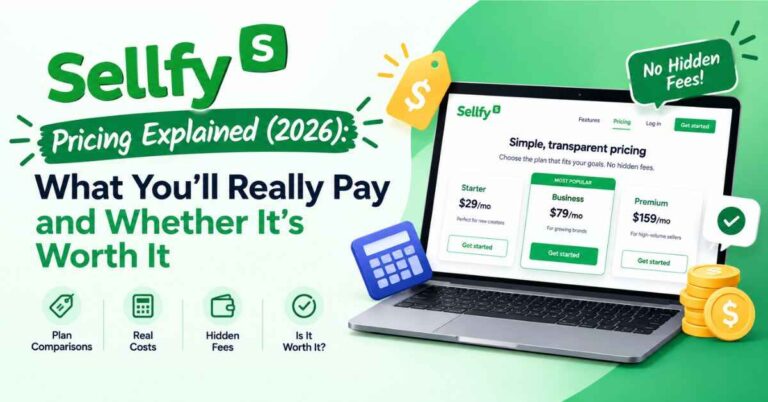
Entry plans start at a modest monthly price. Listings vary a little (some show the low $20s when billed annually, others the high $20s monthly), so check Sellfy’s pricing page for today’s number. Paying yearly saves about 25%, and the top self-serve Premium plan is listed at $159 a month, or $119 a month billed annually, for sellers up to $200K a year. sellfy
The math, side by side
Let’s use those same examples from earlier.
At $1,000 a month (40 sales of $25):
- Gumroad’s own cut: about $120
- Sellfy: a flat plan fee, with no cut on top
At $5,000 a month (200 sales of $25):
- Gumroad’s own cut: about $600
- Sellfy: still a flat plan fee, even if you moved up to the top self-serve plan at $119 to $159 a month
In plain terms, Gumroad’s cost rises with your sales, and Sellfy’s doesn’t. The more you sell, the bigger the gap gets, and at higher volumes it’s often hundreds of dollars a month.
There’s one more thing about Gumroad’s model worth mentioning. If a buyer arrives through Discover instead of your own link, that 30% cut applies. So if you’re getting a lot of sales that way, the effective rate on those orders is much higher.
Predictability matters too
With a flat plan, you know your cost in advance. You can price products with confidence and plan a big launch without wondering how much of a great month will go to fees. That peace of mind is easy to underrate until you’ve experienced the other way.
👉 Want to see how your own numbers might look on a flat plan? You can explore Sellfy free for 14 days, no credit card needed, and judge it yourself: Take a look inside Sellfy →
Where Gumroad Is Genuinely Strong (I’d Be Lying If I Skipped This)
A fair comparison has to give credit where it’s earned. Gumroad does several things well.
It’s the fastest way to start
There’s no monthly plan to choose and no trial clock ticking. You sign up, upload a file, and you’re selling. For a first-time creator who just wants to test whether anyone will buy, that’s genuinely appealing.
It handles taxes for you
This one matters. Since January 1, 2025, Gumroad has operated as the Merchant of Record on every transaction. That means it handles global tax compliance for you, including VAT, GST, and sales tax. beehiivschoolmaker
For a creator selling to buyers around the world, that’s a real relief. Tax rules are confusing, and having a platform take that on can be worth part of the fee. If you choose Sellfy, it’s smart to look into how sales tax and VAT apply to your situation and check Sellfy’s current tax features before you launch.
It has a built-in marketplace
If you have no audience at all, Discover can send buyers your way. For sellers without an audience who need the platform to find customers, the 30% fee might be worth the traffic. That’s a fair point. A sale you wouldn’t have made otherwise still puts money in your pocket. dodopayments
It’s simple
One pricing model, one account type, and not much to configure. If you dislike choosing plans, that simplicity has value.
So if you’re brand new, have no audience, and care most about speed and tax handling, Gumroad is a legitimate choice. The question is whether it stays the right choice as you grow.
Features: What You Get on Sellfy
Now let’s look at what Sellfy brings to the table, because the fee model is only half the story.
A store that’s truly yours
Sellfy lets you build a customizable storefront, connect your own domain, and shape it to match your brand. Buyers see your shop, not a generic marketplace page. That matters for trust and for building something people remember.
Automatic digital delivery
When someone buys a digital product, they get it right away. You can set download limits, and for PDFs you can add stamping so each copy carries the buyer’s details. That discourages casual sharing and protects your work.
Built-in email marketing
Your email list is one of the most valuable things you’ll ever build, and Sellfy includes the tools to use it. You can announce launches, update buyers, and stay in touch without paying for a separate email platform.
If you’re moving over from another platform, Sellfy imports your existing email contacts into its marketing tool on every plan, usually within one to two business days. That makes switching a lot less scary. sellfy
Cart abandonment emails and upsells
Think about how often you’ve left something in a cart. Your customers do the same. Cart abandonment emails gently remind people who didn’t finish, and upsells or bundles raise your average order value. Winning back just a few carts a month can cover a good chunk of your plan.
Print-on-demand and physical products
If you have designs, a brand, or a following, you can put your artwork on t-shirts, mugs, posters, or hoodies. When someone orders, it’s printed and shipped for you. No stock to buy, no boxes to pack. Digital and physical products live in the same store, so a guide and a branded mug can sit side by side.
Subscriptions and memberships
If you want income you can count on, you can sell recurring access: a monthly template drop, a members-only library, or an ongoing series of guides. Recurring revenue changes how a creator business feels, because each month starts with a base instead of zero.
Affiliate tools for your own products
On the right plans, you can set up an affiliate program so other people promote your products and earn a commission. You only pay when a sale happens, which is a low-risk way to grow before spending on ads.
Gumroad has its own set of tools too, including email, affiliates, and upsells, so this isn’t a case of one platform having features and the other having none. The difference is that on Sellfy, you get this toolbox without a percentage coming out of every sale, and with print-on-demand built in. As always, check both sites for the latest feature lists, since platforms add things over time.
Ease of Use: Which Is Easier to Set Up?
Both are quick. Gumroad is arguably the faster of the two to your very first listing, since there are no plans to pick and almost nothing to configure.
Sellfy’s setup is guided and visual too. You choose a look, add your logo and colors, upload a product, write a description, set a price, and go live. No code, no developer. For most people, the first version of a Sellfy store comes together in a single afternoon.
Where Sellfy feels more complete is the store itself. Because it’s built around your own storefront and brand, you’re not just listing a product, you’re building a shop. That’s a small difference at launch and a big one a year later.
A store that’s live and slightly imperfect beats a perfect store that only exists in your head. Whichever you pick, the goal is to launch.
Free Trial and Refund Options
Gumroad doesn’t need a trial, because there’s no subscription. You simply start selling, and fees apply when you make a sale.
Sellfy offers a trial with a safety net. Every plan has a 14-day free trial with no credit card required, plus a 30-day money-back guarantee. sellfy
What that means in practice is simple. You can build a full store, upload products, explore the email tools, and decide with zero risk. If you do sign up and it isn’t right, you have a month to ask for your money back. For someone nervous about picking the wrong tool, that’s a comforting setup.
Real-Life Examples: Which Platform Fits Which Seller?
These are typical scenarios, not guaranteed results. They show how the choice might play out.
The first-timer with no audience
Imagine someone who just finished their first ebook and has barely any followers. They want to test the idea fast and could use some marketplace exposure. Gumroad is a reasonable place to start here, especially with tax handling taken care of.
The designer with steady template sales
A freelance designer is now selling around $3,000 a month in templates and bundles. She realizes a percentage cut on each sale is costing her well over a thousand dollars a year. Moving to Sellfy means her costs stay flat as she grows, and the built-in email tools let her cancel a separate subscription.
The coach with programs and a membership
A fitness coach sells PDF programs and wants to add a monthly membership with new workouts, plus a small line of branded shirts. With Sellfy, he runs digital products, subscriptions, and print-on-demand from one store, with email marketing included.
The writer with a loyal blog audience
A writer with a niche blog and a growing email list doesn’t need a marketplace to find readers. She needs a clean store, buy buttons inside her posts, and healthy margins. Sellfy fits well, since she brings her own traffic and keeps more of each sale.
The artist who wants merch without inventory
An illustrator wants to sell prints, apparel, and digital wallpapers without managing stock. Sellfy’s print-on-demand handles production and shipping, and her digital downloads sit in the same store.
The creator who’s grown past the “easy start” phase
Maybe this is you. You started on a simple platform, things took off, and now the fees feel heavier every month. A flat plan with no platform cut, plus built-in marketing tools, is exactly the kind of upgrade that tends to make sense at this stage.
The Honest Part: Where Sellfy Isn’t Perfect
I said I’d keep this fair, so here are the real limits.
- No permanent free option. Gumroad has no monthly fee, so you pay only when you sell. Sellfy gives you a 14-day trial, then it’s a paid plan.
- No built-in marketplace traffic. Gumroad’s Discover can bring you buyers. With Sellfy, you bring your own audience through your blog, social media, email list, or ads.
- Tax handling works differently. Gumroad acts as the Merchant of Record and handles global taxes. With Sellfy, you’ll want to check how taxes apply to you and what tools are available.
- Sales caps on plans. Sellfy’s plans are tied to yearly revenue. If you exceed your cap without upgrading, Sellfy may charge a 2% overage fee on the extra revenue. It’s easy to avoid by upgrading, but it’s worth planning for. sellfy
- Not built for giant catalogs. If you need thousands of products and deep inventory tools, a larger platform will fit better than either of these.
- Processor fees still apply. Sellfy adds none, but PayPal and Stripe take their normal share. That’s true on Gumroad too.
None of these are dealbreakers for the people Sellfy is designed for. They’re just worth knowing before you commit.
So, Who Should Pick Which?
Gumroad might be the better pick if you:
- Have no audience yet and want marketplace exposure
- Want the fastest possible start, with no plans to choose
- Care most about having taxes handled by the platform
- Sell at low volume, where a percentage fee barely registers
Sellfy is likely the better pick if you:
- Already have some audience from a blog, YouTube, email, or social media
- Expect your sales to grow and don’t want fees to grow with them
- Want email marketing, upsells, and cart recovery in one place
- Want to add print-on-demand merch without handling stock
- Like predictable monthly costs
- Want a store that feels like your own brand
If you’re somewhere in the middle, there’s nothing wrong with starting small and moving later. Just be honest about where your sales are headed, and remember that a switch costs time.
Tips for Making the Right Choice
Before you commit to either platform, try these.
- Write down your realistic monthly sales. Use a number you’d be happy with six months from now.
- Run the math on both. Add Gumroad’s 10% + 50¢ per sale, then compare it with a Sellfy plan fee.
- Think about where your buyers will come from. If it’s your own audience, a marketplace matters less.
- Use the Sellfy free trial. Build a real test store and see how the dashboard feels.
- Move your email list first if you switch. It’s your most valuable asset.
- Keep your old store running until the new one is ready. Don’t leave buyers with broken links.
- Start with one or two products. A focused store converts better and is easier to manage.
- Turn on cart abandonment emails early. It’s one of the easiest wins.
- Put buy buttons inside your blog posts. Meet readers where they already are.
👉 The easiest way to settle Sellfy vs Gumroad is to test it with your own product. If you want to see how Sellfy handles it, you can set up a quick trial store in an afternoon: Start your free Sellfy trial →
Final Verdict: Sellfy vs Gumroad
Let me wrap this up the way I’d explain it to a friend over coffee.
Gumroad is a solid platform with real strengths: it’s fast, it’s simple, it handles taxes for you, and its marketplace can help someone with no audience get discovered. If that describes you, it’s a perfectly reasonable place to begin.
But if you already have some audience, or you’re planning to build something that grows, Sellfy makes a strong case. There’s no platform cut on any plan, so your profit rises with your sales instead of your fees. The built-in tools, from email marketing to upsells to print-on-demand, mean you can run your whole store without a pile of extra subscriptions. And the setup is gentle enough that you don’t need a technical background.
It isn’t perfect for everyone. If you need marketplace traffic or built-in tax handling above all else, Gumroad may suit you better. But for the many writers, designers, coaches, artists, and small brands who want to sell their work and keep more of what they earn, Sellfy is hard to beat.
And the risk of trying it is small. You get a 14-day free trial with no credit card, plus a 30-day money-back guarantee. If it isn’t right, you’ll know quickly, and you won’t be out of pocket. sellfy
So here’s my honest nudge. Don’t spend another month stuck in comparison tabs. Somewhere out there is someone who needs exactly what you made, and they can’t buy it until your store is open.
👉 Ready to stop comparing and start selling? Take the free trial for a spin and see whether Sellfy feels like the right home for your products: Try Sellfy free for 14 days →
Frequently Asked Questions
Is Sellfy better than Gumroad?
It depends on your situation. Gumroad is great for a fast start, marketplace exposure, and built-in tax handling. Sellfy tends to suit creators who already have an audience, expect to grow, and want no platform transaction fees plus built-in marketing tools.
How much does Gumroad charge?
Gumroad charges 10% + 50¢ per direct sale and a flat 30% on sales that come through its Discover marketplace. Payment processing may apply on top. Always check Gumroad’s pricing page and help center for the latest details.
Does Sellfy charge transaction fees?
No. Sellfy doesn’t charge transaction fees on its plans. PayPal and Stripe still charge their standard processing fees.
Does Sellfy have a free trial?
Yes. There’s a 14-day free trial with no credit card required, plus a 30-day money-back guarantee.
Can I sell physical products or merchandise on Sellfy?
Yes. You can sell print-on-demand items and physical products alongside digital downloads and subscriptions in the same store.
Can I move my email list to Sellfy?
Yes. Sellfy imports your existing email contacts into its marketing tool on all plans, usually within one to two business days.
What happens if I outgrow my Sellfy plan?
You can upgrade as your sales grow. Larger sellers can contact Sellfy for custom pricing.
One Last Thing
This post contains affiliate links. If you sign up through them, I may earn a small commission at no extra cost to you. I only recommend tools I think are genuinely useful, and the opinions here are my own. Prices, fees, and features can change on both platforms, so double-check the details on each website before you decide. Thanks for reading, and for supporting this blog!