LeadsGorilla 3.0 APEX AI Review: A Faster Way to Find Local Clients Who Actually Need You
Here’s a scene most freelancers and small agency owners know too well.
It’s 9 p.m. You’ve got a spreadsheet open, forty browser tabs, and a half-written email to a plumber you found on Google Maps. You have no idea if he needs help with his website, his reviews, his ads, or nothing at all. You’re guessing. And you’ve been guessing for three hours.
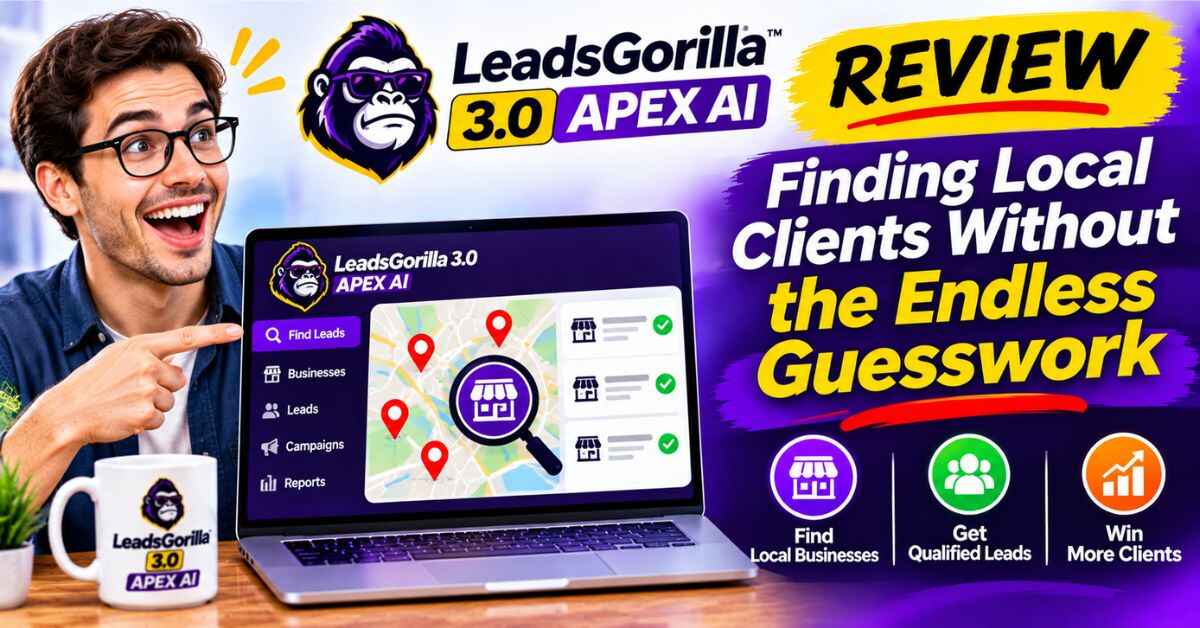
That’s the moment this LeadsGorilla 3.0 APEX AI review is really about. LeadsGorilla is a lead-finding and client-closing tool built for people who sell marketing services to local businesses, and 3.0 APEX AI is the newest version. I looked into what the software is known for, how it’s meant to work, and who it suits best. I’ll also be upfront about what to check on the sales page yourself, because details like pricing and bonuses can change.
The Hidden Cost of Finding Clients the Hard Way
Most people who start offering services, like SEO, web design, social media, or local marketing, think the hard part will be the work itself. Then reality shows up.
The hard part is finding people to hire you.
You start by browsing. Google Maps, Facebook pages, directory listings, and review sites. You look for businesses that seem like they could use help. But how do you know which ones really do? A dentist with a beautiful website and glowing reviews probably doesn’t need you. A roofer with an outdated page and three reviews from 2019 might.
So you dig. You check each site, scan the reviews, look at their social media, and try to figure out what’s broken. That takes ten, fifteen, sometimes thirty minutes per business. Multiply that by the hundred businesses you’d need to contact to land a handful of clients, and you’ve lost an entire week before you’ve sent a single email.
Then comes the writing. Every email has to feel personal, but you can’t spend an hour on each one. So you copy and paste a template, and it sounds exactly like a template. Most of those emails get ignored, and that’s not because you’re bad at this. It’s because a generic email to a stranger rarely works.
And the worst part? Even when someone replies, you often have nothing concrete to show them. You say, “I can help your business grow,” and they say, “Everyone says that.” Without proof, you sound like everybody else in their inbox.
That cycle is exhausting. It’s why so many talented freelancers burn out before they build a steady client base.
What If the Research Was Already Done for You?
Imagine opening a tool, choosing a type of business and a city, and seeing a list of local businesses with clear signs of where they’re struggling. Imagine having a polished report ready to send that points out those problems in plain language. And imagine having an email already written, personalized enough to feel relevant.
That’s the promise behind LeadsGorilla. It’s designed to cut out the slow, manual part of prospecting so you can spend your time where it actually counts: talking to people and doing good work.
👉 If you’d like to look at the sales page while you read, you can open the LeadsGorilla 3.0 APEX AI page here. It’s the best place to confirm current features, pricing, and bonuses.
LeadsGorilla 3.0 APEX AI Review: What Is It?
LeadsGorilla is an AI-powered prospecting and lead-closing platform built mainly for digital agencies, freelancers, local marketers, and entrepreneurs. The core idea is simple: it finds local businesses that likely need marketing help, shows you what’s wrong with their online presence, and gives you tools to reach out and close the deal.
Based on published descriptions of the software, here’s what it’s known for:
- Local lead finding. It searches for local business leads across multiple platforms, including sources like Google and Facebook, instead of making you hunt manually.
- Lead quality scoring. It ranks leads using an algorithm, so you can see which businesses look like the strongest prospects first.
- Weakness detection. It identifies gaps in a business’s online presence, which gives you a reason to contact them.
- Customizable client reports. It generates professional, ready-to-send audit-style reports you can brand and share.
- AI cold email creation. It helps write outreach emails, with an extensive library of templates you can customize.
- AI writing tools. It can create business descriptions and other content, such as social media and online listing copy.
- Email validation. It helps check email addresses to improve deliverability and reduce bounces.
The 3.0 APEX AI version is the latest update on top of that foundation. The sales page is where you’ll find the exact list of what’s new in this release, so I’d read it carefully for specifics rather than rely on my summary.
How the Process Typically Works
While the details of the interface may vary by version, the general flow of a tool like this goes something like this.
Step 1: Pick your target. You choose a business category, like dentists, roofers, restaurants, or gyms, along with a location. The more specific you get, the better.
Step 2: Let it search. The software pulls local businesses from its sources and builds a lead list. No more bouncing between tabs.
Step 3: Review the scores and weaknesses. You see which leads look strongest and what issues the tool has spotted, like a thin online presence or gaps in their marketing.
Step 4: Generate a report. With one click, you create a professional report highlighting what you found. This becomes your proof, so your outreach has substance.
Step 5: Send a personalized email. Using the built-in templates and AI writing help, you craft a message that references real findings about the business.
Step 6: Follow up and close. When someone replies, you already have a report to discuss, which makes your first conversation far more concrete.
Notice what that does to your workday. The research and the writing, the two biggest time sinks, are mostly handled. Your job becomes reviewing, personalizing, and talking to people.
Why a Report Changes the Whole Conversation
I want to spend a moment on the reports, because I think that’s where a tool like this earns its keep.
Think about how it feels to receive a cold email. Most say something vague like “I help businesses get more customers.” You’ve read that sentence a thousand times, and it means nothing.
Now imagine receiving an email that says: “I took a look at your online presence and noticed a few specific things holding you back. I put together a short report, and I’d be happy to walk you through it.”
That’s different. It’s specific. It shows you did your homework. It gives the business owner something real to look at, even if they don’t hire you.
Reports also move the conversation from “Who are you?” to “What does this mean for me?” And that’s the question that leads to sales calls.
👉 Curious what these reports and lead tools look like in practice? Take a look at the current LeadsGorilla offer here and see the examples on the page.
The Benefits That Matter Most
Let me boil it down to what I think really counts.
It saves hours of research. Instead of browsing business by business, you get a list with signals about who might need help. Those hours go back into your pocket.
It helps you prioritize. Lead scoring means you don’t treat every prospect equally. You can start with the ones that look strongest and work your way down.
It gives you something to show. A professional report makes you look like an expert, not just another person sending cold emails.
It speeds up outreach. Templates and AI writing help you get messages out faster, while still letting you customize them.
It works for many service types. Whether you offer SEO, web design, reputation management, social media, or ads, there’s likely a use for the findings.
It’s built for beginners and pros alike. If you’re just getting started and don’t know where to find clients, it gives you a structured way to begin. If you’re already established, it can speed up a pipeline you already have.
Real-Life Ways People Might Use It
Let me paint a few pictures so this feels less abstract.
The new freelancer. You’ve just started offering social media management. You have no portfolio and no referrals. Using a tool like this, you could find local businesses with neglected pages, send a short report showing what’s missing, and offer a small first project. A concrete audit gives you credibility even without a long track record.
The small agency. You’ve got a team, but your sales pipeline is unpredictable. Some months are packed, others are quiet. Building a steady stream of researched leads can help smooth that out.
The local SEO specialist. You can target businesses with weak listings or thin reviews and point out exactly where they’re losing visibility to competitors. That’s an easy conversation to start.
The web designer. You search for businesses with outdated or weak sites, generate a report, and approach them with specific ideas for improvement. It’s a lot more persuasive than “Do you need a new website?”
The side-hustler. You work a day job and have a couple of hours in the evening. You can’t afford to spend those hours on endless research. A tool that does the heavy lifting lets you use the time for outreach and follow-up.
The consultant who sells to a niche. Maybe you work only with dentists or only with gyms. Finding every local one in a city, sorted by need, is a huge head start.
In each case, the tool doesn’t replace your skills. It replaces the grunt work around finding people who need them. Also read: Click Action AI Review 2026: What Happens When an AI Stops Giving Advice and Starts Doing the Work?
Who It’s For (and Who It Isn’t)
To keep this review honest, let me say who I think benefits most.
It’s probably a good fit if you:
- Sell marketing, web, SEO, or related services to local businesses
- Want a faster, more structured way to find and approach prospects
- Like the idea of leading with a report instead of a generic pitch
- Are willing to follow up and actually talk to people
- Run a solo business or a small agency and don’t have a big research team
It’s probably not for you if you:
- Don’t sell services to local or small businesses
- Expect leads to turn into clients without any outreach or follow-up
- Want a done-for-you client acquisition service where someone else does the selling
- Aren’t comfortable emailing or calling strangers
That last point matters. Software can hand you a warm lead and a sharp report. It can’t have the conversation for you.
A Fair Word on Expectations
I want to be straight with you about something, because it makes you a smarter buyer.
No lead tool guarantees clients. What it does is improve the odds and cut down on wasted time. How well it works for you depends on how good your service is, how well you personalize your outreach, how consistent you are with follow-up, and how well you handle conversations once someone replies.
I also couldn’t pull the complete details of the 3.0 APEX AI sales page when I researched this, so I’d treat the page as your source of truth for current pricing, what’s new in this version, bonuses, and the refund policy. Don’t buy on the strength of my summary alone. Read the page, check what’s included, and look at the terms.
That’s not a knock on the product. It’s just good practice for any purchase, and it’s how I’d want someone to approach it if I were the one reading.
LeadsGorilla 3.0 APEX AI review: How I’d Use It If I Were Starting Out
If I were trying LeadsGorilla for the first time, here’s the approach I’d take.
Start narrow. Pick one type of business and one city. Not ten. A focused list is easier to follow up on, and you’ll learn faster.
Look at the weaknesses first. Before sending anything, read what the tool flags and decide whether you can actually help with it. Only contact businesses where you could genuinely make a difference.
Personalize the first line. Even with a template, add one sentence that shows you looked at their business specifically. It makes a big difference in replies.
Attach or link the report. Don’t make people ask for proof. Show them something useful right away.
Follow up. Many replies come on the second or third touch. A short, friendly follow-up a few days later often does more than the first email.
Track what works. Keep a simple note of how many emails you sent, how many replied, and how many turned into calls. Adjust from there.
Do that consistently for a few weeks and you’ll have real numbers to learn from, not guesses.
👉 Want to check what’s included in this latest version? Visit the LeadsGorilla 3.0 APEX AI page here and compare the features against the way you work.
Why This Approach Makes Sense Right Now
Local businesses still need help. Most small business owners are busy running their shops, and they don’t have time to figure out SEO, social media, or paid ads. Many know they should be doing more online but don’t know where to begin.
That’s a real opportunity for service providers. But it only works if you can reach those owners efficiently and show them you understand their situation.
Tools that organize the search, spot the gaps, and prepare the paperwork make that easier. They don’t remove the need for skill or effort, but they take away a big chunk of the friction at the very start, which is exactly where most people give up.
If you’ve been putting off outreach because the research feels overwhelming, that alone could be worth looking into.
Final Thoughts on This LeadsGorilla 3.0 APEX AI Review
Here’s where I land.
LeadsGorilla is built around a simple, sensible idea: find local businesses that need help, show them proof, and make it easy to reach out. The 3.0 APEX AI release continues that direction, and for freelancers and small agencies who struggle with the “where do I find clients?” part of the job, it’s a tool worth a closer look.
What I like most is the focus on reports. Showing a business owner specific findings, instead of sending another vague pitch, is a smart way to stand out.
What I’d keep in mind is simple. The tool saves time, but the results come from what you do with the leads. Pair it with a solid service, real personalization, and steady follow-up, and it can become a useful part of your client-finding routine.
If you’ve been spending more evenings hunting for prospects than actually talking to them, this might be the nudge that gets you out of the spreadsheet. Check the current details, read the terms, and decide whether it fits how you work.
👉 Ready to see what’s new in LeadsGorilla 3.0 APEX AI? Open the official page here, review the features and offer, and see if it fits your next client search.
Affiliate disclosure: This post contains an affiliate link. If you click it and decide to buy, I may earn a small commission at no extra cost to you. I only share things I think are worth a look, and my opinions here are my own. Results aren’t guaranteed and depend on your service, your outreach, and your effort, so please read the full details on the sales page before you buy.