GrokAI Studio Review: Is a $17 One-Time Grok Dashboard Too Good to Be True?
You know that feeling when you open your banking app and spot another AI subscription you forgot about? One for writing, one for images, one for research, and now someone’s telling you the one you really need is the new one. If you’ve been there, this GrokAI Studio review is for you.
I went through the sales page line by line, including the fine print most people skip, and I’ll tell you what’s genuinely interesting, what sounds a bit too good, and who might get real use out of it.
Fair warning: this page is loud. Some of what it says I’m happy to pass along. Some of it I’d take with a big spoonful of salt. I’ll show you both.
The Subscription Pile-Up Nobody Planned
Nobody sets out to pay for five AI tools. It happens a little at a time.
You start with one chatbot. Then you hear that another one is better at writing with some personality. Another is supposed to be great for images. Another can pull in what’s trending right now. Before long you have a stack of logins, a stack of monthly charges, and a nagging feeling that you’re paying for overlap.
And then there’s the part that actually costs you the most: time. Copying the same prompt into three tools to compare answers. Hunting for the one that can handle video. Waiting for an image generator to finish when you’ve hit a usage cap halfway through a project.
If you create content, run client work or just need to write and research faster, those little frictions add up. You want one place where you can type what you need and get something decent back, without managing a pile of accounts.
That’s the itch GrokAI Studio is trying to scratch.
So What Is GrokAI Studio?
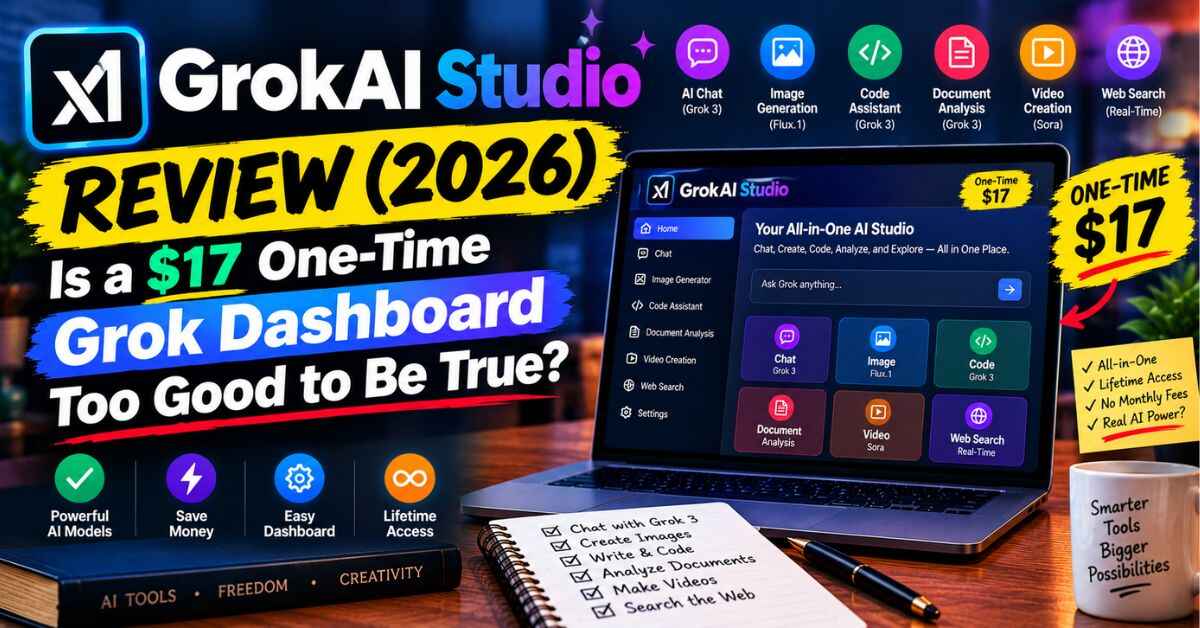
GrokAI Studio is a cloud-based dashboard that gives you access to the Grok family of AI models in one place. You log in through a browser, so there’s nothing to install, and it works on phones, tablets and computers.
According to the sales page, the lineup includes:
- Grok 4 and Grok 4 Heavy for long-form writing, strategy and harder reasoning
- Grok 3 as a faster option for quick drafts and brainstorming
- Grok Imagine for image generation
- Grok Video for turning text prompts into short video clips
- Grok Voice for talking to the AI out loud and creating voiceovers
- Live X (Twitter) data, so you can ask about what’s trending right now
On top of that, there’s a workspace that saves your chats and files, support for 99+ languages, document and image uploads, and a commercial license that lets you use what you create for client work.
The pitch is simple: instead of paying separately for a chatbot, an image tool, a video tool and a research tool, you get one dashboard and one payment. The listed price is $17, one time, for lifetime access.
How It Works
The page boils the process down to three steps.
Step one: log in from any device. No downloads, no setup.
Step two: type what you need in plain English. A Facebook ad. A launch email sequence. A script for a short video. “What’s trending in the fitness niche right now?”
Step three: read what comes back, edit it, and use it.
There’s no clever trick here. It’s a chat-style workspace with extra tools attached. If you’ve used any AI chatbot before, you’ll feel at home within a few minutes, and if you haven’t, the learning curve looks gentle. Take a look at GrokAI Studio and test it on a real task
The Benefits That Actually Matter
I’ll skip the twenty-item feature dump and focus on the parts that could change your week.
1. Everything in One Place
This is the real selling point. Writing, images, voice and video under one login means fewer tabs and less switching. If you’ve ever lost half an hour hopping between tools just to finish one post, you’ll understand why that’s appealing.
2. Live Trend Research
The page leans hard on the idea that Grok can pull in live posts from X, so you can see what people are talking about right now instead of what was popular months ago. For anyone who writes timely content, runs social accounts or keeps an eye on a niche, that’s a genuinely useful angle. Checking what’s gaining traction before you write a post can save you from publishing something that already feels stale.
3. A Writing Voice With a Bit More Personality
Plenty of people complain that AI output sounds the same: careful, padded and a little bland. The page positions Grok as sharper and more direct. Everyone’s taste differs, so I’d test this with your own prompts, but if blandness is your pet peeve, it’s worth seeing for yourself.
4. A Commercial License Is Included
If you do client work, this matters. The page says you can use what you create in client projects, sell it and keep the profit, with no royalties. As always, read the actual terms inside, but having this in writing from the start is a plus.
5. A Simple Price Structure
One payment, no monthly fee. For $17, even a modest amount of use could make the math work out, as long as it does what you need.
6. Beginner-Friendly
You don’t need prompt-engineering skills or technical know-how. Type what you want, see what happens, tweak it. For people who feel intimidated by AI tools, that matters.
What Could You Actually Do With It? (Real-World Examples)
Let me turn the features into everyday situations.
The freelance writer with too many deadlines. You’ve got three blog posts and a set of product descriptions due this week. Having a tool that gives you a solid first draft means you spend your time sharpening the writing instead of staring at a blank page.
The social media manager. Captions, hooks, short scripts and a few image ideas for several clients. Checking what’s trending before you plan the week, then drafting posts and graphics in the same dashboard, is a neat workflow.
The small business owner. You need ad copy, an email to past customers and a few product images, but you can’t justify hiring someone for each. A single tool that handles all three gets you most of the way there.
The affiliate marketer or content creator. Research a niche, draft a video script, generate a thumbnail and write the description without leaving one workspace. That kind of speed helps when you’re juggling several channels.
The student or researcher. The page mentions uploading PDFs and documents and getting analysis back, with source citations on web research. Handy for making sense of long reading, as long as you check the sources yourself.
The curious tinkerer. Not everyone needs a business case. Some people just want to see what these models can do without signing up for a handful of separate subscriptions.
The Bonuses
The page lists several extras, including a profit blueprint with service ideas and pricing templates, a vault of content templates, a library of 300+ prompts, a 30-day challenge, and an affiliate marketing playbook. I’d treat the prompt library and templates as the most practical ones, since they help you get decent output faster. The income-focused guides are the sort of thing I’d read with realistic expectations, which brings me to the next section.
GrokAI Studio Review: My Honest Thoughts (Because You Deserve Them)
I’ve read a lot of launch pages, and this one has more hype per square inch than most. So let me separate what’s reasonable from what I’d question.
What I like. The idea of one dashboard for text, images, voice and video is useful. The price is low. The commercial license is a real plus. And the live trend research angle is the part I find most interesting for content creators. Also read: GeminiPrime AI Review (2026): Lifetime Gemini Access for $17? Here’s What You Need to Know First
What I’d take with a grain of salt.
The “Elon’s secret lab” framing and the “uncensored” pitch. The page makes dramatic claims about unfiltered answers and insider access. I’d read that as marketing language. In practice, you should expect an AI chatbot with its own guardrails, like any other. What’s worth judging is the quality of the output, not the story around it.
The income stories. The page includes some eye-catching case studies, including trading profits and fast-growing newsletters. Treat those as the sellers’ own examples, not as typical results. The page’s own disclaimer says testimonials are exceptional results and that there’s no guarantee you’ll earn anything. I’d go a step further and say don’t buy this expecting income. Buy it if you want a writing and creating tool, and treat any earnings as a bonus you work for.
Trading and financial claims. There’s a section about using real-time data to make trades. I’d stay well away from treating any AI output as financial advice. Please don’t make money decisions based on a chatbot’s read of social media.
The urgency. There’s a countdown, a “spots remaining” counter and a line about the price going to $297 or more. This is standard launch-page pressure. You don’t need to rush. Take a breath, and decide based on whether it fits your needs.
Inconsistencies on the page. I noticed a few details that don’t line up, such as different price figures in different places and slightly different product names. That’s not necessarily a red flag, since launch pages get stitched together quickly, but it’s one more reason to check the checkout page for the exact price and what’s included before you pay.
Questions worth asking. Access to multiple premium AI models for a one-time $17 is unusual, because running these models costs real money. That’s why I’d look closely at what “unlimited” and “lifetime” mean in practice, whether there are usage limits, and how long the service is meant to run. These are fair things to check before you buy, and fair things to test in your first week.
The refund terms. This one matters. The page advertises a 30-day money-back guarantee, but the fine print describes it as a conditional guarantee. It says you need to show evidence that you’ve tried it and asked for help, and that a refund cancels your software access. That’s not unusual, but you should know it going in. Test it early, and if something doesn’t work, contact support right away and keep a record.
Upsells. There’s an add-on offer for extra languages at $9.97. You don’t have to take it, and you can decide later whether you need it.
If you go in expecting a handy, affordable all-in-one workspace for writing, images and research, and you treat the big promises as sales talk, I think the risk is low. At $17, with a refund window, you’re not betting much. Take a look at GrokAI Studio and test it on a real task
Who GrokAI Studio Is Probably a Good Fit For
- Freelancers and agency owners who write a lot of copy and need to move faster
- Social media managers and content creators who want trend research and drafts in one place
- Small business owners who need ads, emails and visuals without hiring out each piece
- Beginners who want to try several AI tools without a pile of subscriptions
- Anyone who’s tired of paying monthly for multiple AI tools and wants to simplify
Who Might Want to Skip It
- If you already have a setup you love, you may not need another tool
- If you want guaranteed income, no tool can promise that
- If you need to verify exactly what’s behind the service before buying anything, you may want to wait for more independent feedback
- If you only need AI once in a while, a free option might be enough
So, Is It Worth Trying?
Here’s how I’d think about it. Look at what you pay for AI tools right now, and think about how often you switch between them. If you’re spending money and time on scattered tools, a single dashboard at a low one-time price is a reasonable thing to test.
The best way to find out is to test it on something you actually need this week. Draft a post. Ask it what’s trending in your niche. Generate a couple of images for a project. Within an hour, you’ll know whether it fits how you work, and you’ll still be inside the refund window if it doesn’t.
The page says the $17 price is a launch offer, so if you’re curious, it makes sense to check what the checkout shows today.
Quick FAQ
Do I need technical skills? No. You type what you want in plain English.
Is there a monthly fee? The page lists a one-time $17 payment for lifetime access.
Does it work on my phone? Yes. It’s cloud-based and works on phones, tablets and computers.
Can I use what I create for clients? A commercial license is listed as included.
Is there a refund? There’s a 30-day money-back guarantee, with conditions described in the fine print.
Are there upsells? There’s an optional language add-on. It’s not required.
Final Thoughts
AI tools come and go, and most promise more than they deliver. What caught my attention about GrokAI Studio is the simple idea underneath all the noise: one dashboard, one price, and a handful of useful tools, including live trend research that most chatbots don’t offer. The noise itself I’d mostly filter out.
Whether it’s right for you comes down to a practical question. Will you actually use it for writing, images and research? If so, $17 and a refund window is a low-risk way to find out.
Curious to see it for yourself? You can check out what’s inside and see the current offer here: See what’s inside GrokAI Studio
Quick note: this post contains affiliate links. If you click one and decide to buy, I may earn a small commission at no extra cost to you. It helps me keep writing these reviews. I only recommend things I think are worth a look, and I’d always rather you buy something that helps you than something that doesn’t. Please do your own research, and remember that results depend on your own effort.