CinemaSites AI Review 2026: Features, Pricing, Pros & Cons (Worth It?)
If you’ve ever wanted to earn money from websites but didn’t want to learn to code, wrestle with page builders or pay for a designer, this CinemaSites AI Review is worth a few minutes of your time. CinemaSites AI is a cloud-based tool that builds a complete website from one sentence, or redesigns an outdated site from its URL, with the copy, SEO setup and mobile layout handled for you. The launch price is $14.94 once. I’ll walk you through how it works, what you really get, where the catches are and whether it’s a smart buy.
Here’s the situation most people know too well. You decide a website service might be a good side income. You open a page builder and stare at a blank canvas. A weekend disappears dragging boxes around, the page looks fine on desktop and falls apart on your phone, and you still haven’t written a single word of copy. Then you price out an agency and realize one website costs more than your rent. So the idea stays an idea.
Meanwhile, down every main street, plenty of local businesses either have no website or are stuck with one that looks like it was built in 2009. The demand is there. The slow, technical part is what stops people. That’s the gap CinemaSites AI is aiming at.
CinemaSites AI Review: Quick Overview
Here’s the short version before the details.
| Product | CinemaSites AI |
| Creator | Akshat Gupta |
| What it is | Cloud-based AI website builder and redesign tool with cinematic-style designs |
| Two modes | Build from scratch (describe a business) or redesign (paste an existing URL) |
| Also includes | AI copywriter, SEO assistant, mobile optimization, custom domain, SSL and hosting, file export |
| Pricing | $14.94 one-time launch price; the page says it rises with every 50 copies sold, then moves to $97/month |
| Upsell | Business Edition, $9.97 one-time (first 25 buyers, per the page) |
| Bonuses | 5 bonuses listed, with a stated value of $535 |
| Refund | 30-day money-back guarantee |
| Best for | Freelancers, side-hustlers, small agencies, affiliate marketers, local business owners |
My quick take: at the launch price, the risk is small and the idea is practical. But a few spots on the page look unfinished, and I’ll point those out so you can check them before buying.
What Is CinemaSites AI?
CinemaSites AI is a browser-based website studio. You type a few words about any business, such as “a modern website for a family-owned wood-fired pizzeria in Austin,” or you paste an old website’s URL. You pick a cinematic style or a ready-made template for your niche, hit Generate, and it creates the pages for you, including the design, headlines, website copy and SEO titles and descriptions.
The page describes it as “a complete web agency in your browser.” It lists eight roles it replaces: web developer, designer, design researcher, hosting company, handoff person, copywriter, mobile specialist and SEO expert. That’s a big claim, but the feature list does cover most of those jobs in one place.
It’s also built with selling in mind. The Commercial usage rights mean you can create websites for businesses, agencies and clients and sell them. The page suggests example prices, like $300 for a starter website, $700 for a premium redesign and $1,500 or more for a package with domain, hosting and updates. Those are example service prices, not guaranteed earnings, and the page says results depend on your effort, skills and market.
The creator, Akshat Gupta, says he built it after launching several AI apps and always running into the same problem: blank canvases, template sites everyone else already uses, pages that broke on mobile, and no single tool that wrote copy, handled SEO and hosted the site. That story is relatable.
How Does CinemaSites AI Work?
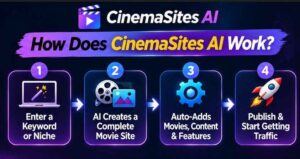
The page boils it down to three clicks. Here’s the flow.
Step 1: Getting Started
You log in to the cloud dashboard. There’s nothing to download or install, and it works on Mac, Windows and any modern browser. Then you either describe a business in a sentence, paste an outdated URL to redesign, or drop in a reference site whose look you like.
Step 2: Setting Up the Product
Next you pick your style. You can choose a cinematic look or a ready-made template for a niche like restaurant, dental, gym, real estate, law firm, salon, eCommerce or coaching. That’s all the setup. There’s no coding, no hosting setup and no copywriting to do beforehand.
Step 3: Using the Main Features
You hit Generate, and the tool builds the website with the design and layout, AI-written headlines and copy, SEO titles, meta descriptions and keywords, and mobile-optimized pages. Then you publish it on your custom domain with free SSL and hosting, or export the files and hand them to a client. The page says the whole process takes minutes.
👉 Curious what the generated websites look like? See the CinemaSites AI demo and current price here.
CinemaSites AI Features and Benefits
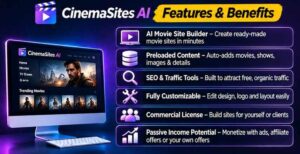
There’s a long list on the page. Here are the three that matter most to me.
Feature 1: AI Website Builder From Scratch
You describe a business and get a complete, ready-to-publish website. The example prompts on the page give a good idea: a developer SaaS site with a product tour and trial signup, a roofing company site with services and instant inspection booking, a luxury travel site with destination cards, and a coffee shop site with a menu and reservations.
Why it matters: the hardest part of starting is the blank page. If the tool gives you a solid first draft in minutes, you can spend your time customizing and selling instead of building from nothing.
Feature 2: AI Website Redesign and Clone to Design
Paste any public website URL and the tool creates a modern, cinematic redesign. There’s also a Website Clone to Design option that recreates the style of a reference site you like. Respect copyright and don’t copy another company’s branding or content as your own. Used sensibly, the redesign feature is a strong sales tool, because showing a business owner a before and after of their own site is a very persuasive pitch.
Feature 3: Copy, SEO, Mobile, Domain and Hosting in One Place
This is the part that saves the most time. The AI Copywriter writes headlines, sales copy and page content. The AI SEO Assistant generates titles, meta descriptions and keyword suggestions. One-click mobile optimization makes pages mobile-friendly. You can connect your own custom domain, and the page says free SSL and hosting are included. Having all of this under one login means you’re not juggling five different tools and subscriptions.
A Few More Things Worth Knowing
- Cinematic templates for many niches.
- Website Export so you can download your files and assets anytime.
- Commercial usage rights to sell sites to clients.
- Free updates and support, according to the page.
- Step-by-step video training to get you to your first sale.
Who Is CinemaSites AI Best For?
I think it fits these people best:
- Freelancers and side-hustlers looking for a service businesses already understand and need.
- Web designers who want to deliver faster.
- Small agencies that want to produce more sites, including white-label work for their own clients.
- Affiliate and digital marketers who need landing pages, review pages and bonus pages without hiring a designer.
- Local business owners who want a decent website for themselves without the agency price.
- Coaches and course creators who need clean pages for their offers.
- Beginners who can type a sentence and want a simple way to start.
It’s probably not the best choice if you need a highly custom web application, complex e-commerce functionality or pixel-perfect brand design from scratch. It’s also not for anyone expecting clients to appear on their own. You still have to find them and pitch them. Also read: Filmoyo Review 2026: Features, Pricing, Pros & Cons (Worth It?)
CinemaSites AI Pros and Cons
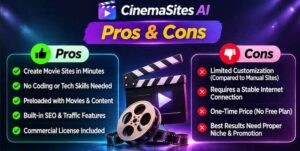
Pros
- Builds a full website from one sentence, or redesigns one from a URL
- Includes AI copywriting, SEO titles and descriptions, and mobile optimization
- Custom domain connection, free SSL and hosting mentioned on the page
- Website export, so clients can take their files
- Commercial usage rights to sell sites
- Ready-made templates for popular local niches
- Very low one-time launch price of $14.94
- Five bonuses aimed at finding and pitching clients
- 30-day no-questions-asked money-back guarantee
Cons
- The price is meant to rise with every 50 copies sold and then become $97/month
- Hosting limits aren’t clearly explained, and the page text includes an unfinished note about confirming plan limits
- A couple of spots on the page look like leftovers from another launch (for example, a bonus named for a music video gig and a coupon code that mentions songs), so ask support if anything is unclear
- AI-generated sites still need your review, edits and real business details
- The earning examples are suggestions, not promises
- Finding and winning clients is still up to you
CinemaSites AI Pricing and OTOs
Here’s what the page says at the time of writing.
- Launch price: $14.94 one-time for lifetime access, with the regular price listed as $97 per month. The page says the price goes up with every 50 copies sold, and moves to $97/month once the launch closes.
- Discount codes: the page shows an early-bird $3 coupon and an exit-offer code (CSITES3) that brings the price to $11.95. Codes change, so check at checkout.
- OTO (upsell): CinemaSites AI Business Edition, $9.97 one-time (listed as normally $97), limited to the first 25 buyers. It adds more templates and section blocks, Hollywood-style animations and effects, priority 24/7 VIP support, future PRO features and premium assets.
Is the upsell necessary? Not to use the core tool. I’d buy the main version first, build a couple of real sites and then decide whether the extra templates and animations would help your clients. At $9.97 it’s a small decision either way.
One honest note on value. $14.94 is extremely low compared with the $97/month the page quotes as the regular price. If the product does what it says, the one-time price looks like a bargain. But always check what “lifetime access” covers, especially hosting, before you build dozens of client sites on it.
👉 Want to lock in the launch price before it goes up? Check the current CinemaSites AI price here.
CinemaSites AI Bonuses
The page lists five bonuses, with a combined stated value of $535:
- Local Client Finder Blueprint: how to find businesses with no website or an outdated one, quickly.
- Website Client Kit: a ready-to-use proposal, pricing sheet and delivery templates for selling websites.
- Gig Blueprint: a step-by-step guide to setting up and ranking website gigs on freelance platforms. (The page labels it with a music video title, which looks like a leftover, so confirm the contents.)
- Before & After Pitch Pack: mockup frames and presentation templates for redesign pitches.
- Cold Outreach Scripts for Local Businesses: done-for-you cold email and DM scripts.
The dollar “values” are inflated, as they usually are. Judge the bonuses by usefulness. For anyone planning to sell sites, the Client Finder, Client Kit and Outreach Scripts are the practical ones. If you buy through my link, also check your checkout page and confirmation email for any extra bonuses attached to the offer.
My CinemaSites AI Evaluation
Here’s how I’d rate it, based on the offer as presented:
- Idea strength: 8.5/10. Build and redesign in one tool is a smart combination.
- Ease of use: 9/10. One sentence or one URL, then Generate.
- Value for money: 9/10 at the launch price. Very low risk at $14.94.
- Output quality: 7.5/10 (expected). AI sites will vary, and you’ll want to polish them.
- Page clarity: 6.5/10. Some unfinished notes and leftover text reduce confidence a little.
- Overall: 8/10.
What I like most is the redesign angle. Instead of cold-pitching with words, you can show a local business owner a modern version of their own site. That kind of before and after is persuasive in a way no email can be.
CinemaSites AI vs. Alternatives
Here’s how it compares in general terms with other ways of getting a website built or sold:
| CinemaSites AI | DIY page builders | Hiring a web agency | |
|---|---|---|---|
| Starting point | One sentence or URL | Blank canvas or template | Brief and meetings |
| Copy and SEO | Included | Usually you write it | Often extra |
| Mobile layout | One-click optimization | You check and fix | Included |
| Hosting and SSL | Mentioned as included | Usually a separate bill | Often separate |
| Speed | Minutes | Hours to days | Weeks |
| Cost | $14.94 launch price | Monthly plan | Often hundreds to thousands |
| Control | Moderate, template-driven | High | High |
If you want total design control or a complex custom build, a traditional builder or a developer is still the right call. If you want fast, good-looking sites for local businesses and affiliate offers, an AI-first tool saves a huge amount of time.
Is CinemaSites AI Legit?
From what I can see, yes, it looks like a real product with a real feature set. It names its founder, describes the tool clearly, lists exactly what’s included, links to a privacy policy, terms and disclaimer, offers a 30-day guarantee and sells through a known affiliate marketplace.
That said, two things deserve a careful look. First, the sales page has a few unfinished notes and leftover text from what seems to be an earlier launch template, so I’d email support before buying if you have questions about hosting limits or the contents of any bonus. Second, the page’s money examples are just that, examples. Nobody can promise you clients or income. Treat it as a fast website production tool, and you’ll judge it fairly.
CinemaSites AI Refund Policy
There’s a 30-day no-questions-asked money-back guarantee. If you’re not happy for any reason, you contact the support team within 30 days and they refund your purchase. The page promises no hassle.
My advice: don’t wait. In your first few days, build one site from scratch and redesign one existing site, connect a domain if you plan to, and test the mobile layout and export. If it does what you need, keep it. If not, ask for your refund while you’re well inside the window.
Frequently Asked Questions
Do I need an existing website to start? No. Describe the business in a few words and the tool builds a complete site from scratch.
Can I redesign any website? Yes. Paste a public website URL and it creates a modern, cinematic redesign.
Do I need coding or design skills? No. If you can type a sentence or paste a link, you can use it.
Does it write the content too? Yes. The AI Copywriter creates headlines, sales copy and page content.
Will the websites work on mobile? Yes. One-click mobile optimization makes pages mobile-friendly.
Is hosting really included? The page says yes, with free SSL. It also has an unfinished note about plan limits, so confirm the details with support before building many sites.
Can I use my own domain? Yes. You can connect your own or a client’s custom domain.
Can I sell the websites I create? Yes. The page says you can create websites for businesses, agencies and clients and sell them.
Will I make money with it? No tool can promise that. The prices on the page are examples. Your results depend on your effort, your skills and your market.
What if it isn’t for me? You’re covered by the 30-day money-back guarantee.
Final Verdict: Is CinemaSites AI Worth Buying?
If you want a quick, low-cost way to build or redesign websites for yourself or for clients, CinemaSites AI is worth a serious look. For $14.94, you get a builder, a redesign tool, AI copy and SEO, mobile optimization, domain connection, export, commercial rights and five bonuses, all backed by a 30-day guarantee. The redesign feature alone gives you a practical way to start conversations with local businesses.
Just go in with clear eyes. The price is meant to rise soon, a few details on the page look unfinished, AI sites need a human polish, and nobody can promise you clients. If you’re comfortable with those points, it’s a smart, low-risk experiment. If you’re hoping for effortless income, no tool delivers that.
My suggestion is simple. Check the current price, build two or three sites in the first week, ask support about any unclear details and keep it if it fits. The guarantee covers you if it doesn’t.
👉 Ready to try it? Get CinemaSites AI at the launch price and build your first cinematic website.
Affiliate disclaimer: This post contains affiliate links, which means I may earn a small commission if you buy through them, at no extra cost to you. I only share products I think are worth a look, and my opinions are my own. Results vary from person to person, so please read the full terms on the official page before you buy.