Nook Tales Creator Review 2026: Features, Pricing, Pros & Cons (Worth It?)
You’ve probably seen cozy mystery coloring books popping up on Amazon and Etsy: a little fox detective, a missing batch of cinnamon rolls, clues hidden on every page. They look charming, and they look easy to make. Then you try making one with AI, and the detective looks different on every page. If you’ve been there, this Nook Tales Creator Review is for you.
Nook Tales Creator is a ChatGPT plugin that turns one short story idea into a complete cozy mystery coloring book plan. That includes a mystery with clues, a prompt for every page, covers, and a full KDP and Etsy listing package, all for a one-time $17.
I’ll cover what it does, how it works, who it suits, the pros and cons, pricing, bonuses and the refund policy, including a few honest limits you should know about before buying.
Nook Tales Creator Review: Quick Overview
Here’s the quick snapshot:
- Product: Nook Tales Creator
- What it is: A ChatGPT plugin for building cozy mystery coloring books
- Best for: Amazon KDP and Etsy sellers
- Audience covered: Kids 4-8 and Tweens 9-12 (cozy mysteries only)
- Page counts: 10, 12, 20 or 30 pages
- Page formats: 8.5 × 11 inches (portrait) or 8.5 × 8.5 inches (square)
- What you get: Mystery plan, character lock, a prompt for every page, cover prompts, KDP and Etsy listing text, and print-ready files
- Bonuses: 3, including 150 ready-made mystery cases
- Price: $17 one-time
- Needs: A ChatGPT account (Plus or higher is recommended)
- Guarantee: 30 days
- My rating: 4.3 out of 5
The short version: it’s a focused tool built around one problem, getting from a story idea to a publishable coloring book without losing consistency. Let’s see how well it does that.
What Is Nook Tales Creator?
Nook Tales Creator is a plugin you use inside ChatGPT. You give it a short story idea (2 to 5 sentences), pick your page count, audience and format, and it builds the whole blueprint for a cozy mystery coloring book.
Here’s the problem it targets. If you’ve tried making an AI coloring book, you know the usual frustrations. The little detective on page 1 turns into a stranger by page 15. You spend hours rewriting prompts. Pages that look fine on screen print badly. And then you still need a title, description, keywords and categories before you can publish.
The sales page puts it well: the bottleneck isn’t the quality of AI images. It’s the messy gap between a story idea and a book you can actually publish.
Nook Tales Creator fills that gap. It plans the mystery, locks in how the characters look, writes the exact prompt for each page, builds cover prompts and creates your KDP and Etsy listing package. Then you generate pages one click at a time inside ChatGPT and collect a print-ready ZIP.
One thing to be clear about: it works inside ChatGPT, so you need a ChatGPT account. I’ll cover what that means for cost below.
How Does Nook Tales Creator Work?
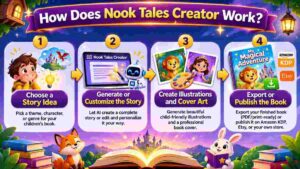
The vendor describes three steps. Here’s how it plays out.
Step 1: Getting Started
You write a short cozy story, 2 to 5 sentences. Maybe a mouse baker whose cinnamon rolls keep vanishing, or a fox cub detective investigating a snowman’s missing carrot nose. The plugin pulls out the character, setting, mood and activities.
If you don’t have an idea, Bonus #1 includes 150 ready-made cases you can copy and paste. But your own idea always works too.
Step 2: Setting Up the Product
Next, you choose your page count (10, 12, 20 or 30), your audience (Kids 4-8 or Tweens 9-12) and your page format. Then you receive your blueprint: the KDP package, a Mystery Plan, style anchors, the exact words for every page and one prompt per page.
You review it once, approve it and reply “continue.” That review step matters. It’s your chance to tweak anything before pages get created.
Step 3: Using the Main Features
Now you create each page with one click inside ChatGPT. When you’re done, you collect a ZIP of print-ready files for KDP and Etsy. The Launch Checklist in Bonus #3 walks you through uploading.
A practical note: the plan, prompts and listing files arrive in minutes, but the page images are generated one at a time. A 12-page book will go faster than a 30-page one, so start small for your first project.
👉 Want to see the sample covers and pages this plugin produces? Check out Nook Tales Creator and the example books here.
Nook Tales Creator Features and Benefits
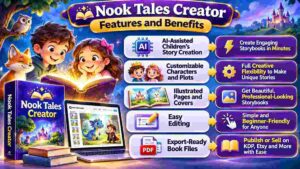
The sales page lists six features. These are the three that matter most.
Feature 1: Story DNA and Character Lock
This is the one that solves the biggest AI coloring book headache. The plugin creates a Master Style Anchor and a Character Anchor, describing exactly how the detective and each suspect look. That description gets reused in every page prompt.
The result is a detective who looks like the same detective from page 1 to page 30. For a mystery book, that matters a lot. Readers follow a character, and a detective who keeps changing breaks the spell (and leads to unhappy reviews).
Feature 2: Mystery Plan and Chapter Arc
Before any page gets drawn, the plugin plans the case: the setting, three suspects and where each clue appears. Clues are placed on specific pages, so readers solve the mystery while they color.
That’s a big difference from random coloring pages stitched together. A book with a real story and a “who did it?” payoff feels like a finished product. The chapter arc also keeps scenes from repeating, so every page gives the reader something new to find.
Feature 3: Complete KDP and Etsy Package With Print-Ready Files
This is where the time savings pile up. You get a title, subtitle, a 250 to 300 word description, 7 keywords, 3 categories and a suggested price for Amazon. For Etsy, you get a title and 13 tags. Both come as text files you can paste (KDP_Listing.txt and Etsy_Listing.txt).
On the production side, pages are enlarged to 300 DPI in 8.5 × 11 or 8.5 × 8.5 inches. A margin guard keeps artwork away from the edges (0.7 inch for Kids, 0.9 inch for Tweens) and measures the finished PDF. You also get an interior PDF, a full-wrap cover and an Etsy printable PDF.
There are also two art styles matched to age: bold, thick outlines and big open areas for Kids 4-8, and bold outlines with a bit more detail for Tweens 9-12. And the page text is short, with an expected-text line so you can spot spelling slips before printing.
My usual advice still applies: always check KDP’s Print Previewer and order a proof copy before you publish.
Who Is Nook Tales Creator Best For?
Here’s who I think gets the most from it.
KDP and Etsy sellers. If you already sell low-content or coloring books, this speeds up the whole pipeline. If you also run Etsy listings, my PinMyListings review covers a tool for getting more eyes on them.
Beginners who gave up on AI coloring books. If inconsistent characters made you quit, the character lock is aimed straight at you.
Sellers who want to publish more, faster. With the Series Planner and Season Calendar in Bonus #3, you can plan a series instead of starting from zero each time. Seasonal planning pairs nicely with my SaleSeason AI review.
Parents, grandparents and teachers. The vendor notes it works for making a one-of-a-kind book for a child, too.
Digital product creators. If you like creating products to sell, see my digital products guides for more ideas. And if you’re curious about other publishing tools, my AzonFlow review looks at one built around Kindle books.
Who should skip it? The vendor is honest about this. If you want teen or adult books, this edition only covers ages 4 to 12 and cozy mysteries. If you won’t spend about 10 minutes on setup and reading the plan, or you expect guaranteed sales, it’s not for you.
Nook Tales Creator Pros and Cons
Let me give you both sides plainly.
Pros
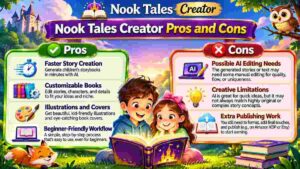
- Builds a complete cozy mystery coloring book plan from one short story
- Character lock keeps the detective consistent on every page
- Mystery plan with suspects and clues placed on specific pages
- Two age-matched art styles (Kids 4-8 and Tweens 9-12)
- A prompt for every page, plus front and back cover prompts
- Full KDP package (title, description, 7 keywords, 3 categories, price) and Etsy title with 13 tags
- Print-ready files at 300 DPI with a safe margin guard
- Three bonuses, including 150 ready-made cases
- Works inside ChatGPT, so there’s nothing extra to install
- One-time $17 for the plugin
- 30-day money-back guarantee
- Honest limits stated on the sales page
Cons
- You need a ChatGPT account, and Plus or higher is recommended for finishing a full book
- Free ChatGPT accounts have stricter limits, so you may not complete a full book
- Page images are generated one at a time, so longer books take more time
- Only covers cozy mysteries for ages 4-12
- Coloring books are a competitive market, so your story and listing still need to stand out
- KDP and Etsy have their own rules on AI-generated content, and you must disclose it
- No sales or income are guaranteed
- Always check proofs, since AI pages can still need review
None of these are deal-breakers if you go in realistic. The ChatGPT requirement is the biggest practical one, and the vendor is upfront about it.
Nook Tales Creator Pricing and OTOs
The pricing is simple.
Front end: $17 one-time. That gets you the Nook Tales Creator plugin, instant access and all three bonuses. The page says there’s no subscription for the plugin.
Here’s the catch to plan for: the plugin runs inside ChatGPT, so you’ll need a ChatGPT account. The vendor says it can be installed and used with a free account, but free is best for testing. Free accounts have tighter usage limits and smaller context windows, which can interrupt your workflow or stop you from finishing a full book. ChatGPT Plus or higher is recommended for a smoother experience, and all plans have usage limits. Plans and prices change, so check OpenAI’s current options.
Upgrades (OTOs). The sales page I reviewed doesn’t list any upgrades. If any are offered after checkout, the details and pricing will appear during the order process, so I won’t guess at them here.
The vendor says the bundle is worth $168 in total, which is their number based on the plugin and bonuses. I’d treat that as a marketing figure. What matters is whether the tool saves you time, and at $17, it only needs to save you a couple of hours on one book to pay for itself. The vendor’s own estimate for doing a book by hand is 20+ hours, though that’s their typical figure, not a guarantee.
👉 Curious what the plugin and all three bonuses look like for $17? See the current Nook Tales Creator offer here.
Nook Tales Creator Bonuses
You get three bonuses with the $17 purchase.
- Bonus #1: Cozy Case Files (150 ready-made mystery cases). 78 for Kids 4-8 and 72 for Tweens 9-12, across 10 settings like bakeries, forests, old houses and seaside ponds. Each case has a detective, three suspects, the answer and three clues (four for Tweens), plus a season tag. You copy a cell and paste it straight into the plugin. Listed value: $47.
- Bonus #2: Detective Extras (8 interactive pages). Meet the Detective, Detective’s Tools, a Detective Badge, a Clue Checklist, a Suspect Line-Up, a Hidden Stars page, a Draw Your Own Clue page and a Case Solved Certificate, with ready-made prompts for Kids and Tweens in portrait and square. Listed value: $27.
- Bonus #3: Launch and Series Kit plus Quick Start. A plain-language Quick Start, a KDP printing-cost and royalty calculator, an Etsy fee calculator, keyword and tag starter sets, a Season Calendar, a Series Planner, a Launch Checklist and a Niche Snapshot of real price points. Listed value: $27.
Honestly, Bonus #1 and Bonus #3 are the ones I’d use first. The 150 cases remove the “what do I write?” problem, and the calculators and checklist help with the business side, like knowing your margins before you publish. Detective Extras is a nice touch for making books feel more interactive and giving buyers extra value.
The bonuses are optional. The vendor says the plugin never needs the 150 cases, since your own idea always works.
My Nook Tales Creator Evaluation
I’ll be upfront about how I judged it. My evaluation is based on a careful read of the sales page: the features, the workflow, the sample books, the pricing, the bonuses, the account requirements and the refund terms. I haven’t generated a book myself, so I’m judging the product on what the vendor shows and how well it matches real KDP and Etsy needs.
Here’s my scorecard:
- Solves a real problem: 5/5. Character consistency and the story-to-listing gap are genuine pain points.
- Ease of use: 4.5/5. A guided workflow with approvals and one-click pages.
- Value for money: 4.5/5. $17 for the plugin plus useful bonuses is low risk, though ChatGPT costs are separate.
- Output quality: 4/5. The samples look charming, but AI results can vary, so review everything.
- Flexibility: 3.5/5. Limited to cozy mysteries for ages 4-12.
Overall: 4.3 out of 5.
What I like most is the structure. Most AI coloring tools hand you random pictures. This one plans a mystery, places clues and keeps the detective consistent, so the finished book feels like a real story. That’s what separates a book people enjoy from one they return.
What I’d flag: the market is competitive, and you’re responsible for following the rules of every platform you publish on. If you want to explore other AI art tools, my AI image generators guides are a good place to browse.
Nook Tales Creator vs. Alternatives
Let’s see how it compares to the usual routes.
Prompting ChatGPT or an image tool yourself. It’s flexible and you can do it for free, but you handle the story, the character consistency, the page prompts, the margins and the listing text yourself. Nook Tales Creator packages all of that into one workflow.
Generic AI coloring page generators. These make random pictures, usually with no mystery, no character lock and no listing package. They’re fine for quick pages, but not for a coherent book.
Hiring an illustrator or designer. You’ll get polished, original art, but costs add up quickly per book, especially for a series.
Coloring book templates and PLR packs. Templates can save time, but many people use the same ones, so your book can look like everyone else’s. A story you write yourself, even a short one, is more distinctive.
Doing everything by hand. Complete control, but the vendor estimates 20+ hours per book, and many sellers give up after the second one.
Where Nook Tales Creator wins is speed, consistency and the built-in listing and print prep, at a very low price. Where alternatives win is complete creative freedom, hand-drawn originality or niches beyond cozy mysteries for kids and tweens. For more ways to sell online, see my e-commerce guides.
Is Nook Tales Creator Legit?
It’s a fair question, especially for a low-priced launch.
From what I reviewed, it looks legitimate. The sales page explains exactly what the plugin does, shows detailed sample books from start to finish, lists the file specs and bonuses, and names the creator with a support email. Checkout runs through WarriorPlus, a long-running marketplace.
I also appreciate the honesty about limits. The page spells out the ChatGPT account requirements, says free accounts may not complete a full book, notes that the product isn’t affiliated with OpenAI, Amazon or Etsy, and says clearly that it makes no income promises. It even tells you to answer KDP’s AI-content question honestly, check each platform’s current rules and order a proof copy.
So yes, it looks legit. Just remember it’s a tool. Whether your books sell depends on your story, your listings and your marketing.
Nook Tales Creator Refund Policy
You’re covered by a 30-day money-back guarantee.
Here’s how the sales page words it. If you decide within 30 days that Nook Tales Creator isn’t worth at least 10 times what you paid, you email the creator for a full refund, and you keep the bonuses. The page adds that the guarantee shows confidence in the product but isn’t a promise of results.
That “10 times what you paid” wording is a bit unusual, so it’s worth reading carefully, but it’s still a generous setup for a $17 product, since you keep the bonuses either way.
My advice: use the window on purpose. Make one short book (10 or 12 pages) from start to finish. Check the pages, the margins and the listing text. If you can see yourself using it again, it’s worth keeping. If not, you know within a weekend.
Frequently Asked Questions
Which ChatGPT account do I need?
ChatGPT Plus or higher is recommended for the best experience, especially for a complete book with many page images. A free account can be used, mainly for testing. Check OpenAI’s current plans, since limits change.
Can I use a free ChatGPT account?
Yes, but free accounts have stricter usage limits and smaller context windows. Your workflow may be interrupted, or you might not finish a full book.
Are the pages ready for KDP?
Pages are made for 8.5 × 11 or 8.5 × 8.5 inches with a white background and bold line art, enlarged to 300 DPI with a safe margin. You still need to check KDP’s Print Previewer and order a proof copy.
How long does a book take?
Your plan, prompts and listing files arrive in minutes. The page images are then made one at a time, so a 12-page book is quicker than a 30-page one.
Is it suitable for beginners?
Yes. The plugin guides you step by step, and Bonus #3 includes a Quick Start in plain words. You don’t need design skills.
Do I have to use the 150 cases from Bonus #1?
No. The plugin works with any cozy mystery idea you write yourself in 2 to 5 sentences.
Can I sell the books I make?
You choose where to publish. Amazon KDP asks whether a book contains AI-generated content, and Etsy asks sellers to say so in the listing. Answer honestly and check each platform’s current rules first.
Does it cover teen or adult books?
No. This edition covers ages 4 to 12 and cozy mysteries only.
Is there a monthly fee?
No subscription for the plugin. Your ChatGPT plan is separate.
What’s the refund policy?
A 30-day money-back guarantee, and you keep the bonuses.
Final Verdict: Is Nook Tales Creator Worth Buying?
So, is it worth it?
If you sell, or want to sell, coloring books on Amazon KDP or Etsy, I think yes. For $17 once, you get a plugin that plans a real mystery, keeps your detective consistent, writes your page prompts and covers, builds your KDP and Etsy listing text and prepares print-ready files. Add three useful bonuses and a 30-day guarantee, and the risk is small.
It won’t guarantee sales, and it’s not magic. You’ll need a ChatGPT account (ideally Plus), a bit of patience while pages generate, and a careful eye on proofs and platform rules. The coloring book market is also crowded, so a charming story and a strong listing still matter.
But if you’ve ever given up on an AI coloring book because the character kept changing, or because the publishing side felt like too much, this is a thoughtful fix. Try one short book and see how it feels.
👉 Ready to turn one story into a cozy mystery coloring book? Grab Nook Tales Creator here with the 30-day guarantee.
Affiliate Disclaimer: Quick heads-up: this post contains affiliate links. If you buy through them, I may earn a small commission at no extra cost to you. It helps me keep creating free content. I only share things I think are worth your time, and my opinions are my own. Results vary from person to person, and no sales or income are guaranteed, so please do your own research before buying.