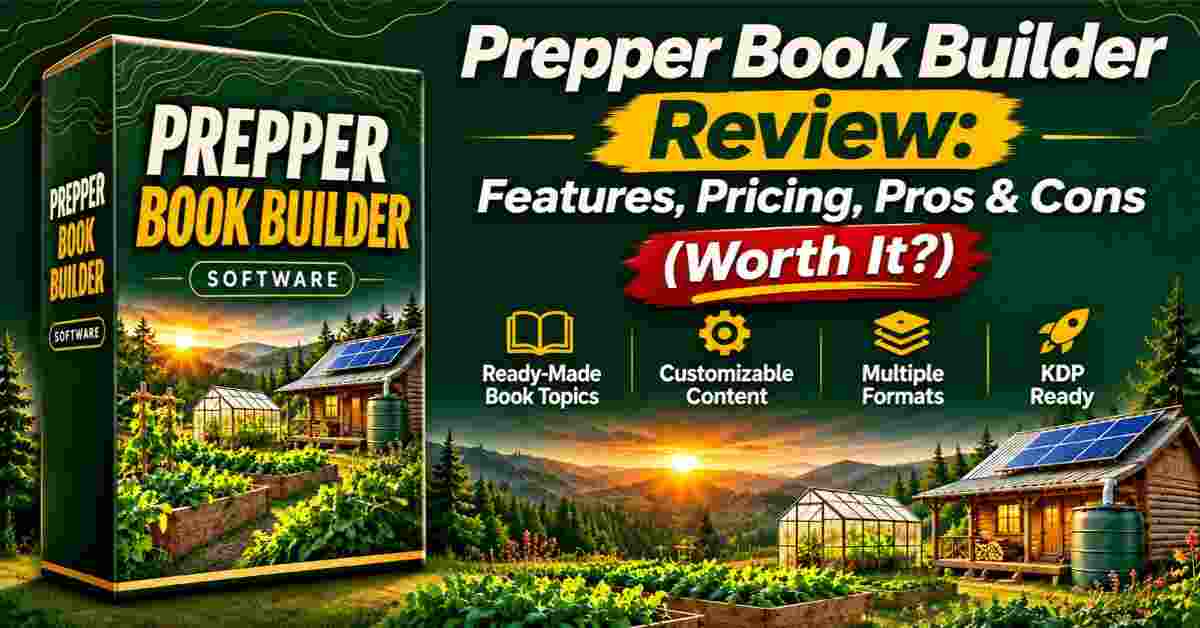
Prepper Book Builder Review 2026: Features, Pricing, Pros & Cons (Worth It?)
If you publish on Kindle, you’ve probably felt it: you find a niche, write into it, enjoy a few good months, and then the sales fade. This Prepper Book Builder Review looks at a tool built to fix exactly that problem, by helping you create books on topics people need every single year, like pantry planning, water storage, small-space gardening, and home energy.
I’ll walk you through what it is, how it works, what you actually get, where it falls short, and who should skip it. I went through the sales page and the full workflow carefully, so you get a straight answer instead of a hype sheet.
Quick note on where I’m coming from: I’m not going to tell you it’s magic. No tool is. But I do think this one solves a real, specific problem, and I’ll show you why.
Prepper Book Builder Review: Quick Overview
Here’s the short version before we dig in.
- Product name: Prepper & Homesteading Book Builder (Prepper Book Builder)
- Creator: Alessandro Zamboni, who says he’s been selling digital products since 2008
- What it is: A browser-based tool that turns your topic choices into a complete editorial brief (a “megaprompt”) you paste into your AI writing assistant
- Works with: ChatGPT, Claude, Gemini or another capable AI (your AI subscription is separate)
- Topics included: 72 topics across nine families, plus six ready-made bundles
- Price: $17 (the sales page says the dimesale has reached its final ceiling price)
- Bonus: The Publishers Launch Kit Builder, included free
- Access: Instant, hosted online, nothing to install
- Refund policy: 14-day money-back guarantee
- Best for: KDP publishers and digital product creators who want evergreen nonfiction
What Is Prepper Book Builder?
Prepper Book Builder is a tool that does one thing very well: it gives your AI a proper brief before it writes a single word.
Think about how most people use AI for books. You type “write a book about prepping,” and you get something that looks like a book but reads like filler. Chapter 3 repeats chapter 1. Every other page says “it’s important to be prepared.” Nothing is specific to the reader, and there are no worksheets or checklists anyone could actually use.
That’s not really the AI’s fault. A one-line prompt forces it to guess who the reader is, what each chapter is for, and what to leave out. So it fills space.
Prepper Book Builder replaces that guesswork. You pick a topic, describe your reader, choose a format and length, and the tool generates a detailed prompt. Your AI then plans the book, you approve the plan, and it writes chapter by chapter.
The whole idea rests on one rule the creator calls the One-Job Chapter Brief: every chapter must have one distinct practical purpose. A decision the reader makes, a record they fill in, or a system they understand. If a chapter doesn’t have a job, it doesn’t make the book.
That’s a small idea, but it’s the difference between a manuscript that wanders and one that reads like a real guide.
How Does Prepper Book Builder Work?
It’s a four-step process, and honestly, it’s simpler than I expected. Here’s how it breaks down.
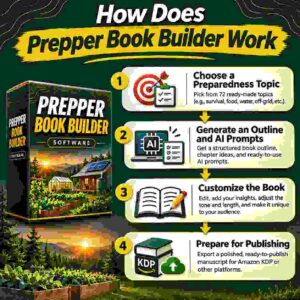
Step 1: Getting Started
You open the builder in your browser. There’s nothing to download. The first choice is your topic.
You can pick from 72 topics grouped into nine families, or start from one of six ready-made bundles such as “The Year-Round Working Pantry,” “Small-Space Homestead,” or “The First-Year Backyard Homestead.” If you’re new to the genre and don’t know where to begin, the bundles are a comfortable starting point.
Step 2: Setting Up the Product
Next, you describe your reader. This is where the book stops being generic.
You set things like skill level, household size, renter or owner, available space, climate, country and region, language and units. You can also add a budget, a title idea, or anything else you want included.
Why does this matter? Because a pantry book for two adults in a small apartment should look completely different from one for a big rural family with a root cellar. When the brief knows that, the AI writes accordingly.
Then you pick a format: a practical handbook, a step-by-step course in book form, a seasonal planner, or a desk reference. And a length: Compact (12,000 to 18,000 words), Standard (25,000 to 40,000), or Reference (45,000 to 65,000).
Step 3: Using the Main Features
Now you copy the generated prompt into your AI of choice. The AI proposes a plan first. You approve it or tweak it. Then it writes the manuscript chapter by chapter, using commands that are built into the prompt.
According to the creator, a complete 25,000-word guide came out of his own test in about an hour, using Claude. Your time will vary depending on the AI you use, your plan’s limits, and how many changes you ask for. But the workflow is built so you’re mostly reviewing and approving, not writing from scratch.
That’s the part I appreciated. It respects the fact that you’re a publisher, not a typist.
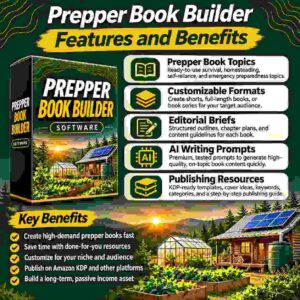
Prepper Book Builder Features and Benefits
Let’s look at what’s actually inside, and why each piece matters for your books.
Feature 1: The One-Job Chapter Brief
This is the heart of the tool. Before writing starts, every chapter gets a defined practical outcome.
The benefit is simple. You avoid padding, because every chapter has a reason to exist. You avoid repetition, because every chapter does something different. And you avoid generic advice, because the brief tells the AI exactly who it’s writing for.
If you’ve ever scrolled through low-quality guides in your own category, you know how rare that is.
Feature 2: 72 Topics and 23.5 Million Setups
The builder covers nine topic families:
- Homestead design and getting started
- Pantry and long-term food storage
- Food preservation and the harvest kitchen
- Gardening and seed independence
- Water and sanitation
- Off-grid power and home energy
- Small livestock
- Repair, resource loops and workshops
- Household operations and seasonal routines
According to the sales page, one topic alone has 326,592 ways to tailor the book, and across all 72 topics that adds up to about 23.5 million possible setups. Now, you’ll never use all of those. But the point is that two books built from the same topic can come out genuinely different, which matters if you plan to publish more than one title.
Feature 3: Books That Readers Can Actually Use
Each brief tells the AI to deliver more than chapters. You get:
- Three title and subtitle options
- A reader promise and full table of contents planned in advance
- Worked examples with clearly labeled assumptions
- Worksheets, logs and checklists suited to the topic
- Appendices and a glossary
- A source ledger and consolidated references
- Progress tracking for longer books
- A final editorial handoff listing anything left to check before you publish
That worksheet-and-checklist part is what I think separates a book people keep from one they return. Prepper readers want something they can set next to the pantry shelf and fill in. A wall of text doesn’t do that.
👉 Curious how the topic picker and prompt builder look in action? Take a look at the Prepper Book Builder here and see what a finished brief covers before you decide.
Bonus Feature: The Publishers Launch Kit Builder
A finished manuscript isn’t a launched book. You still need a listing, and that’s where many publishers get stuck.
The included Launch Kit Builder works from your finished book. It runs a compliance check first, looking for risky claims, missing disclaimers and leftover [VERIFY] markers. Then it creates five title and subtitle options, seven keyword phrases plus backups, three category directions, a book description up to 4,000 characters, back cover copy, an author bio, an A+ content plan, three cover prompts, a store blurb, and a launch checklist.
One honest caveat, and the creator says so himself: the compliance check is an AI-assisted review aid. It can miss things, and it isn’t legal or medical review. You’re still the one who publishes.
Who Is Prepper Book Builder Best For?
After going through everything, here’s who I think gets the most out of it.
It’s a good fit if you:
- Publish on KDP, whether you have one title or hundreds, and want a genre that isn’t tied to one season
- Already use an AI like ChatGPT, Claude or Gemini and you’re tired of thin, repetitive manuscripts
- Want practical nonfiction that readers keep and use
- Are new to prepping and homesteading and want a guided starting point
- Sell digital products on Gumroad or Etsy and want more evergreen items for your store
It’s probably not for you if you:
- Want wilderness survival, tactical, weapons or medical-treatment books. The creator says those are deliberately outside the builder’s scope
- Don’t want to use an AI service at all. The builder writes the brief; your AI writes the book
That second list is refreshing. Plenty of sales pages say “this is for everyone.” This one tells you who should walk away.
Why This Niche Makes Sense Right Now
I want to spend a minute on the market, because a tool is only as good as the niche it points you at.
The sales page cites market estimates suggesting somewhere between 20 and 24.5 million active preppers in the United States, which is roughly 9.1% of adults. It also says about 40% of new preppers are Millennials or Gen Z. These are survey and market estimates, so treat them as directional rather than gospel.
What stands out to me is the reasoning behind the niche. Pantries get restocked, gardens get replanned every season, and people think about water storage after a dry summer or home energy after a blackout. These are household decisions people repeat year after year. They’re not riding a trend wave.
There’s also a format advantage. Prepper readers often want a physical or downloadable guide that works when the power or internet is out. That’s a real reason to buy a book instead of just searching online.
👉 Want to see the topic families and bundles for yourself? Peek inside the Prepper Book Builder and check whether any of the 72 topics match what you’d like to publish.
Prepper Book Builder Pros and Cons
No tool is perfect. Here’s the honest balance.
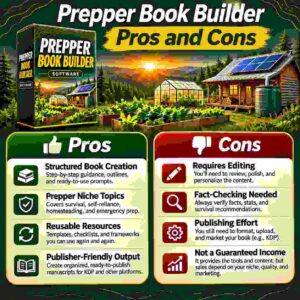
Pros
- Fixes the biggest weakness of AI-written books: generic, repetitive content
- The One-Job Chapter Brief keeps every chapter purposeful
- 72 topics and six bundles remove the “what should I write?” problem
- Reader customization makes each book feel specific
- Includes worksheets, checklists, worked examples and a source ledger
- The free Launch Kit Builder covers titles, keywords, categories and descriptions
- Instant access, nothing to install
- You can sell every book you create and keep the royalties
- Low price at $17, backed by a 14-day refund window
Cons
- You need your own AI subscription, and that’s an extra cost
- The “one hour for a 25,000-word guide” result is the creator’s own test; your timing will vary
- You still need to review safety-sensitive chapters (food preservation, drinking water, electrical systems) before publishing
- It’s focused on prepper and homesteading topics, so it won’t cover tactical, weapons or medical-treatment books
- It generates a brief, not a finished product. You still need to approve plans, review output and publish
I’d rather you hear those now than find out later. None of them are dealbreakers for the right person, but they’re real.
Prepper Book Builder Pricing and OTOs
The price is $17. The sales page explains it as a dimesale: the price rose by $0.10 every 10 sales until it hit the $17 ceiling. It says this is now the highest and final price, so there’s no cheaper version coming back.
That’s a one-time payment for the builder, the 72 topics, six bundles, four formats, three length ranges, the customization options, the megaprompt generator, the chapter-by-chapter workflow, and the Publishers Launch Kit Builder.
As for upsells (OTOs), the sales page doesn’t list any. I’d suggest checking the checkout flow when you buy, since upsell offers can appear after the main purchase and details can change. If something extra is offered, read it carefully and decide whether you need it. The core builder works as described without anything additional.
For a tool that can feed an entire catalog of books, $17 is a low barrier. Compare that to how much a single ghostwritten guide would cost, and the math looks friendly.
Prepper Book Builder Bonuses
The main bonus is the Publishers Launch Kit Builder, and it’s included free with your purchase.
I think it’s more valuable than the word “bonus” suggests. Writing the book is only half of publishing. The other half is the title, keywords, categories, description, author bio, A+ content, and cover concepts. Many publishers write a great manuscript and then rush a weak listing. This kit handles that second half with your book as the source.
It also works beyond this genre. The creator says it fits Prepper & Homesteading, Wilderness & Bushcraft, Urban & Tactical Survival, Medical & Herbal First Aid, or any other nonfiction. So even if you branch out later, you’re not locked in.
Keep in mind that bonuses offered by affiliates (including any I might mention elsewhere) can change, so always confirm what’s included at checkout.
My Prepper Book Builder Evaluation
Here’s how I’d rate it, category by category.
- Ease of use: 9/10. Four steps, browser-based, no installation. If you can paste text into an AI chat, you can use it.
- Value for money: 9/10. At $17, with a launch kit included, it’s priced well below what the output could be worth.
- Content quality potential: 8.5/10. The structure (reader promise, planned TOC, one job per chapter, worksheets, source ledger) is what AI books usually lack. Final quality still depends on your review.
- Niche strength: 9/10. Evergreen, practical topics people return to every year.
- Support and trust: 8/10. There’s a clear 14-day refund and a named creator with a long track record in digital products, though you should always verify claims yourself.
Overall: about 8.7 out of 10.
What impressed me most wasn’t any single feature. It was the honesty of the framing. The page tells you to review safety-sensitive chapters. It tells you the compliance check can miss things. It tells you who shouldn’t buy. That kind of candor builds trust, and in a market full of overpromising, I notice it.
If I were starting a KDP catalog tomorrow and wanted evergreen titles, I’d absolutely test this with one bundle first, something like the pantry or small-space homestead bundle, and judge the result with my own eyes.
👉 Ready to test it on one topic? Grab Prepper Book Builder here and build your first guide while the idea is fresh. You’re covered by a 14-day refund if it isn’t right for you.
Prepper Book Builder vs. Alternatives
How does it compare to the other ways you could create books? Let me be fair about each.
Free “write my book” prompts. These cost nothing, and that’s their appeal. But a free prompt lets the AI decide everything: the reader, the structure, the chapter jobs. The usual result is the repetitive, generic draft I described earlier. Prepper Book Builder hands the AI a full editorial brief instead. Same AI, very different book.
Writing it all yourself. You’ll get the most personal voice, but it takes the most time. For a publisher trying to build a catalog, that pace can be hard to sustain, especially with worksheets, appendices and references to produce.
Hiring a ghostwriter. You get a human writer, but you pay per project, and costs add up quickly if you want multiple titles. Revisions also take back-and-forth time.
PLR content. Ready-made content is fast, but it’s often generic and shared with other buyers, which hurts originality. Books built from your own reader details come out more specific.
Generic AI book tools. Some tools target all genres. They may be flexible, but they usually aren’t tuned for a specific niche’s needs, like pantry rotation logs or water budgets.
Where Prepper Book Builder stands out is its focus. It’s built for one genre, with topics, reader settings and structure designed around it. That’s a trade-off: less flexibility, but a lot more depth for this niche.
Is Prepper Book Builder Legit?
Yes, from everything I can see, it’s a legitimate product. Here’s why I say that.
- It’s sold through WarriorPlus, a well-known marketplace for digital products, which handles the checkout
- The creator is named, shows his background, and lists a business name and VAT ID in the footer
- The product description is specific about what you get and what you don’t
- It’s upfront that the builder creates a brief and your AI does the writing
- It openly says safety-related topics need your own careful review
- A 14-day refund policy is clearly stated
Does that mean you’ll make money? No, and nobody can promise that. Book sales depend on your topic choice, cover, listing, and marketing. The sales page shows estimated monthly sales for some existing prepper books, but those are estimates from a market research tool and they belong to other authors. They show demand exists in the category. They don’t predict your results.
My advice: treat it as a content production tool, not a money button. Used that way, it’s honest and useful. Also read: ClipCash Engine Review 2026: Features, Pricing, Pros & Cons (Worth It?)
Prepper Book Builder Refund Policy
You get a 14-day money-back guarantee. If the builder isn’t right for you, you email the creator within 14 days of purchase and request a full refund. The sales page says no questions and no hoops.
The creator’s support email is listed on the sales page, so check it there when you’re ready to buy. As with any digital purchase, don’t wait until day 13. Try it on a real topic within the first few days so you can judge it properly.
Frequently Asked Questions
Will this really produce a 25,000-word guide in an hour?
That’s what the creator reports from his own test using Claude. Your time will depend on your AI, your plan’s limits and how many changes you request. The workflow is designed so you approve a plan and move through chapters instead of writing from scratch.
I’m new to prepping and homesteading. Do I need experience?
No. You choose the topic and describe the reader, and the brief guides the AI through planning and content. The ready-made bundles give you a starting point if you’re unsure.
Which AI do I need?
Any capable AI writing assistant, such as ChatGPT, Claude or Gemini. The creator built and tested it with Claude. Your AI subscription is separate from the builder.
How is this different from a free “write my book” prompt?
A free prompt leaves every decision to the AI. The builder supplies a complete brief with a defined reader, a planned table of contents, one practical job per chapter, worked examples, worksheets, a source ledger and an editorial checklist.
Can I write longer books?
Yes. The megaprompt includes progress tracking and a source ledger. If you switch to a new chat, carry over the approved plan and latest project status, and always keep your own saved copy of the manuscript.
Should I check the content before publishing?
Yes, with any nonfiction. Pay extra attention to safety-sensitive topics like food preservation, drinking water and electrical systems.
Can I sell the books I create?
Yes. You can publish them on KDP and keep the royalties.
What if it’s not for me?
You have 14 days to request a full refund.
Final Verdict: Is Prepper Book Builder Worth Buying?
So, is it worth it?
If you’re a KDP publisher or digital product seller who wants evergreen nonfiction, my answer is yes. For $17, you get a structured system that solves the real weakness of AI-written books, a huge range of topics, reader customization, and a launch kit for the listing side of publishing.
It won’t do everything for you. You still need an AI, you still need to review the work, and you still need to publish and market your books. But the heavy, frustrating part, getting a coherent, purposeful manuscript out of an AI, becomes far more manageable.
And the niche itself is a smart one. People plan pantries, gardens, water and power every year. Books on those topics don’t expire when a trend does.
If you’ve been chasing hot niches and watching them cool off, this is a different approach: build a small catalog of books people need again and again. Start with one topic, one reader and one book, and see how it feels.
👉 Want to build your first evergreen guide? Get Prepper Book Builder here and try it risk-free with the 14-day refund. One topic tonight could be your next book by the end of the evening.
Affiliate disclaimer: This post contains affiliate links. If you buy through them, I may earn a small commission at no extra cost to you. I only recommend products I think are genuinely useful, and my opinions are my own. Prices and bonuses can change, so please check the official page before you buy.