How to Clone Your Voice With ElevenLabs (Step-by-Step, Even If You’re a Beginner)
If you’ve ever wished you could be in two places at once, how to clone your voice with ElevenLabs is probably the question you should be asking. Picture it: you type a script, press a button, and hear your own voice reading it back. Same tone, same rhythm, same little quirks. No microphone, no retakes, no “sorry, let me start that sentence again.”
It sounds like something out of a sci-fi movie, but it’s a normal Tuesday-afternoon task now. And honestly, the first time I heard my cloned voice say something I had never actually recorded, I got a bit of a chill. It was me. Not a robot doing an impression of me. Me.
In this guide, I’ll walk you through exactly how the process works, what to watch out for, who benefits most, and the small tricks that make the difference between a clone that’s “pretty close” and one that fools your own mother. Grab a coffee. This one’s worth reading all the way through.
The Problem With Recording Your Own Voice (Again and Again)
Let’s talk about why this even matters.
If you create content under your own name, your voice is part of your brand. Your audience gets used to it. They trust it. When they hear it, they know it’s you. That’s a real asset.
But using that asset is exhausting.
Think about what recording actually involves. You need a quiet room, which is harder than it sounds. The fridge hums. A car drives past. Your dog decides this is the perfect moment to bark at nothing. You get through a full paragraph, feel pretty good about it, and then realize you mispronounced a word in the second sentence. So you start over.
Then there’s the energy problem. Your voice on Monday morning isn’t the same as your voice on Friday night. If you record a video in pieces over several days, you can hear the difference. One section sounds bright and sharp, the next one sounds tired and a little nasal because you’ve got a cold coming on.
And editing? Cutting out breaths, mouth clicks, long pauses, and “ums” can take longer than the recording itself. A ten-minute video can easily eat up an entire evening.
Here’s the part that really hurts. A month later, you spot an error in the script. A price changed, a feature got updated, a name was wrong. Now you have to set up your gear again, try to match the tone you had last time, and splice a new line into the old audio. It never sounds quite right. You can hear the seam.
If you’re a YouTuber, a course creator, a podcaster, a coach, or someone who publishes anything with audio, this stuff adds up. It steals hours you could spend on the creative part, the part you actually enjoy. And a lot of people simply stop creating audio because the friction feels too heavy.
That’s the problem. Your voice is valuable, but recording it by hand is slow, tiring, and unforgiving. Also read: ElevenLabs Review 2026: The AI Voice Tool That Finally Made Voiceovers Feel Easy
So, What Does It Mean to Clone Your Voice?
Voice cloning means teaching an AI to speak like you. You give it a sample of your real voice, and it learns your sound: your pitch, your accent, your pacing, the way you land on certain words. After that, you can type anything and hear it spoken in your voice.
It’s not a recording being replayed or chopped up. The system builds a model of how you speak and generates brand new audio from scratch each time you type something.
Why does that matter? Because it frees you from the microphone without removing you from the content. Your audience still hears the voice they know. You just don’t have to sit in a closet with a blanket over your head every time you publish.
There are plenty of tools claiming to do this. Most of them sound like a slightly off impression of the real person. A bit flat, a bit metallic, and the emotion feels pasted on. ElevenLabs is the one that made me stop and say, “Okay, this is different.”
Why I Went With ElevenLabs
ElevenLabs is an AI audio platform best known for voices that sound genuinely human. It doesn’t just read words. It picks up on context. A question sounds like a question. A moment of excitement gets some lift. A quiet, thoughtful line slows down just enough.
That awareness is what makes its voice cloning stand out. The clone doesn’t only match your tone. It also carries your natural flow, so it feels like you speaking rather than a stiff copy.
The platform also does a lot more than cloning. There’s a huge library of ready-made voices, dubbing into other languages, speech-to-text, sound effects, and tools for building voice agents. You won’t need all of that right away. But it’s nice knowing there’s room to grow.
If you’re curious, the easiest thing to do is test it yourself while you read along.
👉 Want to hear your own voice come back to you? Try ElevenLabs and see how it sounds
How to Clone Your Voice With ElevenLabs: The Step-by-Step Process
This is the part you came for, so let’s go slowly and make it simple. Interface details and plan requirements can change over time, so treat this as the general flow and double-check the official site for the current options.
Step 1: Know which type of voice clone you need
ElevenLabs offers more than one way to clone a voice, and picking the right one saves you a headache later.
Instant voice cloning is the quick option. You upload a short audio sample, and the tool builds a clone of your voice in a few minutes. It’s great for testing, for casual content, and for anyone who wants results fast. It captures the general feel of your voice very well.
Professional voice cloning is the deeper option. You provide a much longer recording, and the system trains a more detailed, more accurate version of your voice. It takes longer and usually requires a higher-tier plan, and there’s a verification step to confirm the voice really is yours. But the result is closer to the real thing, with better handling of your accent, emotion, and subtle habits.
My advice: start with instant cloning. It costs you almost nothing in time, and you’ll learn how the whole thing behaves. If you love the results and plan to use your voice clone heavily, like for a full course or an audiobook, then consider stepping up to the professional version.
Step 2: Create an account and check your plan
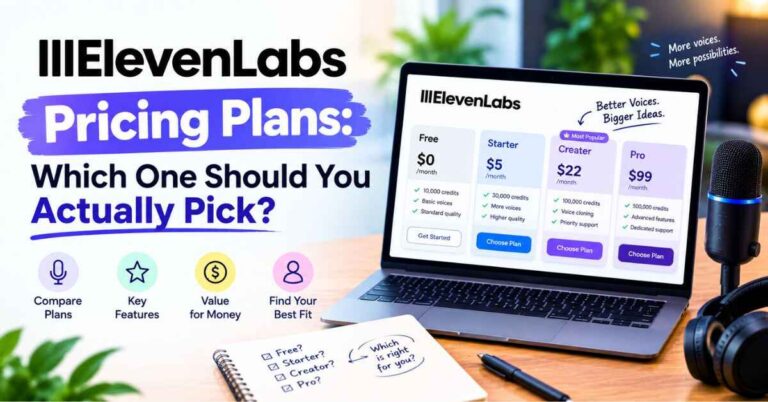
Head to the ElevenLabs site and sign up. You can try the platform and its voices on the free tier to get a feel for the quality. Voice cloning features generally sit on paid plans, and the exact tiers and limits change from time to time, so look at the current plans page before you decide. Pick the one that matches how much audio you realistically plan to make, not the one you hope you’ll make someday.
Step 3: Record a clean sample
This step matters more than anything else. I can’t say it strongly enough: the quality of your clone depends on the quality of your sample.
Here’s what worked for me:
Find a quiet space. Not just “pretty quiet.” Properly quiet. No fans, no echo, no traffic. A closet full of clothes is a classic trick because the fabric soaks up sound. A bedroom with curtains and a carpet also works well.
Use a decent microphone. It doesn’t have to be fancy. A basic USB mic or even a good pair of wired earbuds with a mic will beat a laptop speaker pointed at a bare wall. Keep it a hand’s width or so from your mouth to avoid harsh breath sounds.
Speak the way you normally speak. This is where most people slip. They get stiff and start doing a “recording voice.” Don’t. Talk like you’re explaining something to a friend. The clone will copy whatever you give it, so if you sound stiff in the sample, you’ll sound stiff in the result.
Add some variety. Read a few different kinds of content. A calm paragraph, a more energetic bit, a question or two. A sample with some range teaches the AI that your voice can move.
Avoid background music and noise. Any hiss, hum, or music in the file will confuse the training. Clean and dry is the goal.
Keep it consistent. Use the same mic, same room, and same distance for the entire sample. Switching setups mid-recording makes the voice harder to learn.
You can read from one of your own articles or scripts. It’s easier to sound natural when the words are already yours.
Step 4: Upload your sample and name your voice
In the voice section of the platform, choose the option to create a new cloned voice and upload your audio file. Give it a clear name, something like “My Voice – Calm” or “Channel Narrator.” If you end up making several versions later, you’ll thank yourself for naming them properly.
You may be asked to confirm that you own the voice or have permission to use it. That’s not a formality. It’s a real rule, and I’ll talk more about it in a moment.
Step 5: Test it with a short script
Once your voice is ready, don’t jump straight into a big project. Test it with something short, ideally a paragraph you haven’t recorded before. Type it in, pick your cloned voice, and generate.
Listen carefully. Does it sound like you? Is the pacing right? Does it stumble on certain words? This test round tells you everything about what to adjust.
When I did this, I ran the same paragraph three times with slightly different settings. The differences were subtle but real. One version was a little too perfect, almost over-polished. Another had more natural variation. I ended up preferring the one with a bit more movement because it sounded like me on a good day.
Step 6: Adjust the settings until it feels right
ElevenLabs gives you controls that affect how stable or expressive the voice sounds. A higher stability setting tends to sound steadier and more consistent, which suits calm narration. Lower stability allows more variation and emotion, which suits storytelling and energetic content, but it can occasionally drift.
There’s no magic number. The right setting depends on your content, your voice, and your taste. Play with it for ten minutes and you’ll find your sweet spot.
Step 7: Start using it for real work
Now comes the fun part. Paste in scripts for your videos, course lessons, podcast intros, or audio articles. Generate the audio, download it, and drop it into your editing software.
If a line sounds off, tweak the punctuation or the wording and regenerate just that line. That’s it. No re-recording, no matching your tone from last week.
Small Tricks That Make Your Clone Sound More Like You
Once you’ve got the basics down, a few habits will make the results noticeably better.
Write the way you talk. If your script sounds like a legal document, the clone will sound like you reading a legal document. Use contractions. Keep sentences short. Throw in the occasional fragment. The more your writing feels like speech, the more your voice clone feels like you.
Use punctuation as stage directions. Commas make small pauses. Periods make longer ones. An ellipsis adds a thoughtful hesitation. A question mark lifts the tone. Tiny changes can completely change how a line lands.
Respell tricky words. If a name or technical term comes out wrong, spell it the way it sounds. It’s a ten-second fix, and it works almost every time.
Generate in chunks. For longer projects, split your script into sections. If one part needs fixing, you only redo that part.
Re-record your sample if you’re not happy. If the clone sounds a little dull or odd, the sample is usually the culprit. A cleaner, more natural recording can transform the result.
Keep your best settings written down. Once you find a combination you love, note it. Consistency across videos or lessons matters, especially if your audience listens to you regularly.
The Benefits That Actually Changed My Workflow
Feature lists are boring. Here’s what actually changed for me.
I stopped putting off audio
Voiceover used to be the step I’d push to “later.” Now it takes a few minutes. I write, paste, generate, and listen. The dread is gone, and that alone made me publish more.
Fixing mistakes became painless
Found a typo after publishing? Change the text, regenerate the line, swap it in. What used to be a mini-project became a two-minute fix.
My voice sounds the same every time
No more tired Fridays or stuffy-nose Mondays. The clone sounds consistent from one piece of content to the next, which makes everything feel more polished and professional.
I could say yes to more projects
When recording isn’t the bottleneck, you can take on more. More videos, more lessons, more audio versions of written content. Your capacity jumps without your workload doing the same.
Dubbing opened new audiences
With ElevenLabs you can take content and produce versions in other languages while keeping the character of the original voice. A tutorial that once reached only English speakers can now reach people in Spanish, German, Hindi, Portuguese, and more. For anyone growing an audience, that’s a serious advantage.
It works beyond video
Audio versions of blog posts, short social clips, podcast intros, internal training messages, product walkthroughs. Once you have your voice ready, ideas for using it keep showing up.
Who Gets the Most Out of Voice Cloning
See if one of these sounds like you.
The YouTuber on a schedule
You’ve got a weekly upload deadline, a script ready, and no energy to record. With your cloned voice, the narration is done in minutes, and your channel keeps its familiar sound. Your viewers get the voice they trust, and you get your evenings back.
The course creator with endless lessons
Recording a full course is a marathon. Updating it later is another one. With a cloned voice, an outdated lesson becomes a quick script edit and a regenerate. Your course stays current without a recording session every time something changes.
The podcaster who needs intros, ads, and corrections
Need to fix a sponsor read or add a quick intro to an old episode? Instead of setting up your mic for a 20-second clip, you type it and you’re done.
The blogger who wants to offer audio versions
Many readers like to listen while commuting or cooking. Turning your articles into audio in your own voice makes your content more accessible and gives readers another reason to stay. It also feels personal, which a generic robot voice never does.
The coach or consultant
You send clients regular video messages, training updates, or guided audio. With a voice clone, you can create personalized-feeling content at a pace that would be impossible if you recorded everything by hand.
The author
Independent writers often can’t afford a studio and narrator for audiobooks. A professional-level voice clone can make narrating your own book far more practical, especially if you’d love the audience to hear your voice telling your story. It won’t suit every project, and some authors will still want a human performance, but it makes audio a realistic option for many more writers.
The person who just doesn’t like the sound of their own voice
This one’s real. Plenty of people with great ideas never publish audio because they cringe at the recording. A voice clone can sound like a smoothed-out, well-rested version of you, which many people find easier to live with.
👉 Curious what your voice would sound like as a clone? Give ElevenLabs a quick test
A Quick Word on Doing This the Right Way
I want to say something important, and I’d feel strange skipping it.
Voice cloning is powerful, which means it needs to be used responsibly. Only clone your own voice, or a voice you have clear, written permission to use. Don’t clone a friend as a joke, don’t clone a public figure, and don’t use a cloned voice to mislead anyone.
ElevenLabs has rules about this, and it requires you to confirm you have the rights to the voice you’re cloning. That’s a good thing. It protects creators, and it keeps the technology trustworthy for everyone.
If you use a cloned voice in content for an audience, it’s also considerate to be open about it where it makes sense. Many listeners don’t mind AI narration at all, especially when the content is good. What they dislike is feeling tricked. A short note like “voiceover generated with my own AI voice clone” builds more trust than hiding it ever will.
Do the right thing, and voice cloning becomes a tool that gives you more time, not one that creates problems.
Is It Perfect? Let’s Be Honest
Nothing is, and I’d rather you know what to expect.
Sometimes a word comes out oddly, especially unusual names or technical terms. A quick respelling usually solves it.
Occasionally a sentence lands with the wrong emotional tone. You regenerate it and it’s fine. With ElevenLabs, I find that happens less often than with other tools I’ve tried, and the fix is fast.
A clone is also only as good as the sample behind it. If you rush the recording or use a noisy room, you’ll notice. Spend the extra ten minutes on a clean sample. It pays off every single time.
Finally, the more advanced cloning options and higher usage limits live on paid plans, and those details change from time to time. Check the current plans on the official site, read what’s included, and choose what fits how much audio you actually make. That small bit of homework saves surprises later.
I mention all of this because I’d rather build your trust than oversell. In my experience, the small bumps are tiny compared with the hours saved.
So, Is It Worth Trying?
Let me put it plainly.
If you publish audio or video regularly, or you’ve been avoiding audio because recording feels like a chore, learning how to clone your voice with ElevenLabs is one of the most practical skills you can pick up this year. It saves time, keeps your sound consistent, makes edits painless, and lets you reach more people without burning out.
You still bring everything that matters: your ideas, your scripts, your personality, your way of explaining things. The clone is just the delivery system. It carries your work without wearing you out.
And the nice thing is, you don’t have to commit to anything big to find out if it’s for you. Record a short, clean sample, upload it, type a paragraph, and listen. You’ll know within a few minutes whether it fits the way you work.
My Final Thoughts
I think back to all the evenings I spent hunched over a microphone, redoing the same sentence for the ninth time and wondering why something that should take twenty minutes was taking two hours. It feels almost silly now.
That’s what good tools do. They don’t replace the creative part of you. They take away the friction that keeps you from using it. Your voice stays yours. You just get to use it without the hassle.
If voiceovers have been the slow, annoying step in your process, or if you’ve been sitting on ideas because recording sounds like a drag, this might be the nudge. Record a short sample. Upload it. Type something you’ve never said out loud, and hear your own voice say it back.
It’s a strange, great moment. And it might change how you create from here on.
👉 Ready to hear your own voice come back to you? Start with ElevenLabs here
Quick Disclosure
Just so you know, some links in this post are affiliate links. If you click one and decide to sign up, I may earn a small commission, and it won’t cost you anything extra. I only talk about tools I’d happily recommend to a friend, and everything here is my honest take. Thanks for supporting the site. It helps me keep making free content like this.