ElevenLabs vs Murf AI 2026: Which AI Voice Tool Actually Sounds Human?
If you’ve been searching for ElevenLabs vs Murf AI, you probably already know the feeling. You’ve listened to a dozen AI voice samples, and most of them sound fine for about ten seconds. Then something slips. A weird pause, a flat sentence ending, a word stressed in a way no person would say it. Suddenly your listener knows it’s a robot, and they’re gone.
I’ve been there. I’ve spent more evenings than I’d like to admit fixing voiceovers that almost worked. So when people ask me which tool is worth their time, I don’t give a vague “it depends” answer. I’ll tell you what I found, where each tool shines, and why one of them ended up as my daily driver.
Let’s get into it.
The Voiceover Problem Nobody Talks About
Let me paint a picture you might recognize.
You’ve got a video to publish. Maybe it’s a YouTube tutorial, a course lesson, a product demo, or a podcast intro. The script is done. The visuals are ready. The only thing missing is the voice.
You have three options, and none of them is great.
Option one: record it yourself. Sounds simple until you’re on take fourteen, your neighbor starts mowing the lawn, and you realize you said “basically” nine times in one paragraph. Then there’s the editing. Cutting breaths, removing clicks, fixing a stumble in the middle of a sentence. A five-minute video turns into a three-hour project.
Option two: hire a voice actor. This gets you a great result, but it costs real money, and it takes time. Want to change one line after delivery? That’s another round of emails, another fee, another few days. If you publish often, the math stops working fast.
Option three: use a basic text-to-speech tool. It’s fast and cheap, but the audio has that unmistakable robotic flatness. It’s the voice you hear on a bad GPS or an automated phone menu. Viewers can sense it right away, and they don’t stick around.
Here’s the part that stings. Audio quality affects how people judge everything else. You can have a brilliant script and polished visuals, but if the voice feels cheap, the whole thing feels cheap. People forgive average video far more easily than bad audio.
So you end up stuck between slow and expensive, or fast and robotic. For years, that was just the deal.
That’s why AI voice tools matter. And it’s also why the ElevenLabs vs Murf AI question is worth asking carefully, because the gap between a good one and an average one is the gap between “wow, who’s the narrator?” and “ugh, that’s AI.” Also read: ElevenLabs Review 2026: The AI Voice Tool That Finally Made Voiceovers Feel Easy
So What Is ElevenLabs, Exactly?
ElevenLabs is an AI audio platform built around one main idea: voices that sound like real people, with real emotion and natural rhythm.
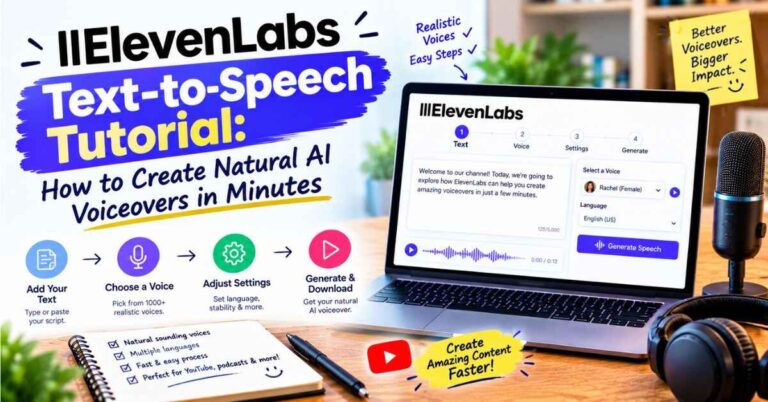
You paste in your text, pick a voice (or build your own), and it reads your script back. That part sounds like every other tool on the market. The difference is in how it reads.
It pays attention to context. If a sentence is a question, it sounds like a question. If your script builds toward something exciting, the delivery picks up. If a line is meant to be quiet and thoughtful, it slows down. It handles pauses, emphasis, and the little hesitations that make speech feel alive.
The first time I fed it a paragraph from one of my own articles, I honestly played it twice. Not because it was perfect, but because it sounded like someone had actually thought about what they were reading. That’s not something I could say about most tools I’d tried before.
Beyond basic text-to-speech, ElevenLabs has grown into a full toolkit. It includes voice cloning, a huge library of ready-made voices, dubbing that translates your content into other languages, speech-to-text, sound effects, and tools for building conversational voice agents. You don’t need all of it on day one. But it’s nice knowing the platform can grow with whatever you’re working on.
👉 Want to hear it for yourself? Try ElevenLabs and paste in one of your own scripts
ElevenLabs vs Murf AI: How They Really Compare
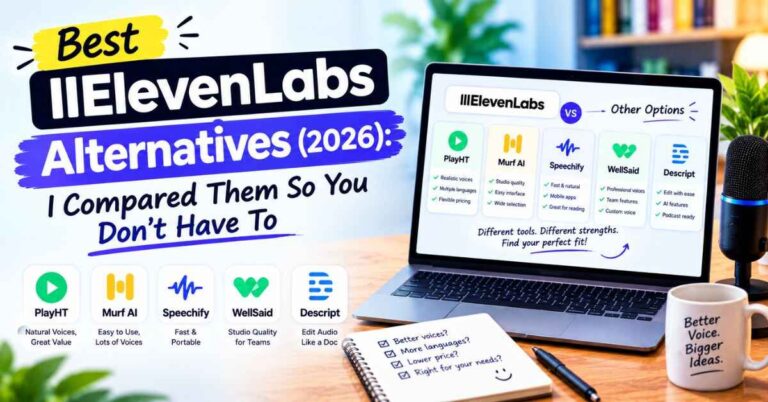
Now for the part you came here for. I’ll be fair to both tools, because Murf AI is a solid product and plenty of people use it happily.
What Murf AI does well
Murf is built like a studio. It has a clean editor where you can line up voiceovers with slides, video, or images. If you create presentations, training materials, or corporate explainer videos, that workflow feels organized and comfortable. It offers a decent range of voices, some adjustments for pitch and speed, and a layout that makes sense to beginners.
For straightforward business narration, it does the job. If your needs are simple and your priority is a tidy all-in-one editor, Murf deserves a look.
Where ElevenLabs pulls ahead
The biggest difference is the voice itself. When I ran the same script through both tools, the ElevenLabs version felt warmer and more conversational. Murf’s output was clear and professional, but it leaned toward that polished “corporate narrator” tone. ElevenLabs sounded more like a person telling you something.
That matters a lot depending on what you make. For a compliance training video, the narrator tone might be perfectly fine. For a YouTube channel, a podcast, an audiobook, a story, or a marketing video, you want the listener to forget they’re hearing synthetic audio. That’s where ElevenLabs earned my trust.
Here’s a quick side-by-side of what stood out to me:
Voice realism: ElevenLabs sounds more natural, with better emotion, pacing, and emphasis. Murf is clean but more predictable.
Emotional range: ElevenLabs handles storytelling, excitement, calm, and conversational tones well. Murf is strongest in professional, neutral delivery.
Voice cloning: ElevenLabs lets you create a digital version of your own voice, which is a big deal for creators who want consistency without recording every time.
Languages and dubbing: ElevenLabs supports many languages and can dub your content while keeping the feel of the original voice. That opens doors to audiences you couldn’t reach before.
Growth potential: ElevenLabs goes well beyond voiceovers, with sound effects, speech-to-text, and voice agents. Murf focuses more narrowly on voiceover and presentation work.
Editor experience: Murf’s slide-and-video-style editor is a genuine strength for presentation-heavy projects. ElevenLabs is simpler and more focused on the audio itself.
Neither tool is “bad.” They’re built for slightly different people. But if the question is purely which one sounds more human, my answer is ElevenLabs, and it wasn’t a close call for the kind of content I make.
The Benefits That Actually Mattered to Me
I don’t care much about feature lists. I care about what changes in my day. Here’s what changed.
1. I stopped dreading voiceovers
This sounds small, but it isn’t. Before, voiceover was the step I put off. Now it’s a ten-minute task. I paste the script, choose a voice, generate, and listen. If a line sounds off, I tweak the wording or punctuation and regenerate. No microphone setup, no retakes, no editing out mouth noises.
2. Fixing mistakes takes seconds
Anyone who has recorded their own voice knows the pain of spotting a typo or a wrong number after you’ve finished. With a recording, you’re re-doing the whole section and trying to match your tone from earlier. With ElevenLabs, you edit the text and regenerate that part. That’s it. The time savings alone paid off the first week.
3. The quality holds up over long scripts
A lot of AI voices sound great for one sentence and then fall apart over a full page. They start repeating the same rhythm, and by minute three it feels like a metronome. ElevenLabs does a much better job keeping variety in its delivery, which makes longer content, like course lessons or audiobooks, far more bearable to listen to.
4. Voice cloning keeps your brand consistent
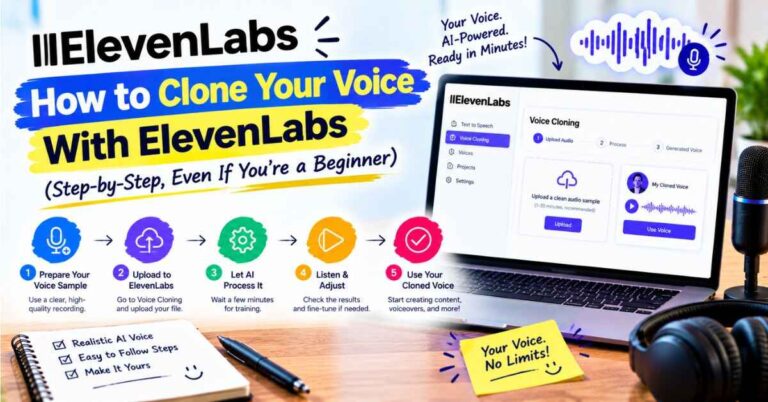
If you create content under your own name, your voice is part of your brand. With voice cloning, you can build a version of your voice from a recording and use it whenever you need. You can publish on days you’re sick, traveling, or just don’t feel like talking. Your audience hears a consistent voice, and you keep your time.
A quick note here, and this matters: only clone your own voice, or one you have clear permission to use. It’s the right thing to do, and the platform has rules about it too.
5. Reaching new audiences through dubbing
This one surprised me. I’d always thought of translation as something big companies do. But with dubbing, you can take a video you’ve already made and produce versions in other languages. A tutorial that only reached English speakers can suddenly reach people in Spanish, German, Hindi, Portuguese, and more. For anyone building an audience, that’s a pretty big door to open without hiring a whole team.
6. It doesn’t lock you into one use
I started with simple voiceovers. A few weeks later I was using it for audio versions of blog posts, then short narration clips for social media. The more I used it, the more ideas I had. That flexibility is a quiet advantage. A tool that only does one job gets old fast. A tool that keeps opening up options keeps earning its place.
Real-Life Examples: Who Gets the Most Out of It
Here’s where I’ve seen ElevenLabs make the biggest difference. See if any of these sound like you.
The YouTuber who hates the sound of their own voice
Plenty of creators have great ideas and zero confidence on the mic. Faceless channels, like tutorials, documentaries, explainers, and list videos, are perfect for this. A believable AI narrator lets you focus on the script and visuals, which is where your real skill is. And because the voice sounds natural, viewers aren’t clicking away in the first fifteen seconds.
The course creator with a hundred lessons to record
Recording an entire course in your own voice is exhausting, and updating it later is worse. When a lesson goes out of date, you’re back at the microphone. With AI narration, you update the script and regenerate. Your course stays fresh without another recording marathon.
The blogger who wants audio versions of articles
Many readers prefer listening, especially on a commute or while doing chores. Adding an audio version to your posts makes your content more accessible and can keep people on your site longer. With ElevenLabs, turning an article into audio takes minutes, not a studio booking.
The small business owner making product videos
You don’t have a marketing department. You’ve got a product, a phone camera, and a limited budget. A natural-sounding voiceover can make a simple demo video feel professional. Customers won’t think “that’s AI.” They’ll think “this company has its act together.”
The author or storyteller
Audiobooks used to be out of reach for independent writers because of the cost. AI narration has changed that. With expressive voices that handle dialogue and mood, indie authors can put out audio versions without spending thousands. It won’t replace a skilled human narrator for every project, but for many writers, it makes audio possible at all.
The agency or freelancer
If you produce content for clients, speed is money. Being able to deliver a polished voiceover the same afternoon, and revise it instantly when the client changes their mind, is a serious competitive edge.
👉 Curious how it would work for your project? Start with ElevenLabs and test a few voices
A Few Tips to Get Better Results
Even the best tool gives better results when you know a few small tricks. These are things I learned the hard way.
Write for the ear, not the eye. Short sentences sound better than long ones. If you can’t read a line out loud without running out of breath, the AI will struggle too. Break it up.
Use punctuation on purpose. Commas create small pauses. Periods create longer ones. An ellipsis adds hesitation. A well-placed question mark changes the tone. Small edits to punctuation can completely change how a line lands.
Try a few voices before settling. Don’t just grab the first one that sounds okay. Run the same paragraph through three or four voices. You’ll quickly hear which one fits your style. A voice that suits a calm tutorial might feel wrong for an energetic promo.
Read the result out loud alongside it. If something feels off, try rewording the sentence. Often the fix is in the script, not the settings.
Generate in chunks for long projects. Breaking a long script into sections makes it easier to fix individual parts without redoing everything.
None of this is complicated. A couple of test runs and you’ll get the hang of it.
Is ElevenLabs Perfect? Let’s Be Honest
No tool is, and I’d rather you know that going in.
Sometimes a word gets pronounced oddly, especially unusual names or technical terms. Usually, you can fix it by respelling the word phonetically or adjusting the sentence. It takes a moment, but it’s part of the process.
Occasionally a line comes out with the wrong emotional tone, and you’ll want to regenerate it. That’s normal with any AI voice. The difference is that with ElevenLabs, it happens less often, and the fix is quick.
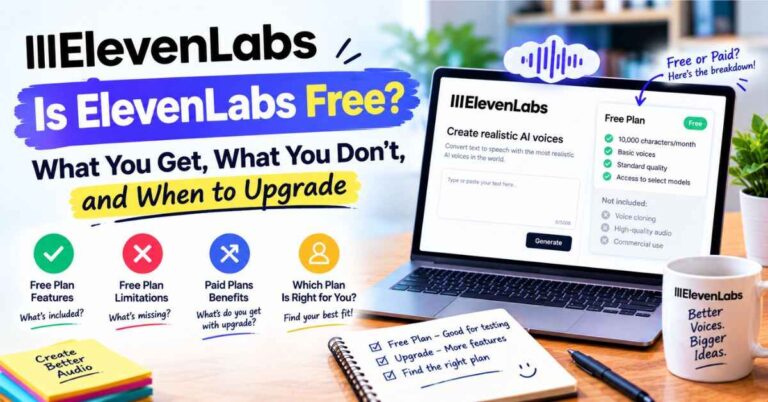
And as with any tool, the free option is great for testing, but if you plan to use it regularly or commercially, you’ll want to look at the paid plans and check the usage terms. Take a few minutes to read what’s included, so you pick the one that fits how much audio you actually make. Plans and features can change, so it’s smart to check the current details on the official site.
I mention all this because trust matters. I’d rather you start with realistic expectations than be disappointed later. In my experience, the small bumps are far outweighed by the time and money saved.
So, Which Should You Choose?
Let me put it as simply as I can.
If you mostly build slide-based business presentations and training modules, and you like having a structured editor built around that workflow, Murf AI is a reasonable pick. It’s tidy, it’s capable, and it’ll get the job done.
But if what you care about is a voice that sounds like an actual human being, one that your audience will listen to without ever suspecting it’s AI, then ElevenLabs is the one I’d put my money on. The realism, the emotional range, the voice cloning, and the dubbing add up to something that feels like a step ahead, not just a slightly different option.
That’s the real answer to ElevenLabs vs Murf AI for most creators, bloggers, educators, and small business owners I know. The tool you pick affects how people feel about your content before they’ve even processed your message. A voice that sounds real builds trust quickly. One that sounds off creates doubt just as fast.
And here’s the best part: you don’t have to take my word for it. You can test it with your own script, in your own style, and decide in a few minutes.
My Final Thoughts
When I look back at the hours I used to lose to recording, re-recording, and editing, it feels a little silly. All that effort for something I can now do in a fraction of the time, with a result that sounds just as good, and in many cases better.
That’s really what good tools do. They don’t replace your creativity. They remove the friction that keeps you from using it. Your ideas, your scripts, your message stay yours. The voice is just the delivery system, and it finally sounds like it deserves to carry your work.
If voiceovers have been the slow, annoying step in your process, or if you’ve been avoiding audio altogether because the options felt too robotic, this is a good moment to try something different. Paste in a paragraph. Pick a voice. Hit play. You’ll know within thirty seconds whether it’s for you.
👉 Give ElevenLabs a try and hear the difference for yourself
Quick Disclosure
Just so you know, some of the links in this post are affiliate links. That means if you click one and decide to sign up, I may earn a small commission at no extra cost to you. I only recommend tools I’d genuinely suggest to a friend, and my opinions here are my own. Thanks for supporting the site, it really helps me keep creating free content like this.