How to Build a Sellfy Store That Actually Makes Sales (Honest 2026 Review)
Somewhere on your computer, there’s probably a folder with something you made and never sold. A guide, a template pack, a set of designs, a planner, maybe a half-finished course. You keep telling yourself you’ll put it online “once things calm down.” Then months go by.
That’s the exact gap a Sellfy store is built to close. It’s a simple, all-in-one way to turn what you’ve made into something people can buy, without learning to code or gluing together five different tools. In this review, I’ll walk you through what a Sellfy store can do, what it costs, who it suits, and where it has limits, so you can decide with your eyes open.
It’s a long one, but if you’ve been stuck at the starting line, it might be the nudge that gets you moving.
The Problem: Starting an Online Store Feels Like a Second Job
Let me describe how this usually goes.
You decide it’s time. You open a search engine and type something like “how to sell digital products online.” You land on article after article, each recommending a different setup.
One says you need a website builder. Another says you need a payment tool. A third says you need a plugin to deliver files and another plugin to protect them. Somebody mentions you’ll want an email service too, and a separate app for discount codes, and maybe a checkout page that doesn’t look like it was made in 2009.
Two hours later, you haven’t uploaded a single thing. You’ve just collected tabs.
And behind all that research are the questions that quietly stop people from launching:
- What if I set it up wrong and customers can’t download their purchase?
- What if someone shares my file with everyone they know?
- How will I stay in touch with the people who buy?
- What will this really cost me every month?
- What if it’s too complicated and I waste weeks?
None of these are silly questions. They’re the reason a lot of good products never see daylight.
The Agitation: What a Messy Setup Costs You
Say you power through anyway. You stitch together a store with a handful of tools and finally get it live. Congratulations, that’s more than most people manage.
But now the hidden costs start showing up.
You pay for five subscriptions instead of one. The store tool, the email tool, the checkout tool, the upsell tool, the cart recovery tool. Each one looks cheap alone. Together, they take a bite out of your income every single month.
You lose a slice of every sale. Some platforms quietly keep a percentage of each order. A 10% cut on a $3,000 month is $300. Over a year, that’s $3,600, just for the privilege of using their software. The better you do, the more you pay.
You lose customers at checkout. A confusing page or a download link that arrives late, and buyers just vanish. They don’t complain. You simply see fewer sales and never learn why.
You spend your creative time on tech support. When a plugin breaks on launch night, you’re the one who has to fix it. Hours you’d planned to spend making new products disappear into troubleshooting.
It adds up to a store that technically exists but feels like a chore. That’s usually the point where people lose motivation and stop updating it.
The Solution: What Is a Sellfy Store?
A Sellfy store is your own online shop built on Sellfy, an ecommerce platform designed for creators who sell their own products. You can sell digital downloads, subscriptions, print-on-demand merchandise, and physical items, all managed from one dashboard.
It’s not a huge enterprise system with hundreds of settings you’ll never touch. It’s a focused tool for writers, designers, coaches, artists, musicians, and small brands who want a clean store, a smooth checkout, and the basic marketing tools without the patchwork.
Here’s what’s built into it:
- A customizable storefront, with the option to use your own domain
- Automatic delivery of digital files
- Subscriptions and memberships
- Print-on-demand products with no inventory to buy
- Built-in email marketing
- Discount codes and upsells
- Cart abandonment emails
- Affiliate tools so other people can promote your products
- Buy buttons you can drop into any website or blog
- Sales analytics
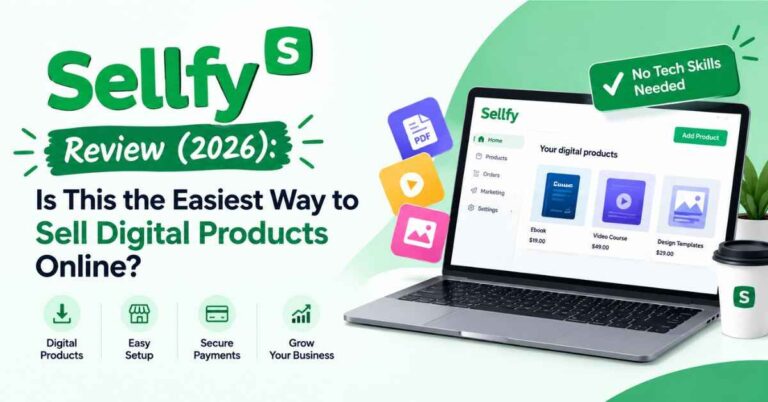
The idea is simple. Instead of renting five tools and hoping they cooperate, you get one place where the store, the delivery, and the marketing live together. Also read: Sellfy Review (2026): Is This the Easiest Way to Sell Digital Products Online?
Building Your Sellfy Store: What the Process Looks Like
Here’s the part most people want to know: how hard is it, really?
Here’s the general flow, so you know what to expect.
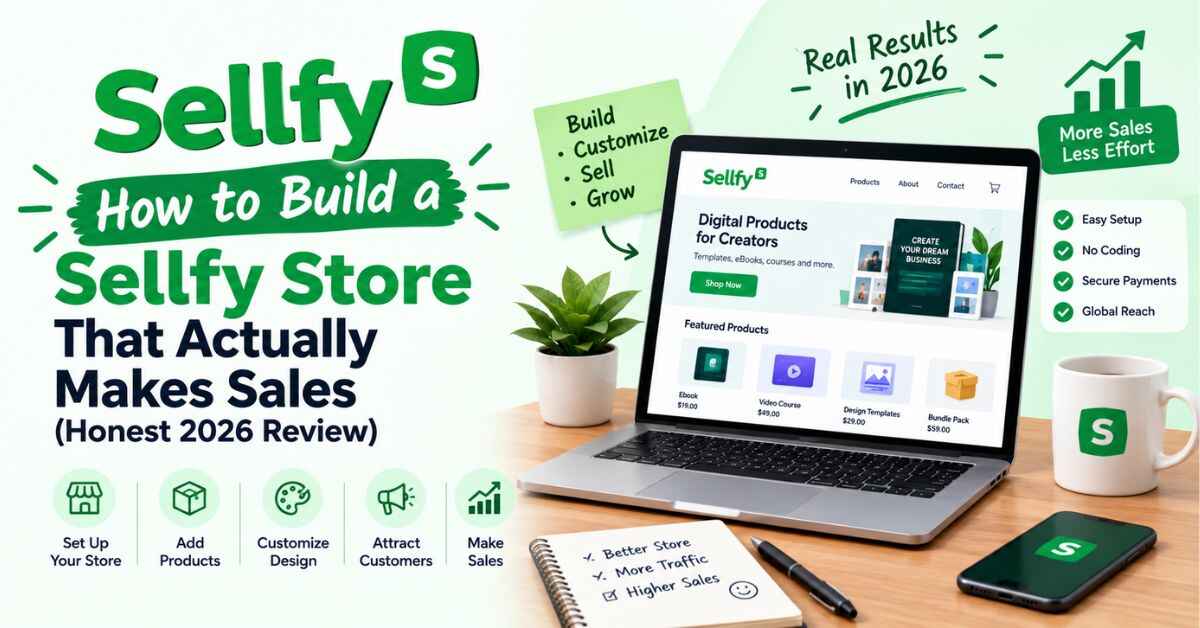
Step 1: Create your account and start the trial. Every plan comes with a 14-day free trial that doesn’t require a credit card. That means you can build a real store and explore the tools before you pay anything. sellfy
Step 2: Pick a look. You choose a design, add your logo, and set your colors. It’s visual, so you see changes as you make them. No code, no developer.
Step 3: Add your first product. Upload your file, write a description, add a few preview images, and set a price. For digital products, delivery is automatic once someone buys.
Step 4: Connect your payments. Payments run through PayPal or Stripe. You connect the one you prefer, and buyers can check out. sellfy
Step 5: Set up your extras. Add a discount code for early buyers, turn on cart abandonment emails, and create a bundle if you have more than one product.
Step 6: Go live and share it. Send people to your hosted store, or embed buy buttons inside your own site or blog posts.
That’s it. For a lot of creators, the first version of a store comes together in a single afternoon. It doesn’t have to be perfect. A store that’s live and slightly imperfect will always beat a perfect one that only exists in your imagination.
Why a Sellfy Store Works So Well for Creators
Let’s get into the benefits, one by one, in plain terms.
1. There’s no platform cut on your sales
This is the feature I’d put first. Every Sellfy plan comes with 0% transaction fees, and pricing is based on your annual sales volume rather than a percentage of each order. sellfy
To be fair and clear, you’ll still pay payment processing costs. Those are charged by PayPal or Stripe, not Sellfy, and typically run around 2.9% + 30¢ per transaction. Every platform has this. The difference is that Sellfy doesn’t add its own slice on top. sellfy
Over time, this matters a lot. On a percentage-based platform, a great month means a bigger fee. On a flat plan, a great month means more profit for you. It also makes costs predictable, so you can plan launches without worrying about a surprise bill.
2. Digital delivery that runs by itself
When someone buys a digital product, they get it right away. You’re not sending files by hand or answering “did you get my download?” at midnight.
You can also set download limits, and for PDFs you can add stamping so each copy carries the buyer’s details. That discourages casual sharing and protects the work you put hours into.
3. Email marketing already included
Your email list is one of the most valuable things you’ll ever build. Social platforms change their algorithms and accounts can get restricted, but a list stays yours. With a Sellfy store, the tools to build and use that list sit right next to your sales data.
And if you’re coming from another platform, Sellfy will import your existing email contacts into its marketing tool on all plans, usually within one to two business days. That removes one of the biggest headaches of switching. sellfy
4. Print-on-demand without inventory stress
If you have designs, a brand, or an audience, you can put your artwork on t-shirts, mugs, posters, or hoodies. When someone orders, it’s printed and shipped for you.
No stock to buy. No boxes in your spare room. No trips to the post office. And since digital and physical products live in the same store, a guide and a branded mug can sit side by side.
5. A checkout that doesn’t scare people away
You can send buyers to your hosted store or embed buy buttons and mini-stores right inside your own website. Customers check out quickly, with no long forms or confusing steps.
A good checkout is invisible when it works and expensive when it doesn’t. Fewer steps mean fewer people backing out at the last second.
6. Cart abandonment emails and upsells
Think about how often you’ve left something in a cart. Your customers do too. Cart abandonment emails gently remind people who didn’t finish, and upsells or bundles raise your average order value.
These small features work quietly in the background. Winning back just a few carts a month can cover a good chunk of your plan.
7. Subscriptions and memberships
If you want income you can count on, you can sell recurring access: a monthly template drop, a members-only library, or an ongoing series of guides. Recurring revenue changes how a creator business feels, because each month starts with a base instead of zero.
8. Affiliate tools for your own products
On the right plans, you can set up an affiliate program so others can promote your products and earn a commission. You only pay when a sale happens, which is a low-risk way to grow before spending on ads.
9. Your own domain and brand
You can use your own domain and keep your store looking like your brand, not someone else’s marketplace. That matters for trust. People are more comfortable buying from a store that feels like a real part of your business.
👉 Wondering what your own store might look like once it’s set up? You can try Sellfy free for 14 days and build a test version, with no credit card needed: See what your Sellfy store could look like →
Real-Life Examples: What Kind of Sellfy Store Could You Build?
These are typical scenarios, not guaranteed results. They show how different people might use the same platform.
The designer with a backlog of templates
A freelance designer has years of social media templates, invoices, and branding kits that only ever got used for clients. She bundles them, uploads them to her Sellfy store, and adds nice previews. With no platform cut, each sale stays mostly hers. A handful of sales a month can cover her plan, and everything after that is profit.
The coach who keeps getting the same DM
A fitness coach keeps getting messages asking for his meal plan and workouts. He turns his PDFs into products, adds a monthly subscription for new routines, and uses email tools to keep in touch with buyers. One platform replaces what used to be three separate tools, so his costs go down while his income goes up.
The writer with a niche blog
A writer packages her best advice into a paid guide and places buy buttons inside her blog posts. Buyers join her email list, which becomes her launch audience for the next product. Her blog and her store work together instead of living in separate corners of the internet.
The artist who wants merch without risk
An illustrator wants to sell prints and apparel but can’t afford inventory or shipping. With print-on-demand, she uploads designs and lets fulfillment happen automatically. She also sells digital wallpapers and brush sets from the same store, so one place handles everything.
The musician or producer with sample packs
A beat maker has sample packs, loops, and presets that other producers would happily pay for. He lists them in his store, adds a bundle deal, and shares the link on his social pages. Files are delivered instantly, and he never has to be online for a sale to go through.
The beginner testing an idea
Not everyone starts with a big following. Someone with one product and a small audience can use the free trial, put up a simple store, and see if people respond. If the idea doesn’t take off, they’ve risked almost nothing. If it does, the foundation is already there.
Sellfy Pricing: What a Store Will Cost You
Money is usually the next question, so let’s talk about it.
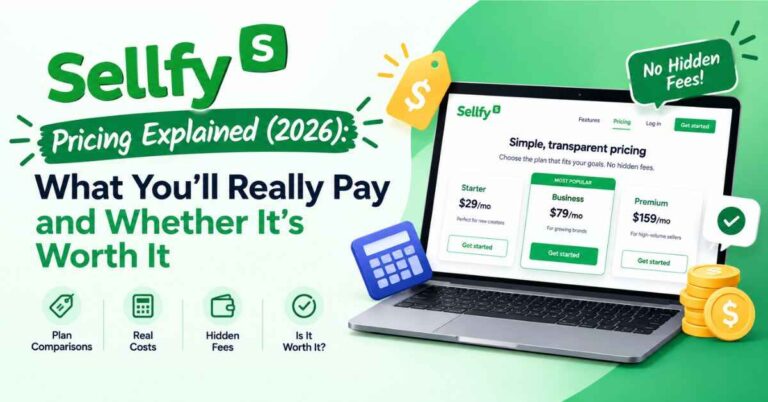
Sellfy uses subscription plans tied to how much you expect to sell each year, instead of taking a cut of every order. Entry plans start at a fairly modest monthly price (many listings put it in the high $20s per month, but pricing changes, so check the pricing page for today’s numbers). Plans step up as your yearly sales and feature needs grow.
A few details worth knowing:
- There’s a trial and a guarantee. All plans include a 14-day free trial with no credit card, and a 30-day money-back guarantee. sellfy
- Yearly billing saves money. Paying annually saves around 25% compared with monthly billing. sellfy
- The top self-serve plan. Premium is listed at $159 a month, or $119 a month billed yearly, and covers up to $200K a year in sales. sellfy
- Plans have yearly sales limits. If you go over your cap without upgrading, Sellfy may charge a 2% overage fee on the extra revenue. It’s easy to avoid by moving up a plan. sellfy
- Large sellers get custom pricing. Creators earning more than $200K a year can contact Sellfy for a custom offer. sellfy
Here’s how I’d think about the price. Don’t only ask “is this cheap?” Ask “what does this replace?” If your Sellfy store covers your storefront, file delivery, email tools, and upsells, you may be able to cancel several other subscriptions. That’s where the real savings usually show up.
How a Sellfy Store Compares With Other Options
A review is only useful with some context, so here’s a fair comparison.
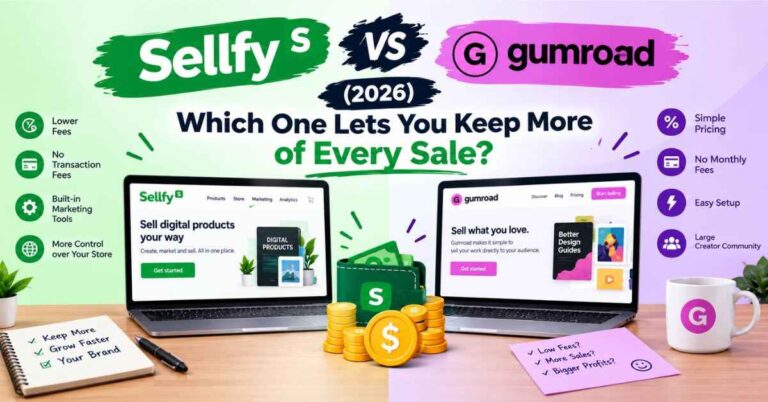
Sellfy vs. Gumroad. Gumroad is well known and has a marketplace feel that can help new creators get discovered. The tradeoff is the fee. Gumroad is reported to take 10% of each transaction, while Sellfy charges zero transaction fees on every plan. Fees change, so check their current pricing, but if you already have an audience, Sellfy’s model usually leaves you with more. dupple
Sellfy vs. Shopify. Shopify is a powerhouse for large stores with big physical catalogs and endless apps. That power comes with a steeper learning curve and costs that pile up through add-ons. If your focus is digital products, subscriptions, and light merchandise, Sellfy is simpler and quicker to launch.
Sellfy vs. Payhip. Payhip is a similar tool for digital products. It offers a free plan with a 5% transaction fee. That’s nice for testing, but if you’re serious about selling, you’ll likely end up on a paid plan, and Sellfy leans toward a more polished all-in-one experience. dupple
Sellfy vs. building your own site. A custom site gives you total control, but you also handle hosting, updates, security, and plugin problems. When your checkout breaks at 11 p.m. on launch night, you’re the only one who can fix it. A hosted store saves a lot of stress.
Every tool suits a different type of seller. For creators who want a simple setup, no platform cut, and the main tools in one place, Sellfy hits a sweet spot.
The Honest Part: Where a Sellfy Store Isn’t Perfect
I promised to keep this trustworthy, so here are the real limits.
- There’s no permanent free plan. You get a 14-day trial, then it’s a paid subscription. If you need to stay at zero cost, look elsewhere.
- Sales caps matter. Plans are tied to yearly revenue, so you’ll need to upgrade as you grow. It’s a good problem, but plan for it.
- It isn’t built for giant catalogs. If you need thousands of products and deep inventory tools, a larger platform will fit better.
- Customization has limits. You can make your store look great, but you won’t have the unlimited flexibility of a custom-coded site.
- No built-in marketplace traffic. Sellfy gives you the store, but you bring the visitors. That means sharing your store through your blog, social media, email list, or ads.
- Processor fees still apply. Sellfy adds none, but PayPal and Stripe take their normal share.
None of these are dealbreakers for the people Sellfy is made for. They’re just things to know going in, which is better than finding out later.
Who Should Open a Sellfy Store (and Who Shouldn’t)
It’s a great fit if you:
- Sell digital products like ebooks, templates, presets, music, or courses
- Want a quick, low-stress setup without hiring a developer
- Like the idea of keeping your revenue minus processor fees
- Want email marketing and sales tools in one place
- Want to add print-on-demand merch without handling stock
- Run a blog, YouTube channel, or social following you’d like to monetize
You might prefer something else if you:
- Need a huge store with advanced inventory management
- Want total design freedom with custom code
- Refuse to pay any monthly fee at all
- Have no audience and expect a marketplace to find buyers for you
Tips for Setting Up a Sellfy Store the Smart Way
If you decide to try it, here’s how I’d approach it to avoid common beginner mistakes.
- Use the full free trial. Build a real store, not just a quick look around.
- Start with one or two products. A focused store converts better and is easier to manage.
- Write descriptions like you’re talking to one person. Say what problem the product solves and what they’ll get. Skip the jargon.
- Add real previews. Screenshots, sample pages, and mockups build trust faster than long paragraphs.
- Offer a launch discount. A small incentive gives people a reason to act now.
- Turn on cart abandonment emails early. It’s one of the easiest wins.
- Collect emails from day one. Even a handful of buyers is worth keeping in touch with.
- Create a bundle. People like getting more for a slightly better price.
- Put buy buttons inside your blog posts. Meet readers where they already are.
- Pick your plan based on realistic yearly sales. Leave a little room to grow.
👉 If you’ve already got something ready to sell, the quickest way to find out whether Sellfy suits you is to build a small test store. It takes less time than most people expect: Start your free Sellfy trial →
Final Verdict: Is a Sellfy Store Worth It?
Let me wrap up the way I’d explain it to a friend over coffee.
If you’re a creator who wants to sell digital products, subscriptions, or light merchandise, and you want the whole thing to feel simple, a Sellfy store is a strong choice. The no-platform-fee model protects your profit. The built-in tools cover most of what a small creator business needs. And the setup is gentle enough that you don’t have to learn a new skill just to get started.
It isn’t for everyone. If you’re running a huge, heavily customized shop, or you want a marketplace to hand you customers, another tool may suit you better. But for the large group of writers, designers, coaches, artists, and small brands who just want to sell their work and keep more of what they earn, it makes a lot of sense.
And the risk of trying is small. You get a 14-day free trial with no credit card, plus a 30-day money-back guarantee. If it’s not the right fit, you’ll find out quickly and you won’t be out of pocket. sellfy
Here’s my honest nudge. Don’t let the setup stage hold your product hostage another month. Somewhere out there is someone who needs exactly what you made, and they can’t buy it while it’s sitting in a folder on your computer.
👉 Ready to open your doors? Take the free trial for a spin and see what your first store looks like: Try Sellfy free for 14 days →
Frequently Asked Questions
What is a Sellfy store?
It’s your own online shop built on the Sellfy platform, where you can sell digital downloads, subscriptions, print-on-demand merchandise, and physical products from one dashboard.
Do I need technical skills to build one?
No. The store builder is visual and designed for beginners, and you don’t need to write code.
Does Sellfy take a percentage of my sales?
No. Sellfy doesn’t charge transaction fees on its plans. PayPal and Stripe still charge their standard processing fees.
Is there a free trial?
Yes. There’s a 14-day free trial with no credit card required, plus a 30-day money-back guarantee.
Can I use my own domain?
Yes. You can connect a custom domain or embed buy buttons on an existing website.
Can I sell digital and physical products together?
Yes. Digital downloads, subscriptions, print-on-demand items, and physical products can all live in the same store.
Can I move over from another platform?
Yes. Sellfy can import your email contacts, and on annual Business or Premium plans it can recreate your existing store design. Timelines vary, so check Sellfy’s site for the latest details.
What if I outgrow my plan?
You can upgrade as your sales grow. Larger sellers can contact Sellfy for custom pricing.
One Last Thing
This post contains affiliate links. If you sign up through them, I may earn a small commission at no extra cost to you. I only recommend tools I think are genuinely useful, and the opinions here are my own. Prices and features can change, so double-check the details on Sellfy’s website before you buy. Thanks for reading, and for supporting this blog!