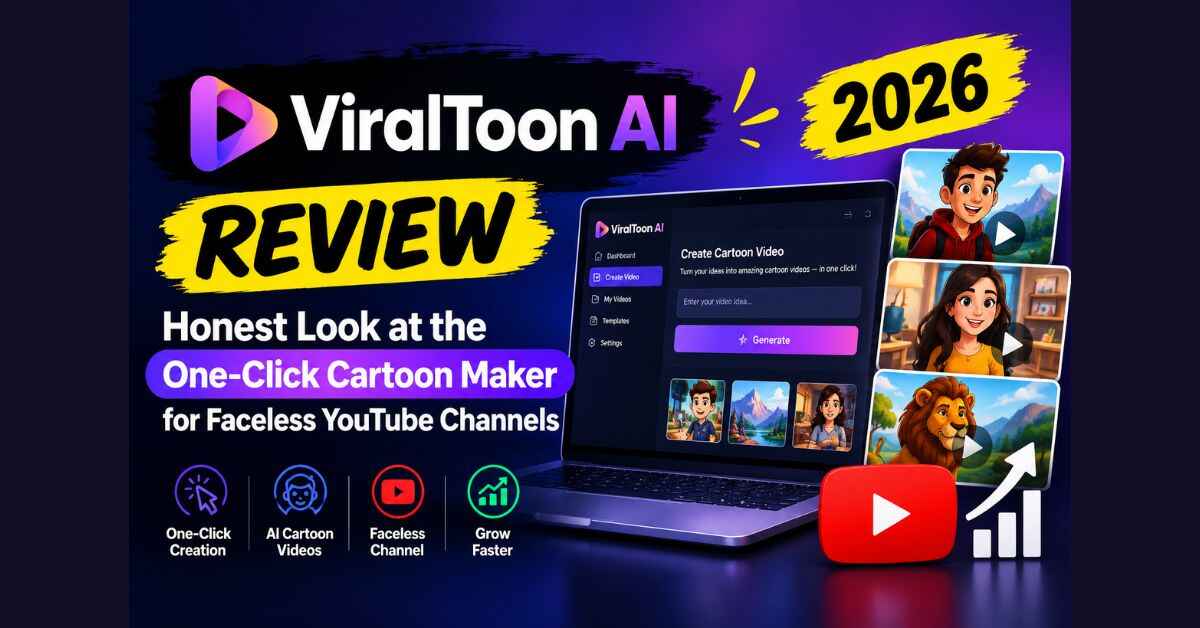
ViralToon AI Review (2026): Honest Look at the One-Click Cartoon Maker for Faceless YouTube Channels
Last month a friend of mine showed me a YouTube channel with a sleepy cartoon fox on it. It had millions of views. No presenter and no studio, just a soft voice reading a bedtime story over bright animation. He looked at me and said, “Somebody is making a lot of money from a fox.” He wasn’t wrong, and that conversation is why I spent a few days digging into this ViralToon AI review. I wanted to know if a tool like this can really help a regular person get into that space.
So here’s what I found, what I liked, what made me raise an eyebrow, and who I think should (and shouldn’t) bother with it.
Why Kids’ Cartoons Keep Winning on YouTube
Think about your own house, or a neighbor’s, or any family you know. Cartoons are on in the car. They’re on at dinner. They’re on at bedtime. Kids also don’t watch an episode once and move on. They watch their favorite one forty times in a row, which anyone with a toddler can confirm.
That repeat-watch habit is a big deal for creators. A good bedtime story uploaded today can still be getting views two years from now, because the lesson doesn’t go out of date. Sharing is still good, honesty is still good, and counting to ten is still counting to ten.
Parents also search for this stuff constantly. Moral stories, ABC videos, “why is the sky blue” explainers, calm cartoons for sleep time. And families around the world want it in their own language, not just English.
The demand has always been there. The hard part has been making the cartoons.
The Problem: Making a Cartoon Has Always Been Painful
If you’ve ever thought about starting a faceless kids’ channel, you’ve probably hit one of these walls.
Wall one: animators are expensive. Quotes from studios for even one short episode can run into thousands of dollars. And a channel doesn’t need one episode. It needs one every week, ideally more. Unless you’re sitting on a budget, that math ends the dream fast.
Wall two: freelancers are slow and inconsistent. Even if you find someone good and affordable, a single video can take weeks. Then the main character comes back looking slightly different in the next scene. Different face, different outfit. Adults might shrug at that. Kids notice immediately.
Wall three: the AI video tools gave you 5-second clips. You’ve probably seen this. Someone says “AI can make videos now,” you try it, and you get a few seconds of something floaty and strange. The character melts. The background shifts. You can’t tell a story with that, let alone a story a four-year-old will follow.
Wall four: doing it all yourself is a time sink. Write the script. Plan the scenes. Find or create visuals. Record a voice (and hope you don’t hate how you sound). Find music. Edit everything together. One video can eat your whole weekend, and then you need another one.
So you end up in the same spot most people do. You’ve got an idea, you’ve got the interest, and you’ve got a pile of tabs open, but you don’t have a pipeline. Most of these channels never launch, not because the idea was bad but because the production was too heavy.
That’s the gap ViralToon AI says it fills. Curious what a finished episode actually looks like? You can see the samples and how ViralToon AI builds a full cartoon from one line of text here.
ViralToon AI Review: What Is It and How Does It Actually Work?
ViralToon AI is a cloud-based tool that creates full animated kids’ cartoons from a short idea. You type a one-line story, something like “A shy little bunny who learns that making friends takes courage”, or paste in a script you’ve already written. The software then builds the episode for you.
According to the sales page, one generation handles:
- The story script
- The storyboard (scene-by-scene planning)
- The characters
- The animation
- The narration
- The background music
The part that stood out most to me is the length. It says you can make cartoons up to 5 minutes long, with a real beginning, middle, and end. That’s a proper short episode, not a clip.
It’s also all browser-based. You don’t install anything, it works on Mac and Windows, and the rendering happens on their servers, so you don’t need an expensive computer. If your laptop is a little tired, that matters.
How ViralToon AI Works (It’s Three Steps)
I always like when a product can be explained simply, and this one can.
Step 1: Type it. You drop in your story idea or paste your own script.
Step 2: Toon it. Pick a visual style, hit Generate, and let it build the episode.
Step 3: Upload it. Download the finished video and put it on YouTube, or tweak anything you want in the editor first.
That’s the whole flow. There’s no timeline full of tiny layers to drag around and no animation software to learn. If you can write a sentence, you can start.
The Features That Actually Matter
Plenty of products list twenty features and only three of them matter. Here’s what I’d actually care about if I were making cartoons.
Consistent characters
If I had to pick one reason to look at this tool, it’s this one. The page calls it a Consistent Character Engine, and the claim is simple: your characters keep the same face, outfit, and look from the first scene to the last.
It sounds small, but it’s the thing that breaks most AI video. If your fox looks different in every scene, the story falls apart and kids lose interest. A tool that keeps characters steady is solving the real problem, not a cosmetic one.
I’d still say test this yourself with your own story idea (more on that in a moment). But this is the feature I’d judge the whole product on.
Full-length episodes
Five minutes might not sound like much, but for a bedtime fable, a counting video, or a short moral story, it’s the right size. It’s long enough to tell something with a real arc, and short enough to keep a young viewer watching.
Multiple visual styles
You can pick from 3D, classic cartoon, modern, comic book, and more. That matters if you want to run more than one channel, because each channel can have its own look instead of every video feeling like the same template.
A simple editor
You aren’t stuck with whatever the AI hands you the first time. You can change scenes, edit text, swap characters, adjust timing, replace the narrator’s voice, or change the music. That flexibility is a big deal, because the first draft of anything usually needs a tweak, and “regenerate and hope” gets old quickly.
40+ languages
This is the feature I think a lot of people will underestimate. ViralToon AI supports English plus 40 other languages for both the script and the narration.
Picture one good story, say a lion who learns to share, turned into versions for Spanish, French, and German audiences. That’s one idea feeding several channels. For a regular creator, that’s a serious multiplier on your effort.
A commercial license
The page says you can create and sell cartoon videos to clients. I’ll come back to this in the honest-concerns section, because it’s worth confirming the exact terms before you plan around it. But if it holds up, it opens a second path that isn’t just YouTube.
What You Could Actually Make With It
It helps to get specific, because “kids’ cartoons” is broad. These are the kinds of channels and projects the tool seems built for:
- Bedtime story channel. Calm, cozy cartoons that parents play every night. Think a little star who can’t fall asleep, or a sleepy fox winding down for the night.
- Moral story channel. A recurring hero who learns about sharing, honesty, kindness, or courage. Parents love this kind of content because it feels like it’s doing something good.
- Learning videos. ABCs, numbers, colors, shapes, first words. Evergreen stuff that families always need.
- Science for kids. Simple explainers like why the sky is blue, how plants grow, where rain comes from.
- Animal adventures and mini-movies. Longer short films with a proper story arc, a funny animal hero, and a bit of adventure.
- Faith-based and values stories. The page specifically mentions Bible stories and value-based lessons, which suits churches, ministries, and families who want that kind of content.
- Classic tales retold. Public-domain stories told in your own way.
There’s also the side-hustle angle. The sales page suggests you could make custom cartoons for other people: a birthday video starring a client’s child, a short story series for a school, a cartoon for a local business. Whether those jobs come easily depends on you, but the idea is real. People do pay for personalized kids’ content, and having a fast way to produce it is a head start.
Here’s an example of how it could go. Say you’re a stay-at-home parent who tells your own kids made-up bedtime stories. You’ve got a dozen of them in your head already. Normally those stay in your head. With a tool like this, you could turn one into an actual episode in an afternoon, see how it looks, and decide if it’s worth building a channel around. That’s a very different starting point than “learn animation first.”
Where I Think It Fits (and Where It Doesn’t)
I like to be straight with people about who a product is actually for, so here’s my read.
It’s probably a good fit if you:
- Want to start a faceless YouTube channel and don’t want to be on camera or record your voice
- Are a parent, teacher, or storyteller with story ideas but no animation skills
- Already run content and want to test the kids’ niche without hiring anyone
- Like the idea of selling custom cartoons as a small service
- Want to publish the same story in multiple languages
It’s probably not for you if you:
- Expect to upload one video and make money by next week
- Aren’t willing to put your own creative thinking into your stories
- Want to skip effort completely and just press buttons forever
That last one matters, so let me be clear about it. Also read: BookSeries AI Review 2026: Can One Idea Really Become a Whole Book Series for Amazon KDP?
The Honest Concerns (Because Every Good Review Has Them)
A review that only says nice things isn’t worth much, so here’s what I’d keep in mind.
1. This isn’t magic money. The sales page talks about ad revenue, sponsorships, and selling videos for $300 to $1,000+ each. Those are possibilities, not promises, and the page’s own disclaimer says results vary depending on effort, skill, and market conditions. Treat any income number as a ceiling, not a forecast.
2. YouTube has its own rules. The page itself notes that monetization depends on YouTube’s Partner Program policies, and recommends adding your own creative touch and original stories to every episode. I’d take that advice seriously. Channels that look like mass-produced, copy-paste content can run into trouble. The creators who’ll do best are the ones who bring real ideas, real lessons, and a consistent voice. Use the tool to save time on production, not to skip the thinking.
3. Check the license terms. The commercial license is a big selling point, but read the actual terms on the checkout or support pages before you plan a client business around it.
4. Quality is something you should judge yourself. Sales pages show the best samples. That’s normal, but it means you should look at your own results. Which brings me to the 30-day guarantee below.
5. A couple of leftover details on the page. When I went through the sales page, I noticed the product name appears as a different name in a few spots, which looks like a template leftover. It didn’t change my read on the product, but if you buy, make sure you’re getting what you expect and keep your receipt handy.
None of these are dealbreakers for me. They’re just the things I’d want to know before spending money.
Pricing, Bonuses, and the Guarantee
Here’s the deal as listed on the page right now.
- Launch price: $14.94, one-time payment, with lifetime access
- After the launch: it moves to $97 per month
- Price rises with every 50 copies sold during the launch
- Guarantee: 30 days, money-back
- Extras included: commercial license, free updates, step-by-step training, and support
There’s also an optional Business Edition upgrade offered at checkout for $9.97. It adds things like 4K rendering, more templates, and priority support. It’s optional, so you can skip it, but it’s worth knowing it exists so it doesn’t surprise you at checkout.
On top of that, there are five bonuses: a kids’ channel niche blueprint, a 100-idea story vault, a thumbnail pack, YouTube title and description templates, and a cartoon agency starter kit.
Honestly, what I like most here isn’t the bonuses. It’s the pricing structure. A one-time payment of $14.94 versus a monthly $97 is a huge gap, and a 30-day refund window means you can actually test the thing. If a tool is going to be $97 a month later, paying once at launch is the better deal, assuming it works for you.
How I’d Try It (If I Were Starting Today)
If you decide to give it a shot, here’s the approach I’d take, because it protects you the most.
- Pick one niche. Not five. Bedtime stories, moral stories, or learning videos. One.
- Write three story ideas that you actually care about. If you’d be bored by them, the audience will be too.
- Make your first episode and judge it honestly. Do the characters stay consistent? Does the narration sound warm? Would a kid actually sit through it?
- Use the editor to fix anything that feels off, then show it to a real child or parent if you can.
- Use the 30-day window properly. Make several episodes, not just one, so you’ve got a fair sense of the quality.
If the answer after a few episodes is yes, you’ve got a real production tool for a very small price. If it’s no, you reach out to support and get your money back. Either way, you’ve learned something for the price of a pizza.
So, Is ViralToon AI Worth It?
Here’s my honest take. The kids’ cartoon space is large, the demand is steady, and the biggest barrier has always been production: cost, time, and the consistency problem. ViralToon AI goes straight at those three things. It promises full-length episodes, characters that stay the same, built-in narration and music, and support for 40+ languages, all for a one-time launch price that’s small compared with what animators charge.
Does that mean you’ll build a million-view channel? No tool can promise that, and I’d be suspicious of anyone who does. What it can do is remove the part that stops most people before they start. You still bring the stories. You still bring the consistency and the heart.
If you’ve been sitting on a kids’ channel idea for months because the production felt impossible, this is one of the few tools I’ve seen that speaks directly to that problem. And since there’s a 30-day guarantee, the risk of finding out is low. If a cartoon channel has been sitting in the back of your mind, the launch price won’t last forever. Take a look at ViralToon AI and try it with the 30-day guarantee on your side. Worst case, you made a few cartoons and got your money back.
Affiliate Disclaimer
Quick heads-up: some of the links in this post are affiliate links. That means if you buy through them, I may earn a small commission at no extra cost to you. I only write about tools I think might genuinely be useful, and I always try to tell you the good and the not-so-good. Please do your own research, read the terms, and make the choice that’s right for you. Results vary from person to person, and nothing here is a promise of income.