Unlimited AI Review 2026: One Payment, Nine AI Studios. Does It Hold Up?
Let me guess how your month looks. A subscription for a chatbot. Another for an image tool. A third for voiceovers, a fourth for video, and some music app you signed up for once and forgot to cancel. Add it up and you’re paying more for AI tools than for your phone plan. This Unlimited AI Review is for anyone who has looked at that pile of charges and thought, there has to be a simpler way.
Unlimited AI says it is that simpler way. It’s a single dashboard that bundles video, music, voice, ebooks, images and presentations, sold for one payment with no credits and no monthly fee. I’ll tell you what it claims, what it costs, where the details get fuzzy, and who might actually get value out of it.
The real problem: too many tools, too many bills
Using AI for content used to feel exciting. Now it often feels like admin.
You’re paying for five apps to do one job. Say you want to turn one idea into a short video. You write the script in one tool, make images in another, record a voiceover in a third and add music from a fourth. Each one has its own login, its own price and its own rules.
Credits run out at the worst moment. Most AI tools meter your use. You get so many images or so many minutes a month, and when you hit the cap in the middle of a project, you wait or you pay more. It makes you hesitate to experiment, which is the whole point of using AI.
Nothing talks to anything else. Moving files between apps, fixing formats and keeping everything consistent eats time you meant to spend creating.
And you never know if you picked the right tool. A new one launches every week. Half the time you wonder if you’re paying for the wrong thing.
None of this is a disaster. But it adds up, and for solo creators and small business owners, that friction is often the real reason projects don’t get finished.
So what is Unlimited AI?
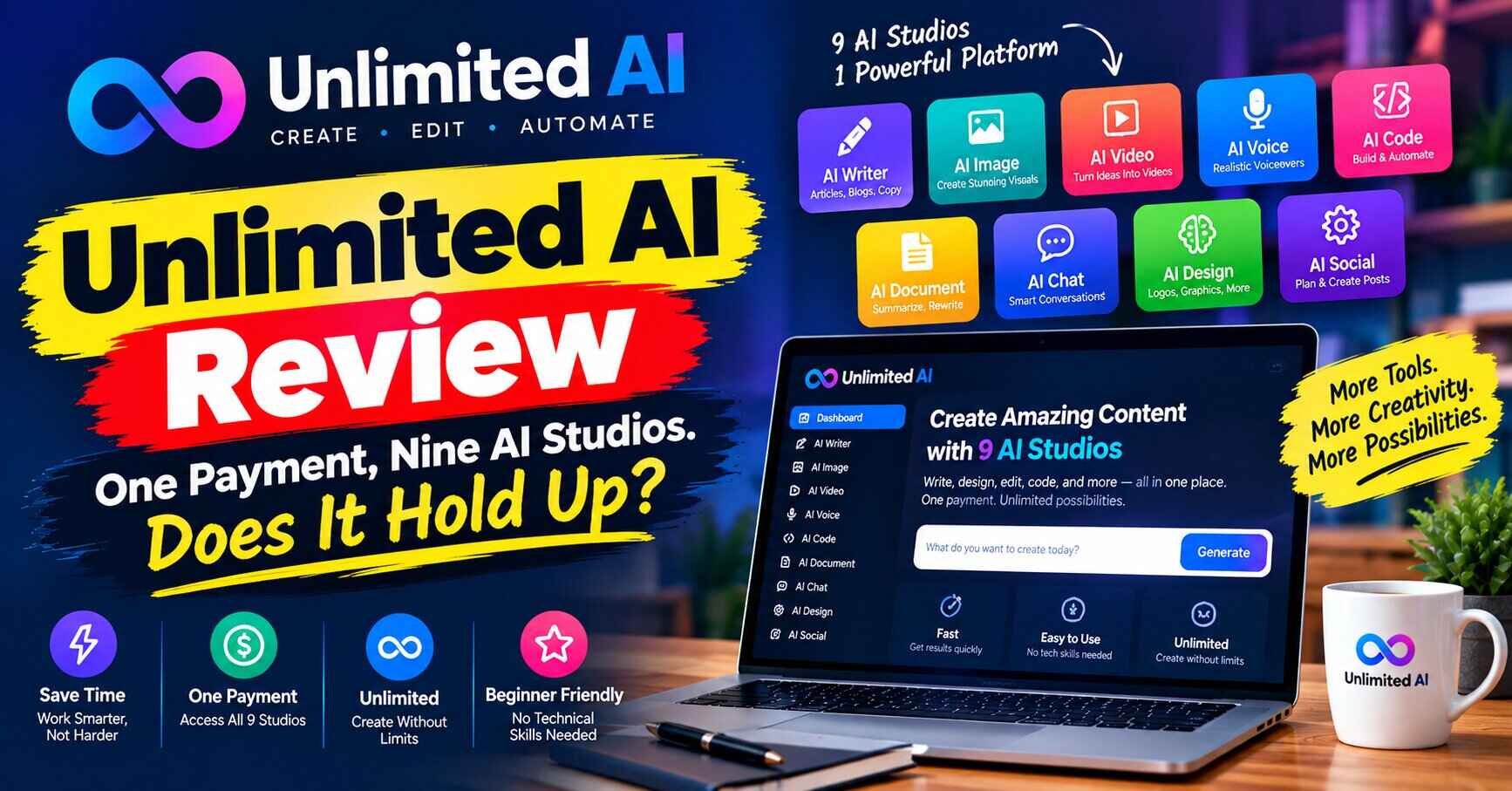
Unlimited AI is a cloud-based platform that puts several AI creation tools in one dashboard. The vendor’s pitch is “unlimited access” with no credits, caps, watermarks or monthly fees, in exchange for a single lifetime payment.
Reviewers describe up to nine studios under one roof:
- Video, including text-to-video and faceless videos with captions
- Music, with customizable vocals
- Voice, including voice cloning in many languages
- eBooks and stories, with tools for drafting and audiobook conversion
- Images, for thumbnails and graphics
- Presentations, for slide decks
One review mentions over 1,000 templates and common export formats like PDF, DOCX and MP3. Another says marketing copy tools are included too.
The idea isn’t that each tool beats the best specialist in its category. It’s that having them all in one place, without counting credits, changes how freely you create.
Unlimited AI Review: what’s inside, in plain language
Here’s how I’d think about each part, and who it helps.
Video
You type an idea, and the tool turns it into a video. Faceless videos are the big use case here: stock-style footage, captions and a voiceover, with no camera needed. That suits YouTube channels, social posts and product explainers.
The catch: One reviewer warns that video quality can be inconsistent. Expect to review and edit what you get.
Music and voice
You can generate background tracks and, according to the reviews, songs with custom vocals. The voice side includes voiceovers and cloning across 30+ languages. If you make videos or audiobooks, having these in the same place is handy.
The catch: Voice cloning raises questions about permission and consent. Only clone voices you have the right to use.
eBooks and stories
This is for writers, coaches and creators who want to turn an idea into a draft quickly. One review notes you can convert an ebook to audio. It’s a good fit for lead magnets, kids’ stories and short guides.
The catch: AI drafts need real editing. If you publish raw output, readers can tell.
Images, thumbnails and presentations
Images and editing tools help with thumbnails, social graphics and visuals. The presentation builder makes slide decks from a topic.
The catch: It’s a generalist toolkit. If you need top-end design work, a specialist tool may still do better.
The one-dashboard idea
This is the part reviewers liked most. When everything is in one place, you can turn a single idea into several formats: a video, a short ebook, a voiceover and a deck. That saves time, which is where most people lose momentum.
If that sounds like what you’ve been missing, you can have a look at Unlimited AI through offilial website and see what’s in the current offer.
Why this could actually help
Features are fine, but what do you get out of them?
It can cut your tool bill. If you’re paying for several AI subscriptions, one lifetime payment looks very different on paper. Whether it truly replaces them depends on what you need, so test before you cancel anything.
It removes the fear of running out. If the “unlimited” promise holds, you can try ten versions of a thumbnail without watching a counter. That freedom changes how you work.
It shortens the path from idea to finished piece. Fewer logins and fewer file transfers mean more of your time goes into the actual content.
It’s beginner-friendly. Reviewers describe a simple interface where you describe what you want and the tool does the first pass. You don’t need a design or editing background.
It’s a cheap experiment. The entry price is low, and a 30-day money-back guarantee is mentioned in the promotional material. The risk is small compared with most software.
A few examples of who it could fit
These are made-up examples to show where something like this might help. They’re not customer stories.
Take Noor, who runs a small bakery and posts on social media. She doesn’t have time to learn video software. A tool that turns “five tips for storing sourdough” into a captioned short video, plus a thumbnail, could save her a few evenings a week.
Take Dev, a freelancer who writes short guides for clients. He wants to offer an ebook and an audio version without hiring two extra people. Having both in one dashboard makes that easier to try.
Or take Mia, a teacher who makes lesson slides and the occasional read-along story for her students. Quick drafts of a deck, a story and a voiceover could cut her prep time.
In each case, the tool produces a rough first version. The person still decides what’s good enough to publish.
The honest part
It would be unfair to cheer without mentioning the soft spots. There are several, and the independent reviews agree on most of them.
“Unlimited” needs a closer look. Most tools that sound unlimited have fair-use rules, speed limits or quality tiers somewhere in the terms. One reviewer specifically flags the “unlimited” claim as unverified. Before you rely on it, read the terms and look for any caps on length, resolution or number of generations.
The pricing isn’t consistent across sources. The front-end price shows up as $14.95 in some places and $17 in others. Other marketing mentions higher “regular” prices, which I’d ignore. Check the number at checkout, not in anyone’s review, including mine.
There are plenty of upgrades. One review lists nine of them, from about $47 to $197, with an “Unlimited” tier that seems to overlap with the base product. That raises the question of what the front-end really includes. Read each screen before you click.
Output quality is unverified. None of the reviews I read could tell you how a video, song or voice actually looks and sounds compared with the best specialist tools. Test with a small project before you commit to a bigger one.
Commercial rights need checking. The sales material mentions commercial licensing, but reviewers say the full terms weren’t easy to find. If you plan to sell what you create, read the license first.
The “support” and refund details weren’t confirmed. A 30-day guarantee is mentioned, but one reviewer couldn’t verify how to reach support or how refunds work. Keep your receipt and note the contact details when you buy.
Some reviews are mostly promotion. One of the pages I looked at read more like an affiliate sales pitch than an honest review. Always compare a few sources.
None of this makes the product a bad idea. It makes it something to test, not trust blindly.
Unlimited AI vs. paying for separate tools
It helps to put the two approaches side by side.
With separate tools, you pick the best option for each job. You get strong results in each area, but you pay several bills, learn several interfaces and keep an eye on several credit counters. If one company changes its pricing, you feel it.
With an all-in-one platform like this, you trade some peak quality for convenience and cost. You get one login, one price and, if the “unlimited” promise holds, no counters. The risk is that the tools are decent across the board and excellent at none. And since this is a newer product, you’re also betting on the vendor sticking around.
So the real question isn’t “which is better?” It’s “what do I need most?” If you make a lot of everyday content, such as social videos, simple ebooks and thumbnails, convenience probably wins. If one result has to be flawless, such as a client’s brand film, you’ll likely want a specialist.
What the independent reviews agree on
I read four reviews, and even though they differ in tone, a few points kept coming up.
They agree that the biggest benefit is having everything in one dashboard. They agree that the concept is appealing and the entry price is low. And they agree that you’ll still need to prompt well and edit what you get, because raw AI output is rarely ready to publish.
They also agree on the cautions: verify the “unlimited” wording, check the license and read the upgrade screens carefully. One reviewer’s advice stuck with me. Run one modest project first, and keep your existing tools until the new one proves itself. That’s sensible whatever you’re buying.
Unlimited AI pricing: what we know
Here’s what’s been reported. Treat it as a guide, not a quote.
| Item | What reviewers report |
|---|---|
| Front-end price | About $14.95 to $17, one time |
| Payment model | Lifetime access, no monthly fee (per the vendor) |
| Upgrades | Up to nine, roughly $47 to $197 each |
| Guarantee | 30-day money-back mentioned in promotional material |
| Coupons | Two codes mentioned by one reviewer; verify before using |
A few practical points. The listed upgrades are optional, and you don’t have to buy any of them to start. Prices on launch offers change, sometimes within days. And if a price jumps or a bonus disappears, take that as a reason to read carefully, not to panic.
A simple way to test it
If you decide to try Unlimited AI, I’d do this.
Pick one real project, not a demo. Maybe a short video for your business, a lead magnet or a set of thumbnails. Run it through the tool and see how much editing it needs.
Watch for limits. Does anything slow down, get blocked or get watermarked? Are there caps hidden in the settings?
Check the license. Find the commercial-use terms and read them before you publish anything for money.
Compare it with what you already pay for. If the output is close enough for your needs, you may be able to drop a subscription. If it isn’t, you’ve learned that inside the refund window.
Keep your existing tools until you’re sure. Don’t cancel anything on the first day.
Who should skip it
Unlimited AI probably isn’t for you if you need top-tier results in one specific area, like cinematic video or studio-quality music. A specialist tool is usually better there.
It’s also not a good fit if you want hands-off income. No tool turns out good content on its own, and none of the reviews promise earnings.
And if you’d be uncomfortable reading the fine print on licensing and fair use, a more established subscription tool may be safer.
So, is it worth it?
Here’s where I land.
For a low one-time price, with a 30-day refund promise, Unlimited AI is a reasonable experiment for creators who make different kinds of content and are tired of juggling subscriptions. The biggest advantage, according to reviewers, is the single dashboard: one idea can become a video, an ebook, a voiceover and a deck without leaving the page.
The things I’d be careful about are the “unlimited” wording, the mixed pricing, the long list of upgrades and the unclear license and support details. None of those should stop you from trying. They’re reasons to test with a small project first and read the terms.
If you’ve been paying for a stack of AI tools that never quite work together, this could be worth a look. If you’re happy with your setup, you can safely skip it.
If you’re curious, see the current Unlimited AI offer here, read the terms before you pay, and decide for yourself.
Also check: ModelMAX Review 2026: Is It Worth It? Everything You Need to Know. Thanks for reading, and good luck taming that pile of subscriptions.
Quick note: the links in this post are affiliate links. If you buy through them, I may earn a small commission, at no extra cost to you. I try to be upfront about the downsides of anything I write about, but please read the offer details yourself before you buy, and don’t spend money you can’t afford to lose.