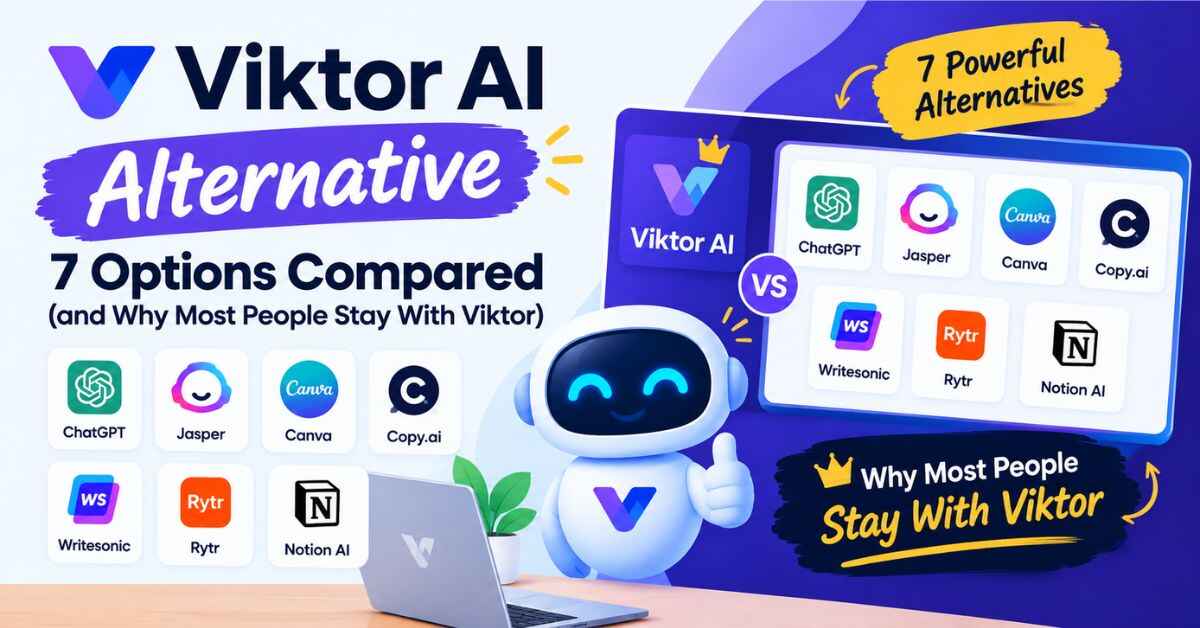
Viktor AI Alternative: 7 Options Compared (and Why Most People Stay With Viktor)
You hear about a tool that promises to take work off your plate. You get curious. And before you commit, you do what any sensible person does: you open a new tab and search for a Viktor AI alternative, just to make sure you’re not missing something better.
Good instinct. I’d do the same. Nobody wants to build their workflow around one tool and find out three months later that something cheaper or simpler existed all along.
So in this post, I’ll compare Viktor with the most common alternatives, tell you plainly where each one makes sense, and be honest about where Viktor isn’t the right pick. I went through Viktor’s site, pricing page and comparison pages, so what follows comes from the product itself and what its users say, not guesswork. By the end, you’ll know which direction fits your situation.
First, What Is Viktor? (Quick Recap)
If you haven’t met Viktor yet, here’s the short version.
Viktor is an AI employee that lives in Slack and Microsoft Teams. You message him like a coworker, and he does the work across your connected tools: reports, CRM updates, ad audits, tickets, dashboards, even small internal apps. He has his own cloud computer where he writes and runs code to finish tasks.
The company says more than 72,000 teams use him, he connects to over 9,800 tools, and he holds a 4.9 rating on G2. Those are Viktor’s own numbers, so take them as claims, but they tell you this isn’t a tiny experiment.
The key idea is in his tagline: “Not a tool. A hire.” He doesn’t hand you a plan and wait. He does the thing, posts the result, and asks for approval before anything he can’t undo.
Keep that idea in mind, because it’s the lens for every comparison below.
The Problem: Too Many AI Tools, Not Enough Finished Work
Here’s what I see happening with a lot of small teams right now.
Someone signs up for a chatbot. Someone else tries an AI notetaker. A third person sets up a few automations. Within a few months, the company is paying for four or five AI subscriptions, and somehow the Monday report still isn’t built, the CRM is still messy, and the ad account still hasn’t been checked.
Why? Because most of these tools stop one step short of the finish line. The chatbot explains what to do. The notetaker summarizes the call. The automation runs one fixed rule. And a human still has to stitch everything together.
The Hidden Cost of “Almost Helpful” Tools
I call this the “almost helpful” trap. Each tool saves you ten minutes, but it also adds a login, a learning curve, a bill and one more thing to manage. You end up spending your saved time managing the tools that were supposed to save it.
That’s usually the real reason people start searching for an alternative. They’re not hunting for a fancier product. They’re tired of tools that talk a lot and finish little.
So before you pick any alternative, ask yourself the one question that matters: do I need advice, or do I need work done?
The Solution: Pick the Tool That Matches Your Actual Problem
If you need a smart thinking partner for writing and brainstorming, a chatbot is probably enough. If you need a fixed, predictable workflow, a classic automation tool is great.
But if your problem is “too many small tasks across too many tools, and I’m the one doing them,” that’s exactly the gap Viktor was built for. He works inside your team’s channels, reaches across your tools, remembers how you work, and delivers finished results.
👉 Not sure yet? You can start Viktor free, no credit card, and compare him with whatever you’re already using.
Viktor AI Alternative: How the Main Options Compare
Let’s get into it. Below are the most common alternatives people consider, and an honest look at where each fits. I’m describing these tools in general terms, so check each vendor’s site for current features and pricing before you decide.
1. ChatGPT
Best for: Brainstorming, writing, research and one-off analysis.
ChatGPT is probably the first tool most people try, and for good reason. It’s flexible, fast and handy for thinking out loud.
Where it falls short for this job: It mostly lives in its own chat window. You ask, it answers, and then you take that answer and do the work yourself in your actual tools. Viktor’s homepage uses this exact contrast. Ask a chatbot about auditing ad spend and it tells you how. Ask Viktor and he audits it and hands you the PDF.
Verdict: Keep ChatGPT for thinking. Use Viktor when you want the task finished inside your tools.
2. Microsoft Copilot
Best for: Teams that live inside Microsoft 365.
If your whole company runs on Word, Excel, Outlook and Teams, Copilot feels natural, because it sits right inside those apps.
Where it falls short: Its strength is also its limit. It’s strongest within the Microsoft ecosystem, while Viktor is built to work across a huge mix of tools, such as HubSpot, Stripe, Linear, Notion, Google Drive and Meta Ads. Since Viktor also works in Microsoft Teams, the two aren’t strictly either-or.
Verdict: Great if you’re all-in on Microsoft. Viktor makes more sense if your stack is a mix.
3. Lindy
Best for: People who want to build AI assistants and workflows around specific jobs.
Lindy is one of the better-known names in the “AI teammate” space, and Viktor has a dedicated comparison page for it.
Where it differs: The experience and approach are different. Viktor’s pitch is that he joins your workspace like a new hire and learns your business over time, instead of you designing each workflow up front. Whether that style suits you is a personal preference, so test both on the same task if you’re torn.
Verdict: A reasonable option to trial side by side. Judge it on one real task, not the marketing pages.
4. Tasklet
Best for: People looking for another agent-style tool to automate tasks.
Tasklet is another name that pops up in the same conversation, and it also has a comparison page on Viktor’s site.
Where it differs: Like Lindy, it’s in the same broad category. The practical differences usually come down to integrations, how much control you get, and how the pricing works. Again, the fair way to decide is hands-on testing.
Verdict: Worth a look if you want to compare more than one agent tool.
5. Claude-Based Team Tools
Best for: Teams that want strong writing, specs and reasoning from Claude’s models.
Viktor’s site also compares itself with Claude’s team products. One Viktor user, Toni Lopez of Karumi, said a Claude-based tool writes better specs while Viktor executes faster across tools and actually creates the tickets. That’s one person’s view, but it shows a pattern: some tools are stronger at thinking and writing, others at doing.
Verdict: Strong for reasoning and drafting. If your pain is execution across tools, Viktor is aimed at that.
6. Classic Automation Platforms
Best for: Fixed, rule-based workflows like “when a form is submitted, add a row and send an email.”
Traditional automation tools are reliable and predictable, and for simple triggers, they’re hard to beat.
Where they fall short: They struggle with judgment. They can’t decide which deals need attention, spot that a repo shouldn’t be deleted yet, or handle a request phrased in plain English. In Viktor’s homepage example, he pushes back on a request to delete a repository that still had open pull requests and recent activity, and suggests archiving it instead. A rule-based tool wouldn’t catch that.
Verdict: Keep your simple automations. Add Viktor for the fuzzy, judgment-heavy work.
7. Hiring a Person (or a Freelancer)
Best for: Work that needs creativity, relationships and deep judgment.
A real person can do things no AI can. But for routine operational work, such as weekly reports, data pulls and follow-ups, hiring someone is a big commitment for a small team.
Verdict: Hire for the high-value human work. Let Viktor absorb the repetitive tasks around it.
Quick Comparison Table
| Option | Best at | Main limit for this job |
|---|---|---|
| Viktor | Finishing tasks across many tools, inside Slack/Teams | Credit-based usage; best if you use Slack or Teams |
| ChatGPT | Thinking, writing, research | You still do the work yourself |
| Microsoft Copilot | Help inside Microsoft 365 apps | Strongest within one ecosystem |
| Lindy / Tasklet | Agent-style automation | Depends on setup style and integrations |
| Claude-based tools | Reasoning, specs, drafting | Execution across tools varies |
| Automation platforms | Fixed, rule-based workflows | Weak on judgment and plain-English requests |
| A human hire | Creativity and relationships | Costly for routine admin work |
Also read: Viktor AI Review 2026: Features, Benefits, Pricing and Alternatives
Why Many People Stay With Viktor After Comparing
I’m not going to pretend Viktor wins every category. But when I look at why people stick with him, a few things come up again and again.
He’s Built to Finish, Not Just Advise
This is the whole point. Viktor takes a job from research to delivered. In one homepage example, he traces a spike of checkout errors to a bad deploy, opens an incident, pages the on-call engineer, starts a timeline, and stages a rollback that waits for human approval. That’s a chain of actions, not a suggestion.
You Stay in Control
Viktor asks before anything irreversible. Sensitive actions have approval buttons, there are per-person permissions, and he only sees a channel’s content when he’s invited. For anyone nervous about handing real business tools to an AI, that’s reassuring.
The Pricing Doesn’t Punish Growth
Viktor’s pricing is credit-based with no per-seat fees. The free plan gives you up to $100 in credits with no credit card and every feature unlocked. The Team plan is $100 a month for 40,000 credits shared across your whole workspace. If your team grows, your price doesn’t automatically jump with each new person.
He Learns Your Business
Viktor remembers your processes, decisions and preferences. Over time, he needs less explaining. That’s one of the biggest differences between a tool you re-brief every session and a teammate who already knows how you like things done.
It’s Easy to Get Started
The company says setup takes about two minutes: add Viktor to Slack or Teams, connect your tools, and assign a first job. There’s also an Academy with short lessons to get you productive in about a day.
Real-Life Examples: Where Viktor Pulls Ahead
Let me paint a few pictures so this doesn’t stay abstract.
The Agency That Hates Friday Reports
An agency owner spends three hours every Friday copying numbers from ad platforms into client reports. A chatbot can help her write better summaries, but she still has to pull the data. With Viktor, she asks once, and the report shows up in the right channel on schedule. Troy Dean of Agency Mavericks said on Viktor’s site that he built the infrastructure for a content agency with zero staff within days. That’s his own experience, but it shows what agencies are chasing.
The Ecommerce Founder Worried About Ad Waste
He wants to know if his ad spend is leaking money. A chatbot gives him a checklist. Viktor audits the account and hands back a finished PDF. If it catches one wasteful campaign, that may pay for months of the tool.
The Startup With No Spare Developer
A small SaaS team wants an internal tool where reps submit discount requests, with live data from HubSpot and Stripe and approvals in Slack. According to Viktor’s pricing page, that kind of full project runs roughly 2,000 to 5,000 credits. For the price of a few dollars of credits, per the Team plan math, you get something that would normally need a developer’s time.
The Small Business Owner Wearing Five Hats
Krysta Mueggenburg, who owns Element Turf & Outdoor Solutions, described Viktor as feeling like adding another employee or two. If you’re the one answering every question, updating every system and chasing every follow-up, even a few hours back each week changes how your business feels.
👉 Curious which of your weekly chores Viktor could take over? Pick one and run it through the free plan.
When a Viktor AI Alternative Might Actually Be Better for You
Since I want you to trust this post, here’s where I’d tell you to look elsewhere.
Look at an alternative if you:
- Don’t use Slack or Microsoft Teams. Viktor lives there, so if your team works somewhere else, it’s a clunkier fit.
- Only need writing and brainstorming help. A regular chatbot may be all you need, and it’s simpler.
- Want a strictly fixed monthly bill with no usage to watch. Viktor runs on credits, and scheduled automations use credits too, so frequency matters.
- Run one simple, repeating workflow. A basic automation tool may do the job for less fuss.
- Live entirely inside Microsoft 365. Copilot might feel more native.
Stay with Viktor if you:
- Spend your week on small tasks spread across many tools
- Work in Slack or Teams all day
- Want something that finishes tasks, not just drafts and suggestions
- Prefer shared pricing over paying per seat
- Like the idea of approving sensitive actions instead of handing over full control
Like any new hire, Viktor does best with clear instructions, and the company says plainly that he can make mistakes, which is why approvals exist. Check early work, give feedback, and trust him more as he earns it.
How to Test Viktor Against Your Current Tool (Without Risk)
You don’t have to take my word, or anyone’s. Here’s a simple way to compare.
Step 1: Pick one real task. Something you do every week and dislike, like a report, a CRM update or a follow-up.
Step 2: Run it through your current tool. Time how long it takes and how much of it you still do yourself.
Step 3: Run the same task through Viktor’s free plan. You get up to $100 in credits, no credit card, and every feature unlocked. Free credits don’t expire, so there’s no countdown pressure.
Step 4: Compare the results. Which one gave you something you could actually use? Which one needed less babysitting? Which one left you more time?
That’s a fair test, and it takes an afternoon. A lot of “alternative” research comes down to a single question: which tool finished the job?
Viktor AI Pricing vs. Typical Alternatives (Quick Look)
Since cost is a big reason people search for alternatives, here’s the short version of Viktor’s pricing:
- Free: $0, up to $100 in credits, no credit card, every feature included
- Team: $100 per month, 40,000 shared credits, unused credits roll over, top-ups available
- Enterprise: custom pricing with volume discounts, invoicing and dedicated onboarding
Based on the pricing page’s ranges, a quick task (like a Slack summary plus a CRM follow-up) uses about 100 to 300 credits, a complex workflow about 500 to 1,500, and a full project about 2,000 to 5,000. Using the Team plan’s $100 for 40,000 credits, that works out to roughly a quarter of a cent per credit, so these are rough estimates, not guarantees.
Compare that with a per-seat tool where a ten-person team pays ten licenses, even if only three people use it. Viktor’s shared pool can be easier on the budget, especially for growing teams.
Save $50 as a New User
When you’re ready to upgrade after testing, new users can get $50 off their first purchase with the code GOLAM50OFF. My advice is to start free first, see how Viktor handles your real work, and use the code when you’re ready for the Team plan.
👉 Ready to see how Viktor stacks up against your current setup? Start free, and keep the code GOLAM50OFF for when you upgrade.
Final Verdict: Do You Really Need a Viktor AI Alternative?
After going through the options, here’s my honest take.
There are good tools out there, and some of them are better for specific jobs. ChatGPT is great for thinking. Copilot is handy inside Microsoft apps. Automation platforms are solid for simple, fixed workflows. And other AI teammate tools like Lindy and Tasklet are worth a side-by-side test.
But if what you really want is someone to take real tasks off your plate, across the tools you already use, with approvals so you stay in charge, Viktor is hard to beat for that exact job. The free plan means you can check that claim yourself without spending anything.
So here’s what I’d do. Don’t spend another week reading comparison posts, this one included. Give Viktor one real task today. If he finishes it well, you’ve found your answer. If he doesn’t, you’ve lost nothing but an afternoon, and you’ll know exactly what to look for in an alternative.
Try Viktor free here and use the code GOLAM50OFF to save $50 on your first purchase.
Frequently Asked Questions
What is the best Viktor AI alternative?
It depends on the job. ChatGPT suits brainstorming and writing, Microsoft Copilot suits Microsoft-heavy teams, and Lindy or Tasklet are comparable agent-style tools. For finishing tasks across many tools inside Slack or Teams, Viktor is built for that.
Is there a free Viktor AI alternative?
Many tools offer free tiers, but Viktor itself has a free plan with up to $100 in credits, no credit card and all features included, so you can test it before paying.
How is Viktor different from ChatGPT?
ChatGPT mostly advises inside a chat window. Viktor works inside Slack or Teams and does the task across your connected tools, then reports back.
Does Viktor work with Microsoft Teams?
Yes. Viktor works in both Slack and Microsoft Teams.
Is Viktor’s pricing per user?
No. Credits are shared across your whole workspace, with no per-seat charge.
Can Viktor make mistakes?
Yes, like any employee. That’s why he asks for approval before irreversible actions, and why it’s smart to review early work.
Affiliate Disclaimer
Just so you know, the links in this post are affiliate links. If you sign up through them, I may earn a small commission, at no extra cost to you. I only write about tools I think are worth your time, and that doesn’t change how I compare them here. Features and prices can change, so check each company’s official site before you decide.