CIAgent Review 2026: Features, Pricing, Pros & Cons (Worth $47?)
If you’ve been searching for an honest CIAgent review, you probably know the feeling it’s built around: you’ve paid for AI tools, you’ve watched the “make money with AI” videos, and you still don’t have a finished offer, a sales page or a single email ready to send. CIAgent is a team of AI marketing specialists that turns one short brief into your offer, page, emails and a week of posts. It costs $47 once, and in this review I’ll show you what’s inside, what it can’t do, and who should skip it.
Let me describe the problem first, because you’ve likely lived it. You open a chat to brainstorm your idea. Then another chat for the sales page, and you explain your business all over again. Then a third for emails, a fourth for social posts. Each tool starts from zero. The page says one price, the email says another, and the posts sound like three different people wrote them.
So you become the glue. You copy, paste, fix the tone, fix the facts, and do it again at midnight. Weeks later you’ve got a folder called “business stuff” and nothing launched. It isn’t laziness. When every piece looks slightly off, it’s hard to hit publish on any of it.
CIAgent’s pitch is simple: stop prompting, start delegating. You tell one manager about your idea, once, and a team of specialists works from the same brief. In this review I’ll cover how that works, the features, pricing and upgrades, bonuses, the honest downsides, and my verdict.
A quick note on how I wrote this. I went through the sales page, the JV documentation and the demo details, and I’m describing what the vendor publishes. I haven’t built a campaign with it myself, so I’ll stick to what’s documented and flag anything that’s a limit.
CIAgent Review: Quick Overview
Here’s the quick version before we dig in.
- Product: CIAgent Starter Squad
- Vendor: Esai (founder of CIAgent)
- What it does: Seven AI specialists build your offer, sales page, emails and social posts from one brief
- Made for: Beginners and internet marketers who want finished marketing without writing prompts
- Price: $47 one-time, no monthly fee
- Included: 1,000 one-time credits, 3 bonuses, no API keys needed
- Runs: In your browser, on desktop or phone
- Launch window: Tuesday, 24 November 2026 (10 AM ET) to Tuesday, 1 December 2026 (11:59 PM ET)
- Refund: 14-day money-back guarantee
The short verdict: it’s a smart idea with a fair price and an honest sales page. The part to understand is the credits system, which I’ll explain below.
What Is CIAgent?
CIAgent is a web app where you work with a small team of AI specialists, not a single chatbot. Each one has a name, a face and one job. They all share the same brief about your business, so what they produce matches.
The idea behind it is worth a moment. Most AI tools answer prompts. They don’t build businesses. A business gets built by people who know your story and work from one plan. CIAgent tries to give you that team in software form.
The sales page tells the story with two friends, Ryan and Dan. Ryan used several AI tools and ended up with 47 chats and no launch. Dan briefed a team once and had a campaign ready the same night. The page is clear that these two are an illustration, not real customers. I appreciate that, because many pages pass invented stories off as real.
A few things set it apart from using a regular chatbot:
- Shared memory. Every specialist works from the same approved brief, so you never re-explain your business.
- Finished deliverables. You get a sales page, a five-email welcome sequence and a week of posts, not a list of ideas.
- A claims check. Before anything goes out, a specialist named Cora reviews it for statements you shouldn’t be making.
One honest note up front: every specialist is an AI. The vendor says so openly, and Steven will tell you if you ask. You review and approve everything before you publish.
How Does CIAgent Work?
The vendor calls it the One Brief Method. In plain words: brief once, approve, and everything matches. Here’s how it plays out in three steps.
Step 1: Getting Started
After you buy through WarriorPlus, your access arrives right away, and you log into the live app at app.ciagent.io. There’s nothing to install and no API keys to set up. You don’t need a ChatGPT subscription either. It works in a browser on a computer or a phone.
Step 2: Setting Up the Product
You meet Steven, your campaign manager. He interviews you about your idea, one simple question at a time, and every question comes with a recommended answer. If you don’t know what to say, you can just agree with his pick. You can type your answers or use the microphone button and talk.
That’s the part that kills the blank-box problem. You never have to wonder what to ask.
There’s also a handy extra: paste in a link to your own page, a competitor’s page or a product you like, and the team opens it in a real browser and studies it on desktop and mobile. That’s a quick way to see what a competitor is doing well, and where they’re weak.
Step 3: Using the Main Features
Steven routes each job to the right specialist, and each one has their own chat. When something looks good, you say “use this,” and it becomes official. Every next piece builds on it, so your page, emails and posts line up. Then Cora checks the claims before you publish.
The sales page shows a demo of this in the real app, built around a sample business: a 20-minute home workout plan for busy dads. It runs about two and a half minutes.
One limit worth stating clearly: CIAgent creates content, but it doesn’t publish it. You copy your posts to your social accounts, paste the emails into your email tool, and put the page on your website builder. The vendor says that part takes minutes because each piece comes finished, but you still have to do it.
👉 Curious what a finished campaign looks like inside the app? You can watch the short demo and meet all seven specialists on the official page: See the CIAgent demo here
CIAgent Features and Benefits
Let me focus on the three things that matter most, and what each means for you.
Feature 1: A Team That Shares One Brief
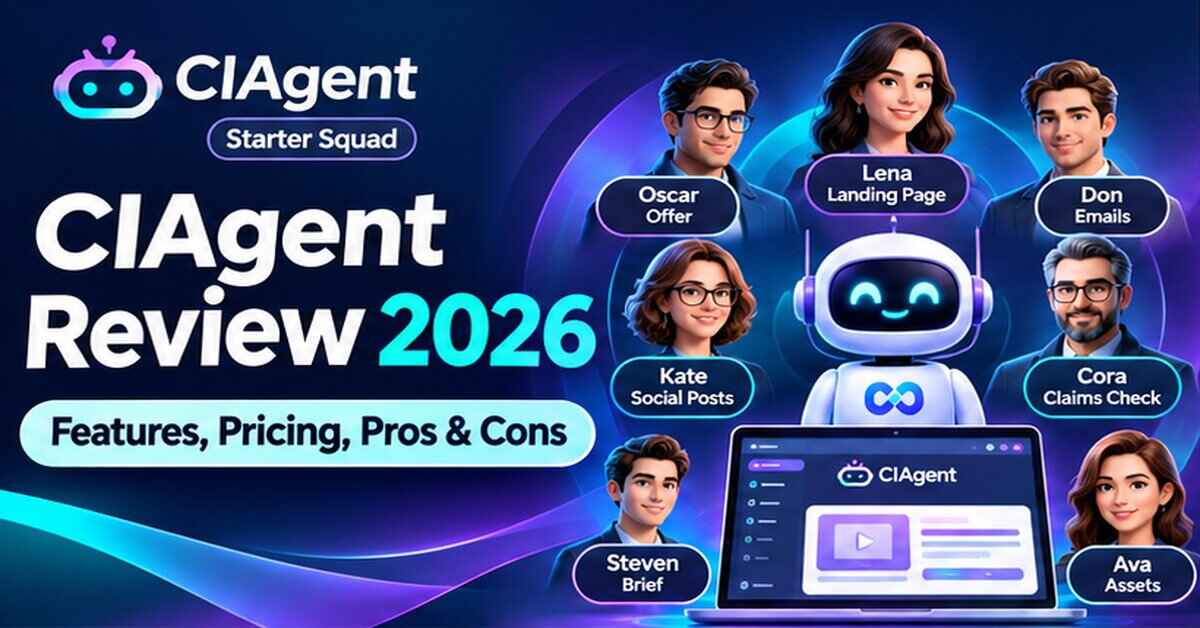
This is the heart of the product. The Starter Squad has seven members:
- Steven, campaign manager: interviews you and routes every job
- Miriam, offers: shapes your offer and hook
- Boris, sales copy: writes your sales page
- Marina, web design: designs your landing page
- Florence, email: writes your welcome sequence
- Ben, social: plans and writes your posts
- Cora, claims check: reviews everything before it goes live
Why does this matter? Because the biggest pain with AI tools is inconsistency. When every specialist works from the same approved brief, you get one voice, one offer and one brand across everything. That’s what makes a launch feel ready.
Feature 2: Copy Built on a Real Playbook
Boris, the copywriter, doesn’t just guess. The vendor says his playbook is distilled from 440 classic ads by well-known copywriters such as Barton, Ogilvy, Schwartz, Suarez and Abbott. Whether you love old-school direct response or not, that gives the writing a structure beyond “make it sound good.”
The claim I can’t verify is how it reads in practice, so my suggestion is to treat the first draft as a draft. The page itself says if something isn’t you, tell the team what to change and it gets redone. Read it aloud, tweak it, and make it yours.
Feature 3: The Claims Check
This one is easy to overlook, and it’s the one I’d value most as a publisher. Cora reviews pages and posts for statements that could get you in trouble, like income claims or promises you can’t back up. The vendor describes it as catching the things that get ads rejected before you post.
Think of it as a second pair of eyes, not a legal department. It doesn’t replace your own judgment or the rules of the platform you’re advertising on. But for a beginner who isn’t sure what they’re “allowed to say,” it’s a useful safety net.
A Few Extras Worth Mentioning
- A 5-email welcome sequence, ready to paste into your email tool
- A designed landing page, so you don’t design a single section yourself
- A week of social posts, so you open your phone on Monday knowing what to post
- Ownership: the vendor says you own what the team makes and can use it for your business or clients
Who Is CIAgent Best For?
I’d point this tool at the following people.
Complete beginners. If you want to start an online business or side hustle and don’t know where to begin, Steven’s guided questions are the whole point.
People with AI-tool fatigue. If you’ve bought a few tools and still feel like you do all the work, a shared-brief team may feel like a relief.
Affiliate marketers and course creators. If you need pages, emails and posts for offers regularly, one brief that feeds everything saves a lot of copy-and-paste.
Freelancers and side-hustlers. The Client Getter Pack bonus (more on it below) is aimed at turning your first campaign into a service offer.
Busy people who prefer to direct, not write. If you’d rather approve than prompt, this fits.
Who should skip it? The vendor says it plainly: if you want a button that makes money while you do nothing, this isn’t it. The Squad builds your marketing. You still choose what to sell and you still hit publish.
CIAgent Pros and Cons
I like a straight list. Here are the strengths and the weak spots.
Pros
- One brief feeds the whole team, so the pieces match
- Beginner-friendly: Steven asks one question at a time with a recommended answer
- Real deliverables: offer, sales page, emails and posts, not just ideas
- Cora checks claims before you publish
- $47 one-time, no monthly fee
- No API keys, no ChatGPT subscription needed
- Works on desktop and phone, with a voice option
- 1,000 credits and 3 bonuses included
- 14-day money-back guarantee, no questions asked
- The sales page is open about limits and doesn’t promise income
Cons
- Credits are one-time and finite (about two full campaigns with images)
- After they run out, you need to buy more
- It doesn’t publish, send or host anything for you
- Starter has seven specialists; the full 29-person team is a paid upgrade
- AI output still needs your reading and editing
- The claims check helps, but it isn’t legal advice
- Lifetime and agency upgrades are expensive, and you don’t need them
- You still need your own website builder and email tool
- Results depend on your offer, your market and your effort
None of this is hidden. The vendor lists nearly all of it on the sales page. The credits point is the one to think hardest about, so let me explain it properly in the next section.
CIAgent Pricing and OTOs
Here’s the part most readers scroll straight to.
Front End: CIAgent Starter Squad, $47 one-time. You get the seven specialists, the One Brief Method, 1,000 one-time credits, access in your browser on desktop or phone, three bonuses, and a 14-day money-back guarantee. No monthly fee.
About credits: Credits are used each time the team creates something, and you see the cost before every job. The 1,000 credits included are enough for about two full campaigns with images. They stay in your account until you use them, but they don’t refill each month. When they run out, you can top up inside the app. As a Starter Squad owner you pay 20% less on the Boost, Plus and Builder packs, which start from $12 for 750 credits. So the $47 is a one-time price for the tool, and heavier use means buying more credits. That’s not a trick, it’s just how this kind of software works, and the vendor states it clearly.
After checkout, you’ll see a few optional offers. Each one has a “No thanks” option, and you don’t need any of them to build your first campaign.
Order bump: Brand Kit Setup, $27. Unlocks Jessa, the brand designer, for logos and brand visuals.
Upsell 1: Full Team Lifetime, $497. All 29 specialists (video, ads, SEO, books, branding and more) plus 600 credits every month. Lifetime access is capped at 150 Founding Members. If you pass, there’s a payment-plan version at 3 × $177.
Upsell 2: Agency, $297. Ten client workspaces and 2,500 credits, for people who want to serve clients. A lighter version, Agency Lite, is $147 for three client workspaces.
Upsell 3: Launch Sprint, $297. A 60-minute live one-on-one session where you build your first campaign together with the founder. A recorded version, Sprint Replay, is $47.
If someone said yes to everything, the funnel adds up to $1,165. I wouldn’t do that on day one. Start with the $47 Starter Squad, build a campaign, and see how it feels. If you later want the extra specialists or client workspaces, the upgrades will make sense then. After the launch, the vendor says CIAgent moves to monthly or yearly plans of $57 to $197 a month, so the launch window is the cheapest way in.
🔥 The launch pricing runs from 24 November to 1 December 2026 (11:59 PM ET). If you’d like to see exactly what’s included before it moves to subscription plans, here’s the official page: Check the CIAgent launch offer here
CIAgent Bonuses
Every Starter Squad buyer gets three launch bonuses:
- The First 30 Days Mission Map. One small mission a day, with the exact message to send Steven, so you always know what to do next.
- The 90-Day Free Traffic Kit. Reddit, Pinterest and TikTok plans for your first visitors, so your new page can get seen without paid ads.
- The Client Getter Pack. Three service offers, outreach messages and a one-page proposal, for using your team to land paying clients.
If I had to pick one to open first, it’s the Mission Map. A tool is only useful if you know what to do on day two, and a one-mission-a-day plan stops you from staring at the dashboard.
For more on building your online business step by step, our Digital Products guides at Brightrs are a good next stop.
My CIAgent Evaluation
Here’s how I’d score it, based on everything the vendor publishes.
- Idea and originality: 8.5/10. A named team that shares one brief is a clear improvement on juggling ten chats.
- Ease of use: 9/10. One question at a time, recommended answers, voice input. It’s built for beginners.
- Value for money: 8/10. $47 for the tool is fair, but credits are the ongoing cost.
- Completeness: 8/10. Offer, page, emails and posts are covered. Publishing is on you.
- Transparency: 9.5/10. Every specialist is labelled as AI, the credits are explained, and no income is promised.
Overall: 8.6/10.
What I like most is how the vendor handles expectations. The page says outright that no software can promise sales, and that the team builds your marketing while you still decide what to sell. That kind of straight talk makes me trust the rest of the page.
One more honest point: the vendor says this is their first WarriorPlus launch. That isn’t a red flag, but it means there’s no long public track record of buyers yet. The 14-day guarantee is there to cover that, so use it if you need it.
CIAgent vs. Alternatives
How does it compare with the other ways of getting a first campaign built?
ChatGPT and prompt packs. Flexible and familiar, but each chat starts from zero, you write the prompts, and the pieces rarely match. You’re the one who has to glue it all together. CIAgent trades some flexibility for consistency.
Hiring freelancers. You get real people and custom work, but you’d need several (a copywriter, a designer, an email writer) and it costs hundreds to thousands of dollars, with weeks of back-and-forth.
Using several AI tools at once. Cheaper per tool, but you end up with “ten strangers and one tired manager,” as the sales page puts it.
Doing it all yourself. Free in dollars, expensive in nights and weekends.
The simple takeaway: CIAgent doesn’t replace a skilled human marketer, and it doesn’t claim to. It’s a fast, low-cost way to get a consistent first campaign on paper, especially if you’re starting from zero.
Looking at other AI-assisted publishing tools? See our StoryMaze Studio review and our Prepper Book Builder review for different takes. You can also browse all of our software reviews.
Is CIAgent Legit?
Yes, from everything I can see. Here’s why I feel comfortable saying so.
- It’s sold through WarriorPlus, a known marketplace that handles checkout, receipts and refunds.
- It’s a live app at app.ciagent.io, so buyers log into working software, not a PDF.
- The page shows real screens and a recorded demo in the actual app.
- It says plainly that all specialists are AI and that no sales or income are promised.
- The Ryan and Dan story is labeled as an illustration, not real customers.
- The vendor publishes a refund policy, terms, privacy and an earnings and AI disclaimer, plus a support email.
- There’s a 14-day money-back guarantee.
Is it a magic money machine? No, and it doesn’t pretend to be. Is it a real tool that does what the page describes? From everything published, yes.
CIAgent Refund Policy
CIAgent comes with a 14-day money-back guarantee, no questions asked. The vendor’s wording is that if it’s not for you, you ask for a refund within 14 days and you get everything back.
One practical detail: because the sale runs through WarriorPlus, refund requests go to the vendor, not to WarriorPlus. Use the support link on the vendor’s site or your purchase receipt.
My suggestion is to test it properly in the first week. Brief Steven about a real idea, let the team build your page and emails, and see whether the output feels close to what you’d actually publish. You’ll know quickly.
Frequently Asked Questions
Is CIAgent a subscription?
No. The Starter Squad is $47 once, with no monthly fee. It comes with 1,000 one-time credits, and after that you only pay if you choose to top up.
What are credits, and are 1,000 enough?
Credits are used each time the team creates something, and you see the cost before every job. 1,000 is about two full campaigns with images. They don’t refill monthly, and extra packs start from $12 for 750 credits (20% less for Starter Squad owners).
I’m a complete beginner. Can I use it?
Yes, that’s who it’s built for. Steven asks one simple question at a time and gives a recommended answer, so you can just say “go with your pick.”
Isn’t this just ChatGPT with a new face?
The vendor’s answer is that ChatGPT forgets your business every chat, while the Squad is seven specialists sharing one brief, with a claims check on top. You get matching pieces instead of a pile of drafts.
Will it sound generic?
Steven interviews you first, so your voice, customer and offer go into everything. If something doesn’t sound like you, tell the team what to change and it’s redone. I’d still read and edit the output.
Do I need ChatGPT, API keys or other tools?
No. Everything runs inside CIAgent in your browser. To publish, you’ll paste your page and emails into the website and email tools you choose.
Will it post, send my emails or put my site online?
No, not in the Starter Squad. It creates everything ready to use, and you handle the publishing.
Does it work for my niche?
If you sell a product, service, course or digital download, the vendor says yes. Steven starts by asking about your business.
Do I own what the team makes?
Yes, according to the vendor. You can use it for your business or your clients.
Are the specialists real people?
No. Every specialist is an AI, and you review and approve everything before publishing.
Will it make me money?
No software can promise that, and the vendor doesn’t. Sales depend on what you sell, who sees it and the work you put in.
Can I unlock the other specialists later?
Yes. Video, ads, SEO, books, branding and more are available as an upgrade from inside the app. You don’t need them for your first campaign.
Final Verdict: Is CIAgent Worth Buying?
Let me bring it together.
CIAgent isn’t magic, and it isn’t trying to be. It’s a team of AI specialists that share one brief, so the offer, page, emails and posts you get actually match. For $47, with a 14-day money-back guarantee and no subscription, the risk is small and the idea is a real step up from juggling ten tabs.
It’s worth buying if you’re a beginner or a busy marketer who’d rather direct than prompt, you’re comfortable reading and editing AI output, and you understand that credits are finite. It’s probably not for you if you want everything published automatically, you want guaranteed sales, or you’d rather hire a human specialist for custom work.
If I were starting out, I’d do this: grab the Starter Squad, brief Steven about one real idea, and open the First 30 Days Mission Map. See whether the first campaign feels close to launch-ready. If it does, great. If not, the refund window is there.
✅ If the idea of briefing a team once instead of re-explaining your business in ten chats sounds like a relief, here’s where to start: Get the CIAgent Starter Squad here
Thanks for reading. If you have questions about CIAgent, leave a comment and I’ll do my best to answer. For more honest software reviews, browse the rest of Brightrs or explore our Affiliate Marketing guides.
Affiliate disclaimer: Some of the links in this post are affiliate links. If you buy through them, I may earn a small commission at no extra cost to you. I only write about products I’ve looked into properly, and my opinions stay my own. Please do your own research before buying, and remember that results depend on your own effort, niche and marketing.