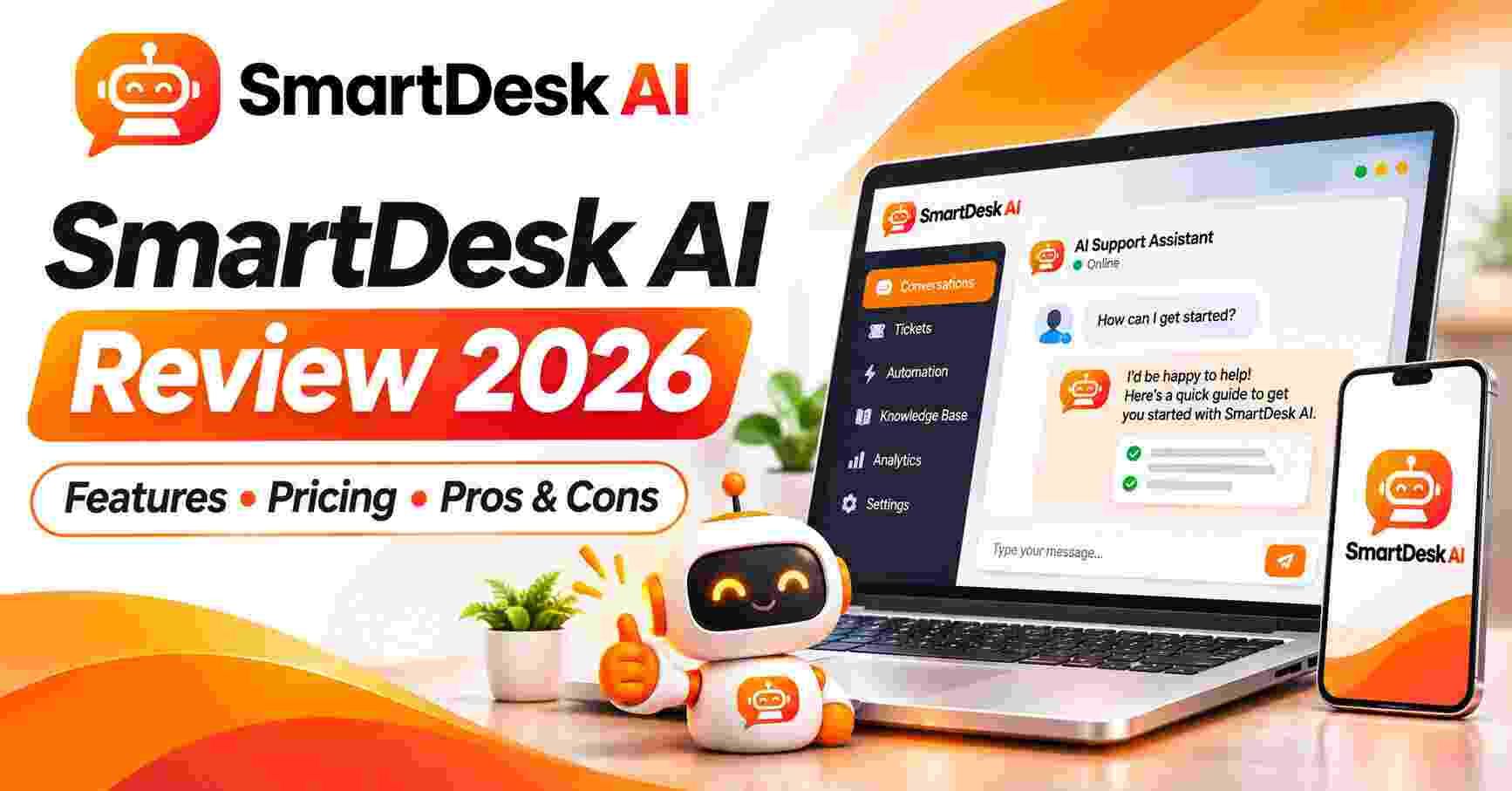
SmartDesk AI Review 2026: Features, Pricing, Pros & Cons (Worth It?)
This SmartDesk AI Review is for anyone who has ever lost a customer without even knowing it. Picture it: it’s 2 AM, someone lands on your website ready to buy, and they have one simple question. They look for a chat box and find nothing. They try the contact form, which promises a reply in 24 hours. So they close the tab and buy from a competitor, and you never find out they were there.
That quiet kind of loss happens every day on small business sites, online stores, blogs and course pages. You can’t be online around the clock, hiring support staff is expensive, and the classic live chat tools come with monthly per-seat fees that add up fast. So most of us do nothing and hope for the best.
SmartDesk AI is built for exactly that gap. It’s a cloud-based app that adds an AI live chat to any website. It learns your business from your own pages, answers visitor questions, captures leads and handles support tickets, and it also comes with a commercial license so you can set it up for clients. In this review I’ll walk through what it does, what it costs, who it suits and where I’d stay cautious. I’m Golam, and I review software and online business tools here at Brightrs. For this post I went through the full sales page, the feature list, the bonuses, the upgrade offer, the guarantee and the FAQ, line by line.
SmartDesk AI Review: Quick Overview
| Detail | What You Need to Know |
|---|---|
| Product | SmartDesk AI |
| Creator | Yogesh Kashyap |
| Type | Cloud-based AI live chat, lead capture and support desk |
| What it does | Reads your website or files, then answers visitors, captures leads and handles tickets |
| AI agents | 50+ ready-made agents for sales, support, booking and tech help |
| Languages | 15+ with automatic detection |
| Works on | WordPress, Shopify, Wix, Convertri, custom HTML and any site that accepts one line of code |
| Price | $14.94 one-time launch price, no monthly fees during launch |
| Commercial license | Included |
| Refund | 30-day money-back guarantee |
In one line: SmartDesk AI tries to give any website the kind of 24/7 chat support that used to need a team, for the price of a couple of coffees. Let’s see how well it holds up.
What Is SmartDesk AI?
SmartDesk AI is an AI-powered support desk that sits on your website as a chat widget. Visitors type a question, the AI answers it using what it has learned from your site, and everything lands in one dashboard where you can see conversations, leads and tickets.
The key idea is that you don’t have to write FAQs or train a bot by hand. You paste your website address and the app reads your pages automatically, with no page limit according to the sales page. You can also upload PDF, DOC and TXT files if your knowledge lives in documents instead.
On top of live chat, it includes a ticket system (customers raise tickets, AI agents reply, and you get email notifications), a lead inbox that collects names and emails, an analytics dashboard, and a Knowledge-Gap Report that shows you which questions the AI couldn’t answer well. There’s also a mobile app, so you can jump into any chat and take over from the AI when a conversation needs a human.
The creator says he built it after launching several AI apps and drowning in repetitive support emails. That’s a story I find believable, because the pain is real. Answering the same five questions every day is the quickest way to burn out a small business owner.
How Does SmartDesk AI Work?
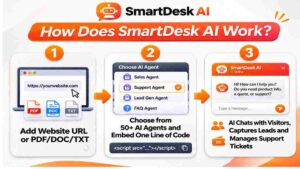
The sales page boils it down to three steps, and honestly the setup looks about that simple.
Step 1: Getting Started
You log in to the cloud-based app from any browser. There’s nothing to install and no hosting to buy. Then you add your website by pasting a URL, or by uploading PDF, DOC or TXT files. SmartDesk AI reads everything and builds its knowledge from it.
This is the step that usually kills chatbot projects. Training a bot normally means typing out question-and-answer pairs for days. Here, the app does the reading for you, and step-by-step training videos are included if you get stuck.
Step 2: Setting Up the Product
Next you pick an AI agent. There are more than 50 ready-made ones, built for roles like sales, support, booking and tech help, so you can match the agent to the site. Then you use the widget designer to set your colours, avatar, launcher, greeting message and working hours.
Finally you copy one line of embed code and paste it into your site. On WordPress, Shopify, Wix and similar platforms, that’s usually a thirty-second job. The page claims the whole thing can be live in about 60 seconds, and from the way it’s described I’d say a few minutes is a fair expectation for a first-timer.
Step 3: Using the Main Features
Once it’s live, the AI answers chats and captures leads on its own. Tickets come in with email alerts. You can watch conversations from your dashboard, check the analytics, and use the Knowledge-Gap Report to find topics your website doesn’t explain well. When a conversation matters, you can take over live, even from your phone.
That last part is important to me. A chatbot that can’t hand off to a human is a liability. This one lets you step in whenever you want.
👉 Curious what the dashboard and the chat widget actually look like in action? Take a look inside SmartDesk AI here.
SmartDesk AI Features and Benefits
There’s a long feature list, so I’ll focus on the three that I think do the most real work.

Feature 1: One-Click Website Learning
You paste a URL, and the AI reads the whole site. It can also learn from uploaded files, and it uses both to answer questions. That’s the difference between a generic chatbot and one that actually sounds like your business.
The benefit is speed. A local dentist, an online store owner or a course creator can get a working support assistant without writing a single FAQ. And when your site changes, you’re not rebuilding a script from scratch.
Feature 2: 50+ AI Agents and Unlimited Chats
Instead of one all-purpose bot, you get a library of more than 50 agents for different jobs. A sales agent talks differently from a support agent, and a booking assistant needs different instructions from a tech helpdesk. Picking the right one saves you a lot of tweaking.
The sales page also says chat messages are unlimited every month. That matters because many chat tools charge by volume, so a busy week can turn into a surprise bill. With flat unlimited chats, a spike in traffic is good news instead of a cost problem.
Feature 3: Lead Capture, Tickets and a Knowledge-Gap Report
This is where SmartDesk AI becomes more than a chat box. Every conversation can capture a name and email, and those go into a lead inbox so a prospect doesn’t vanish. Support tickets arrive with email notifications. And the Knowledge-Gap Report points out questions the AI struggled with, which doubles as a to-do list for improving your website content.
That last one is a quiet gem. Most owners have no idea what visitors are actually confused about. A report that tells you is worth more than it sounds.
A Few More Things Worth Mentioning
- Full widget designer with colours, avatar, launcher, greeting and working hours
- Mobile app with live chat takeover (one operator)
- 15+ languages with automatic detection, handy for global visitors
- Analytics dashboard to track conversations and results
- Cloud-based, so no installs, no hosting and no developer
- Commercial license so you can use it for clients
Who Is SmartDesk AI Best For?
The sales page lists a wide audience, and I think these groups benefit most:
- Online store owners who get the same product, shipping and refund questions all day
- Local business owners like dentists, salons, restaurants, gyms and hotels who miss inquiries after hours
- Agencies and freelancers who want a new service to sell to clients
- Coaches and course creators tired of answering the same student questions
- SaaS and app creators who need a basic helpdesk without a big monthly bill
- Affiliate marketers and bloggers who want a chat agent to talk to visitors and point them to offers
Here’s a realistic example. Say you run a small dental clinic website. Patients visit at night to ask about prices, opening hours and whether you take new patients. An AI agent trained on your site can answer those, capture a phone number or email, and leave you a lead waiting in the morning. No extra hire required.
It’s probably not the right fit if you need deep integrations with a large enterprise CRM, or if you want a huge team inbox with many operators. The mobile app supports one operator, so bigger support teams may need something heavier.
SmartDesk AI Pros and Cons
No tool is perfect, and a review that only lists wins isn’t worth your time. Here’s my honest list.
Pros
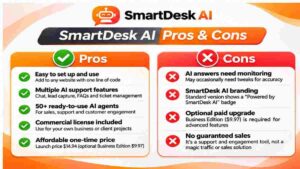
- Learns from your website and uploaded files automatically
- Easy setup with one line of embed code, no developer needed
- 50+ ready-made AI agents for different roles
- Unlimited chat messages each month
- Lead inbox, support tickets and analytics in a single dashboard
- Knowledge-Gap Report shows what your site doesn’t explain
- Mobile app with live takeover
- 15+ languages with auto-detection
- Commercial license included for client work
- Very low one-time launch price with a 30-day money-back guarantee
Cons
- The $14.94 price is a launch deal, and the page says it will go up
- A small “Powered by SmartDesk AI” badge shows on the widget unless you upgrade
- The base version has one operator on the mobile app
- An upgrade is offered for unlimited websites and agents, which suggests the base plan has limits (the page doesn’t spell them out)
- AI answers are only as good as your website content, so you should review conversations, especially early on
- Income examples for client work (like $899 setup plus monthly fees) are best-case figures
- Customer chats involve personal data, so you should tell visitors they’re talking to an AI and follow the privacy rules where you operate
👉 Want to see if the launch price and the $3 coupon are still active? Check the current SmartDesk AI price here.
SmartDesk AI Pricing and OTOs
SmartDesk AI is sold at a one-time launch price of $14.94, with no monthly fees during the launch. The page says you get unlimited chat messages every month, and that the price goes up when the launch timer ends. There’s also an early-bird coupon on the page: use the code DESK3 for $3 off, which brings the price to about $11.95.
That’s a very low entry price for a tool that bundles live chat, a ticket system, lead capture, analytics and a mobile app. Typical setups charge separately for live chat software, a helpdesk tool, an AI chatbot add-on and lead capture, and most of those bills are monthly.
The main upsell I saw on the sales page is the SmartDesk AI Business Edition, limited to the first 25 buyers at $9.97 one-time (listed as normally $97). It adds unlimited websites and AI agents, unlimited support tickets, advanced analytics and conversation insights, removal of the SmartDesk branding, free updates, commercial rights for offering AI live chat services, priority 24/7 VIP support and future PRO features.
Who needs it? If you only want chat on your own site, the base version is probably enough. If you plan to set this up for many clients and want your own branding on the widget, the Business Edition is the one to look at. I didn’t see any other upsells listed, so check each page at checkout.
If you’re building a stack of tools for an online business, browse the Business Tools category for related reviews.
SmartDesk AI Bonuses
Buyers get five fast-action bonuses on top of the software. The page lists a total package value of $1,510 for everything, which is the seller’s own figure, so I’d focus on what’s actually useful.
- AI Chat Agency Starter Kit (valued at $147): a ready-to-send client proposal, pricing sheet, cold email and DM scripts
- 50 Done-For-You Niche Knowledge Packs ($37): plug-and-play FAQ and knowledge files for dentists, salons, restaurants, real estate, eCommerce and more
- Fiverr & Upwork Gig Blueprint ($39): gig titles, descriptions, three-tier packages and buyer reply templates for selling AI chatbot setups
- Local Client Hunter Playbook ($27): a method for finding local businesses with no live chat on their site and pitching them
- Chat-To-Sale Script Vault ($47): greetings, objection-handling replies and lead-capture lines
If you want to use SmartDesk AI as a service for clients, the niche knowledge packs and the agency starter kit are the two I’d open first. They save you the awkward blank-page moment of writing your first proposal.
My SmartDesk AI Evaluation
I judge tools by one question: does it solve a real problem better than what I’d put together myself? Here’s how I’d score it based on what the sales page shows.
| Category | Score |
|---|---|
| Ease of setup | 9/10 |
| Feature depth for the price | 9/10 |
| Value for money at launch pricing | 9/10 |
| Flexibility for bigger teams | 7/10 |
| Transparency about limits | 7.5/10 |
| Overall | 8.5/10 |
The price-to-feature ratio is the standout. Even if you only use it on your own site, a chat widget that captures leads while you sleep can pay for a $14.94 purchase with a single saved sale. And if you do client work, the commercial license opens up a real service you can sell.
Where I’d hold back a little is on limits and scale. The page doesn’t clearly spell out what the base version caps in terms of websites and agents, and the single-operator mobile app won’t suit a big support team. I’d also test how well the AI answers on your actual content before you trust it with customers. That’s true of any AI chat tool.
If you’re exploring other ways to earn or save with online tools, my AzonFlow review covers a different angle, and the Lead Generation category has more reading.
SmartDesk AI vs. Alternatives
SmartDesk AI isn’t up against one competitor. It’s up against the usual ways small sites handle support.
| Approach | What You Get | The Catch |
|---|---|---|
| Classic live chat software | Real-time chat with human agents | Monthly per-seat fees, and someone has to be online |
| Separate helpdesk and ticketing tools | Organized ticket handling | Another monthly bill, and often no AI answering |
| Standalone AI chatbot add-ons | Automated answers | Extra fees, and usually you train them by hand |
| Hiring support staff | Human quality | Salaries, training and night shifts |
| Contact form only | Free | Slow replies and lost visitors |
| SmartDesk AI | AI chat, tickets, leads and analytics in one dashboard, trained from your site | Launch price is temporary, and you should review AI replies |
A fair note: if you already pay for a big helpdesk platform with many agents and deep integrations, SmartDesk AI probably won’t replace it. But for small businesses, solo owners, freelancers and agencies, it gives you something that used to cost a lot more.
For more tools in this space, browse the AI Tools category, and if you run a store, the E-commerce category is worth a look.
Is SmartDesk AI Legit?
From what I could see, yes. It’s a real software product with a clear purpose, a defined feature list, a cloud app plus a mobile app, a named creator, a refund policy, terms of service, a privacy policy and an earnings disclaimer.
The page also says results vary and that there are no earnings guarantees, which I appreciate. The testimonials shown are the seller’s own and I haven’t verified them, and a few lines of the page (like the client income examples of $899 setup plus $1,299 per month) are best-case figures rather than something every user should expect. I also noticed a couple of editing notes left in the page copy, so it’s clearly a launch-week page still being polished.
So is it a legitimate tool? I believe so. Will it fill your calendar with high-paying clients overnight? No. Treat the client-service angle as something you build with effort, and the chat widget on your own site as the safer, more immediate win.
SmartDesk AI Refund Policy
SmartDesk AI comes with a 30-day money-back guarantee. The page says you can try it for 30 full days, and if it doesn’t work for you, you contact the support team and they’ll refund the purchase.
My advice: use the first week properly. Add your website, pick an agent, install the widget, then read through the first conversations to see how accurate the answers are. By the end of week one, you’ll know whether it fits. The footer also links to a full refund policy page, so read it before you buy.
Frequently Asked Questions
Do I need technical or coding skills?
No. You paste your URL, pick an agent and copy one line of code into your site.
Do I need to install anything or buy hosting?
No. SmartDesk AI is 100% cloud-based, and you log in from any browser. A mobile app lets you manage chats from your phone.
How does the AI learn about my business?
It reads your website pages, and you can also upload PDF, DOC and TXT files. It uses both to answer visitor questions.
Which websites does it work with?
Any site where you can add one line of code, including WordPress, Shopify, Wix, Convertri and custom HTML.
Can I use it for client websites?
Yes. A commercial license is included. A small “Powered by SmartDesk AI” badge appears on the widget, and the Business Edition upgrade removes the branding.
Are there monthly fees?
Not during the launch. The page says you pay once at the launch price and get unlimited chat messages every month.
Can I see what the AI tells my customers?
Yes. Every conversation is saved in your dashboard, and you can take over any chat live, even from the mobile app.
Is there a money-back guarantee?
Yes, 30 days. See the refund section above.
Final Verdict: Is SmartDesk AI Worth Buying?
Let’s wrap up this SmartDesk AI Review honestly.
The problem it solves is a real one. Websites lose visitors every day because nobody answers fast enough, and most small owners can’t afford a support team or a stack of monthly chat subscriptions. SmartDesk AI gives you an AI chat that learns your site, captures leads, handles tickets and lets you step in from your phone, all for a launch price that’s easy to justify. If you also do web design, SEO, WordPress or freelance work, the commercial license gives you a new service to offer.
The cautions are small but worth knowing. The launch price won’t last, the base version has limits that the page doesn’t fully spell out, and you should always read through early AI conversations to make sure the answers are accurate. With a 30-day money-back guarantee, you can check all of that for yourself with very little at risk.
My take: if you run a website, a store or a client business and you’re tired of missed chats and repeated questions, SmartDesk AI is well worth a look while launch pricing is still on. If you need a large multi-agent helpdesk, you may want something heavier.
👉 Ready to put an AI support desk on your site? Grab SmartDesk AI at the current launch price and test it with the 30-day guarantee behind you.
Quick disclosure: this post contains affiliate links, which means I may earn a small commission if you buy through them, at no extra cost to you. I only recommend tools I think are worth your attention, and my opinions are my own. Income examples mentioned by the product owners aren’t typical, and your results will depend on your own effort and situation.