SocialMint AI Review 2026: Features, Pricing, Pros & Cons (Worth It?)
If you run a small business and you keep promising yourself you’ll post more, this SocialMint AI Review might save you a lot of Sunday evenings. SocialMint AI is a browser-based tool that writes your captions, creates your pictures and lays out a whole month of posts on a calendar, all in the voice of your business. You pay once, then connect your own AI account, so there’s no monthly fee to the software maker. I’ll show you how it works, what it really costs, where the catch is, and whether it’s worth your money.
Let me start with a situation you’ll probably recognize. It’s Tuesday. You know you should post something. You open Instagram, stare at the empty caption box, and think, “What do I even say?” Forty minutes later you’ve picked a photo, deleted three drafts and written “Happy Tuesday!” Then the week gets busy, and you go quiet for three weeks. Then the guilt kicks in and you post six things in one day.
The problem isn’t that you have nothing to say. Every single post needs four small jobs: an idea, the words, a picture and a time to publish it. Do that twenty times a month and it quietly eats your week. And the AI tools you’ve tried? They tend to sound like a robot selling vitamins, and every helpful one wants another monthly subscription.
That’s the gap SocialMint AI is built for.
SocialMint AI Review: Quick Overview
Here’s the short version.

| Product | SocialMint AI |
| Made by | Ankor Business Solutions |
| What it is | Browser-based tool for planning, writing and designing social media posts |
| Main parts | Content Studio, image maker and photo editor, Brand Kit, content calendar, draft library, AI assistant chat |
| Platforms covered | Facebook, Instagram, LinkedIn, X, TikTok, Pinterest, Threads, YouTube and more |
| Pricing model | One-time payment, no monthly fee to the maker |
| Launch price | $17 (regular $27), launch price listed as ending 16 November |
| The catch | You connect your own AI account (OpenAI, Google Gemini or Claude) and pay that company for usage |
| Refund | 30-day money-back guarantee |
| Best for | Small business owners, coaches, consultants, freelancers and creators |
My quick take: it’s honest, simple and priced low enough that the risk is small. The part you need to understand before buying is the “own AI account” setup. I’ll explain it clearly below.
What Is SocialMint AI?
SocialMint AI is a web app that opens in your browser on a Windows or Mac computer. There’s nothing to install. It brings the whole social media routine onto one screen: coming up with ideas, writing captions and hooks, making images, and arranging everything on a calendar.
What makes it different from a generic chatbot is the Brand Kit. You fill in details about your business once, like who your customers are, how you talk, the words you love and the words you never use. After that, every post follows those rules. So instead of a caption that sounds like it came from a template, you get something that sounds like you wrote it on a good day.
It’s aimed at people who handle their own marketing: small business owners, coaches, consultants, freelancers and creators. It also isn’t pretending to be something it’s not. It doesn’t post for you, and it doesn’t promise followers or sales. It makes ready-to-post drafts and helps you plan them, and you put them up yourself.
How Does SocialMint AI Work?
The flow is simple. Here’s how it breaks down based on what the page describes.

Step 1: Getting Started
You buy access, open the web app in your browser and connect your own AI account by adding an API key. If that phrase makes you nervous, don’t worry. An API key is just a password-like code from an AI company such as OpenAI (the makers of ChatGPT), Google (Gemini) or Anthropic (Claude). The package includes a step-by-step guide with pictures that explains every click, and the page says it takes about 10 minutes.
Step 2: Setting Up the Product
Next you fill in your Brand Kit. You describe your customers, your tone of voice, the words you like and the ones you never use. This is the step that makes the output sound like your business and not everyone else’s AI. Spend a little extra time here. It pays off in every post afterward.
Step 3: Using the Main Features
Now the fun part. You type a topic, or paste a blog post or a few rough notes, and ask for a caption, hooks and hashtags. You choose where it’s going, whether that’s Facebook, Instagram, LinkedIn, X, TikTok or another platform. Then you describe the picture you want, choose the shape (square for the feed, tall for stories), and generate it. Finally, you drag your drafts onto the calendar and mark them ready. On the day, you copy the post, download the picture and publish. The page says that takes about two minutes, because the thinking is already finished.
👉 Curious how it looks inside? Watch the SocialMint AI demo and see the current launch price here.
SocialMint AI Features and Benefits
There’s quite a bit inside, so I’ll focus on the three features that matter most to everyday users.
Feature 1: Content Studio With Your Brand Kit
This is the writing engine. You ask for a caption, hooks or hashtags for a specific platform, and the tool writes it using your Brand Kit. One click rewrites it, another adds hashtags. It can also work from a blog post or rough notes, so you don’t have to start from a blank page.
Why it matters: the biggest complaint about AI writing is that it all sounds the same. A Brand Kit won’t make it perfect, and I’d still read and tweak every post, but it gets you much closer to your own voice than a generic prompt does.
Feature 2: Image Maker and Photo Editor
You describe the picture you want, choose the shape, and click Generate. Or you upload a photo you already have and ask the AI to tidy it up. There’s no stock photo hunting and no design software to learn.
A fair warning: the page is upfront that pictures cost more than text on your AI account, so you’ll want to keep an eye on usage. More on that in the pricing section.
Feature 3: Content Calendar and Draft Library
This is the feature that quietly changes your habits. You drag drafts onto a monthly calendar, mark them ready and see the whole month at a glance. Projects and a draft library keep everything organized, so nothing gets lost in a notes app or a random folder. It turns “I should post more” into a plan you can actually see.
What Else Is Inside
- AI assistant chat: for ideas, rewrites and questions like “what should I post this week?”
- Guides and support: a quick start guide, a full user guide, a Q&A and email support from a real person
- Commercial use: you can use it for your own business
- Platform range: posts for Facebook, Instagram, LinkedIn, X, TikTok, Pinterest, Threads, YouTube and more
Who Is SocialMint AI Best For?
I think it fits these people best:
- Small business owners who do their own marketing and keep falling behind.
- Coaches, consultants and freelancers who need to stay visible without spending hours on it.
- Creators with more ideas than free time.
- Anyone tired of subscriptions for tools they only use a couple of times a month.
- Beginners who want a guided setup, not a complicated dashboard.
It’s probably not for you if you want a tool that posts to your accounts while you sleep, because it doesn’t. It also isn’t right for anyone who wants a promise of followers or sales, and the page says openly that nobody honest can promise that. And if you’d rather never touch an AI account, this isn’t the right fit, since you do need one. Also read: CloneBid Review 2026: AI Influencer Features, Pricing, Pros & Cons
SocialMint AI Pros and Cons
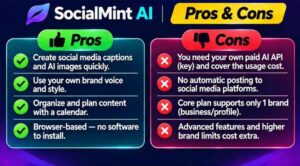
Pros
- One-time payment with no monthly fee to the software maker
- Brand Kit helps posts sound like your business
- Captions, images and calendar all in one place
- Covers all the major platforms
- Opens in your browser, with nothing to install
- Step-by-step API key guide with pictures
- Clear, honest limits: it doesn’t auto-post or promise results
- 30-day money-back guarantee
- Low launch price, so the risk is small
Cons
- You need your own AI account and API key, which adds a small setup step
- AI usage is billed separately by the AI company, and pictures cost more than text
- It doesn’t post for you. You copy, download and publish yourself
- Built for a computer screen. It works on a phone, but planning is nicer on a bigger display
- The front-end version holds one Brand Kit, so multi-business owners need the Pro upgrade
- You’ll still need to read and edit your posts, as with any AI writing
SocialMint AI Pricing and OTOs
Here’s what the page says at the time of writing.
- Launch price: $17 one-time, instead of the regular $27. The page says the launch price ends on 16 November.
- Monthly fee: none to the software maker.
- AI usage costs: you pay your AI company directly for what you use. The page says writing a post usually costs cents, while pictures cost a bit more per image. You can watch the spending on the AI company’s site and set a monthly limit there.
- Upgrade: a Pro upgrade is offered on the next page and removes the one-Brand-Kit limit for people who run more than one business or project. I couldn’t see the price of it, so check it at checkout and read what’s included before you decide.
The page gives a simple comparison: a tool at $29 a month costs $348 a year, while SocialMint AI costs $17 once in launch week. That math is fair for the software itself, but remember to add your own AI usage on top. For most small businesses posting regularly, that should still be modest, but it depends on how many pictures you generate.
👉 Want to lock in the launch price before it goes up? Check the current SocialMint AI price here.
SocialMint AI Bonuses
There isn’t a separate bonus stack on the sales page, but the package itself includes several extras that work like bonuses:
- API key setup guide: every click explained with pictures, about 10 minutes.
- Quick start guide: so you can create your first post fast.
- Full user guide and Q&A: for when you want to go deeper.
- Email support: answered by a real person at Ankor Business Solutions.
- Commercial use: for your own business.
If you’re buying through my link, also check your checkout page and confirmation email for any extra bonuses that may be attached. I’d judge the tool on the tool, though, and treat anything extra as a nice surprise.
My SocialMint AI Evaluation
Here’s how I’d rate it, based on the offer as presented:
- Ease of use: 8.5/10. Browser-based, guided setup and a clear four-step flow.
- Value for money: 9/10 at the launch price. Hard to complain about $17 once, as long as you factor in AI usage.
- Output quality: 7.5/10 (expected). The Brand Kit should help, but you’ll still want to edit.
- Honesty of the pitch: 9/10. It states what it won’t do, which I appreciate.
- Convenience: 7.5/10. Manual posting and the API key step take a little extra effort.
- Overall: 8.5/10.
What I like most is the tone of the page. It admits the tool won’t post for you at 2am and doesn’t promise followers. In a market full of “unlimited everything” offers, that kind of honesty is rare, and it makes me more willing to trust the rest.
SocialMint AI vs. Alternatives
There are plenty of ways to handle social media content. Here’s how they compare in general terms:
| SocialMint AI | Subscription content tools | Using a chatbot directly | |
|---|---|---|---|
| Payment | One-time, plus your own AI usage | Usually monthly | Free or monthly |
| Brand voice | Brand Kit built in | Varies | You re-explain it each time |
| Images | Built in | Often built in or separate | Depends on the tool |
| Calendar | Built in | Often built in | None |
| Auto-posting | No | Often yes | No |
| Setup | API key needed | Sign up and go | Sign up and go |
If automatic posting matters most to you, a scheduling platform may suit you better. If you’d rather skip another monthly bill and keep everything in one place, SocialMint AI makes more sense. And compared with a plain chatbot, the Brand Kit, image maker and calendar save you from copying things between five different tabs.
Is SocialMint AI Legit?
From what I can see, yes. It’s sold through WarriorPlus, it names the company behind it (Ankor Business Solutions), it gives a support email, it links to a refund policy, terms, privacy policy and earnings disclaimer, and it explains clearly how your API key is handled. According to the page, your key is saved in your browser, passes through the server with each request to the AI company, and is never saved on the server.
The pitch is also modest. It doesn’t claim you’ll make money or gain followers overnight. It says the tool makes posts and plans them, and you stay in charge of what goes out under your name. That’s what a legit product that knows its limits looks like. As always, though, read the terms yourself and use common sense with any account details.
SocialMint AI Refund Policy
The page offers a 30-day money-back guarantee. If SocialMint AI doesn’t save you time, you email the support address with your receipt number or ask through WarriorPlus, and they refund you. There are no forms to fill in, according to the page, and there’s a dedicated refund policy page you can read before buying.
My advice: use the first week properly. Fill in your Brand Kit, write a handful of posts, make a few pictures and plan a couple of weeks on the calendar. If it saves you time, keep it. If not, ask for your refund while you’re well inside the window.
Frequently Asked Questions
Do I need to be technical? No. If you can use email and a web browser, you can manage it. The API key guide explains each click with pictures.
What is an API key and why do I need one? It’s a password-like code from an AI company such as OpenAI, Google or Anthropic. It lets SocialMint AI use that AI for you, and the AI company bills you directly for what you use. That’s why there’s no monthly fee to the software maker.
How much will the AI cost me? It depends on how much you create. Text usually costs cents per post. Pictures cost more. You can see your spending on the AI company’s site and set a monthly limit there.
Does it post to my accounts automatically? No. It makes ready-to-post drafts and plans them on a calendar. You copy the text or download the picture and post it yourself.
Is there a monthly fee? Not from the software maker. You pay once. Your AI company charges you for your usage.
Does it work on a Mac or phone? It runs in the browser, so it works on Windows and Mac computers. It also works on a phone, but a bigger screen is nicer for planning a month.
Can I use it for more than one business? The standard version holds one Brand Kit. The Pro upgrade removes that limit.
What if it’s not for me? You have 30 days to ask for a refund.
Final Verdict: Is SocialMint AI Worth Buying?
If you’re a small business owner, coach or creator who struggles to post consistently, SocialMint AI is an easy one to recommend at the launch price. You get a Brand Kit that keeps your voice consistent, a writing studio, an image maker, a calendar to plan the month and a clear refund window, all for less than a lunch out. And the honest tone of the offer is a big point in its favor.
Just go in with clear eyes. You’ll need your own AI account, you’ll pay a little for usage, you’ll have to post manually, and you’ll still want to edit what the AI writes. If those trade-offs sound fine, it’s a practical way to turn “I should post more” into a month of posts that’s already done.
My suggestion is simple. Grab it while the launch price is still live, spend your first evening on the Brand Kit, plan one full month and see how much time it gives you back. If it doesn’t, the guarantee has you covered.
👉 Ready to try it? Get SocialMint AI at the launch price and plan your next month of posts.
Affiliate disclaimer: This post contains affiliate links, which means I may earn a small commission if you buy through them, at no extra cost to you. I only share products I think are worth a look, and my opinions are my own. Results vary from person to person, so please read the full terms on the official page before you buy.