Beehiiv Pricing in 2026: What You’ll Really Pay and Whether It’s Worth It
If you’re trying to figure out beehiiv pricing, I get it. Pricing pages are never as simple as they look. You see a few plan names, a slider, a couple of numbers, and somehow you still don’t know what your bill will be six months from now.
And right now it’s even more confusing, because beehiiv changed its plans and prices on October 1, 2026. The old names (Launch, Scale, Max) are gone. A lot of the articles and videos still floating around online are describing plans that don’t exist anymore.
So here’s my plan for this post. I’ll walk you through what the plans are called now, what each one gives you, how the price grows with your list, who should stay on the free plan, who should pay, and who should probably look somewhere else. No hype. Just what I’d want to know if I were about to pick a newsletter platform.
Why Pricing Is the Part Everyone Gets Wrong
Let me tell you about a mistake I see over and over.
Someone decides to start a newsletter. They’re excited. They spend a week comparing tools, and they pick the one with the lowest price on the front page. Maybe it says “$9 a month” in big friendly letters.
Three months later, their list has grown to a few thousand people. They want to set up an automated welcome email. Locked behind a higher plan. They want to remove the platform’s logo from their emails. Higher plan. They want to sell a paid tier. Another higher plan, plus a cut of every sale.
Suddenly that $9 tool costs four times as much, and they’re stuck, because moving thousands of subscribers to a different platform feels like a root canal.
On the flip side, I’ve seen people do the opposite. They get scared of paying anything, so they stay on a free tool that has no growth features, no referral system, nothing. Their list sits at 800 people for a year, and they wonder why newsletters “don’t work.”
Both mistakes come from the same place: not understanding how the pricing really works before committing. So let’s fix that.
The Short Version of How beehiiv Charges
Before the details, here’s the big picture.
beehiiv charges based on how many subscribers you have, not how many emails you send. That’s a real difference from some tools that charge by send volume. You can send as often as you like. What moves your price is the size of your list.
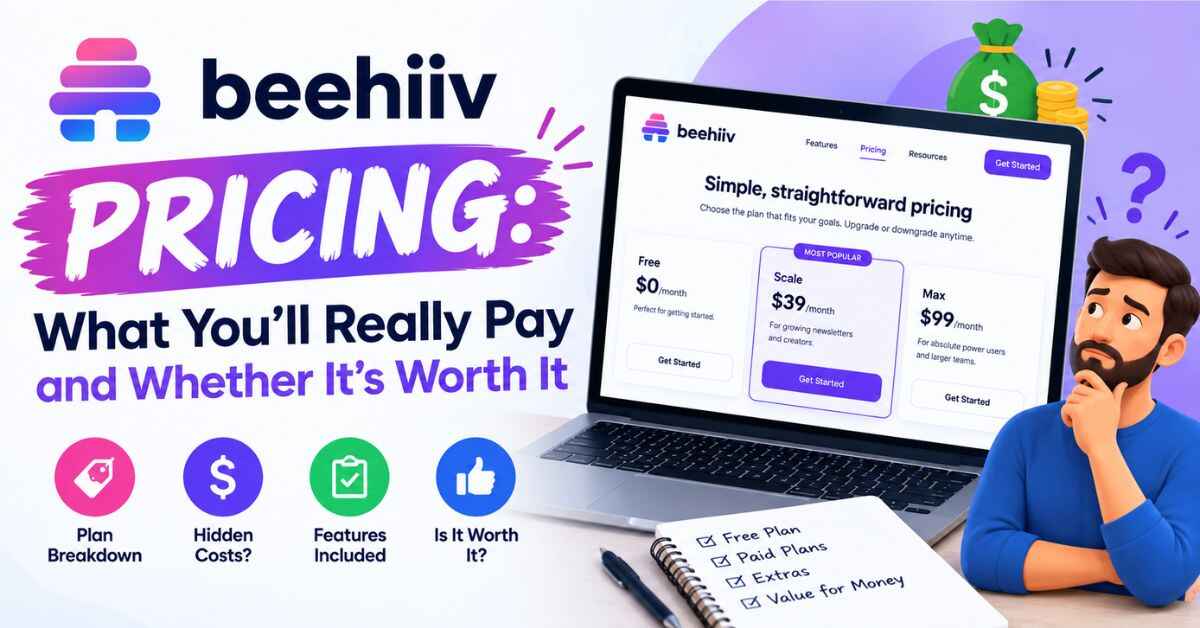
There are four plans now:
- Free (this used to be called Launch)
- Lite (this used to be called Scale)
- Pro (this used to be called Max)
- Enterprise (custom pricing, for very large operations)
Free is free. Lite and Pro are priced by subscriber tier, meaning the price steps up as your list grows past certain numbers. Enterprise is something you talk to the sales team about.
If you pay yearly instead of monthly, beehiiv says you get up to two months free, so the yearly option works out cheaper per month. Prices on the pricing page are shown as monthly equivalents with yearly billing, which is worth knowing so you don’t get surprised at checkout.
What’s on the Free Plan
This is where most people should start, so let’s spend some time here.
The free plan covers up to 2,500 subscribers. That’s a lot of runway. If you’re building from zero, it could take you months or even a year to fill it.
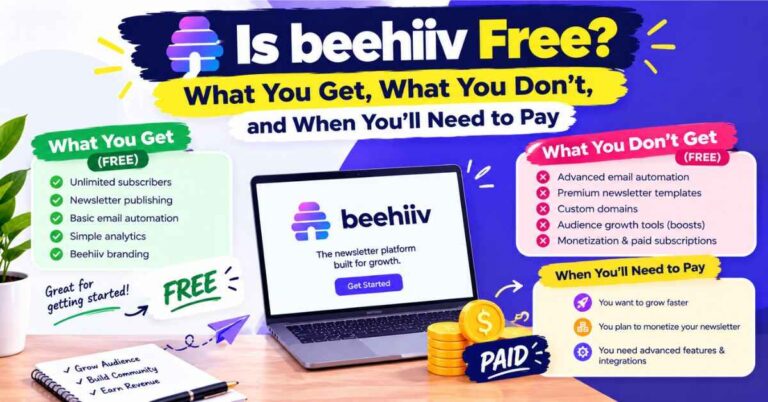
On Free, you still get things that other platforms charge for:
- Unlimited email sends
- Your own newsletter website
- Templates
- Landing pages
- The recommendation network, which helps you get discovered by readers of other newsletters
- API access
- Tools for websites, podcasts, community, and digital products
One more thing that surprised me: beehiiv says digital products carry a 0% platform fee. So if you want to sell a small guide or a template pack to your readers, the platform isn’t taking a slice of that.
So what’s missing? A few things. Free keeps beehiiv branding on your content. Analytics only look back 30 days. You get one team seat, one guest author, and one publication. And some of the money-making and automation tools start at the next level up.
For someone who’s just starting out, none of that is a dealbreaker. You’re learning, you’re finding your voice, you’re getting your first few hundred readers. Free lets you do all of that without paying a cent and without being forced to guess whether this will work out.
If you want to peek inside before you commit to anything, is a fine place to start. Open a free account, poke around the editor, and see if it feels right. Is Beehiiv Worth the Price? Find Out for Yourself
What Lite Adds (And Who It’s For)
Lite is the first paid step. This is the plan for people who’ve outgrown “just testing” and want to start treating the newsletter like a real project, or even a small business.
Lite covers lists up to 100,000 subscribers. On top of everything in Free, here’s what you get:
- Paid subscriptions with a 0% take rate. beehiiv doesn’t take a cut of what your readers pay you. You’ll still pay normal payment processing fees (Stripe’s), but the platform itself isn’t skimming revenue.
- Ad monetization. This is the gate to the ad network, where brands pay to appear in your newsletter.
- Automations. Welcome sequences and other emails that go out on their own.
- Audience polls and A/B testing. Small tools that help you learn what your readers care about.
- The MCP integration, which lets you run parts of the platform from AI tools.
- Longer analytics. A full 12 months of history instead of 30 days.
- More room. Two team seats, three guest authors, and three publications.
Here’s the honest part. The thing I’d care most about on Lite is automations. A welcome sequence is one of the best-performing things you can build in a newsletter. Someone signs up, and within minutes they get a warm email introducing you, followed by a couple of your best pieces over the next few days. You build it once and it works for every new reader forever. If you’re serious about turning subscribers into loyal readers, that alone can justify the upgrade.
The other big reason to move to Lite is money. If you plan to charge for a premium tier or sell sponsorships, this is where those doors open.
What Pro Adds (And Who It’s Really For)
Pro is for people running a more serious operation. It covers lists up to 250,000 subscribers, which is a big change. Before this update, self-serve plans pushed people to Enterprise at 100,000 subscribers. Now you can grow much further without having to talk to a sales team.
On top of Lite, Pro adds:
- Removal of beehiiv branding, so your emails look fully yours
- Webinars and coaching tools
- Advanced analytics with unlimited history
- More AI credits
- Webhooks and dynamic content, which let you vary parts of your newsletter for different readers
- 24/7 priority support
- Ten team seats, unlimited guest authors, and up to ten publications
Do you need Pro? Honestly, probably not at first. If you’re a solo writer with a few thousand subscribers, Lite will carry you a long way. Pro makes sense when you have a team, run several newsletters, care a lot about white-label branding, or need the deeper analytics and support.
Think of it this way: Lite is for growing and earning. Pro is for running something that’s bigger than one person at a laptop. Also read: Beehiiv Review 2026: An Honest Look at the Newsletter Platform Everyone Keeps Talking About
And Enterprise?
Enterprise is custom pricing for big publishers and companies. It adds things like single sign-on, dedicated IP addresses, a customer success manager, and concierge onboarding. If you’re reading a blog post like this to decide on your first newsletter, this isn’t for you yet. But it’s good to know the ceiling exists.
So What Will You Actually Pay? (Real Numbers, With a Warning)
Okay, this is the part you came for. But I need to be upfront about something.
Pricing is the one thing in a review like this that changes the fastest. beehiiv just changed theirs, and the numbers being reported differ depending on where you look and whether billing is monthly or yearly. So I’m not going to give you a neat table of exact dollar amounts and pretend it’s permanent.
Here’s what I can tell you.
For a list of around 10,000 subscribers, beehiiv’s own pricing page showed roughly $119 a month for Lite and $199 a month for Pro with yearly billing switched on. Some press coverage of the change quoted higher figures, about $139 for Lite and $239 for Pro, which looks like the monthly-billing view. Same plans, different billing assumption. The takeaway is that paying yearly can save you a meaningful amount, and that you should set the slider to your own subscriber count on the pricing page and read the number that appears there.
That’s the number that matters, not any figure in a blog post, including this one.
A few other things worth knowing:
If you already pay for beehiiv, your price doesn’t change right away. Existing customers keep their current rate until their first renewal on or after November 1, 2026. Monthly payers get at least 30 days’ notice before the first bill at the new price, and yearly payers keep their price until the end of their term.
Your tier follows your list size. If your list shrinks, your tier can drop. Cleaning out inactive subscribers is not just good for deliverability, it can also lower what you pay. beehiiv also moved some accounts that had grown past the tier they were paying for into the correct one, so check your tier if you’re an existing user.
Discounts don’t stack. If you have a discount and a new promotion comes along, the newer one replaces the old one rather than adding to it.
The Honest Part: Not Everyone Is Happy About the Change
I don’t think a trustworthy review should skip this, so I won’t.
When beehiiv raised prices, some creators were not thrilled. Reports from the time quoted people who’d moved over specifically because they wanted to escape Substack’s 10% cut of subscription revenue, and several were reconsidering after the increase. One writer pointed out that for publishers who don’t charge their readers, the math looks very different, because beehiiv’s best financial advantage, the 0% take on paid subscriptions, doesn’t help you if you’re not selling subscriptions.
That’s a fair point, and it’s worth sitting with.
Here’s how I’d frame it:
If you plan to charge readers, beehiiv’s model can be very good. You keep your subscription revenue (minus normal payment fees), and you pay a flat plan price based on list size, not a percentage of what you earn. The bigger you get, the more that structure tends to help you.
If you’ll rely on ads and sponsorships, you need to look at your numbers. The ad network can be a great source of income, but it depends on your audience and niche. Treat any “average earnings” figure on a sales page as a rough idea, not a promise.
If your list is small and you earn nothing yet, stay on Free for as long as you can. There’s no rush to pay. Use the free tools, grow your list, and upgrade only when a specific paid feature would clearly pay for itself.
I’d rather you hear this from me now than feel misled later.
Who Gets the Best Value From beehiiv Pricing
Let me make this practical with a few examples of people I’d point toward each plan.
The beginner with a big dream and a small list
Let’s call her Rina. She writes about budgeting tips for young families. She has 120 subscribers and a lot of ideas. Free is perfect. She builds her website, sets up a signup page, publishes weekly, and uses the recommendation network to find readers. She pays nothing until her list gets big enough that she needs automation or ad monetization.
The creator ready to earn
Think of Arif. He’s been writing about freelancing for a year, he’s at 4,000 subscribers, and readers keep asking for templates and deeper guides. He’s past the free limit, so he moves to Lite. He sets up a welcome sequence, launches a paid tier, and applies for the ad network. The plan price is real, but now the newsletter is producing income that can cover it.
The small team with several publications
Imagine a small media project with three newsletters, two editors, and a few regular guest writers. They want their branding on everything, deeper analytics, and quick support when something breaks. That’s Pro territory. Spreading that across one platform and one bill is cleaner than juggling several tools.
The writer who only wants to share thoughts
Someone who writes occasionally for friends, with no plans to grow or earn, probably doesn’t need any paid plan. Free is enough, and even a simpler tool might suit them. That’s okay. Not every newsletter needs to be a business. Ready to Start Your Newsletter? Try Beehiiv Today
The Hidden Value: Fewer Tools, Fewer Bills
When you compare beehiiv pricing to other platforms, don’t just compare the plan price. Compare the whole setup.
A typical newsletter on a cheap email tool often ends up needing:
- A separate website or blog
- A separate tool for landing pages
- A separate tool for paid subscriptions
- A separate analytics setup
- Extra software for referrals or growth
Each of those has its own monthly fee and its own login. Add them up and the “cheap” option isn’t so cheap anymore.
With beehiiv, the website, landing pages, recommendations, analytics, polls, and monetization tools sit under one account. You’ll still pay for your plan, but you may not need to pay for four or five other things on the side. For many people, that’s where the real savings come from, along with the time you get back from not stitching tools together.
That’s not a guarantee. If you only need a simple email sender, you really can find something cheaper. But if you want a place to write, grow, and earn, the all-in-one setup makes the price easier to justify.
Smart Ways to Keep Your Costs Down
Here are the habits I’d follow if I were using beehiiv.
Stay on Free as long as it makes sense. The 2,500 subscriber limit is generous. Don’t upgrade just because it feels like the “serious” thing to do.
Upgrade for a reason. Before you pay, name the exact feature you need and how it’ll help. “I want automations so every new reader gets a welcome series” is a good reason. “I just feel like I should” is not.
Pay yearly once you’re sure. If you’ve been using the platform for a while and you know you’re staying, yearly billing can save you up to two months’ worth of fees.
Clean your list. Every few months, remove people who haven’t opened an email in a long time. A smaller, more engaged list usually performs better and can keep you in a lower tier.
Check your tier after list changes. Because the price is tied to your subscriber count, a big signup spike or a big cleanup both change what you owe.
Watch for seasonal deals. Platforms often run promotions around Black Friday and similar times. Not guaranteed, but worth a look before you buy.
beehiiv vs. the Pricing Anxiety
I want to say something that isn’t really about numbers.
Pricing anxiety is real, and it stops more newsletters than bad writing ever does. People spend weeks stuck comparing plans, afraid of choosing wrong, and the whole time their audience isn’t growing because they haven’t sent anything.
Here’s the truth: the platform you pick matters much less than the habit of showing up. A mediocre tool you use every week beats a perfect tool you never open. And since beehiiv has a free plan with room for 2,500 readers, the cost of trying it is basically your time.
If it turns out not to be a fit, you can export your list and go elsewhere. Nothing is permanent. You can start for free, learn how newsletters really work, and make a better decision with real experience instead of guesses.
My Honest Take on beehiiv Pricing
After going through the plans, here’s where I land.
What I like: The free plan is genuinely useful, not a stripped-down demo. Paying by subscriber count rather than send volume is fair for people who want to publish often. The 0% take on paid subscriptions and digital products is a real advantage if you plan to sell. And the all-in-one setup can save you from a pile of extra subscriptions.
What gives me pause: The price went up for new customers, and some creators clearly feel the sting. The jump between plans is noticeable, and the numbers shown depend heavily on your billing choice and list size. If you’re a small publisher who doesn’t sell subscriptions and earns little from ads, paid plans can feel expensive for what you get.
Who I’d recommend it to: People who want to build a newsletter as a real, growing project, especially those who plan to monetize with paid tiers, digital products, or sponsorships.
Who I wouldn’t push it on: Someone who just wants to send an occasional email to friends, or someone who can’t yet justify any monthly cost. Stay free, or choose something simpler.
That’s my honest read. It isn’t perfect, but for the right person it’s a strong platform at a fair price, and starting free means you’re not betting anything.
Quick Answers to Common Questions
Is beehiiv really free?
Yes. The free plan supports up to 2,500 subscribers with unlimited email sends, your own website, templates, and landing pages. Some features, like branding removal and advanced monetization, need a paid plan.
What happened to Launch, Scale, and Max?
They were renamed. Launch is now Free, Scale is now Lite, and Max is now Pro. Enterprise kept its name.
Does beehiiv charge by emails sent?
No. Pricing depends on your subscriber tier, not how often you send.
Will beehiiv take a cut of my paid subscriptions?
beehiiv’s paid plans list a 0% take rate on paid subscriptions. You’d still pay normal payment processing fees, like Stripe’s.
Can I save by paying yearly?
Yes. Yearly billing can give you up to two months free compared to paying monthly.
What if my list shrinks?
Your tier can go down if your subscriber count drops, which can lower your bill.
I’m an existing customer. Do I pay more right now?
Not immediately. Existing customers keep their current price until their first renewal on or after November 1, 2026.
Final Thoughts
Newsletter platforms all say the same thing on their homepages. What matters is what happens after you sign up: how easy it is to write, how well it helps you grow, and whether the bill makes sense as your list gets bigger.
beehiiv isn’t the cheapest option on the market, and I won’t pretend it is. But it covers a lot of ground, the free plan gives you a real chance to try it, and the paid plans make sense if you’re building something you want to earn from.
My suggestion is simple. Start free. Build your page, write your first issue, and see how it feels. Look at the pricing slider with your real list size only when you actually need to. If you’d like to look around, will take you there, and you can check today’s exact prices for yourself before deciding anything.
And if you’ve been sitting on the idea of starting a newsletter for months, don’t let the pricing page be what stops you. Open an account and Explore Beehiiv Plans , send one issue, and let the real experience answer your questions better than any review can.
I hope this guide to beehiiv pricing made the decision a little clearer.
Affiliate Disclaimer
Quick heads-up: some links in this post are affiliate links. If you sign up through them, I may earn a small commission at no extra cost to you. It helps me keep writing posts like this. I only share tools I think are worth looking at, and my opinions are my own. Prices and plans change, so please check beehiiv’s pricing page for the latest details before you decide.