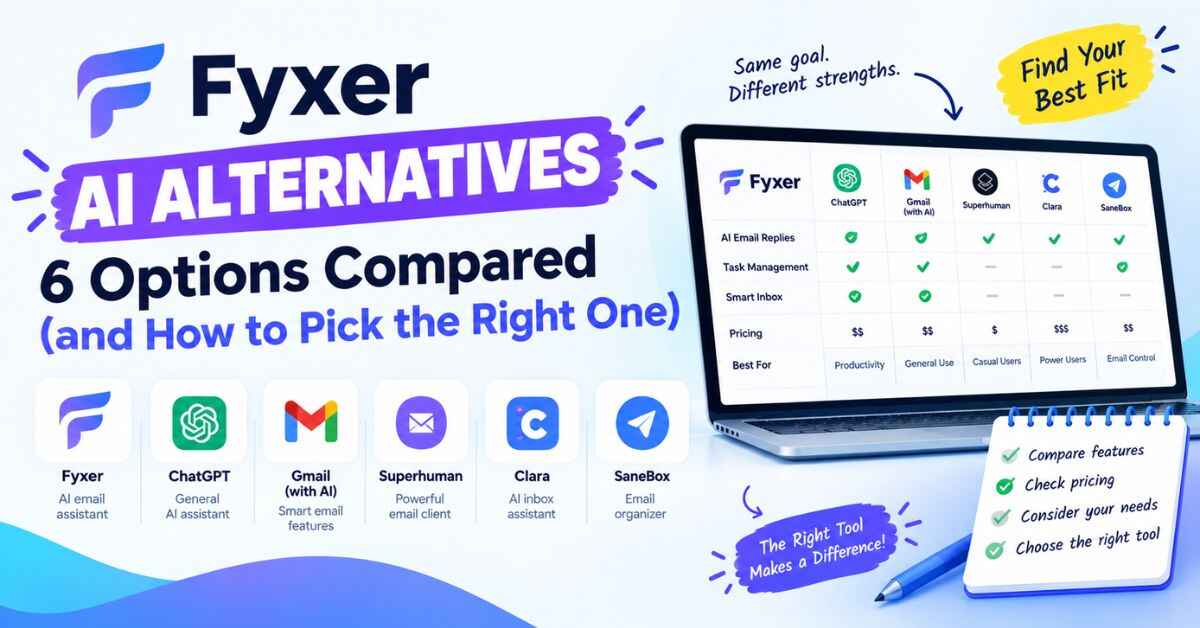
Fyxer AI Alternatives: 6 Options Compared (and How to Pick the Right One)
You’ve probably done this already. You searched for an AI email assistant, found Fyxer, liked what you saw, and then thought, “Wait, are there better options? Maybe something cheaper?” So now you’re looking at Fyxer AI alternatives, with a dozen tabs open and a growing suspicion that every tool sounds exactly the same.
I get it. Every one of these tools promises to “save you hours” and “clear your inbox.” That language is useless when you’re trying to decide where to spend your money. So in this post, I’ll cut through it. I’ll walk through the main alternatives, say what each one is actually good at, point out where each falls short, and help you figure out which type of tool matches the way you work. I’ll also tell you honestly where Fyxer isn’t the right pick, because a comparison that always ends with the same answer isn’t a comparison.
Why Are You Even Looking? (The Problem Behind the Search)
Before we compare tools, it helps to be clear about what’s bothering you. Because the right alternative depends entirely on the problem.
Most people who go hunting for an AI email tool are dealing with one of these:
“I can’t find what matters.” The client email, the lead, the deadline. It’s in there somewhere, but it’s buried under newsletters, receipts, and notifications. You spend your first 30 minutes every day just digging.
“I write the same emails over and over.” Scheduling replies, “thanks, here’s the link,” quick confirmations. None of it is hard, but all of it takes time, and the time adds up.
“My meetings create a second job.” You finish a call and now you need notes, action items, and a follow-up. With five calls in a day, that’s your evening gone.
“I forget what I promised.” At the end of a call you say “I’ll send that over by Friday,” and then it vanishes from your head. Nobody noticed, until they did.
“I’m already overpaying for tools I barely use.” This is the sneaky one. You’ve tried a few apps and subscriptions, and now you’re wary of adding another.
Here’s why it matters which one is yours. A tool that’s great at meeting notes might do nothing for your inbox. A tool that makes email faster to type might not help you find what matters. A tool that replaces your email app entirely might create more friction than it removes. So “which is best?” is the wrong question. “Best for what?” is the right one.
First, What Does Fyxer Actually Do?
To compare alternatives fairly, let me describe the thing they’re being compared to.
Fyxer is an AI executive assistant that works inside Gmail or Outlook. You don’t switch to a new email app. It connects to the one you have and gets to work. Here’s what it covers:
- Sorts your email into labels like “To respond,” “FYI,” and “Marketing”
- Drafts replies in your tone, which you review and send yourself
- Joins your video meetings (Zoom, Google Meet, Microsoft Teams), takes notes, and drafts the follow-up
- Keeps a follow-up list of what you owe people
- Answers questions about your own work, like “What’s waiting on me?”
Fyxer never sends emails on your behalf. It leaves drafts for you.
The company says more than 100,000 people use it, and its pricing page lists names like Starbucks, AT&T, SoundCloud, Knight Frank, and Celonis. Current pricing is a Free plan, Pro at $37 a month per person on annual billing ($49 monthly), Team at $64 on annual billing ($99 monthly), and custom Enterprise pricing. New accounts get a 14-day free trial of the Team plan, with unlimited credits for the first 3 months as a launch offer.
So the big idea is “one assistant, inside the inbox you already use, covering email and meetings together.” Keep that in mind, because it’s the thing every alternative either matches, partly matches, or does differently.
Curious how that “assistant inside your inbox” idea feels in real life? See Fyxer for yourself here →
The Quick Comparison
Here’s the short version before we go deeper. Prices come from third-party price trackers and each company’s own pages around the time of writing. They change often, and some sources disagree, so always confirm on the official site before buying.
| Tool | What it is | Rough starting price | Best for |
|---|---|---|---|
| Fyxer | AI assistant inside Gmail/Outlook: sorting, drafts, meeting notes | $37/mo annual (Free plan available) | People who want email and meetings handled together |
| Superhuman | A fast, separate email app with AI features | Around $25/mo annual | Speed-focused email users willing to switch apps |
| Shortwave | An AI-powered email client | Free plan; paid from around $24/mo annual | People who want AI search and summaries in a new email app |
| Fireflies | A dedicated meeting notetaker | Free plan; paid from around $10/mo annual | People who mostly need meeting notes |
| Gmelius | An AI assistant with team features inside Gmail | From around $19/user/mo | Teams that share inboxes |
| Built-in AI (Gmail, Outlook) + free tricks | AI features inside the apps you already pay for, plus filters | Often already included | Light users who want to spend nothing |
Now let’s go through them one at a time. Also Read: Fyxer Review (2026): Can an AI Assistant Really Give You Your Inbox Back?
Fyxer AI Alternatives, Reviewed One by One
1. Superhuman: For People Who Want a Faster Email App
Superhuman is known for speed. It’s a standalone email app, built around keyboard shortcuts and a clean interface, and it works with Gmail and Outlook accounts. According to pricing trackers, plans start around $25 a month per person on annual billing for Starter, with the Business tier around $33 on annual billing and $40 monthly. Features like auto-drafted replies and Ask AI appear to sit in the higher tier, so check which plan includes what you want.
What it’s good at: making email itself faster and more pleasant. If you love an app that feels sharp and responsive, and you’re happy to move your daily email into it, it’s a strong contender.
Where it differs from Fyxer: it’s a different email app you move into, rather than an assistant layered on top of the one you already use. And based on what’s publicly listed, it’s mainly about email, so meeting notes and follow-up tracking aren’t its core focus. Fyxer’s own comparison page claims it’s the more complete assistant and that its drafts are better. Of course, that’s Fyxer’s framing, so test both if you can.
Pick it if: speed and a polished email app matter most, and you don’t need a notetaker.
2. Shortwave: For AI Search and Summaries in a New Inbox
Shortwave is another AI-powered email client. Price trackers list a Free plan with basic AI summaries, a Business plan at around $24 a month per person on annual billing ($30 monthly), and higher tiers (Premier around $45, Max around $120) with more advanced AI.
What it’s good at: searching your email in natural language, summarizing long threads, and writing with AI, all in one app.
Where it differs from Fyxer: like Superhuman, it’s a separate email app. It’s strong on the email side, but it isn’t built around a meeting notetaker and follow-up list the way Fyxer is.
Pick it if: you want to try a new email client with a free plan, and email search and summaries are your biggest pain.
3. Fireflies: For People Who Mostly Need Meeting Notes
Fireflies is a meeting notetaker. It joins calls on the main platforms, transcribes them, and produces summaries and action items. According to price trackers, there’s a Free plan with unlimited transcription but limited storage, Pro at around $10 a month per seat on annual billing ($18 monthly), and Business at around $19 on annual billing ($29 monthly).
What it’s good at: meetings. If your pain is “I’m on calls all day and nobody writes anything down,” it’s a focused and often cheaper answer. Fireflies itself says it also touches email, Slack, and CRM, but meetings are where it’s strongest.
Where it differs from Fyxer: it doesn’t sort your inbox or draft your email replies in the way Fyxer does. It solves one half of the problem very well.
Pick it if: your inbox is fine but your meetings are a mess, and you want to spend as little as possible.
4. Gmelius: For Teams Sharing Inboxes
Gmelius takes a different angle. Its AI assistant works inside Gmail and leans toward team collaboration: shared inboxes, automation rules, AI categorization, and scheduling. Gmelius says its plan starts at $19 per user per month and includes AI drafts and categorization. (That figure comes from Gmelius’s own comparison page, so treat it with a grain of salt.)
What it’s good at: teams handling shared mailboxes, like support@ or sales@, where several people need to coordinate on the same emails.
Where it differs from Fyxer: Fyxer is designed around one person’s inbox and calendar, with team features on higher plans. Gmelius is more of a team workflow tool.
Pick it if: you’re managing a shared team inbox in Gmail and need automation more than a personal assistant.
5. Built-In AI in Gmail and Outlook: For the “Spend Nothing” Crowd
Both Gmail and Outlook have been adding AI features, such as summaries and writing help, and some of these may already be included in the plan you pay for at work or home. Availability and pricing vary by plan and change often, so check what yours includes.
What it’s good at: basic summaries and writing help at no extra cost, inside tools you already know.
Where it differs from Fyxer: these features tend to be tools you trigger yourself, not an assistant that continuously sorts, drafts, tracks promises, and joins your meetings. Fyxer’s whole pitch is that it works in the background.
Pick it if: your email volume is light and you’d rather spend nothing.
6. Free Tricks: Filters, Labels, and Discipline
Honestly, for some people the best alternative isn’t software at all. A few well-made filters, a “reply today” label, two scheduled email checks per day, and unsubscribing from the junk can take you a long way.
What it’s good at: costing nothing and teaching you what actually matters in your inbox.
Where it falls short: it’s manual, it needs ongoing effort, and it doesn’t write drafts or take meeting notes.
Pick it if: you get a modest amount of email and you’re willing to maintain a system.
So How Do You Choose? A Simple Decision Guide
Here’s a quick way to narrow it down based on what’s bugging you most.
If your biggest pain is the inbox AND meetings, Fyxer’s all-in-one approach is the closest fit, since it covers sorting, drafts, notes, and follow-ups together.
If your biggest pain is meetings only, a dedicated notetaker like Fireflies may be cheaper and enough.
If you love the idea of a faster, prettier email app, look at Superhuman or Shortwave. Just remember you’d be switching apps.
If you’re running a shared team inbox, consider Gmelius.
If you get little email and rarely take calls, use the built-in AI and free tricks. Don’t pay for something you won’t use.
And here’s the shortcut that cuts through all of it: whichever you’re leaning toward, try it before you pay. Almost every tool in this list has a free plan or trial, and Fyxer’s trial runs on the Team plan with every feature turned on.
Where Fyxer Wins (And Where It Doesn’t)
Let me be fair to everyone, including the product this blog is about.
Where Fyxer is strongest:
- It works inside your current inbox. No new app, no migration. Setup takes a couple of minutes.
- It covers email AND meetings in one place. Many alternatives do one or the other.
- It keeps a running list of what you owe people, which helps promises stop slipping.
- It never sends for you. You review every draft.
- It lists SOC 2 Type II, ISO 27001, and GDPR compliance, with HIPAA available for enterprise customers, and says your data isn’t sold or used to train its AI providers’ models.
- It’s easy to walk away from. If you delete your account, your inbox goes back to how it was.
Where Fyxer is weaker:
- It isn’t the cheapest. Pro is $37 a month on annual billing, which is more than some alternatives. Reviewers sometimes call that high for people with light email.
- Sorting and drafts need a paid plan. The Free plan has audio meeting notes and a weekly briefing but doesn’t sort or draft automatically.
- Draft quality varies. Independent reviews mention that some drafts are great and some need real editing.
- Credits can run out for very heavy meeting users. Recording costs 60 credits an hour, and Pro includes 3,000 credits a month after the launch period.
- It’s built mainly for Gmail and Outlook. If you’re on something else, check first.
If you want one tool for the whole “email plus meetings” problem and you live in Gmail or Outlook, Fyxer is a strong place to start. If you need something narrower or cheaper, one of the alternatives above may serve you better.
Real-Life Examples: Which Tool Fits Which Person?
Here are some quick scenarios. They’re illustrative examples, not real customers.
Priya, the freelance designer. She has five clients, gets 40 emails a day, and takes a few calls a week. Her fear is missing a lead. She wants labels, drafts, and a follow-up list without switching apps. Fyxer Pro fits well. One extra project a year covers the cost.
Daniel, the consultant with six calls a day. His inbox is manageable, but his evenings vanish into meeting recaps. If that’s truly his only pain, Fireflies might do the job for less. If he also wants his emails sorted and drafted, Fyxer covers both.
Maya, the email power user. She loves clean, fast apps and doesn’t mind moving. She’d look hard at Superhuman or Shortwave, and she’d be right to.
A four-person support team. They share one mailbox and keep stepping on each other’s replies. Gmelius is built for this kind of workflow.
Marcus, the light user. He gets 15 emails a day and takes two calls a week. He should use the built-in tools and a couple of filters, maybe try Fyxer’s trial for curiosity, and keep his money.
The pattern is simple: match the tool to the problem, not the hype.
Not sure which camp you’re in? Try Fyxer free for 14 days and find out →
How to Test Any of These Without Wasting Weeks
A bad trial is one where you sign up, click around for ten minutes, and forget. Here’s a better way to compare, whether you’re testing Fyxer or its alternatives.
- Pick your top two. More than that and you’ll never finish.
- Define one success measure. “Fewer missed emails,” “meeting recaps done in 5 minutes,” or “inbox handled before 10 a.m.”
- Use each for at least five working days. Tools need a few days to learn your patterns.
- Correct mistakes early. Wrong labels and weak drafts are how the tool gets better.
- Count the time saved. Fyxer’s dashboard shows hours and value given back, and other tools have usage views too.
- Set a reminder for the day before the trial ends, so you decide on purpose.
If you want a trial that includes everything, Fyxer’s 14-day Team trial is a convenient place to begin, and you fall back to the Free plan if you do nothing.
Final Thoughts on Fyxer AI Alternatives
Here’s my honest summary.
There’s no single winner among Fyxer AI alternatives, because people have different problems. If you want a fast new email app, Superhuman and Shortwave are worth a look. If you only need meeting notes, Fireflies is focused and affordable. If you’re managing a shared team inbox, Gmelius is built for that. And if you barely get any email, you may not need to pay for anything.
But if your situation is “too much email, too many calls, and I keep losing track of what matters,” and you’d rather not change your email app, Fyxer is the most direct answer I’ve seen: one assistant, inside your existing inbox, handling sorting, drafts, meeting notes, and follow-ups together.
You don’t have to take my word for it. A trial costs nothing, takes a couple of minutes, and gives you your own numbers instead of someone else’s opinion.
If your inbox is still eating your best hours, start your free Fyxer trial and see how it compares →
Affiliate Disclosure
Quick heads-up: some links in this post are affiliate links. If you sign up for Fyxer through one of them, I may earn a small commission, and it doesn’t cost you anything extra. It doesn’t change what I write, and I’ve tried to be fair to every tool I mention, including the ones I don’t earn anything from. Prices and features change often, so please check each company’s website for the latest details before you decide.